Freedom251 › Digital Asset Management Software

iconik
by iconik
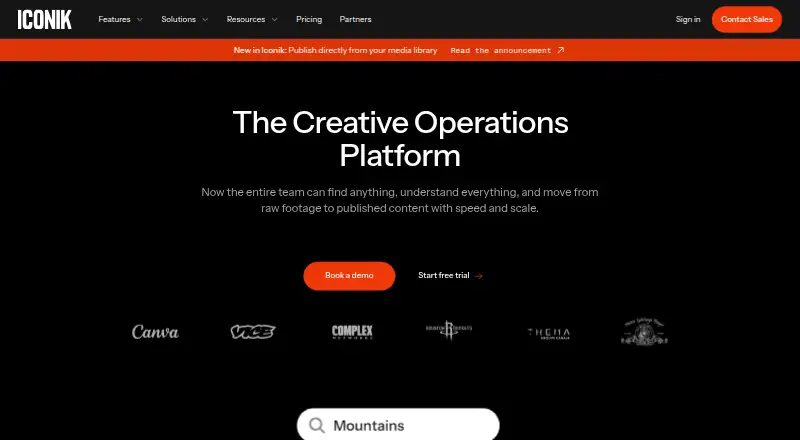
What iconik is
iconik is a media asset platform for organizing and working with video, audio, images, PDFs and production materials. Its supported asset types also include Adobe Premiere Pro project files and After Effects templates. The listed capabilities include metadata and tagging, approval workflows, version history, guest sharing and API access. The platform lists API as its platform. iconik’s plans include free collaborator access, paid Browse User access at $9.00 per month, Standard User access at $65.00 per month and Power User access at $120.00 per month. The Professional plan lists advanced AI, automation capacity, SSO, Desktop Player, and included proxy, transfer and egress storage. The Enterprise plan lists enterprise administration, advanced compliance and audit logs, premium support SLAs, a dedicated technical account manager, and bring-your-own proxy storage. iconik was founded in 2017, and its maker is headquartered in Stockholm, Sweden. The free Collaborator plan is billed monthly and provides collaborator access; paid plans are also billed monthly where a price is listed. These options give teams a choice of access plans alongside tools for asset metadata, approvals, versions, sharing and API use.
Who it suits
iconik may suit teams managing video, audio, image, document and production assets that need metadata, approval workflows, version history or guest sharing. The Professional and Enterprise plan features may suit organizations looking for the specific storage, AI, automation, compliance or administration capabilities those plans list.
What it does well
- Supports video, audio, images, PDFs and production files.
- Includes Adobe Premiere Pro project files and After Effects templates.
- Provides metadata and tagging, approvals and version history.
- Guest sharing and API access are listed capabilities.
- Free Collaborator access is available.
What to know first
- The listed platform is API.
- Standard User access costs $65.00 per month.
- Power User access costs $120.00 per month.
Limits
The free Collaborator plan provides collaborator access. Browse User access is $9.00 per month; Standard User is $65.00 per month and Power User is $120.00 per month, each billed monthly.
Plans
| Plan | Billed and limits | Price |
|---|---|---|
| Collaborator | billed monthly · Free collaborator access | Free |
| Browse User | billed monthly · Browse access | $9 a month |
| Standard User | billed monthly · Standard user access | $65 a month |
| Power User | billed monthly · Power user access | $120 a month |
| Professional | Advanced AI · Automation capacity · SSO · Desktop Player · Included proxy, transfer, and egress storage | On request |
| Enterprise | Enterprise administration · Advanced compliance and audit logs · Premium support SLAs · Dedicated technical account manager · Bring-your-own proxy storage | On request |
As iconik.io lists them, read 20 Sept 2026. The maker's own page has the final word.
Getting started
- Visit https://www.iconik.io/.
- Choose the Collaborator plan for free collaborator access, or review the paid user access plans.
- Select Browse User, Standard User or Power User if you need one of those access tiers.
- Use the API platform and API access capability to work with the service.
iconik is a media management platform for teams working with video, audio, images, documents and production files. It suits teams that need one place for metadata, approvals, version history and guest sharing. Its range of user tiers makes it adaptable, though choosing the right access level matters: the listed paid tiers span $9 to $120 per user per month.
Overview
iconik supports a broad mix of assets, from PDFs and production files to Adobe Premiere Pro project files and After Effects templates. Metadata and tagging, approval workflows, version history and guest sharing address the practical work of organizing media and moving it through review. API access adds a route for teams that need to connect it with other systems.
The trade-off is plan complexity. The named user tiers have sharply different monthly prices, while Professional and Enterprise use custom pricing and bundle additional capabilities. Teams should match the tier to the access and administration they need before budgeting.
Key features
- Broad asset support: Video, audio, images, PDFs, production files and Adobe project assets can sit within the same media workflow. This breadth suits mixed-media teams better than a library organized around a single asset type.
- Metadata and tagging: These tools help teams classify and retrieve assets as their libraries grow.
- Approvals and version history: Review workflows and prior versions support controlled collaboration where work changes over time.
- Guest sharing: Teams can include external collaborators in sharing workflows.
- API access: Useful for organizations that need programmatic access or integration work.
Pricing
iconik uses a freemium model. Collaborator access is free, while paid user access is priced per user per month. The free tier is suitable for collaborators who need access without a paid user plan; the paid tiers distinguish Browse, Standard and Power User access, but the plan descriptions do not define their feature boundaries in more detail.
| Plan | Price | What it means |
|---|---|---|
| Collaborator | free | Free collaborator access; a fit for people participating without a paid user tier. |
| Browse User | $9 a month | Browse access at the lowest paid price. |
| Standard User | $65 a month | Standard user access, priced substantially above Browse. |
| Power User | $120 a month | Power user access for users who need that tier. |
| Professional | Custom pricing | Advanced AI, automation capacity, SSO, Desktop Player, and included proxy, transfer and egress storage. |
| Enterprise | Custom pricing | Enterprise administration, advanced compliance and audit logs, premium support SLAs, a dedicated technical account manager, and bring-your-own proxy storage. |
For a team with many occasional collaborators, free access can limit paid seats to users who need a named paid tier. Browse is the lower-cost paid option, but the higher Standard and Power User prices make it important to confirm which level each person requires. Professional and Enterprise add specific capabilities for organizations with more advanced operational or compliance needs, but custom pricing makes their cost harder to compare upfront.
Platforms
API is the platform listed for iconik. That makes the API relevant to teams planning integrations, while teams choosing software based on a particular end-user platform should confirm that it fits their environment.
Who it's for
iconik is a strong candidate for production and media teams managing several asset formats and coordinating review among staff and guests. Metadata, tagging, approvals and version history make it more compelling when organization and review are recurring needs. A team seeking a simple, narrowly scoped image library may not need the breadth of its workflows or the higher paid tiers.
Pros and cons
- Pro: Handles video, audio, images, documents and production assets, supporting mixed-media libraries.
- Pro: Combines tagging, approvals, version history and guest sharing, covering several stages of collaborative media work.
- Pro: Free collaborator access can accommodate people who need to participate without taking a paid user tier.
- Con: Paid prices rise from $9.00 to $120.00 per month, so costs can vary considerably by user tier.
- Con: Professional and Enterprise have custom pricing, making direct cost comparisons difficult.
- Con: API is the only listed platform, which may not suit buyers looking for a broader platform choice.
Alternatives
Browse the Digital Asset Management Software directory to compare options. Consider ResourceSpace if a free plan and Linux, macOS, Windows or self-hosted platform options matter; its free trial follows a demo request. Razuna is worth considering for its free plan with 500 GB storage, five users and two workspaces, or if Android, iOS, web or self-hosting support matters. Choose Air if its free allowance of 120 monthly credits and unlimited users fits your team. Cloudinary offers a free tier with three users, one account and 25 monthly credits. Data Dwell offers a free plan with three users, 3 GB storage, five portals and 100 downloads. ioMoVo has a free tier for two users with 2 GB storage and 4 GB transfer. DBGallery offers a free plan with 20 GB storage. Playbook offers a free tier with 100 GB storage, 300 assets, three members and three guests.
Verdict
Choose iconik if your team manages several media types and needs organization, review, version history and guest participation in the same workflow. Its breadth and free collaborator access are clear strengths; the main reason to look elsewhere is the steep jump between paid user tiers or a need for platforms beyond API.
Verdict
Consider iconik if your team handles several kinds of media and needs metadata, approvals, version history or guest sharing. Check the access tier against your needs: free access is for collaborators, while listed paid user plans include Browse, Standard and Power User tiers at different monthly prices.
Questions
Does iconik have a free plan?
Yes. The Collaborator plan is free and provides collaborator access.
What are iconik’s listed user plan prices?
Browse User is $9.00 per month, Standard User is $65.00 per month and Power User is $120.00 per month. Each is billed monthly.
Which asset types does iconik support?
It lists video, audio, images, PDFs, production files, Adobe Premiere Pro project files and After Effects templates.
What features are listed for managing assets?
The listed capabilities include metadata and tagging, approval workflows, version history and guest sharing.
Does iconik provide API access?
Yes. API access is listed, and API is the listed platform.
Where is iconik’s maker based, and when was it founded?
The maker is headquartered in Stockholm, Sweden. iconik was founded in 2017.
Facts from iconik's own pages
- API access
- Yes · iconik.io, 20 Sept 2026
- Approval workflows
- Yes · iconik.io, 20 Sept 2026
- Supported asset types
- video,audio,images,PDFs,production files,Adobe Premiere Pro project files,After Effects templates · iconik.io, 20 Sept 2026
- Founded
- 2017 · iconik.io, 28 Sept 2026
- Free plan
- Yes · iconik.io, 20 Sept 2026
- Guest sharing
- Yes · iconik.io, 20 Sept 2026
- Headquarters
- Stockholm, Sweden · iconik.io, 28 Sept 2026
- Metadata and tagging
- Yes · iconik.io, 20 Sept 2026
- Paid from
- 9 · iconik.io, 20 Sept 2026
- Version history
- Yes · iconik.io, 20 Sept 2026
Where iconik stands on Freedom251
- Digital Asset Management Software#10 of 151