Freedom251 › System Information Software

htop
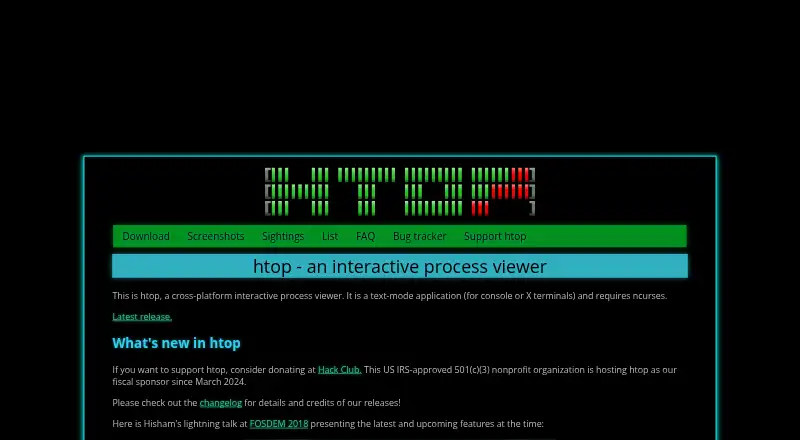
What htop is
htop is a free, text-mode process viewer for working with running processes from console or X terminals. It requires ncurses and supports Linux, FreeBSD, NetBSD, OpenBSD, DragonFly BSD, macOS, and Solaris in current releases. You can obtain source code from GitHub or use pre-compiled binaries supplied by distributions. Installation examples cover Debian, Fedora, Gentoo, and Arch Linux, while macOS users can find htop in Homebrew.
Its display includes Unicode Braille-style graphs and a tree view, with visual support for systems with many processors. Process controls include adjusting I/O scheduling priority and CPU affinity. Color themes are available for light and dark terminals, and header meters can be customized. The memory meter reports memory used by processes; Linux also uses available memory for buffers and disk cache. htop does not show SWAP use for individual processes because exact amounts, including for shared pages, cannot be reliably determined. The project began in 2004, and users can subscribe to its mailing list for release announcements.
Who it suits
htop suits people who want to inspect and manage processes in a terminal on a supported system. Its controls and customizable display may also suit users who need to adjust process priorities or CPU affinity.
What it does well
- Free, with source code and distribution binaries.
- Supports Linux, BSD systems, macOS, and Solaris.
- Offers Unicode graphs and a tree view.
- Can configure I/O priority and CPU affinity.
- Customizable header meters and terminal color themes.
What to know first
- Requires ncurses and a text-mode terminal.
- No per-process SWAP column is provided.
Plans
| Plan | Billed and limits | Price |
|---|---|---|
| Free | Freely available; source code and distribution binaries | Free |
As htop.dev lists them, read 8 Oct 2026. The maker's own page has the final word.
Getting started
- Visit htop.dev for download information
- Install a package through a distribution; examples are provided for Debian, Fedora, Gentoo, and Arch Linux
- On macOS, install htop through Homebrew
- Alternatively, obtain the source code from GitHub
htop is an interactive, text-mode process viewer for people who work in terminals. It is best suited to Linux and macOS users who want process visibility and a few direct controls without leaving the command line. Its adaptable display and free distribution make it a practical choice, but it cannot show reliable swap use for each process.
Overview
Running in console or X terminals with ncurses, htop presents processes in an interactive terminal interface rather than a graphical dashboard. That makes it a natural fit for command-line workflows, including on systems where a terminal is the preferred way to inspect running workloads. The project dates to 2004 and is distributed as source code and as pre-compiled binaries from operating-system distributions.
Package installation examples cover Debian, Fedora, Gentoo and Arch Linux; macOS users can install htop through Homebrew. Its memory meter needs some interpretation: the percentage reflects memory used by processes, while Linux also uses available memory for buffers and disk cache. Users looking for exact per-process swap accounting should choose another tool, since htop does not provide that column and cannot reliably determine exact swap use, including for shared pages.
Key features
Readable and adjustable terminal display
Unicode Braille-character graphs and a Unicode tree view bring visual structure to a text interface. The tree view helps make process relationships legible, while support for large processor counts makes htop relevant on high-core-count machines. Users can choose color themes for dark or light terminals and customize header meters, which is useful for adapting the display to a preferred setup.
Process controls
htop can configure I/O scheduling priority and CPU affinity. Those controls make it more than a passive process viewer for users who need to adjust how a process is scheduled. Its scope remains terminal-based process viewing and control, rather than a broad graphical monitoring interface.
Pricing
htop is free: the Free plan costs nothing and includes freely available source code and distribution binaries. There is no paid tier to weigh against a restricted free edition, and no free trial is offered. It is a straightforward fit for individuals and organizations seeking a no-cost terminal process viewer; the trade-off is the product's focused feature set, not a tier cap.
Platforms
htop's current releases support Linux, FreeBSD, NetBSD, OpenBSD, DragonFly BSD, macOS and Solaris. The listed platform coverage centers on Linux and macOS, with the project's supported-system range extending to several BSD systems and Solaris. The terminal and ncurses requirements make it most appropriate for users already working in a compatible text environment.
Who it's for
Choose htop if you want a free, interactive process view in a terminal, value a customizable display, or need to configure I/O priority and CPU affinity. Its support for large processor counts is useful when a system has many cores to represent. It is a weaker fit for users who need per-process swap figures or prefer a web-based or graphical monitoring interface.
Pros and cons
- Pro: Free source code and distribution binaries make it accessible without a paid plan.
- Pro: Customizable header meters and dark- and light-terminal themes let users tune the display to their terminal.
- Pro: I/O scheduling priority and CPU affinity controls add practical process management to the viewer.
- Con: There is no per-process SWAP column, so htop cannot answer which process is using swap.
- Con: The memory meter's process-use percentage does not capture the whole Linux memory picture because buffers and disk cache also use available memory.
- Con: A terminal interface requiring ncurses is not a fit for readers seeking a graphical or web dashboard.
Alternatives
Glances is another free option for readers who want a monitoring tool spanning platforms including Android, web and Windows; optional features require extra dependencies. Choose PM2 instead when process management with a real-time web interface is the priority: its Runtime plan is free, while Plus is $79 a month.
bottom (btm) is a free alternative for readers considering a Linux, macOS or Windows option. btop is a free resource monitor for Linux and macOS, and is a reasonable alternative for users seeking that category of tool. Monit is free open-source software for Linux, macOS and self-hosted use. OpenProcMon is the Windows-only choice; it is 64-bit Windows software, and live capture requires Administrator privileges.
Process Lasso is for Windows users who want a process-management option with free and paid plans; its Single PC Monthly plan costs $4.95 a month, billed as a recurring subscription, cancelable at any time, for one PC. runit is a free option for Linux, macOS and self-hosted use.
For more options, browse Process Monitoring Software or System Information Software.
Verdict
Choose htop if you want a free, configurable terminal process viewer with CPU-affinity and I/O-priority controls across Linux and macOS, alongside support for several BSD systems and Solaris. Its main reason to choose it is the useful combination of terminal visibility and process controls at no cost. Look elsewhere if exact per-process swap use is essential or you need a graphical monitoring experience.
Verdict
htop provides a terminal-based way to view processes, with controls for I/O priority and CPU affinity. Keep in mind that it does not report SWAP use per process.
Questions
How much does htop cost?
The Free plan is listed as free. htop is freely available as source code and distribution binaries.
Which operating systems does htop support?
Current releases support Linux, FreeBSD, NetBSD, OpenBSD, DragonFly BSD, macOS, and Solaris.
Does htop have a graphical interface?
htop runs in text mode in console or X terminals and requires ncurses.
Can htop show swap use for each process?
No. htop does not provide a per-process SWAP column because it cannot reliably determine exact swap use, including for shared pages.
How can I get release updates?
Users can subscribe to the htop mailing list to receive information about new releases.
Facts from htop's own pages
- Customization
- The screenshots page says color themes are available for dark and light terminals and header meters are fully customizable. · htop.dev, 8 Oct 2026
- Distribution
- htop is available freely as source code on GitHub and as pre-compiled binaries provided by distributions. · htop.dev, 8 Oct 2026
- Founded
- 2004 · htop.dev, 28 Sept 2026
- Installation
- The download page gives package installation examples for Debian, Fedora, Gentoo, and Arch Linux, and says htop is included in Homebrew for macOS. · htop.dev, 8 Oct 2026
- Large systems
- The screenshots page says htop has visual support for large processor counts and shows a 64-core machine. · htop.dev, 8 Oct 2026
- Memory reporting
- The FAQ explains that the memory meter’s percentage represents memory used by processes, while additional available memory is used by the Linux kernel for buffers and disk cache. · htop.dev, 8 Oct 2026
- Process controls
- The screenshots page identifies configuring I/O scheduling priority and CPU affinity as available features. · htop.dev, 8 Oct 2026
- Purpose
- htop is a cross-platform interactive process viewer that runs in text mode in console or X terminals and requires ncurses. · htop.dev, 8 Oct 2026
- Release updates
- Users can subscribe to the htop mailing list to receive new-release information. · htop.dev, 8 Oct 2026
- Support and contributions
- The home page links to the project bug tracker and says Hack Club, a US IRS-approved 501(c)(3) nonprofit, has hosted htop as its fiscal sponsor since March 2024. · htop.dev, 8 Oct 2026
- Supported systems
- The site lists Linux, FreeBSD, NetBSD, OpenBSD, DragonFly BSD, macOS, and Solaris as supported by current releases. · htop.dev, 8 Oct 2026
- Swap limitation
- The FAQ says htop does not provide a per-process SWAP column because it does not know a reliable way to determine exact swap use, including for shared pages. · htop.dev, 8 Oct 2026
- Terminal display
- The screenshots page describes Unicode Braille-character graphs and a Unicode tree view. · htop.dev, 8 Oct 2026
Where htop stands on Freedom251
- System Information Software#11 of 34
- Process Monitoring Software#11 of 26
- Command Line Tools#15 of 27