Freedom251 › Process Monitoring Software
bottom (btm)
What bottom (btm) is
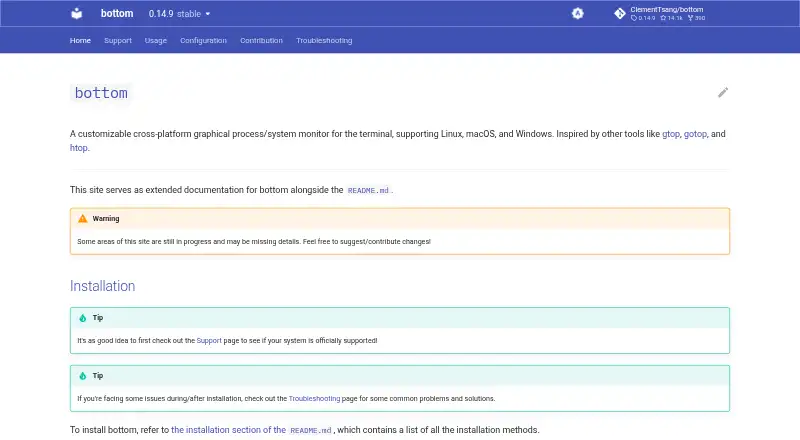
bottom is a customizable graphical process and system monitor that runs in a terminal. It charts CPU use per core and as an average, along with RAM and swap over time. Network and disk I/O are graphed too, and the displayed time interval can be zoomed. A process widget lets users view, sort, and search process information, use tree mode, and send kill signals. Other widgets show disk capacity and use, temperature sensors, and battery use. Command-line options or a configuration file can change themes, layout, widget behavior, and filtering. An htop-inspired basic mode offers a simpler display, and a selected widget can be expanded to fill the terminal. A read-only option prevents system-changing actions such as stopping processes. Official support covers Linux, macOS, and Windows, with architecture support varying by system; Android and some other systems may work unofficially with limited testing and support. Installation is documented through package managers, Cargo, and pre-built release binaries. The free plan is listed as free, with no usage limits stated.
Who it suits
It suits people who want a configurable terminal monitor for CPU, memory, network, disk, and process activity. The read-only option may suit users who want to prevent process-stopping actions.
What it does well
- Graphs CPU, RAM, swap, network, and disk activity.
- Process widget supports sorting and searching.
- Supports themes, layout, and filtering customization.
- Offers read-only operation.
- Available on Linux, macOS, and Windows.
What to know first
- Architecture support varies by system.
- Android support is unofficial and limited.
- Runs in a terminal.
Limits
The free plan is listed as free, with no price or usage limits stated on the opened pages. Official support covers macOS, Linux, and Windows, with architecture support varying by system; Android and some other systems may work unofficially with limited testing and support.
Plans
| Plan | Billed and limits | Price |
|---|---|---|
| bottom | No price or usage limits stated on the opened pages | Free |
As bottom.pages.dev lists them, read 4 Oct 2026. The maker's own page has the final word.
Getting started
- Choose an officially supported macOS, Linux, or Windows system.
- Install bottom through a package manager, Cargo, or a pre-built release binary.
- Start the terminal monitor and choose the basic mode or configure its widgets.
- Adjust themes, layout, widget behavior, or filtering with command-line options or a configuration file.
- Enable the read-only option if you want to prevent system-affecting actions.
bottom (btm) is a customizable terminal-based system monitor for people who want resource graphs and process controls in one interface. It suits command-line users monitoring a supported desktop system; its free price is appealing, but platform and architecture support deserve a check before installation.
Overview
Many process monitors stop at a sortable list. bottom also graphs CPU, memory, network, and disk activity over time, making it useful for seeing both what is running and how system use changes. The terminal interface is a clear fit for keyboard-oriented workflows, but not for readers who want a conventional graphical monitor.
Command-line options and a configuration file let users adjust themes, layout, widget behavior, and filtering. An htop-inspired basic mode offers a simpler presentation, while focus mode expands one widget to fill the terminal. This range is useful for different monitoring priorities, though users who want a fixed, preconfigured interface may not need the flexibility.
Key features
Resource graphs and process controls
CPU use is graphed per core and as an average; RAM and swap use, network traffic, and disk I/O are graphed over time as well. Zooming the network and disk time interval helps inspect activity at different scales. The process widget can display, sort, and search process information, switch to tree mode, and send kill signals. That combination suits users diagnosing resource changes and managing processes from the terminal.
Additional widgets and safeguards
Widgets cover disk capacity and use, temperature sensors, and battery use. A read-only option prevents system-affecting actions such as stopping processes, which is useful when monitoring without wanting process controls available.
Pricing
bottom is free: the bottom plan costs nothing. There is no free trial, but no trial is needed to access the free plan. The plan has no stated usage limits, making it a straightforward option for individual monitoring without a paid tier to weigh against it.
Platforms
Official support covers Linux, macOS, and Windows, with architecture support varying by system. Installation is documented through package managers, Cargo, and pre-built release binaries. Android and some other systems may work unofficially, but support and testing are limited, so bottom is a less dependable choice there. For issues on officially supported platforms, the project directs users to troubleshooting resources and GitHub issues or discussions, and says it will fix issues when possible.
Who it's for
bottom is a strong fit for terminal users who want a configurable view of system activity alongside process search and controls, especially those who value graphs over a process list alone. Its basic mode can suit readers who want a simpler layout, while customization rewards users willing to tune a command-line application. Readers seeking an officially supported Android option or a conventional graphical interface should consider other tools.
Pros and cons
- Pros: CPU, memory, network, and disk graphs put several resource trends in one terminal interface.
- Pros: Process sorting, search, tree mode, and kill signals support both inspection and management.
- Pros: The free plan has no stated usage limits, and installation options include package managers and pre-built binaries.
- Cons: Android support is unofficial and limited, so it is not the reliable choice for that platform.
- Cons: Customization through options or a configuration file may be unnecessary overhead for users who prefer a fixed graphical monitor.
Alternatives
Process Monitoring Software is a useful category starting point for comparing more tools.
Choose Glances if Android, web, API, or self-hosted platform support matters more than bottom's terminal-focused setup; it is free, though optional features require extra dependencies. PM2 is worth considering for process management with a real-time web interface: its free Runtime plan is open source, while Plus costs $79 a month. For a free resource monitor limited to Linux and macOS, btop is another option. Monit is a free alternative for Linux, macOS, and self-hosted use. Process Lasso is a Windows-only freemium option with a single-PC monthly plan at $4.95 a month. runit is a free alternative for Linux, macOS, and self-hosted systems. Ambih Monitor is a Windows option whose free plan includes five-session history per project and live monitoring. AppControl is a free Windows option that requires no email or registration.
Verdict
Choose bottom if you want a free, configurable terminal monitor that pairs resource graphs with practical process controls. Its strongest case is the breadth of monitoring in one interface; look elsewhere if you need official Android support or prefer a graphical desktop monitor.
Verdict
bottom combines system graphs and process controls in a customizable terminal interface. Check the platform and architecture support for your system, especially if considering an unofficial platform.
Questions
How much does bottom cost?
The bottom plan is listed as free.
Which operating systems are officially supported?
Official support covers macOS, Linux, and Windows. Supported architectures vary by system.
Can it run on Android?
Android and some other systems may work unofficially, with limited testing and support.
How can I install bottom?
The project documents installation through package managers, Cargo, and pre-built release binaries.
Can bottom prevent process-stopping actions?
Yes. Its read-only option prevents actions that affect the system, such as stopping processes.
Who is identified as the maker?
The documentation copyright identifies Clement Tsang.
Facts from bottom (btm)'s own pages
- Additional platform caveat
- The project says Android and some other systems may work unofficially, with limited testing and support. · github.com, 4 Oct 2026
- Basic and focus modes
- It has an htop-inspired basic mode and can expand a selected widget to fill the terminal. · github.com, 4 Oct 2026
- CPU and memory
- It graphs CPU use over time per core and on average, and graphs RAM and swap use over time. · github.com, 4 Oct 2026
- Customization
- Behavior and appearance can be customized through command-line options or a configuration file, including themes, widget behavior, layout, and filtering. · github.com, 4 Oct 2026
- Distribution
- The project documents installation through package managers, Cargo, and pre-built release binaries. · github.com, 4 Oct 2026
- Maker
- The documentation copyright identifies Clement Tsang. · bottom.pages.dev, 4 Oct 2026
- Network and disk
- It graphs network and disk I/O over time and supports zooming the displayed time interval. · github.com, 4 Oct 2026
- Other widgets
- It includes widgets for disk capacity and use, temperature sensors, and battery use. · github.com, 4 Oct 2026
- Process management
- Its process widget displays, sorts, and searches process information and supports kill signals and tree mode. · github.com, 4 Oct 2026
- Security option
- A read-only option prevents actions that affect the system, such as stopping processes. · bottom.pages.dev, 4 Oct 2026
- Support
- For issues on officially supported platforms, the project says it will fix them if possible and directs users to troubleshooting or GitHub issues and discussions. · bottom.pages.dev, 4 Oct 2026
- Supported platforms
- Officially supported systems are macOS, Linux, and Windows, with listed architecture support varying by system. · bottom.pages.dev, 4 Oct 2026
- What it does
- bottom is a customizable graphical process and system monitor that runs in the terminal. · bottom.pages.dev, 4 Oct 2026
Where bottom (btm) stands on Freedom251
- Process Monitoring Software#4 of 26