Freedom251 › HR Knowledge Base Software

HRDocket Employee Self-Service
What HRDocket Employee Self-Service is
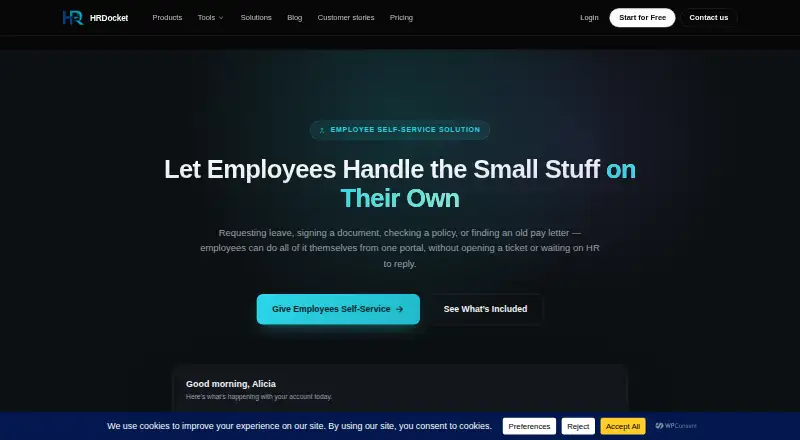
HRDocket Employee Self-Service is a web portal for employees to manage leave requests, documents, policies, signatures, and access to their own records. Employees submit leave requests for approval by HR or a manager, view and download documents tied to their employee record, and acknowledge policies online. They can sign documents in the portal without printing. Access is restricted to each employee’s own documents, requests, and records, and the portal works through a browser on phones, tablets, and other devices. Requests, signatures, and acknowledgements appear on HR’s side in real time. HRDocket says the self-service experience can serve teams from a dozen employees to several thousand. The Free plan allows one employee profile and includes watermarked PDF downloads. The portal is listed with Growth at $49 per month; the Starter plan is $19 per month but is limited to 15 employees and does not list the self-service portal. Business is $99 per month and includes dedicated support. Paid plans include audit-grade e-signatures; AI compliance and risk checks are listed for Growth, with advanced compliance workflows on Business.
Who it suits
It suits organizations that want employees to handle leave, policy acknowledgements, document access, and signatures through a shared portal. The listed portal is included with Growth, while Business adds dedicated support.
What it does well
- Employees can submit leave requests for approval.
- Portal access is limited to each employee’s own records.
- Works in browsers on phones and tablets.
- HR sees requests and signatures in real time.
- Paid plans include audit-grade e-signatures.
What to know first
- Free plan is limited to one employee profile.
- Starter is limited to 15 employees.
- Employee self-service is listed with Growth at $49 per month.
Limits
The Free plan is limited to one employee profile and includes watermarked PDF downloads. Starter supports up to 15 employees and does not list the employee self-service portal; that portal is listed with Growth at $49 per month.
Plans
| Plan | Billed and limits | Price |
|---|---|---|
| Free | up to 1 employee profile · 1 company · 10 AI credits · limited templates · watermarked PDF downloads | Free |
| Starter | $15.83/mo billed annually ($190) · 2 months free · up to 15 employees · 120 AI credits/month · 2 companies · 2 custom templates | $19 a month |
| Growth | $40.83/mo billed annually ($490) · 2 months free · up to 50 employees · 250 AI credits/month · 3 companies · 5 custom templates · employee self-service portal | $49 a month |
| Business | $82.50/mo billed annually ($990) · 2 months free · unlimited employees · 600 AI credits/month · 4 companies · 7 custom templates · dedicated support | $99 a month |
As hrdocket.com lists them, read 1 Oct 2026. The maker's own page has the final word.
Getting started
- Open the HRDocket Employee Self-Service page.
- Start a free trial or choose the Free plan, which supports one employee profile.
- Choose Growth for the listed employee self-service portal, or Business for dedicated support.
- Set up employee access to each person’s own records, documents, and requests.
- Use the web portal in a browser on a computer, phone, or tablet.
HRDocket Employee Self-Service is an employee portal for organizations that want staff to handle common HR tasks directly. It is strongest when leave, records, policy acknowledgements and signatures need one controlled workflow; the employee portal is reserved for Growth and Business.
Overview
Employees can submit leave requests for HR or a manager to approve, retrieve documents tied to their own record, acknowledge policies and sign documents without printing. Access is limited to each employee’s own requests, documents and records, which helps keep personal files separate within a shared system.
Requests, signatures and acknowledgements reach HR in real time. Because the portal works in a browser on phones, tablets and computers, staff can use it without a separate mobile app. HRDocket says the experience can support teams from a dozen employees to several thousand. The plan caps matter more in practice: Growth supports up to 50 employees, while Business removes the employee limit.
Key features
Employee records and documents
Employees can view and download documents connected to their record, including older documents. This gives staff a direct way to retrieve their own paperwork rather than routing every request through HR, while the access restriction keeps other employees’ records out of view.
Leave, policies and signatures
Leave requests still require approval from HR or a manager, so the portal streamlines submission without removing oversight. Employees can review and acknowledge policies, and complete digital signatures directly in the portal. Policy templates, version history and automated reminders support policy management; every paid plan includes audit-grade e-signatures.
Compliance and scale
Growth adds AI compliance and risk assessment checks, while Business adds advanced compliance workflows and dedicated support. Those additions make the higher tiers more relevant to organizations with compliance needs, but they do not change the central access model: employees work with their own records and HR retains approval responsibility for leave.
Pricing
HRDocket uses a freemium model, with a free plan and paid plans starting at $19/mo. The distinction that matters most for this product is that employee self-service starts at Growth, not Starter.
- Free — free: one employee profile, one company, 10 AI credits, limited templates and watermarked PDF downloads. It is a narrow way to try the platform, not a usable employee portal for a team.
- Starter — $19 a month: up to 15 employees, 120 AI credits per month, two companies and two custom templates. Annual billing is $15.83/mo billed annually ($190), with 2 months free. It suits smaller teams that need HRDocket’s broader tools but do not need the employee self-service portal.
- Growth — $49 a month: up to 50 employees, 250 AI credits per month, three companies, five custom templates and the employee self-service portal, plus AI compliance and risk assessment checks. Annual billing is $40.83/mo billed annually ($490), with 2 months free. This is the entry point for teams choosing HRDocket specifically for employee self-service.
- Business — $99 a month: unlimited employees, 600 AI credits per month, four companies, seven custom templates, dedicated support and advanced compliance workflows. Annual billing is $82.50/mo billed annually ($990), with 2 months free. It fits organizations beyond Growth’s 50-employee cap or those that need the added support and workflows.
The Free plan’s single profile and watermarked downloads limit its value for ongoing team use. Starter is less restrictive on seats but still excludes the portal, so the jump to Growth is essential for self-service. A free trial is available.
Platforms
HRDocket is web-based. Employees can access the portal from any browser-enabled device, including phones and tablets.
Who it's for
HRDocket is a good fit for teams that want employees to retrieve personal documents, submit leave, acknowledge policies and sign paperwork through one portal, with HR or managers retaining approval control. Growth is suited to teams up to 50 employees; Business is the relevant option for larger organizations. It is not the right choice for a small team whose only requirement is a free employee portal, since the Free plan does not include self-service.
Pros and cons
- Pros: Personal record access is restricted to each employee’s own information, requests and documents, a useful control in a shared HR system.
- Pros: Leave requests, policy acknowledgements and signatures appear to HR in real time, keeping employee actions and HR visibility together.
- Pros: Browser access works across phones, tablets and computers, while paid plans include audit-grade e-signatures.
- Cons: The employee portal requires Growth at $49 a month; Starter at $19 a month does not include it.
- Cons: Growth stops at 50 employees, so larger teams must move to Business at $99 a month.
Alternatives
For a free policy-focused option, Accedo supports up to 25 users and 10 active policies, but its free plan excludes groups, scheduled reminders, analytics and audit logs. Choose it when policy management is the priority and those limits are acceptable; HRDocket is the better fit when employees also need leave, records and signatures in the same portal.
Akcepta offers a self-hosted option as well as web access. Its free plan covers one active policy and evidence preview but does not allow employee sending, so HRDocket better suits teams that need employees to act within a portal.
Firmis has a free Starter plan for up to five policies, one compliance framework and 10 team members, with basic version control and PDF export. It is a reasonable alternative for a small team focused on compliance documents rather than employee self-service tasks.
Policyflow offers a free plan for up to 15 employees with unlimited policies, version history and audit-ready exports. Choose it when policy administration is the main need and HRDocket’s broader employee workflow is unnecessary.
Keelstar is an alternative for teams seeking free browser-based tools and an option to upgrade to monitoring.
Corethix Policies is a paid alternative with a free trial and Android, iOS and web platforms.
Diligent Audit is a paid alternative with Android, API, iOS and web platforms, and custom pricing.
DocTract is a paid alternative with a free trial, Android, iOS and web access, and per-user fees with custom pricing.
For a wider policy-management comparison, see HR Policy Management Software and HR Knowledge Base Software.
Verdict
Choose HRDocket Employee Self-Service if your team wants a single browser portal for employee records, leave requests, policy acknowledgements and signatures, with personal access controls and real-time HR visibility. Its main drawback is the cost of entry: the portal starts at Growth, and teams above 50 employees need Business. If employee self-service is not essential, Starter is cheaper; if it is, Growth is the practical starting point.
Verdict
HRDocket brings employee requests, documents, policies, and signatures into a browser-based portal. Check the plan limits: self-service is specified for Growth, while the Free plan is limited to one employee profile.
Questions
Is HRDocket Employee Self-Service free?
HRDocket has a Free plan with one employee profile. A free trial is also available.
How much does the plan with employee self-service cost?
Employee self-service is listed with Growth at $49 per month. The listed annual billing amount is $40.83 per month, billed as $490 annually, with two months free.
Which devices can employees use?
The portal is web-based and works in a browser on phones, tablets, and other devices.
What can employees do in the portal?
They can submit leave requests, access documents tied to their employee record, review and acknowledge policies, sign documents, and access their own records.
Who can see an employee’s records?
Each employee’s portal access is limited to that employee’s own documents, requests, and records. HR sees requests, signatures, and acknowledgements in real time.
Which plans include compliance tools and support?
Growth includes AI compliance and risk assessment checks. Business includes advanced compliance workflows and dedicated support.
Facts from HRDocket Employee Self-Service's own pages
- Access control
- Each employee’s portal access is limited to that employee’s own documents, requests, and records. · hrdocket.com, 1 Oct 2026
- Audit signatures
- Every paid plan includes audit-grade e-signatures. · hrdocket.com, 1 Oct 2026
- Compliance tools
- The platform includes AI compliance and risk assessment checks on the Growth plan and advanced compliance workflows on Business. · hrdocket.com, 1 Oct 2026
- Digital signatures
- Employees can complete signatures directly from the portal without printing. · hrdocket.com, 1 Oct 2026
- Document access
- Employees can view and download documents tied to their employee record, including older documents. · hrdocket.com, 1 Oct 2026
- Leave workflow
- Employees submit leave requests through the portal and HR or a manager approves them. · hrdocket.com, 1 Oct 2026
- Mobile access
- The portal is accessible from any device with a browser, including phones and tablets. · hrdocket.com, 1 Oct 2026
- Policy acknowledgements
- Employees can review and acknowledge policies directly in the portal. · hrdocket.com, 1 Oct 2026
- Portal purpose
- Employees can request leave, sign documents, review policies, and access their own records from one portal. · hrdocket.com, 1 Oct 2026
- Real-time updates
- Requests, signatures, and acknowledgements appear on HR’s side in real time. · hrdocket.com, 1 Oct 2026
- Scale
- HRDocket states the self-service experience works for teams ranging from a dozen employees to several thousand. · hrdocket.com, 1 Oct 2026
- Support
- The Business plan includes dedicated support, and HRDocket provides a contact email for assistance. · hrdocket.com, 1 Oct 2026
Where HRDocket Employee Self-Service stands on Freedom251
- HR Knowledge Base Software#7 of 50
- HR Policy Management Software#5 of 23