Freedom251 › HR Knowledge Base Software
KBPublisher
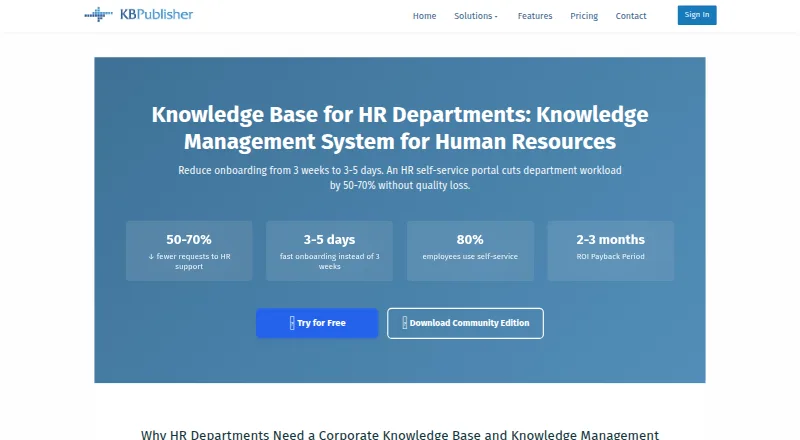
What KBPublisher is
KBPublisher is knowledge base and knowledge management software for organizations, with web, API, and self-hosted options. Teams can create and format articles, attach files, and save revisions of published content as drafts. Approval workflows support review before articles are published. Search includes full-text matching, spell checking, word variations, partial-word recognition, and Sphinx. Access controls include security groups and user roles; authentication options include LDAP, SAML integration, and remote single sign-on. The product also offers content analytics, multilingual content, and custom branding. Its HR solution covers employee onboarding programs, versioned personnel documents, and an employee self-service portal. The licensed download is installed on one web server, while the Community Edition is available on-premise only and comes without support or maintenance. Cloud fees include technical support, upgrades, and automatic content backups, with data export available without charge. The free Community Edition has unlimited staff users, end users, articles, and files. Paid service is listed from $33/mo (annual), and a free trial is available.
Who it suits
KBPublisher suits organizations that need to publish and review internal or customer-facing knowledge content, with controls for access and authentication. Its HR solution may fit teams handling onboarding, personnel documents, and employee self-service.
What it does well
- Approval workflows support article review and publishing
- Search offers full-text and partial-word recognition
- Includes LDAP, SAML, and remote authentication options
- HR solution includes onboarding and employee self-service
- Free Community Edition has unlimited users and content
What to know first
- Community Edition is on-premise only
- Community Edition includes no support or maintenance
- Licensed download installs on one web server
Limits
The free Community Edition is on-premise only and has no support or maintenance. The Team plan lists up to 10 staff users and 10 GB SSD storage; the Essential plan lists up to 5 staff users and 5 GB SSD storage.
Plans
| Plan | Billed and limits | Price |
|---|---|---|
| Community Edition | 100% free; open source · Unlimited staff users · unlimited end users · unlimited articles and files · on-premise only · no support and maintenance | Free |
| Essential | Monthly rate shown for annual or monthly billing · Up to 5 staff users · unlimited end users and articles · 5 GB SSD storage · 99% Uptime SLA | On request |
| Team | Monthly rate shown for annual or monthly billing · Up to 10 staff users · unlimited end users and articles · export plugin · reports · 10 GB SSD storage · 99% Uptime SLA | On request |
| 20 License Pack | Perpetual license; one year of free support and upgrades · 20 staff users · unlimited end users · single web server | $1,498, paid once |
| 30 License Pack | Perpetual license; one year of free support and upgrades · 30 staff users · unlimited end users · single web server | $1,998, paid once |
| Unlimited Site License | Perpetual license; one year of free support and upgrades · Unlimited staff users · unlimited end users · single web server | $2,998, paid once |
| 5 License Pack | Perpetual license; one year of free support and upgrades · 5 staff users · unlimited end users · single web server | $498, paid once |
| 10 License Pack | Perpetual license; one year of free support and upgrades · 10 staff users · unlimited end users · single web server | $898, paid once |
The first 8 of 10 plans, as kbpublisher.com lists them, read 29 Sept 2026. The maker's own page has the final word. Every plan
Getting started
- Visit the KBPublisher website.
- Choose web, API, or self-hosted use.
- For the on-premise Community Edition, download and install it on a web server.
- Use the free trial to explore the product.
KBPublisher is a governed knowledge base and knowledge-management system for organizations, with particular relevance to HR teams. It is strongest for groups that need approvals, deep search, and controlled access across either self-hosted or cloud deployment; buyers wanting a supported free cloud edition should look elsewhere.
Overview
KBPublisher combines article authoring, file attachments, draft revisions, approval workflows, and content analytics. Search covers full text, spell checking, word variations, partial-word recognition, and Sphinx, so users can find content even when their wording does not exactly match an article.
HR teams can use it for onboarding programs, versioned personnel documents, and an employee self-service portal. Security groups, user roles, end-user portals, custom branding, and multilingual content help separate audiences and present a consistent internal service. LDAP authentication, SAML integration, and remote authentication support organizations that require single sign-on.
The licensed download installs on one web server, while the Community Edition is on-premise only. Cloud service uses SSL-encrypted connections and bank-level security practices; cloud fees include technical support, upgrades, automatic content backups, and free data export.
Key features
Publishing and governance
Editors can format articles, attach files, and revise published material as drafts. Approval workflows provide review, sign-off, and publication stages, which is a meaningful safeguard for HR policies and other controlled documents. Analytics can show how the knowledge base is being used, although no particular reports or measurements are defined.
Search and access
The combination of full-text matching, spell correction, word variation, partial-word recognition, and Sphinx is more capable than a basic title search. Advanced access controls, security groups, roles, and end-user portals let administrators expose different content to different populations. SSO options and multilingual content further suit larger or more varied organizations.
Pricing
The free Community Edition is open source and billed at no cost. It allows unlimited staff users, end users, articles, and files, but runs only on-premise and includes no support or maintenance. It is a strong fit for organizations with their own technical operations; it is a poor choice for teams expecting hosted service or vendor assistance.
Perpetual license packs are priced as follows: the 5 License Pack is $498 a month for five staff users and unlimited end users; the 10 License Pack is $898 a month for 10 staff users; the 20 License Pack is $1,498 a month for 20 staff users; and the 30 License Pack is $1,998 a month for 30 staff users. Each includes optional annual support and maintenance after the first year. The Unlimited Site License has unlimited staff and end users with custom pricing.
Essential and Team are cloud plans with custom pricing. Essential supports up to five staff users, unlimited end users and articles, 5 GB SSD storage, and a 99% uptime SLA, with a monthly rate shown for annual or monthly billing. Team raises the staff limit to 10 and storage to 10 GB, adding an export plugin and reports while retaining unlimited end users and articles and the 99% SLA. The broader pricing note gives paid service from $33/mo (annual), but does not assign that figure to a named plan.
Platforms
KBPublisher supports web, API, and self-hosted deployment. A licensed download is installed on one web server, and the Community Edition is available on-premise. Cloud operation adds vendor support, upgrades, backups, and no-charge data export; the free edition does not provide that managed experience.
Who it's for
Choose KBPublisher for HR departments, internal support teams, and organizations that need formal publishing control, searchable policies, employee self-service, and granular permissions. It also suits buyers deciding between a managed cloud service and infrastructure they operate themselves. Avoid it if a free, hosted product is essential or if published cloud pricing is a purchasing requirement.
Pros and cons
Pros
- Search handles spelling errors, word variations, partial words, and Sphinx, improving discovery of imperfectly phrased queries.
- Approval workflows and draft revisions support accountable policy publishing.
- Unlimited users, articles, and files make the Community Edition generous for self-hosted deployments.
- LDAP, SAML, remote authentication, roles, and security groups support controlled organizational access.
- Cloud fees include support, upgrades, backups, and free data export.
Cons
- The free edition is on-premise only and has no support or maintenance.
- Named cloud plans have custom pricing, making direct budget comparison difficult.
- Perpetual license packs are expensive and limit staff-user counts by pack.
- Community Edition users must provide their own operational expertise and upkeep.
Alternatives
HR Knowledge Base Software is the broader shortlist for comparing HR-focused knowledge-base products. For a wider category comparison, see Knowledge base software.
Happy HR is worth considering when Android and iOS access matter alongside web support and a freemium HR product. Pick CompassDocs instead if you want a free AGPL community edition with unlimited users and documents across self-hosted platforms, or an $8 cloud plan. Jostle is an alternative for employee news, activity feeds, recognition, discussions, email digests, and mobile apps. Choose Wiki.js for a free-forever, AGPL-licensed self-hosted wiki. XWiki offers a free on-premises community edition with optional paid tiers. BookStack is a no-cost, MIT-licensed self-hosted option. HRDocket Employee Self-Service targets small HR deployments with a free tier limited to one employee profile and one company. Vivantio is the better direction for paid ITSM, with published pricing from $49 per agent per month billed annually.
Verdict
KBPublisher is a solid choice for organizations that need governed, searchable knowledge—especially HR teams managing onboarding and employee documentation—and want both self-hosted and cloud paths. Choose it for its approval controls, search depth, and access management; look elsewhere if you need a supported free cloud plan, simple published cloud pricing, or a lightweight wiki.
Verdict
KBPublisher combines content creation, approval, search, and access controls, with deployment options that include web and self-hosting. The free Community Edition is on-premise only and lacks support and maintenance; paid service is listed from $33/mo (annual).
Questions
Is KBPublisher free?
Yes. The open-source Community Edition is free and includes unlimited staff users, end users, articles, and files.
How much does KBPublisher cost?
The pricing note lists paid service from $33/mo (annual). The 5 License Pack is listed at $498 a month, billed as a perpetual license.
Can I try KBPublisher?
Yes, a free trial is available.
Where can KBPublisher run?
The listed platforms are API, self-hosted, and web. The Community Edition is on-premise only, and the licensed download installs on one web server.
Is KBPublisher open source?
The Community Edition is listed as open source.
Does KBPublisher support single sign-on?
LDAP authentication, SAML integration, and remote authentication for single sign-on are listed.
Facts from KBPublisher's own pages
- Authentication
- The feature page lists LDAP authentication, SAML integration, and remote authentication for single sign-on. · kbpublisher.com, 29 Sept 2026
- Cloud data and operations
- Cloud fees include technical support, upgrades, automatic content backups, and data export is available without charge. · kbpublisher.com, 29 Sept 2026
- Cloud security
- The maker says its cloud service uses SSL-encrypted connections and bank-level security practices. · kbpublisher.com, 29 Sept 2026
- Company
- The maker says it is privately owned, has 10 people, and has over 10 years of experience developing knowledge base software. · kbpublisher.com, 29 Sept 2026
- Content analytics
- Yes · kbpublisher.com, 20 Sept 2026
- Content tools
- Users can edit and format content, attach files, and revise published articles in drafts. · kbpublisher.com, 29 Sept 2026
- Deployment
- The licensed download is installed on one web server, and the Community Edition is available on-premise. · kbpublisher.com, 29 Sept 2026
- Free edition limits
- Community Edition has no cloud version and includes no support or maintenance. · kbpublisher.com, 29 Sept 2026
- Free plan
- Yes · kbpublisher.com, 20 Sept 2026
- HR use
- The HR solution page describes employee onboarding programs, personnel document versioning, and an employee self-service portal. · kbpublisher.com, 29 Sept 2026
- Purpose
- KBPublisher is knowledge base and knowledge management software for organizations. · kbpublisher.com, 29 Sept 2026
- Search
- Its search supports full-text search, spell check, word variation, partial-word recognition, and Sphinx. · kbpublisher.com, 29 Sept 2026
- Security controls
- The product supports security groups, user roles, and end-user portals. · kbpublisher.com, 29 Sept 2026
- Paid from
- 33 · kbpublisher.com, 20 Sept 2026
- Workflow
- Workflow approvals support reviewing, approving, and publishing articles. · kbpublisher.com, 29 Sept 2026
Where KBPublisher stands on Freedom251
- HR Knowledge Base Software#5 of 50
- Knowledge base software#35 of 138