Freedom251 › Event CRM Software
Grip Onsite
by Grip Onsite
What Grip Onsite is
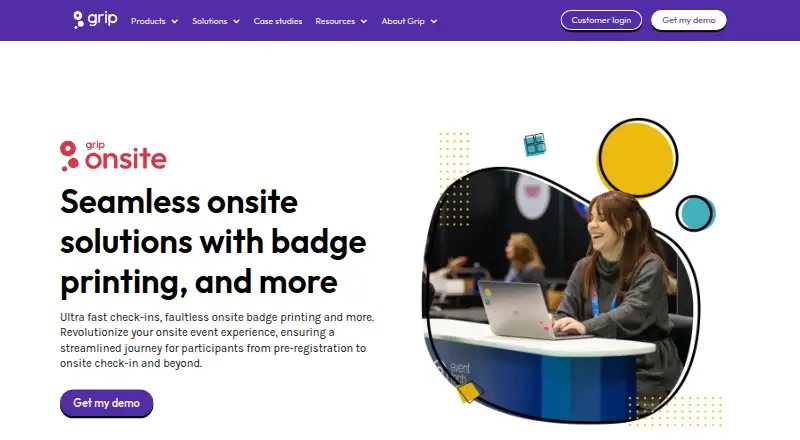
Grip Onsite is a suite of products and services for delivering the on-site parts of an event. Attendees can check in at self-service kiosks for printed badges, or use a printed ticket, badge, or event app. Organizers get real-time arrival reporting and can track attendance at sessions. Badge scans can control access to exclusive areas and provide sponsored-session leads. Bluetooth Smart Badges let participants exchange contact details with a button press, while location tracking can show booth and session visits, including duration. Badge options include laminated or paper formats, customizable size and orientation, and an optional RFID sticker. Grip Onsite can be used alone, with Grip Engage or Manage, or with a third-party registration system. Equipment is delivered, installed, and tested by onsite support staff or trained technicians; events with fewer than four terminals can choose self-managed setup. Badging setup typically takes 2–6 hours and is usually completed the day before opening. The paid service works across Android, iOS, and web, with pricing available on request.
Who it suits
Grip Onsite suits event organizers who need on-site check-in, badge printing, attendance tracking, or access control. It can also support exhibitors and sponsors through session scans and attendee contact exchange.
What it does well
- Self-service check-in and badge printing.
- Real-time arrival reporting.
- Tracks attendance at individual sessions.
- Can provide sponsored-session badge-scan leads.
- Works standalone or with third-party registration.
What to know first
- Pricing is available on request.
- Typical setup takes 2–6 hours.
- Self-managed setup is available only below four terminals.
- Branded apps require Android 10 or iOS 17.
Getting started
- Visit the Grip Onsite website.
- Choose standalone use, Grip Engage or Manage, or a third-party registration system.
- Arrange hardware delivery and installation with onsite support staff or trained technicians.
- For an event with fewer than four terminals, choose self-managed setup.
- Allow 2–6 hours for badging setup, usually the day before the event opens.
- Use the branded event app on Android 10 or later, or iOS 17 or later.
Overview
Grip Onsite is an event-floor service for managing attendee arrival, credentials, and participation. It is best suited to organizers running in-person events where check-in, session records, and access control need to work together. Its operational breadth is useful, but it calls for advance coordination rather than a quick software-only setup.
Key features
Attendees can check in at self-service kiosks and print badges on arrival, or scan printed tickets, badges, or the event app at the entrance. Organizers can choose laminated or paper badges and customize their size, orientation, and lanyard-hole options; an RFID sticker is optional. This flexibility can support different event formats, though it also makes equipment planning part of the job.
Real-time attendance reporting records who arrived and when, while session check-in tracks attendance at individual sessions. Organizers can share sponsored-session badge scans with sponsors as leads. Bluetooth Smart Badges allow attendees to exchange contact information with a button press, and can support heat maps and session-tracking insights. Location Tracking adds information about which participants visited booths and sessions, and for how long. These tools offer more than an arrival count, especially for organizers and sponsors who will use attendance and location signals to follow up.
Badge scanning can also restrict access to exclusive areas. The product supports QR or barcode scanning, offline capture, lead qualification and enrichment, and CRM sync. Custom-branded apps, push notifications, interactive maps, sponsor features, and matchmaking add attendee-facing and networking capabilities. Together, these functions make Grip Onsite a broader event workflow than badge printing alone.
Pricing
Grip Onsite is paid, with custom pricing. Request a quote to assess it against your event requirements; no plan tiers, seat allowances, or usage caps are stated. That makes budgeting less straightforward than choosing a published per-seat or per-event price, and organizers should clarify the scope included in their quote.
Platforms
Grip Onsite supports Android, iOS, and web. Grip's branded event apps are published through the App Store and Google Play and require at least Android 10 or iOS 17, so organizers should account for those minimum versions when planning attendee access.
Who it's for
Grip describes its platform as serving event organizers, exhibitors, sponsors, and visitors at virtual, hybrid, and in-person events. Onsite is most compelling for in-person events that need coordinated check-in, badge production, session tracking, or restricted-area scanning. It can run with Grip Engage or Manage, stand alone, or integrate with a third-party registration system, giving organizers a choice of registration workflow.
Hardware delivery, installation, and testing are handled by onsite support staff or trained technicians, with support during the event. Self-managed setup is available for events with fewer than four terminals. Typical badging setup takes 2–6 hours and is usually completed the day before the event opens, so even the supported option requires an event schedule that accommodates setup. Grip says it offers 24/7 product support, encrypts data at rest and in transit, uses AWS hosting, and follows GDPR and CCPA.
Pros and cons
- Pros: Check-in, badge printing, attendance reporting, session tracking, and access control sit within one service, which suits events coordinating several on-site workflows.
- Pros: Third-party registration integration and standalone use give organizers options beyond adopting Grip's other products.
- Pros: Delivered and installed equipment, event support, and a self-managed option for fewer than four terminals provide distinct setup paths.
- Cons: Custom pricing makes cost comparison and budget planning harder without a quote.
- Cons: A 2–6-hour setup, usually the day before opening, requires advance access and scheduling; this is not a plug-in-at-the-door purchase.
- Cons: The branded apps' Android 10 and iOS 17 minimums may exclude attendees using older devices.
Alternatives
For a simpler event-app or adjacent-category shortlist, start with Event Mobile App Software, Event Lead Capture Software, Event Badge Printing Software, or Event Management Software. Amego is worth considering if a free plan matters: its Spark plan is free, billed annually, and is aimed at events with 50 attendees or fewer, with unlimited attendees and 1,000 AI credits in the plan description.
HEPCon has a free Core plan for programmes under 50 contributions, with an offline-first agenda, source sync, and personal schedule; it is a better fit for that programme-based use case than Grip's on-site check-in and badging focus. Cvent offers a free trial of its registration product and may suit buyers evaluating registration specifically. Navon Event Mobile App is another paid option on Android, iOS, and web. EventHex is a paid option on Android, API, iOS, and web. Omnipress Mobile Event App offers quote-based pricing, a flat setup fee, and support for up to 5,000 attendees, making it relevant for buyers comparing event-app pricing by event needs and audience size. PheedLoop is a paid web, iOS, and Android option with published plan prices, though the stated prices cover different products and user ranges. Webex Events Onsite is available through select Webex Suite Enterprise Agreements and includes in-person check-in and badge printing, so it may suit organizations already considering that agreement route.
Verdict
Choose Grip Onsite when your event needs coordinated badge-based check-in, session attendance, and access workflows, and you can schedule equipment setup in advance. Its strongest case is the combination of on-site operations with registration flexibility and event-day support. Look elsewhere if you need transparent pricing or a fast, self-managed setup without terminal and hardware planning.
Verdict
Grip Onsite covers check-in, badges, and session tracking, with options for third-party registration and on-site setup support. Buyers should account for its event setup requirements and request pricing.
Questions
How much does Grip Onsite cost?
Grip Onsite is paid, and pricing is available on request.
Which platforms does it support?
Grip Onsite is available on Android, iOS and web. Its branded event apps require Android 10 or later and iOS 17 or later.
Can Grip Onsite work with another registration system?
Yes. It can be used as a standalone solution, with Grip Engage or Manage, or with a third-party registration system.
How are badges and check-in handled?
Attendees can check in at self-service kiosks for printed badges, or check in using printed tickets, badges or the event app.
What does setup involve?
Support staff or trained technicians deliver, install and test the hardware and provide support during the event. Events with fewer than four terminals can choose self-managed setup.
What security measures does Grip describe?
Grip says its cloud service uses AWS hosting, encrypts data at rest and in transit, and follows GDPR, CCPA and other privacy and security regulations.
Facts from Grip Onsite's own pages
- Access control
- Badge scanning can be used to control access to exclusive areas. · grip.events, 30 Sept 2026
- Attendance reporting
- Real-time attendance reporting shows who arrived and when. · grip.events, 30 Sept 2026
- Badge options
- Badge options include laminated or paper badges, with customizable size, orientation, and lanyard-hole options, plus an optional RFID sticker. · grip.events, 30 Sept 2026
- Badge printing
- Attendees can check in at self-service kiosks and have badges printed on arrival. · grip.events, 30 Sept 2026
- Check-in and badges
- Its badge-printing service offers self-service check-in and instant badge printing. · grip.events, 30 Sept 2026
- Entrance scanning
- Participants can check in using printed tickets, badges, or the event app. · grip.events, 30 Sept 2026
- Founded
- 2016 · grip.events, 28 Sept 2026
- Headquarters
- London, United Kingdom · grip.events, 28 Sept 2026
- Integration options
- Grip Onsite can be used with Grip Engage or Manage, as a standalone solution, or with a third-party registration system. · grip.events, 30 Sept 2026
- Integrations
- Grip’s integration directory describes connections for registration and badging, floor-plan management, and exhibitor management. · grip.events, 30 Sept 2026
- Location insights
- Location Tracking provides heat maps and information about which participants visited booths and sessions and for how long. · grip.events, 30 Sept 2026
- Mobile app requirements
- Grip's branded event apps are published through the App Store and Google Play; the stated minimum versions are Android 10 and iOS 17. · support.grip.events, 30 Sept 2026
- Onsite check-in
- Yes · grip.events, 21 Sept 2026
- On-site setup
- The product FAQ says equipment is delivered, installed, and tested by an on-site support team or trained technicians, with a self-managed option for events with fewer than four terminals. · grip.events, 30 Sept 2026
- Product
- Grip Onsite is a suite of products and services for delivering an on-site event experience. · grip.events, 30 Sept 2026
- Security
- Grip says its cloud service uses Amazon AWS hosting, encrypts data at rest and in transit, and follows GDPR, CCPA, and other privacy and security regulations. · grip.events, 30 Sept 2026
- Security and privacy
- Grip says it encrypts data at rest and in transit, uses AWS hosting, and follows GDPR and CCPA; its security page also notes AWS certifications and Cyber Essentials certification. · grip.events, 30 Sept 2026
- Session check-in
- Session check-in tracks which attendees attended sessions, and organizers can provide sponsored-session badge scans to sponsors as leads. · grip.events, 30 Sept 2026
- Session tracking
- Seminar check-in tracks which sessions attendees attended and can provide badge scans to sponsors as leads. · grip.events, 30 Sept 2026
- Setup and support
- Hardware is delivered, installed, and tested by onsite support staff or trained technicians, with support during the event; self-managed setup is available for events with fewer than four terminals. · grip.events, 30 Sept 2026
- Setup time
- Onsite badging setup typically takes 2–6 hours and is usually completed the day before the event opens. · grip.events, 30 Sept 2026
- Smart Badges
- Bluetooth Smart Badges let participants exchange contact information with a button press and can provide heat maps and session tracking insights. · grip.events, 30 Sept 2026
- Standalone use
- Grip Onsite can be used as a standalone solution or purchased with Grip’s other products. · grip.events, 30 Sept 2026
- Support
- Grip’s contact page says product support is available 24/7. · grip.events, 30 Sept 2026
Where Grip Onsite stands on Freedom251
- Event CRM Software#25 of 36
- On-Site Event Management#19 of 23
- Conference Software#22 of 26
- Event Badge Printing Software#45 of 49
- Event Management Software#167 of 181