Freedom251 › Coding Playgrounds
GitHub Codespaces
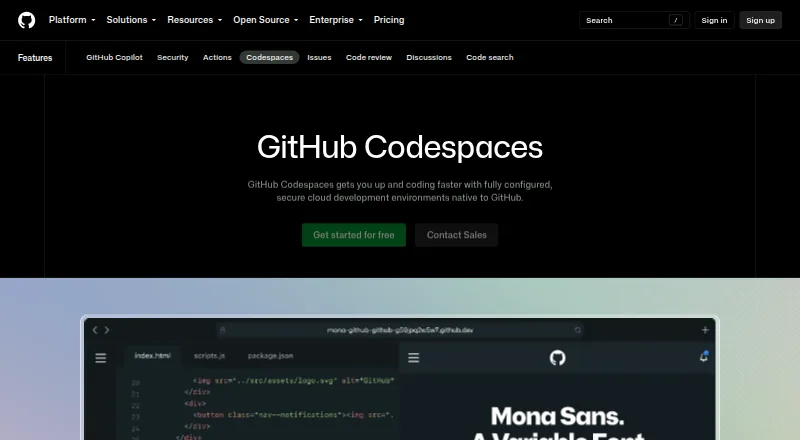
What GitHub Codespaces is
GitHub Codespaces provides configured development environments hosted in the cloud. A repository can define a repeatable setup using dev container configuration files, and a codespace can start from a template or a repository branch or commit. Each environment runs in a Docker container on a GitHub-hosted virtual machine. Machine choices range from 2 cores, 8 GB RAM, and 32 GB storage to 32 cores, 128 GB RAM, and 128 GB storage. Developers can connect through a browser, Visual Studio Code, or GitHub CLI from any internet-connected device, including an iPad. An extension can also connect a GitHub account to a local Visual Studio Code installation. Every codespace has its own virtual machine and isolated network, including after restart; connections use a TLS-encrypted tunnel and GitHub authentication. Forwarded ports are private by default. GitHub Free personal accounts include 120 compute hours and 15 GB-month of storage, while GitHub Pro includes 180 hours and 20 GB-month. Compute and storage are billed monthly when used beyond included allowances. Codespaces cannot be self-hosted and is unavailable for repositories owned by managed user accounts.
Who it suits
Codespaces suits developers who want cloud-hosted, repeatable project environments accessible through a browser, Visual Studio Code, or GitHub CLI. It is not suitable for repositories owned by managed user accounts or teams requiring a self-hosted setup.
What it does well
- Repository configuration can define repeatable environments.
- Connect through browser, Visual Studio Code, or CLI.
- Can start from a template, branch, or commit.
- Each codespace has an isolated virtual network.
- Forwarded ports are private by default.
What to know first
- Cannot be self-hosted.
- Unavailable for repositories owned by managed user accounts.
- Compute and storage are usage-billed beyond included quotas.
Limits
GitHub Free personal accounts include 120 compute hours and 15 GB-month of storage; GitHub Pro includes 180 compute hours and 20 GB-month. Additional compute and storage are billed monthly, with listed rates starting at $0.18 an hour for 2-core compute and $0.07 per GB-month for storage.
Plans
| Plan | Billed and limits | Price |
|---|---|---|
| 2-core compute | Usage is billed monthly. · 2-core machine | $0.18 a month |
| 4-core compute | Usage is billed monthly. · 4-core machine | $0.36 a month |
| 8-core compute | Usage is billed monthly. · 8-core machine | $0.72 a month |
| 16-core compute | Usage is billed monthly. · 16-core machine | $1.44 a month |
| 32-core compute | Usage is billed monthly. · 32-core machine | $2.88 a month |
| Codespaces storage | Usage is billed monthly. · Storage for codespaces and prebuilds | $0.07 a month |
| GitHub Codespaces personal included usage | Monthly included quota; additional use billed monthly · GitHub Free: 120 compute hours · 15 GB-month storage · 2-core machines cost $0.18/hour beyond quota · storage $0.07/GB-month | Free |
| GitHub Codespaces pay-as-you-go | Compute billed monthly; storage billed monthly · 2-core compute: $0.18/hour · 4-core: $0.36/hour · 8-core: $0.72/hour · 16-core: $1.44/hour · 32-core: $2.88/hour · storage: $0.07/GB-month | $0.18 a month |
As github.com lists them, read 22 Sept 2026. The maker's own page has the final word.
Getting started
- Open the GitHub Codespaces website.
- Choose a template or a repository branch or commit.
- Use the repository’s dev container configuration to define the environment.
- Connect through a browser, Visual Studio Code, or GitHub CLI.
- Use the GitHub Codespaces extension to connect a GitHub account to local Visual Studio Code, if desired.
Overview
GitHub Codespaces turns a GitHub repository into a configured development workspace hosted in the cloud. It is strongest for individuals and teams who want a repeatable project environment they can open from different devices or editors; it is a poor fit for repositories owned by managed user accounts or anyone who needs to self-host.
Each workspace runs in a Docker container on a GitHub-hosted virtual machine, and repository dev container files let a project define its environment. Users can start from a template, branch, or commit, then connect through a browser, Visual Studio Code, or GitHub CLI. That flexibility is useful when a developer’s local machine is not the right place to run a project, but Codespaces remains tied to GitHub-hosted infrastructure.
For teams considering Cloud Development Environments, its appeal is the combination of repository-based setup and remote access. Readers comparing development tools more broadly can also browse Web Development IDEs or DevOps Platforms.
Key features
Repeatable workspaces with flexible capacity
Dev container configuration files allow a project to describe an environment that users can recreate, reducing the need to align every local setup manually. Machine choices range from 2 cores, 8 GB RAM, and 32 GB storage to 32 cores, 128 GB RAM, and 128 GB storage. That breadth can accommodate different workload sizes, though larger machines raise usage costs quickly. Prebuilds, persistent storage, terminal access, and codebase indexing are supported.
Access across editors and devices
A codespace can be opened in a browser, Visual Studio Code, or GitHub CLI, and the GitHub Codespaces extension connects a GitHub account to work from a local Visual Studio Code installation. Codespaces can be started from any internet-connected device, including an iPad. The supported IDE list also includes Visual Studio, JetBrains IDEs, Eclipse, and Xcode, while supported languages include C#, Go, Java, JavaScript, Python, Ruby, and TypeScript. This makes it adaptable to varied developer setups, but not independent of an internet connection.
Isolation and organization controls
Each codespace gets a newly built virtual machine and isolated virtual network, including a new VM when it restarts. Connections use a TLS-encrypted tunnel and GitHub authentication, with a new GitHub token issued on creation or restart. Forwarded ports are private by default; organization owners can limit public or organization-wide visibility. Organizations can also choose which users and repositories have access and set spending limits. These controls suit managed team use, though managed user accounts cannot use Codespaces for their repositories.
Pricing
Codespaces is freemium, with usage billed monthly. GitHub Free personal accounts include 120 compute hours and 15 GB-month of storage; GitHub Pro includes 180 compute hours and 20 GB-month. Free usage is therefore useful for occasional work, but it is a quota rather than an unlimited workspace allowance. On GitHub Free, additional 2-core compute costs $0.18/hour beyond quota, and storage costs $0.07/GB-month.
Pay-as-you-go compute starts at $0.18 per month for a 2-core machine, with usage billed monthly; the hourly rate is $0.18 for 2 cores, $0.36 for 4 cores, $0.72 for 8 cores, $1.44 for 16 cores, and $2.88 for 32 cores. Codespaces storage is $0.07 per month, billed monthly, for storage for codespaces and prebuilds; the usage rate is $0.07/GB-month. These rates let users choose capacity rather than commit to one machine size, but sustained use or larger machines can make the monthly bill materially higher than the entry rate. The paid-from amount is 10 /user/mo.
Organizations that need access and spending controls can set spending limits, but Codespaces is not available for repositories owned by managed user accounts. There is no self-hosted option, so teams requiring infrastructure under their own hosting control should look elsewhere.
Platforms
Codespaces supports Android, iOS, Linux, macOS, Windows, and web, alongside API and extension access. The device range is practical for developers moving between computers or using a tablet, while the cloud-hosted runtime means a supported device still needs internet access.
Who it's for
Codespaces is a strong choice for GitHub-based projects that benefit from reproducible development environments, especially teams that want to control repository access and spending centrally. It also suits individual developers who need to open a project from different devices or use more compute than their local machine provides. It is not the right choice for a managed-account repository, offline development, or a team that requires self-hosting.
Pros and cons
- Pros: Dev container files make project environments repeatable, which helps teams avoid mismatched local setups.
- Pros: Browser, editor, CLI, and internet-connected device access—including iPad—give developers several ways to reach the same workspace.
- Pros: Private-by-default forwarded ports, isolated virtual networks, fresh tokens, and organization spending controls support a more governed team setup.
- Cons: Free personal usage has fixed compute and storage allowances, so frequent use can move into monthly charges.
- Cons: Higher-core machines cost more per hour, making sustained large-workspace use more expensive than the starting rate suggests.
- Cons: Cloud-only hosting excludes teams that need self-hosting, and managed user account repositories are unsupported.
Alternatives
Replit is worth considering for developers who want a free starter tier with daily usage, one live project, and one background task at a time across web, desktop, and mobile platforms.
Alpha Anywhere is an alternative for readers seeking a free community edition for web and mobile development, with connections to any data source and unlimited apps.
Pinegrow is a different fit for people who want a dedicated HTML/CSS editor with Bootstrap, components, live SASS, and multiple views, rather than a cloud-hosted workspace.
Theia IDE offers a free, open-source IDE with an online demo limited to 30 minutes per session; consider it if that model better suits your needs.
Visual Studio Code is a free alternative for readers who want a standalone editor across Linux, macOS, web, and Windows.
Apache NetBeans is free for commercial and non-commercial use under Apache License 2.0, making it an option for readers who want that licensing model.
Eclipse IDE is a free and open-source alternative under Eclipse Public License 2.0, with packages for Java, Enterprise Java and Web, C/C++, DSL, and RCP/RAP.
GoLand is another option for developers seeking a Go-focused IDE.
Readers comparing adjacent categories can also explore Code Quality Management Software, Issue Tracking Software, and AI Code Generators.
Verdict
Choose GitHub Codespaces if your work already lives on GitHub and you want repeatable, configurable environments that are reachable through a browser, editor, or CLI. Its combination of machine choices, cross-device access, and organization controls is compelling for that workflow. Look elsewhere if you need self-hosting, work from managed user account repositories, or expect heavy usage without budgeting for compute and storage charges.
Verdict
Codespaces combines configurable cloud workspaces with browser, editor, and CLI access. Check included usage and the managed-account restriction against your repository setup.
Questions
Is GitHub Codespaces free?
Yes. GitHub Free personal accounts include 120 compute hours and 15 GB-month of storage. Additional usage is billed monthly.
What does compute cost?
Listed hourly usage rates are 0.18 USD for 2-core, 0.36 USD for 4-core, 0.72 USD for 8-core, 1.44 USD for 16-core, and 2.88 USD for 32-core compute. Storage is $0.07 per GB-month.
Which devices and clients can I use?
You can connect through a browser, Visual Studio Code, or GitHub CLI from an internet connected device, including an iPad. Platforms listed include Android, API, extension, iOS, Linux, macOS, web, and Windows.
Can Codespaces be self hosted?
No. GitHub states that Codespaces cannot be self hosted.
Can organizations manage access and costs?
Yes. Organizations can choose which repositories and users have access, restrict public or organization wide port visibility, and set spending limits.
Facts from GitHub Codespaces's own pages
- Access
- Users can connect through a browser, Visual Studio Code, or GitHub CLI. · docs.github.com, 28 Sept 2026
- Authentication
- Codespace connections use a TLS-encrypted tunnel and GitHub authentication, and each codespace receives a new GitHub token when created or restarted. · docs.github.com, 28 Sept 2026
- Cloud-hosted runtime
- Each codespace runs in a Docker container on a GitHub-hosted virtual machine, with machine types from 2 cores, 8 GB RAM, and 32 GB storage up to 32 cores, 128 GB RAM, and 128 GB storage. · docs.github.com, 28 Sept 2026
- Configuration
- Repository dev container configuration files let projects define repeatable development environments for users. · docs.github.com, 28 Sept 2026
- Device support
- Codespaces can be started from any device with internet access, including an iPad. · github.com, 28 Sept 2026
- Entry points
- A codespace can be created from a template or from any branch or commit in a repository. · docs.github.com, 28 Sept 2026
- Founded
- 2008 · github.com, 28 Sept 2026
- Free plan
- Yes · docs.github.com, 22 Sept 2026
- Headquarters
- San Francisco, California, United States · github.com, 28 Sept 2026
- Integrations
- The GitHub Codespaces extension connects a GitHub account to develop directly in a local Visual Studio Code installation. · docs.github.com, 28 Sept 2026
- Managed accounts
- Codespaces is not available for repositories owned by managed user accounts. · docs.github.com, 28 Sept 2026
- Organization controls
- Organizations can choose which repositories and users have access to Codespaces and can set spending limits. · github.com, 28 Sept 2026
- Port forwarding
- Forwarded ports are private by default, and organization owners can restrict public or organization-wide port visibility. · docs.github.com, 28 Sept 2026
- Purpose
- Codespaces provides configured cloud development environments hosted by GitHub. · github.com, 28 Sept 2026
- Security isolation
- Each codespace uses its own newly built virtual machine and isolated virtual network, and is deployed to a new VM when restarted. · docs.github.com, 28 Sept 2026
- Self hosting
- GitHub states that Codespaces cannot be self-hosted. · github.com, 28 Sept 2026
- Usage limits
- GitHub Free personal accounts include 120 compute hours and 15 GB-month of storage, while GitHub Pro includes 180 hours and 20 GB-month. · docs.github.com, 28 Sept 2026
Where GitHub Codespaces stands on Freedom251
- Coding Playgrounds#9 of 138
- Cloud IDEs#4 of 27
- Web Development IDEs#7 of 44
- Environment Management#4 of 23
- Integrated Development Environment Ide Software#8 of 31
- Cloud Development Environments#10 of 27