Freedom251 › Coding Playgrounds

Playcode
by Playcode
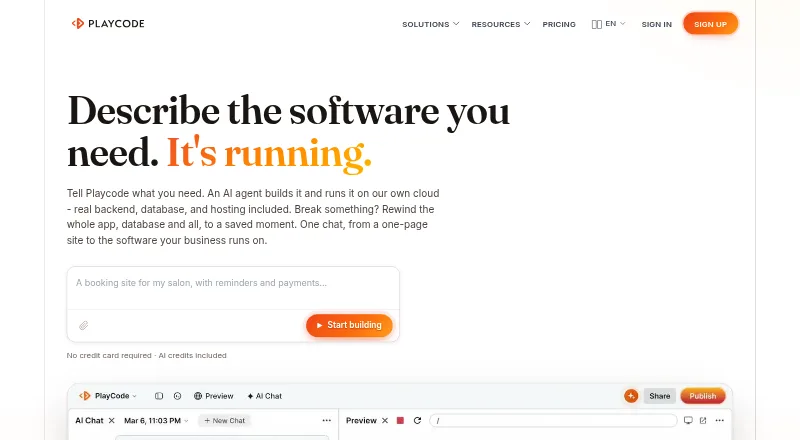
What Playcode is
Playcode builds websites and apps from plain-language descriptions and hosts full-stack projects through Playcode Cloud. Users can make visual edits or work with the underlying React, Vue, or HTML code. Cloud hosting includes a database, logins, files, background jobs, HTTPS, and WebSockets. A saved point can restore an app’s code, files, and database together in about a second. Projects can be downloaded as code and moved to another host; Playcode says users own their code. Its agent can create API integrations for services such as Stripe, email, Telegram, and WhatsApp when given the required keys. The free plan allows three projects or published sites, one collaborator, and requires Playcode branding. Pro costs $25 a month and includes private projects, custom domains, and three full-stack cloud apps. Playcode says automatic scaling across machines and multi-region failover are on its roadmap, and points to low-level infrastructure control or current compliance certification needs as reasons to look elsewhere.
Who it suits
Playcode is aimed at technical and nontechnical users building websites, MVPs, client portals, dashboards, internal tools, and small full-stack apps. It may suit users who want to edit visually or directly in React, Vue, or HTML.
What it does well
- Visual editing and direct code editing are available.
- Cloud includes a database and background jobs.
- Restores code, files, and database together.
- Projects can be downloaded and moved to another host.
- Human support is offered through chat and email.
What to know first
- Free projects require Playcode branding.
- Free plan allows three projects or published sites.
- Automatic scaling and multi-region failover are on its roadmap.
- Pro costs $25 a month.
Limits
The Free plan permits three projects or published sites, one collaborator and requires Playcode branding. Pro costs $25 a month, billed monthly, and includes 100 GB of bandwidth before a $0.05/GB charge.
Plans
| Plan | Billed and limits | Price |
|---|---|---|
| Free | $0; no credit card required · Trial AI credits for eligible signups · static site on Playcode address · Playcode branding · paid plan required for backend/database apps and custom domains | Free |
| Pro | $25 charged each month; 100 credits monthly · Up to 3 Cloud apps · custom domain · remove publishing badge · AI revisions · saved-version restore · code download | $25 a month |
| Max | $100 charged each month; 400 credits monthly · Everything in Pro · up to 10 Cloud apps · larger machines · larger bandwidth allowance | $100 a month |
| Top-up 440 credits | One-time payment · 440 credits including 40 bonus credits · valid 12 months | $100, paid once |
| Top-up 960 credits | One-time payment · 960 credits including 160 bonus credits · valid 12 months | $200, paid once |
| Top-up 100 credits | One-time payment · 100 credits · valid 12 months from latest top-up | $25, paid once |
| Top-up 210 credits | One-time payment · 210 credits including 10 bonus credits · valid 12 months | $50, paid once |
As playcode.io lists them, read 15 Oct 2026. The maker's own page has the final word.
Getting started
- Visit playcode.io and start with the Free plan or choose a paid plan.
- Describe the website or app you want to build in plain language.
- Edit the result visually or work with its React, Vue or HTML code.
- Use Playcode Cloud to host the project, or download its code to move it to another host.
- Provide required keys if asking the agent to build integrations through APIs.
Playcode is a visual and AI-assisted builder for websites and full-stack apps, suited to people who want to create and host a project without assembling a separate backend. Its editable code and quick, combined rollback are strong reasons to consider it; projects that need automatic scaling or multi-region failover are a poorer fit.
Overview
Playcode has evolved from a browser code playground, which it began as in 2016, into an AI builder. Describe a website or app in plain language to have its agent build or edit it, then continue visually or work in React, Vue, or HTML. This gives nontechnical creators a way into app building while letting developers inspect and change the underlying code.
Playcode Cloud provides production hosting alongside a database, logins, file storage, background jobs, HTTPS, and WebSockets. A saved state can restore code, files, and database together in about a second, a useful recovery mechanism for projects where a change affects more than the interface. You can download projects as real code and move them to another host, which reduces dependence on Playcode’s runtime.
Key features
- AI creation and editing: The agent turns plain-language descriptions into websites and apps and can revise them. It can also build API integrations for services such as Stripe, email, Telegram, and WhatsApp when given the required keys. That may help a nontechnical user connect common services, but the integrations depend on having those credentials.
- Full-stack runtime: Hosting, database, logins, files, background jobs, HTTPS, and WebSockets come together in Playcode Cloud. This is a practical fit for an MVP or internal tool that needs a backend as well as a website; teams seeking low-level infrastructure control may prefer another host.
- Combined rollback: Restore code, files, and database to a saved moment in about a second. Recovering those pieces together can matter more than reverting code alone when an app’s data and implementation change in tandem.
- Code portability: Download projects and move them to another host. Playcode says users own their code, making it easier to leave the hosted environment than with a workflow built around an inaccessible project format.
- Security and data handling: Playcode reports TLS 1.2 or higher, encryption at rest, Cloudflare edge protection, VPN-only server access, and daily encrypted backups. It says customer code and content are not used to train models. EU data residency is live, while its SOC 2 Type II and GDPR programs are in progress; organizations that require current compliance certification should look elsewhere.
- Support: Human help is available through chat and email, and Playcode says most questions are answered within hours. That offers a route to assistance without relying only on self-service materials.
Pricing
The free plan costs nothing and includes trial AI credits, three projects or published sites, one collaborator, and required Playcode branding. It is a way to try the builder and publish a small project, but the collaborator cap and branding make it less suitable for a team or client-facing work.
Pro costs $25 a month, billed monthly. It includes 100 AI credits per month, three full-stack cloud apps, unlimited websites, custom domains, private projects, unlimited team members, and 100 GB of bandwidth; additional bandwidth costs $0.05/GB. It suits independent builders and small teams that need private projects, custom domains, or a few hosted apps. Compared with the free tier, it removes the one-collaborator ceiling and branding requirement while adding full-stack cloud apps, but bandwidth is metered above its allowance.
Max costs $100 a month and is billed from $100/mo. It includes 400–10,000 AI credits per month, 10 full-stack cloud apps, unlimited websites, and 1 TB of bandwidth, with additional bandwidth at $0.05/GB. The larger app and bandwidth allowances suit heavier use than Pro; the published price floor is higher, so the plan makes sense when those additional capacities are needed. The free plan’s project cap is three, while paid tiers distinguish full-stack cloud apps from unlimited websites.
Platforms
Playcode is available on Android, iOS, Linux, macOS, the web, and Windows. Real-time collaboration, public sharing, custom domains, and deployment support extend its use from individual projects to shared and published work.
Who it's for
Playcode is aimed at business websites, MVPs, client portals, dashboards, internal tools, and small full-stack apps, including projects built by people without a technical background. It is most compelling when a creator wants a prompt-driven start, access to editable code, and hosting with backend services under one roof. Its portability also makes it a more reasonable choice for developers who want a path off the platform later.
It is not the right runtime for workloads that depend on automatic scaling across machines or multi-region failover: Playcode says those capabilities are on its roadmap. Teams needing low-level infrastructure control or current compliance certification should also consider other options.
Pros and cons
- Pro: Visual editing and direct access to React, Vue, or HTML serve different skill levels without restricting a project to a visual editor.
- Pro: Hosting includes core backend services, and rollback restores code, files, and database together in about a second.
- Pro: Downloadable code and user ownership claims support moving projects to another host.
- Con: Automatic scaling and multi-region failover are still on the roadmap, limiting its fit for workloads that require those capabilities now.
- Con: Free access is capped at three projects or published sites and one collaborator, and requires Playcode branding.
- Con: SOC 2 Type II and GDPR programs are in progress rather than complete, a concern for buyers who need current certification.
Alternatives
Replit is worth considering if its free Starter plan, with daily usage, one live project, and one background task at a time, better matches a limited project workflow.
CodeHS may suit teachers looking for a permanent free plan with 100+ courses, a browser-based editor, and automatic code submission and section management.
JDoodle is a better fit for users whose priority is a free coding workspace with 1,000 executions per day, 100 saved projects, and one collaborator per project.
Scratch offers a free digital platform for creating and sharing projects, a simpler alternative when full-stack hosting is not the goal.
OneCompiler may be preferable for browser-based coding with unlimited executions and 20 AI credits per day on its free plan.
CodePad is another free option for iOS and web users.
CodePen may fit web-focused work organized as public Pens, with up to three files per Pen on its free plan.
Google Colab is a better match when notebook compute is the priority, though its free Colab plan has no guaranteed compute-unit access and limited GPU access.
For category browsing, see Code Playground Software, Music Website Builders, and Coding Playgrounds.
Verdict
Choose Playcode if you want an AI-assisted route from a plain-language idea to editable code and a hosted full-stack app, with backend services and unusually quick combined rollback built in. Its free tier is useful for a small branded project, while Pro is the more practical step for private work, custom domains, and collaboration. Look elsewhere if your app needs automatic scaling, multi-region failover, infrastructure-level control, or current compliance certification.
Verdict
Playcode combines plain-language app creation with hosting and tools for full-stack projects. Consider its roadmap limits if your project needs automatic scaling or multi-region failover.
Questions
Does Playcode have a free plan?
Yes. Free costs nothing and includes trial AI credits, three projects or published sites and one collaborator. Playcode branding is required.
How much does Pro cost?
Pro costs $25 a month, billed monthly. It includes 100 AI credits per month, three full-stack cloud apps, unlimited websites, custom domains, private projects and unlimited team members.
Which code can I edit in Playcode?
Users can edit visually or access and edit the underlying React, Vue or HTML code.
Can I export a Playcode project?
Yes. Projects can be downloaded as code and moved to another host. Playcode says users own their code.
What does Playcode Cloud include?
Cloud includes production hosting, a database, logins, files, background jobs, HTTPS and WebSockets.
Who makes Playcode, and where is it based?
The maker is Playcode, based in Europe. It began as a browser code playground in 2016 and became an AI builder in late 2025.
Facts from Playcode's own pages
- AI and cloud products
- The product combines Playcode AI for building with Playcode Cloud for backend, database, files and background work. · playcode.io, 15 Oct 2026
- AI data
- Playcode says it does not use customer code or content to train models. · playcode.io, 29 Sept 2026
- AI models
- The builder supports more than ten selectable AI models. · getapp.com, 15 Oct 2026
- AI modes
- The agent offers Ask, Plan and Agent modes for answering, planning and autonomous code changes. · getapp.com, 15 Oct 2026
- API
- Playcode exposes one GraphQL endpoint for its operations, with documented operation discovery, errors, consent and idempotency. · playcode.io, 15 Oct 2026
- Classic playgrounds
- Playcode Classic runs JavaScript, TypeScript, Python, React, Vue, Angular, Svelte, C++, C, Go and SQL in browser playgrounds. · playcode.io, 15 Oct 2026
- CLI
- The @playcode/cli package requires Node.js 22 or newer and can list projects, run commands and publish apps. · playcode.io, 15 Oct 2026
- Cloud runtime
- Cloud apps provide a backend, database-backed state, file storage, HTTPS, background jobs, WebSockets and rollback. · getapp.com, 15 Oct 2026
- Company headquarters
- Crunchbase lists the private company in Antalya, Turkey, with 11–50 employees and founder Ruslan Ianberdin. · crunchbase.com, 15 Oct 2026
- Company history
- Playcode says it began as a browser code playground in 2016 and became an AI builder in late 2025. · playcode.io, 29 Sept 2026
- Company size and founding
- LinkedIn lists Playcode as founded in 2016 with 11–50 employees. · linkedin.com, 15 Oct 2026
- Compliance
- Playcode says SOC 2 Type II and GDPR programs are in progress, with EU data residency live. · playcode.io, 29 Sept 2026
- Compliance status
- SOC 2 Type II and GDPR are described as in progress rather than completed certifications. · playcode.io, 15 Oct 2026
- Data residency
- The company says primary data and backups are stored in EU data centers and personal data is removed within 30 days, with backup cleanup within 60 days. · playcode.io, 15 Oct 2026
- Desktop availability
- Playcode publishes desktop builds for Windows, macOS Intel/Apple Silicon and Linux distributions including Ubuntu, Debian and Fedora. · playcode.io, 15 Oct 2026
- Editing
- Users can edit visually or access and edit the underlying React, Vue, or HTML code. · playcode.io, 29 Sept 2026
- Export and ownership
- Projects can be downloaded as real code and moved to another host; Playcode says users own their code. · playcode.io, 29 Sept 2026
- Export and self-hosting
- Paid users can download the complete project as a ZIP and run the exported code on another server or VPS. · playcode.io, 15 Oct 2026
- Founded
- 2016 · playcode.io, 28 Sept 2026
- Free plan
- Yes · playcode.io, 20 Sept 2026
- Headquarters
- Europe · playcode.io, 28 Sept 2026
- Hosting
- Playcode Cloud includes production hosting, database, logins, files, background jobs, HTTPS, and WebSockets. · playcode.io, 29 Sept 2026
- Integrations
- The developer surface supports Claude Code, Cursor, Claude Desktop and other MCP clients. · playcode.io, 15 Oct 2026
- Intended users
- Playcode describes the Cloud runtime as intended for business websites, MVPs, client portals, dashboards, internal tools, and small full-stack apps, including for nontechnical users. · playcode.io, 29 Sept 2026
Where Playcode stands on Freedom251
- Coding Playgrounds#11 of 138
- Music Website Builders#10 of 52
- Code Playground Software#15 of 58