Freedom251 › Web Development IDEs

Eclipse IDE
What Eclipse IDE is
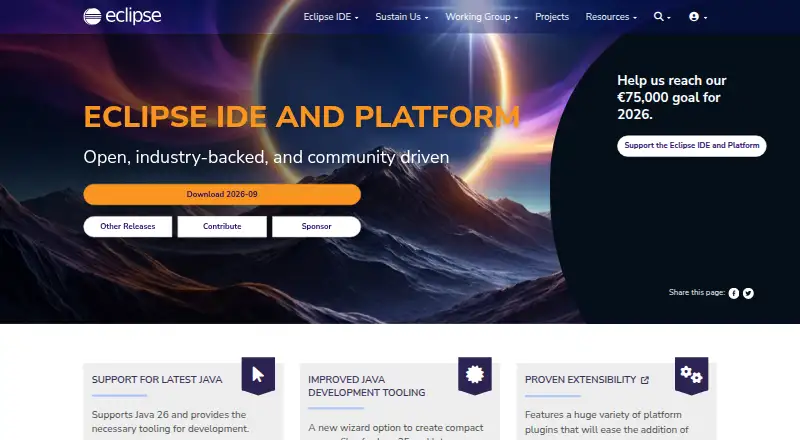
Eclipse IDE is a free, open-source development environment and platform for several kinds of software work. Its Java Developers package combines a Java IDE with a Git client, XML editor, and Maven and Gradle integration; the latest release supports Java 26 and includes development tooling. Other packages address enterprise Java and web, C/C++, DSL, embedded C/C++, PHP, modeling, RCP/RAP, and Scout development. Users can extend Eclipse with plug-ins and products from the Eclipse Marketplace, including through the Marketplace Client in the IDE. Listed plug-ins include GitHub Copilot, Spring Tools 4, TestNG for Eclipse, and PyDev. The installer guides users to select a package and destination folder, and is offered for macOS, Windows, and Linux, with architecture variants including x86_64, AArch64, and Linux riscv64. Package downloads and zip files are also available. Help channels include community chat, issue reporting, documentation, and a mailing list. Security-fix coverage depends on each project, which documents the versions it supports.
Who it suits
Eclipse suits developers looking for an extensible IDE with packages for Java and a range of other languages and development areas. Its platform options cover macOS, Windows, and Linux users.
What it does well
- Free and open source under Eclipse Public License 2.0
- Java package includes Git, XML, Maven, and Gradle tools
- Packages cover multiple languages and development areas
- Marketplace supports adding plug-ins and products
- Installer available for macOS, Windows, and Linux
What to know first
- Security-fix coverage varies by project
- Projects document supported versions separately
Limits
Which versions receive security fixes depends on the individual project; supported versions are identified in project security or release documentation.
Plans
| Plan | Billed and limits | Price |
|---|---|---|
| Eclipse IDE | desktop IDE packages · extensible plugins | Free |
As eclipseide.org lists them, read 15 Oct 2026. The maker's own page has the final word.
Getting started
- Visit the Eclipse IDE website.
- Download the installer for macOS, Windows or Linux, or choose a package download or zip file.
- Run the installer and choose a package and installation folder.
- Add any desired plug-ins or products from the Eclipse Marketplace.
Verdict
Eclipse IDE offers a broad set of development packages and Marketplace extensions at no cost. Check the relevant project's documentation for which versions receive security fixes.
Questions
How much does Eclipse IDE cost?
The Eclipse IDE plan costs nothing and is free and open source under the Eclipse Public License 2.0.
Which operating systems are supported?
The installer is offered for macOS, Windows and Linux, with several architecture variants.
What is included in the Java Developers package?
It includes a Java IDE, Git client, XML editor, and Maven and Gradle integration.
Can I add plug-ins?
Yes. Plug-ins and products can be added from the Eclipse Marketplace, including through the Marketplace Client inside Eclipse.
Does the latest release support Java 26?
Yes. The site says the latest release supports Java 26 and provides tooling for its development.
How does Eclipse handle security fixes?
The Foundation's baseline policy sets a default expectation of resolving vulnerabilities within 90 days. Security-fix coverage varies by project, which documents supported versions.
Facts from Eclipse IDE's own pages
- API and extensibility
- The runtime plug-in model uses plugin.xml manifests, declarative extension points, and lazy plug-in activation. · help.eclipse.org, 15 Oct 2026
- C/C++ package
- A dedicated C/C++ package is listed at 386 MB. · eclipse.org, 15 Oct 2026
- Chrome extension details
- The Chrome Web Store listing is an OffiDocs Eclipse IDE Online extension with 10,000 users and Java, C/C++, PHP, and Ruby tooling. · chromewebstore.google.com, 15 Oct 2026
- Company founding and size
- LinkedIn lists the foundation as founded in 2004 with 51–200 employees and more than 350 members. · linkedin.com, 15 Oct 2026
- Company headquarters
- LinkedIn lists headquarters in Brussels, Belgium. · linkedin.com, 15 Oct 2026
- Company legal identity
- The maker is Eclipse Foundation AISBL, an international nonprofit association. · linkedin.com, 15 Oct 2026
- Company ownership model
- The Eclipse Foundation describes itself as an independent, vendor-neutral steward funded and supported by member organizations rather than a commercial software vendor. · eclipse.org, 15 Oct 2026
- Documentation
- The documentation site provides HTML help for Eclipse IDE 2026-09 (4.41) and earlier quarterly releases. · eclipse.org, 15 Oct 2026
- Embedded tooling
- The Embedded C/C++ package includes Arm and RISC-V build plug-ins plus SEGGER J-Link, OpenOCD, pyocd, and QEMU debugging plug-ins. · eclipse.org, 15 Oct 2026
- Enterprise package
- The Enterprise Java and Web package is 585 MB and includes JavaScript, TypeScript, JSP/Faces, YAML, Markdown, web-service, JPA, data-tools, and Maven support. · eclipse.org, 15 Oct 2026
- Example integrations
- The Getting Started page lists GitHub Copilot, Spring Tools 4, TestNG for Eclipse, and PyDev as popular plug-ins. · eclipseide.org, 1 Oct 2026
- Extensibility
- Users can add plug-ins and products from the Eclipse Marketplace, including through the Marketplace Client inside Eclipse. · eclipseide.org, 1 Oct 2026
- Founded
- 2004 · eclipseide.org, 28 Sept 2026
- Headquarters
- Brussels, Belgium · eclipseide.org, 28 Sept 2026
- Installation
- The Eclipse Installer is a self-extracting installer, while package and ZIP downloads remain available. · eclipse.org, 15 Oct 2026
- Java development
- The Java Developers package includes a Java IDE, Git client, XML editor, and Maven and Gradle integration. · eclipse.org, 1 Oct 2026
- Java editing
- Java tooling adds compact-source-file project creation, enhanced-for-loop conversion, and cloned-tab navigation for types and methods. · eclipseide.org, 15 Oct 2026
- Java package
- The Java Developers package is 360 MB and bundles a Java IDE, Git client, XML editor, Maven, and Gradle integration. · eclipse.org, 15 Oct 2026
- Java support
- The current release supports Java 26 and includes Java development tooling. · eclipseide.org, 15 Oct 2026
- JDT API
- Published JDT APIs support project creation, source generation, build management, project analysis, and refactoring implementations. · github.com, 15 Oct 2026
- Languages and audiences
- Packages are offered for Java, enterprise Java and web, C/C++, DSL, embedded C/C++, PHP, modeling, RCP/RAP, and Scout development. · eclipse.org, 1 Oct 2026
- Latest Java
- The site says the latest release supports Java 26 and provides tooling for its development. · eclipseide.org, 1 Oct 2026
- License
- Eclipse IDE is free and released under the Eclipse Public License 2.0, which includes royalty-free copyright and patent grants. · eclipseide.org, 15 Oct 2026
- Limit: G2 performance and setup
- G2 reviewers repeatedly report slow startup, lag or freezes with large projects or many plugins, dated UI, and confusing setup or compatibility work. · g2.com, 15 Oct 2026
Where Eclipse IDE stands on Freedom251
- Web Development IDEs#1 of 44
- Integrated Development Environments#2 of 65
- IDE Software#2 of 53