Freedom251 › GIF Maker Software
Gifski
What Gifski is
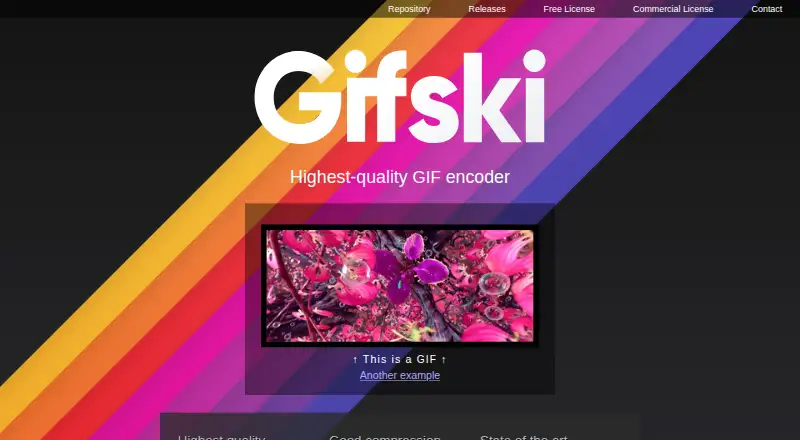
Gifski is a GIF encoder that makes smooth animations from video clips. It uses pngquant palettes and temporal dithering, can produce thousands of colors per frame, and supports lossy LZW compression, temporal smoothing, and denoising. Users can resize animations and adjust compression to fit upload size limits. By default, it prioritizes image quality over smaller files; reducing dimensions, frame rate, or quality can help shrink output. The site links to a free Windows graphical app and a macOS app, while command-line binaries are available for Linux, macOS, and Windows. The command-line workflow converts video through PNG frames, so ffmpeg may be needed to extract them. The macOS app includes trimming, cropping, dimension and speed controls, previews, looping and bounce options, sharing, and Shortcuts support. It converts video rather than creating GIFs from added text or other elements, and does not support QuickTime Animation. The library is open source for free software use; closed-source apps or services require a commercial license.
Who it suits
Gifski suits people who want to turn video clips into GIFs on Windows, macOS, or Linux. Developers can also use its library, with a commercial license required for closed-source apps or services.
What it does well
- Free Windows graphical app
- Command-line binaries for three operating systems
- Offers resizing and compression controls
- Supports temporal smoothing and denoising
What to know first
- Quality-first defaults can produce larger files
- CLI workflow may require ffmpeg for PNG frames
- Mac app cannot add text or other elements
- Closed-source library use requires a commercial license
Limits
The free plan is listed as free. The macOS app converts video rather than creating GIFs from added text or other elements, and it does not support QuickTime Animation. The library's free open-source use is limited to free software; closed-source applications or services require a commercial license.
Plans
| Plan | Billed and limits | Price |
|---|---|---|
| Gifski | Windows GUI is free; open-source library is available for free software use | Free |
As gif.ski lists them, read 11 Oct 2026. The maker's own page has the final word.
Getting started
- Visit the Gifski website.
- Choose the Windows GUI, macOS app, or a command-line binary for your platform.
- For command-line installation, follow the site's cargo instructions.
- For CLI video conversion, prepare PNG frames; ffmpeg may be needed to extract them.
- Import video in the macOS app, or use the CLI workflow to convert frames.
Gifski is a video-to-GIF encoder for people who care more about smooth, detailed output than the smallest possible file. It suits makers who want direct control over dimensions and compression, whether they prefer a desktop app, command line, or library. Choose it for conversion rather than composing a GIF from text, graphics, or other elements.
Overview
Gifski builds animations from video clips and prioritizes visual quality: its palette and dithering approach can preserve thousands of colors per frame. That quality-first bias is useful when gradients and smooth motion matter, but it can produce files too large for an upload limit. Resizing, lowering frame rate, or reducing quality can bring the file down, with a corresponding compromise in appearance or motion.
Key features
Color and compression controls
Gifski combines pngquant palettes and temporal dithering with lossy LZW compression, temporal smoothing, and denoising. This gives it several ways to balance appearance and size rather than forcing users to accept an uncompressed-looking result or a single preset. Users still need to make that tradeoff themselves when a destination imposes a strict file cap.
Conversion workflow
The command-line workflow converts video through PNG frames; extracting those frames may require ffmpeg. That is a practical fit for scripted or developer workflows, but less direct than importing a clip into a GUI. The macOS app adds trimming, cropping, dimension and speed controls, preview, looping and bounce options, a share extension, system service, and Shortcuts support.
The Mac app converts video rather than assembling a GIF, so it is not the right tool for adding captions, stickers, or other elements. It accepts formats supported by macOS except QuickTime Animation format.
Library use
The library has a C FFI and supports C#, Swift, Rust, C, C++, and other languages. It is open source for free software use; closed-source applications and services require a commercial license. That distinction matters before embedding it in a proprietary product.
Pricing
Gifski is free: the Windows GUI costs nothing, and the library is available for free software use. There is no free-trial term to weigh against a paid tier. The free library license does not cover closed-source applications or services, which require a commercial license.
Platforms
Gifski supports Windows, macOS, and Linux. The site links to a free Windows GUI and a macOS app through the App Store or direct download; command-line binaries are available for all three platforms, with installation shown through cargo. The Mac App Store disclosure says diagnostics, including crash data, may be collected unlinked to the user; Apple says that disclosure has not been verified. The app directs support requests through Send Feedback in its Help menu.
Who it's for
Gifski is a strong fit for people converting existing video who want color-rich, smooth GIFs and are prepared to tune file size. Developers can use its CLI or library, while Mac users get a fuller clip-editing workflow in the desktop app. Look elsewhere if the job is drawing animations, adding text or graphics, or making a compact GIF with minimal adjustment.
Pros and cons
- Pros: Detailed color and temporal processing target smooth output rather than a basic, banded conversion.
- Pros: Resizing and compression controls let users respond to upload limits, and the tools span GUI, CLI, and library workflows.
- Cons: Quality-first defaults can mean larger files, so tight size caps may require cuts to dimensions, frame rate, or quality.
- Cons: The Mac app cannot add text or other elements, and the CLI's frame-based workflow may require ffmpeg.
- Cons: Closed-source products need a commercial library license, unlike free software use.
Alternatives
For a broader set of choices, browse GIF Maker Software.
- Brush Ninja is the better fit for core animation tools across web and mobile platforms, with a free plan and no account required.
- FlexClip suits a browser-based video workflow; its free plan allows 12 online projects and videos up to 10 minutes.
- Gifsicle is another free option for working with GIF images and animations across desktop platforms.
- GIPHY Create is a free alternative available on web and mobile.
- Piskel is a better choice for pixel-art editing, with a free browser-based editor and offline desktop app.
- Wigglegram Creator is another free desktop-platform option.
- Gifcurry is a free open-source video editor for Linux and macOS, requiring GTK+, GStreamer, FFmpeg, and ImageMagick.
- Gifox is the macOS alternative for screen recording; its Basic plan allows 10-second recordings, while Pro is a one-time purchase at $14.99 a month.
Verdict
Choose Gifski if your priority is smooth, high-color video-to-GIF conversion and you want control over the size-quality balance across desktop, command-line, or library use. Its strongest reason to choose it is that quality-focused conversion toolkit; its clearest reason to look elsewhere is the need to create or decorate GIFs rather than convert video.
Verdict
Gifski provides video-to-GIF conversion with controls for quality, compression, and dimensions across desktop apps and command-line tools. Its quality-first default can mean larger files, and the macOS app does not add text or other elements.
Questions
How much does Gifski cost?
The listed Gifski plan is free. The Windows GUI is free, and the library is available for free software use.
Which platforms does it support?
Windows, macOS, and Linux are supported. The website links to a Windows GUI and a macOS app, while command-line binaries are available for all three.
Can I import video?
Yes. The macOS app supports video formats supported by macOS, except QuickTime Animation. The CLI workflow converts video through PNG frames, and ffmpeg may be needed to extract them.
Can Gifski make GIFs from text or other elements?
The macOS app listing says it converts videos and does not support adding text or other elements.
Is the library open source?
Yes, the library is open source for free software use. Closed-source applications or services require a commercial license.
What can the macOS app do?
It offers video trimming and cropping, dimension and speed controls, GIF preview, looping and bounce options, a share extension, a system service, and Shortcuts support.
Facts from Gifski's own pages
- Color quality
- It uses pngquant palettes and temporal dithering and can achieve thousands of colors per frame. · gif.ski, 11 Oct 2026
- Command line
- CLI binaries are available for Linux, macOS, and Windows, and the site shows installation through cargo. · gif.ski, 11 Oct 2026
- Compression
- It supports true lossy LZW compression, temporal smoothing, and denoising. · gif.ski, 11 Oct 2026
- Desktop apps
- The site links to a free Windows GUI and a macOS app through the App Store or direct download. · gif.ski, 11 Oct 2026
- Input workflow
- The CLI converts video via PNG frames, and the site says ffmpeg may be needed to extract those frames. · gif.ski, 11 Oct 2026
- Library integrations
- The library supports C#, Swift, Rust, C, C++, and other languages with a C FFI. · gif.ski, 11 Oct 2026
- Licensing
- The library is open source for free software use, while closed-source applications or services require a commercial license. · gif.ski, 11 Oct 2026
- Mac app features
- The Mac app listing describes video trimming and cropping, dimension and speed controls, GIF preview, looping and bounce options, a share extension, system service, and Shortcuts support. · apps.apple.com, 11 Oct 2026
- Mac app limitation
- The Mac app listing says Gifski converts videos rather than creating GIFs and does not support adding text or other elements. · apps.apple.com, 11 Oct 2026
- Privacy disclosure
- The Mac App Store listing says the developer indicated that diagnostics, including crash data, may be collected unlinked to the user; Apple says this information has not been verified. · apps.apple.com, 11 Oct 2026
- Purpose
- Gifski is a GIF encoder that makes smooth animations from video clips. · gif.ski, 11 Oct 2026
- Quality tradeoff
- Gifski maximizes quality by default at the cost of file size, and the site recommends reducing dimensions, frame rate, or quality to make smaller GIFs. · gif.ski, 11 Oct 2026
- Size controls
- Users can resize animations and adjust compression levels to fit upload file size limits. · gif.ski, 11 Oct 2026
- Support
- The Mac app listing directs users to the Send Feedback button in the app’s Help menu. · apps.apple.com, 11 Oct 2026
- Video format support
- The Mac app supports video formats that macOS supports, but not QuickTime Animation format. · apps.apple.com, 11 Oct 2026
Where Gifski stands on Freedom251
- GIF Maker Software#7 of 33
- GIF makers#24 of 54