Freedom251 › GIF Maker Software
Gifcurry
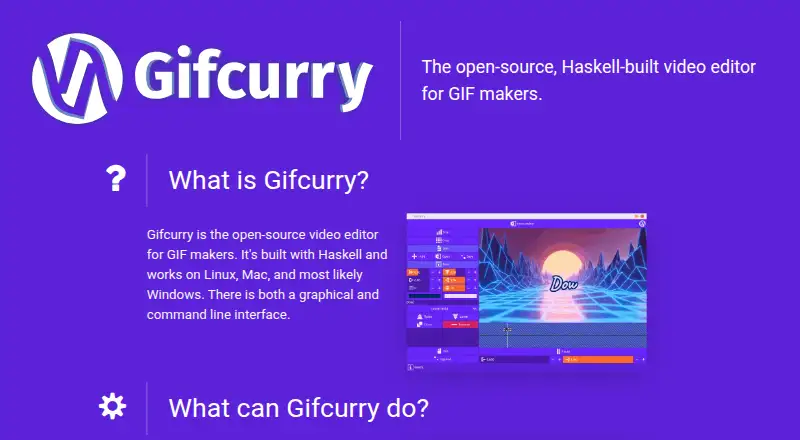
What Gifcurry is
Gifcurry is an open-source editor for creating and editing GIFs from GIFs or videos, with the option to save the result as a GIF or video. It offers both a graphical interface and a command line interface. Editing controls include cropping, trimming, seeking, changing duration and size, setting frame rate, adjusting color count, dithering, and importing subtitles. Text overlays can be customized by font, size, color, position, outline, rotation, and timing.
Gifcurry is free and lists Linux and macOS as supported platforms. Its maker says Windows may work, but it has not been tested. Linux users can choose an AppImage or prebuilt binaries, or install via pacman or snap; Mac installation instructions are on the project readme page. Running the editor requires GTK+, GStreamer, FFmpeg, and ImageMagick. The project dates to 2016 and is licensed under BSD-3-Clause. Suggested uses include making GIFs for pull requests, README files, slides, email replies, or indie game promotion.
Who it suits
Gifcurry suits Linux or Mac users who want to edit existing GIFs or videos and save the result in either format. Its command-line interface may also suit users who prefer that way of working.
What it does well
- Edits GIFs and videos, and saves either format.
- Offers graphical and command-line interfaces.
- Customizable text overlays include timing and rotation.
- Linux users have several installation options.
What to know first
- Running it requires four listed dependencies.
- Windows support is untested.
- No screen-recording feature is listed.
Limits
The free plan is the Gifcurry editor, and it requires GTK+, GStreamer, FFmpeg, and ImageMagick. Screen recording is not supported.
Plans
| Plan | Billed and limits | Price |
|---|---|---|
| Gifcurry | Open-source video editor; requires GTK+, GStreamer, FFmpeg, and ImageMagick | Free |
As lettier.github.io lists them, read 11 Oct 2026. The maker's own page has the final word.
Getting started
- Visit the Gifcurry website.
- Choose Linux or macOS as your platform.
- On Linux, use an AppImage, prebuilt binaries, pacman, or snap.
- On Mac, follow the installation instructions on the project's readme page.
- Install GTK+, GStreamer, FFmpeg, and ImageMagick.
- Open the graphical interface or use the command line interface.
Verdict
Gifcurry provides a broad set of GIF and video editing controls, including customizable text overlays and subtitle import. It is free, but users should account for its listed dependencies and note that Windows has not been tested.
Questions
How much does Gifcurry cost?
Its listed plan is free, and the pricing model is free.
Which platforms does Gifcurry support?
Linux and macOS are listed. The maker says Windows is likely to work but has not tested it.
Can Gifcurry import video?
Yes. It edits GIFs or videos and can save the result as either a GIF or a video.
Is Gifcurry open source?
Yes. It is open-source software, and its repository identifies the license as BSD-3-Clause.
What does Gifcurry require to run?
The listed prerequisites are GTK+, GStreamer, FFmpeg, and ImageMagick.
Facts from Gifcurry's own pages
- Dependencies
- The maker lists GTK+, GStreamer, FFmpeg, and ImageMagick as prerequisites for running Gifcurry. · lettier.github.io, 11 Oct 2026
- Editing features
- It supports cropping, trimming, seeking, adding text, changing duration and size, setting FPS, adjusting color count, dithering, and importing subtitles. · lettier.github.io, 11 Oct 2026
- Founded
- 2016 · lettier.github.io, 28 Sept 2026
- Inputs and outputs
- It edits GIFs or videos and can save creations as either GIFs or videos. · lettier.github.io, 11 Oct 2026
- Integrations
- The maker gives creating a custom animated emoji for Slack as an example use for Gifcurry. · github.com, 11 Oct 2026
- Interfaces
- Gifcurry provides both a graphical interface and a command line interface. · lettier.github.io, 11 Oct 2026
- License
- The GitHub repository identifies the project license as BSD-3-Clause. · github.com, 11 Oct 2026
- Linux downloads
- Linux users can get an AppImage or prebuilt binaries, or install via pacman or snap. · lettier.github.io, 11 Oct 2026
- Mac installation
- Mac users can follow the installation instructions on the project's readme page. · lettier.github.io, 11 Oct 2026
- Maker
- The site credits David Lettier and displays a 2018 copyright notice. · lettier.github.io, 11 Oct 2026
- Platform support
- The maker says Gifcurry works on Linux and Mac and most likely Windows, but says Windows has not been tested. · lettier.github.io, 11 Oct 2026
- Purpose
- Gifcurry is an open-source video editor for making and editing GIFs. · lettier.github.io, 11 Oct 2026
- Support
- The maker directs users with bugs, feature requests, or installation problems to the project's issues page. · lettier.github.io, 11 Oct 2026
- Text overlays
- Text overlays can be customized with font, size, color, position, outline, rotation, and timing. · github.com, 11 Oct 2026
- Use cases
- The maker lists creating GIFs for pull requests, README files, presentation slides, email replies, and indie game promotion among possible uses. · github.com, 11 Oct 2026
Where Gifcurry stands on Freedom251
- GIF Maker Software#5 of 33
- GIF makers#28 of 54