Freedom251 › Game Playtime Trackers
GamingGaiden
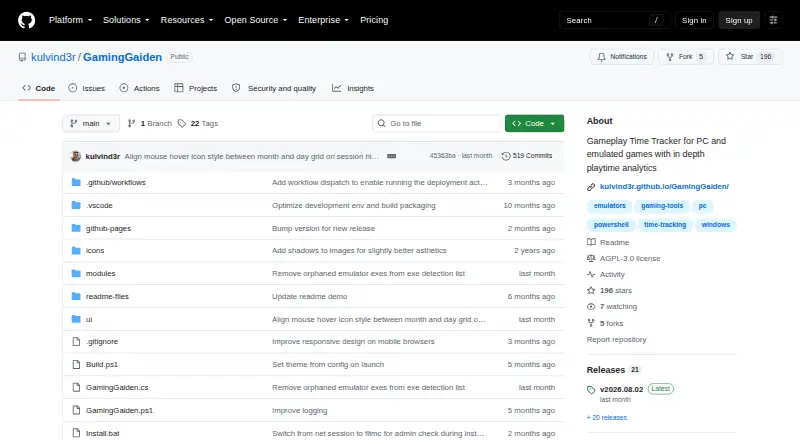
What GamingGaiden is
GamingGaiden is a Windows tray application for tracking play time and session history across PC and emulated games. It automatically records play and can detect new ROMs once an emulator is registered; RetroArch cores are supported. Games started from an emulator’s own graphical interface are not tracked, so the manual recommends using a frontend or command-line shortcuts. GamingGaiden detects idle time and removes it from session records. Its statistics include lifetime summaries, session counts and lengths, daily, monthly, and yearly playtime, most-played games, and games grouped by emulator. A backlog lets users mark games Playing, Finished, On Hold, or Dropped. The project lists HWiNFO64 integration and Google image search for game icons or box art. It is portable and offline, with data kept in a local database and backups made after each session. The maker recommends regularly backing up the database and backups folder. GamingGaiden is free and open source under AGPL-3.0.
Who it suits
It suits Windows players who want local tracking across PC and emulated games, plus playtime summaries and backlog statuses. Multi-PC users can share a database while tracking time separately on each PC.
What it does well
- Tracks play across PC and emulated games.
- Removes idle time from session records.
- Includes lifetime and calendar-based playtime statistics.
- Stores data locally and works offline.
- Backs up data after gaming sessions.
What to know first
- Games launched from an emulator GUI are not tracked.
- Available for Windows, not mobile.
- SmartScreen may show an Unknown Publisher warning.
- The maker advises regular manual backups.
Plans
| Plan | Billed and limits | Price |
|---|---|---|
| Free | No price or usage limits stated | Free |
As github.com lists them, read 8 Oct 2026. The maker's own page has the final word.
Getting started
- Open the GamingGaiden GitHub repository.
- Download GamingGaiden from that repository.
- Install or run the portable Windows app.
- Register an emulator to track its new ROMs; RetroArch cores are supported.
- Use a frontend or command-line shortcuts for games launched through emulators.
- Back up the database and backups folder regularly.
GamingGaiden is a Windows tray app for tracking play time and session history across PC and emulated games. It is best suited to Windows players who want local analytics and backlog statuses without relying on an online service. Its strongest appeal is offline, portable tracking; its emulator-launch restriction is the main caveat.
Overview
GamingGaiden stores its data in a local database and works offline. It also backs up data after each gaming session, which helps protect a running history without requiring a cloud account. The maker nevertheless recommends regularly backing up both the database and the backups folder, so users remain responsible for keeping their records safe.
You can install the app on multiple gaming PCs and share a database while tracking play time separately for each machine. That suits players who switch between Windows computers, but the app is not a cross-platform tracker.
Key features
Automatic tracking for PC and emulated games
The app records play time and session history for PC games and emulated platforms. After an emulator is registered, it can automatically track new ROMs, and it supports RetroArch cores. There is an important workflow constraint: games launched directly from an emulator's GUI are not tracked. The manual recommends using a frontend or command-line shortcuts, so players who launch games from an emulator window may need to change their routine to get complete records.
Session analysis and backlog statuses
GamingGaiden detects and removes idle time from sessions, helping keep recorded playtime closer to active play. Its statistics cover lifetime summaries, session counts and lengths, daily, monthly and yearly playtime, most-played games, and games by emulator. This gives players several ways to review habits across a library, rather than only a total-hours figure.
Games can be marked Playing, Finished, On Hold, or Dropped. These statuses make the app useful for organizing a backlog as well as measuring time, though they are not a substitute for a broader game-library service.
Additional integrations
The project includes HWiNFO64 integration, with session time and tracking status metrics, and integrated Google image search for game icons or box art. These additions complement its tracking and library organization without changing its offline, local-database approach.
Pricing
GamingGaiden is free and open source under the AGPL-3.0 license. The Free plan costs nothing, with no stated usage limits. There is no free trial because there is no paid plan to trial. This is a straightforward fit for players who want a no-cost Windows tracker; the trade-off is that the maker's backup guidance and emulator-launch limitation still apply.
The maker says to download GamingGaiden only from its GitHub repository and warns that copies elsewhere could be malicious. Windows SmartScreen may show an Unknown Publisher warning because the application lacks a public CA signature.
Platforms
GamingGaiden is a desktop app for Windows PCs. It tracks PC games and emulated platforms, but there is no mobile app. Its multi-PC database sharing can help Windows users move between machines, not users looking for a tracker across different operating systems.
Who it's for
Choose GamingGaiden if you play on Windows, want automatic playtime records for PC and registered emulators, and value offline storage, session analytics, or lightweight backlog statuses. It is a particularly good match for RetroArch users who launch games through a compatible frontend or command-line shortcut. Look elsewhere if you need a mobile or non-Windows app, or if you launch emulated games directly from an emulator GUI and do not want to change that habit.
Pros and cons
- Pro: Offline, portable local storage avoids dependence on an online tracking service.
- Pro: Session, calendar-period, most-played, and emulator breakdowns provide more context than a single playtime total.
- Pro: Four backlog statuses let users track a game's progress alongside its sessions.
- Con: Direct launches from an emulator GUI are not tracked, which can leave gaps unless users adjust their launch workflow.
- Con: Users must maintain their own database and backups folder to reduce the risk of losing records.
- Con: Windows-only desktop support rules it out for players who need mobile or other operating systems.
Alternatives
Game Playtime Trackers is a useful place to compare other trackers if GamingGaiden's Windows-only scope or emulator-launch requirement does not fit.
- Actually Played is another free option for users seeking support across Linux, macOS, and Windows; its listed plan describes a client-side Minecraft mod with no dependencies.
- PlayTracker suits readers who want Android, iOS, web, and Windows access, with a free gamer plan and a €12 per month Indie plan for game stats and estimates with full Insight detail.
- Arknights: Endfield Playtime Tracker is a free alternative for players who specifically want to track Arknights: Endfield on web or Windows.
- Game Time Manager is another free, open-source Windows option, with testing stated for Windows 10 and 11.
- GamePal is worth considering for iOS players; it has a free download, while some features require Platinum.
- Outplayed is a Windows freemium alternative whose paid Premium plan includes unlimited Outplayed.tv hosting, ad removal, layout customization, enhanced fullscreen mode, and watermark removal.
- PlayCounter is another free Windows option; its desktop client uses the MIT license, while its production API, database migrations, and deployment code are maintained privately.
- RoTracker is a free web alternative for Roblox activity, multi-account tracking, playtime analytics, game history, real-time updates, and streak tracking.
Verdict
GamingGaiden is a strong fit for Windows players who want free, offline playtime tracking with meaningful session analytics and basic backlog management. Its local-first design and broad time breakdowns are compelling reasons to choose it. Look elsewhere if you need broader platform coverage, or if your emulated games are launched directly from an emulator GUI and you are unwilling to change that workflow.
Verdict
GamingGaiden combines automatic game tracking, playtime analysis, and backlog statuses in a portable offline app. Users should account for the emulator-launch limitation and keep their own database backups.
Questions
Is GamingGaiden free?
Yes. It is listed as free and open source, with an AGPL-3.0 license.
Which platforms does it support?
GamingGaiden is a Windows desktop app for PC games and emulated platforms. No mobile app is listed.
Does it track games launched from an emulator's graphical interface?
No. Games launched directly from an emulator GUI are not tracked; the manual recommends a frontend or command-line shortcuts.
Where can I download GamingGaiden?
The maker says downloads are available only from the GitHub repository and warns that copies elsewhere could be malicious.
Does GamingGaiden work offline?
Yes. It is described as portable and completely offline, with data stored in a local database.
Can I use it on more than one PC?
Yes. It can be installed on multiple gaming PCs and share a database while tracking play time separately for each PC.
Facts from GamingGaiden's own pages
- Analytics
- Statistics include lifetime summaries, session counts and lengths, daily, monthly and yearly playtime, most-played games, and games by emulator. · github.com, 8 Oct 2026
- Automatic tracking
- It tracks play time and session history for PC and emulated games and can auto-track new ROMs after an emulator is registered. · github.com, 8 Oct 2026
- Backlog status
- Games can be marked Playing, Finished, On Hold, or Dropped. · github.com, 8 Oct 2026
- Backlog tracking
- Games can be marked Playing, Finished, On Hold, or Dropped. · github.com, 8 Oct 2026
- Backups
- It automatically backs up data after each gaming session, and the maker advises users to back up the database and backups folder regularly to avoid data loss. · github.com, 8 Oct 2026
- Download
- The maker says GamingGaiden is available for download only from its GitHub repository and warns that copies elsewhere could be malicious. · github.com, 8 Oct 2026
- Emulators
- It can automatically track new ROMs after an emulator is registered and supports RetroArch cores. · github.com, 8 Oct 2026
- HWiNFO64
- It includes HWiNFO64 integration with session time and tracking status metrics. · github.com, 8 Oct 2026
- Idle time
- It detects and removes idle time from gaming sessions. · github.com, 8 Oct 2026
- Integrations
- The project lists HWiNFO64 integration and integrated Google image search for game icons or box art. · github.com, 8 Oct 2026
- License
- The GitHub repository identifies the project as licensed under AGPL-3.0. · github.com, 8 Oct 2026
- Local data
- The app is described as completely offline and portable, with data stored in a local database. · github.com, 8 Oct 2026
- Local storage
- The project describes the app as offline and portable, with data stored in a local database and automated backups after gaming sessions. · github.com, 8 Oct 2026
- Maker
- The GitHub profile identifies Kulvinder Singh as the account owner and lists Pune, Maharashtra. · github.com, 8 Oct 2026
- Multi-PC use
- The maker says users can install it on multiple gaming PCs and share a database while tracking play time separately for each PC. · github.com, 8 Oct 2026
- Publisher warning
- Windows SmartScreen may show an Unknown Publisher warning because the application lacks a public CA signature. · github.com, 8 Oct 2026
- Purpose
- GamingGaiden is a Windows tray application for tracking play time and session history for PC and emulated games. · github.com, 8 Oct 2026
- RetroArch
- The project says it supports RetroArch cores. · github.com, 8 Oct 2026
- Statistics
- It provides lifetime summaries, session statistics, daily, monthly and yearly time analysis, most-played games, and games by emulator. · github.com, 8 Oct 2026
- Tracking limitation
- Games launched directly from an emulator GUI are not tracked; the manual recommends a frontend or command-line shortcuts. · github.com, 8 Oct 2026
Where GamingGaiden stands on Freedom251
- Game Playtime Trackers#8 of 20