Freedom251 › Game Playtime Trackers

PlayTracker
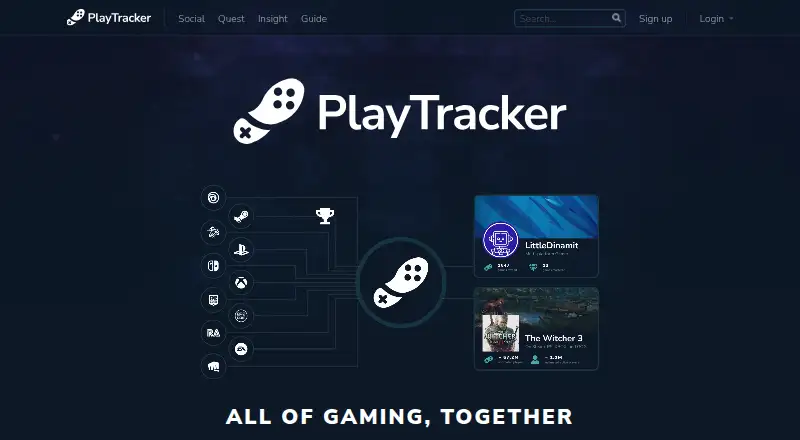
What PlayTracker is
PlayTracker connects gaming platform profiles to bring games, achievements, statistics, and activity graphs together. It supports automatic tracking from Steam, Xbox, PlayStation, GOG, EA Origin, Battle.net, and Guild Wars 2. Players can combine libraries and achievements, customize profiles, follow friends’ activity, compare achievements, and use leaderboards. Quest adds cross-platform challenges, seasonal rewards, Guilds, and friend-created challenges. Insight provides game ownership and active-player estimates, historical activity graphs, playtime and engagement statistics, and audience overlap analysis. Its Windows desktop app runs through Overwolf and includes pinned achievements, notes, game challenges, statistics, and friends who play. PlayTracker lists a free plan for gamers; Indie costs €12 a month and Pro costs €80 a month, with Pro including Lens audience segmentation. Enterprise offerings can include additional seats, custom surveys, training, support, and API access. The privacy notice says users can control sharing and that personal data is deleted when an account is deleted, though backups may retain data for up to four weeks. PlayTracker lists web, Windows, Android, and iOS platforms, but no mobile app.
Who it suits
PlayTracker suits gamers who want to combine gaming libraries, achievements, and activity in one place. Its paid tiers and enterprise offerings also target professionals seeking game analytics.
What it does well
- Automatically tracks data from several gaming platforms.
- Combines libraries, achievements, and friends’ activity.
- Quest includes challenges and seasonal rewards.
- Free plan available for gamers.
What to know first
- No mobile app is listed.
- Indie costs €12 a month.
- Pro costs €80 a month.
Limits
Full detail on Insight graphs and the game audience overlap tool are included in Indie at €12 per month; Lens audience segmentation is included in Pro at €80 per month.
Plans
| Plan | Billed and limits | Price |
|---|---|---|
| Free for gamers | PlayTracker for gamers | Free |
| Indie | €12/ Month · All game stats and estimates · Full detail on Insight graphs · Game audience overlap tool | €12 a month |
| Pro | €80/ Month · All game stats and estimates · Full detail on Insight graphs · Game audience overlap tool · Lens audience segmentation | €80 a month |
As playtracker.net lists them, read 30 Sept 2026. The maker's own page has the final word.
Getting started
- Visit https://playtracker.net/.
- Create a PlayTracker account for the free gamer plan.
- Link gaming platform profiles such as Steam, PSN, or Xbox to import and sync data.
- Use the web or Windows platform.
- Choose Indie at €12 per month or Pro at €80 per month for paid analytics features.
PlayTracker is a gaming companion that brings activity from connected accounts together with social features and audience analytics. It suits players who want a shared view of libraries and achievements, as well as professionals who need game-audience data. Its broad mix is useful, but its strongest analytics require a much higher-priced Pro subscription.
Overview
Link accounts such as Steam, PSN, and Xbox to import and sync game data, with automatic tracking across Steam, Xbox, PlayStation, GOG, EA Origin, Battle.net, and Guild Wars 2. PlayTracker combines games, achievements, stats, and graphs, then adds customizable profiles, friend activity, achievement comparisons, and leaderboards. That makes it more social than a simple playtime log, though those features are most useful when friends are active on the service too.
Insight adds game ownership and active-player estimates, historical activity graphs, playtime and engagement statistics, and audience-overlap analysis. A Windows desktop app runs through Overwolf, with pinned achievements, notes, game challenges, relevant stats, and friends who play. PlayTracker also offers Quest, a cross-platform challenge feature with seasonal rewards, Guilds, leaderboards, and friend-created challenges.
Key features
Social profiles and Quest
Combining libraries and achievements makes it easier to compare progress across connected gaming accounts rather than treating each platform as a separate record. Quest builds on that social layer with challenges and seasonal competition. Players looking for a private, personal tracker may find these community features less central; those who want friendly competition get more to engage with.
Insight and audience data
Ownership and active-player estimates, historical graphs, and engagement statistics give game audiences more context than a current player count alone. Audience-overlap analysis can help identify games with overlapping players, while Pro adds Lens audience segmentation for a more advanced view. These tools make PlayTracker relevant beyond individual gamers, but the separation between Indie and Pro means segmentation costs substantially more.
Desktop companion
The Overwolf-based Windows app keeps selected achievements and stats close at hand, and adds notes, challenges, and a view of friends who play. It is a useful complement for Windows players who want an in-game companion; it does not replace a mobile app, which PlayTracker does not offer.
Pricing
PlayTracker uses a freemium model. The Free for gamers plan costs nothing and is aimed at gamers. The paid tiers are aimed at professionals seeking enhanced features and advanced analytics.
- Free for gamers: free. It provides the free service for gamers, but does not include the paid-plan analytics bundle described for Indie and Pro.
- Indie: €12/ Month. It includes all game stats and estimates, full detail on Insight graphs, and the game audience overlap tool. This is the lower-cost fit for professionals who need those analytics without Lens segmentation.
- Pro: €80/ Month. It includes the Indie analytics features plus Lens audience segmentation. Choose it when segmentation is worth the additional monthly cost; otherwise Indie covers the stated core analytics.
Enterprise offerings can include additional seats, custom surveys, training and support, and API access, with custom pricing. The plans do not state seat counts, usage quotas, trial length, or renewal terms, so there is no basis to weigh those against the monthly prices.
Platforms
PlayTracker supports Android, iOS, web, and Windows, and automatically tracks data from Steam, Xbox, PlayStation, GOG, EA Origin, Battle.net, and Guild Wars 2. Despite its Android and iOS platform support, it has no mobile app. The Overwolf desktop companion is Windows-only, so mobile users should not expect a dedicated app experience.
Who it's for
PlayTracker is a good fit for gamers who want linked libraries, achievements, stats, and social comparisons in one place. It also suits independent professionals who need game estimates, detailed graphs, and audience overlap, while Pro is for those who specifically need audience segmentation. It is less suitable for players who want only a basic personal tracker, a mobile app, or advanced segmentation at the Indie price.
Pros and cons
- Pros: Automatic syncing across several major gaming platforms brings libraries and activity into one view.
- Pros: Profiles, friend activity, comparisons, leaderboards, and Quest add social uses beyond tracking.
- Pros: Insight combines historical activity and audience-overlap tools, with Lens segmentation for Pro users.
- Cons: There is no mobile app, despite Android and iOS platform support.
- Cons: Pro costs €80/ Month, a large step up from Indie’s €12/ Month for users who need Lens segmentation.
- Cons: The Windows desktop companion depends on Overwolf and is not an option for users on other desktop platforms.
Alternatives
Game Playtime Trackers is a useful starting point for comparing more tracking options. Choose wWaypoints instead if you want a free option for Linux, macOS, or Windows. Arknights: Endfield Playtime Tracker is the narrower free choice for tracking that specific game on Windows or the web; it is also free to use and modify.
Outplayed is another Windows freemium option, with paid tiers that distinguish three months from unlimited Outplayed.tv hosting and add customization features. PlayCounter is a free Windows alternative whose desktop client is MIT-licensed, although its production API and deployment components are maintained privately. Steam Wrapped is a free Windows option.
Steins;Tracker offers free Windows tracking, customization, and statistics, with a Pro tier for exclusive icons, themes, and advanced features. Actually Played is a free option for Linux, macOS, and Windows, while Game Time Manager is a free Windows alternative.
Verdict
Choose PlayTracker if you want gaming activity, achievements, and friends’ progress together, or if you need Insight’s audience tools. Its social breadth and cross-platform data are the main reasons to pick it; look elsewhere if you need a mobile app or want Lens segmentation without paying €80/ Month.
Verdict
PlayTracker brings gaming activity and social features together, with additional analytics available in paid tiers. Note that its platform list includes Android and iOS, but no mobile app is listed.
Questions
Is PlayTracker free?
Yes. The Free for gamers plan costs nothing. Paid plans include Indie at €12 per month and Pro at €80 per month.
Which platforms does PlayTracker support?
It lists web, Windows, Android, and iOS platforms. Supported gaming platforms include Steam, Xbox, PlayStation, GOG, EA Origin, Battle.net, and Guild Wars 2.
What do the paid plans include?
Indie includes game stats and estimates, full detail on Insight graphs, and the game audience overlap tool. Pro adds Lens audience segmentation.
Can I connect my gaming profiles?
Yes. PlayTracker can link gaming platform profiles such as Steam, PSN, and Xbox to import and sync game data.
Who makes PlayTracker?
PlayTracker is headquartered in Zagreb, Croatia.
How does PlayTracker handle personal data?
Its privacy notice says it does not sell personal data and provides settings for controlling sharing with the public, friends, or only the user. It also says personal data is deleted when an account is deleted, while backups may retain data for up to four weeks.
Facts from PlayTracker's own pages
- Account deletion
- The privacy notice says personal data is deleted when an account is deleted, while backups may retain data for up to four weeks. · playtracker.net, 30 Sept 2026
- Analytics data
- PlayTracker says it works with Newzoo on aggregated analytics using pseudonymised gameplay data, and that jointly processed data remains within the EU. · playtracker.net, 30 Sept 2026
- Data privacy
- The privacy notice says PlayTracker does not sell personal data and provides privacy settings to control sharing with the public, friends, or only the user. · playtracker.net, 30 Sept 2026
- Desktop app
- The Windows desktop app runs through Overwolf and includes pinned achievements, notes, game challenges, relevant stats, and friends who play. · playtracker.net, 30 Sept 2026
- Headquarters
- Zagreb, Croatia · playtracker.net, 23 Sept 2026
- Insight
- Insight provides game ownership and active-player estimates, historical activity graphs, playtime and engagement statistics, and audience overlap analysis. · playtracker.net, 30 Sept 2026
- Integrations
- PlayTracker can link gaming platform profiles such as Steam, PSN, and Xbox to import and sync game data. · playtracker.net, 30 Sept 2026
- Platforms
- The service is available on the web and as a Windows desktop app; Android and iOS apps are described as coming soon. · playtracker.net, 30 Sept 2026
- Premium analytics
- The Pro subscription includes Lens audience segmentation, and enterprise offerings can include additional seats, custom surveys, training and support, and API access. · playtracker.net, 30 Sept 2026
- Quest
- Quest offers cross-platform achievement challenges, seasonal rewards, Guilds, leaderboards, and friend-created challenges. · playtracker.net, 30 Sept 2026
- Security services
- PlayTracker says it uses Cloudflare to improve site speed and security, and Fathom for cookieless website analytics. · playtracker.net, 30 Sept 2026
- Social
- Users can combine their libraries and achievements, customize profiles, follow friends’ activity, compare achievements, and compete on leaderboards. · playtracker.net, 30 Sept 2026
- Support
- For support, feedback, and general questions, PlayTracker directs users to contact its lead developer by email. · playtracker.net, 30 Sept 2026
- What it does
- PlayTracker connects to gaming platforms and combines games, achievements, stats, and graphs in one place. · playtracker.net, 30 Sept 2026
- Who it is for
- PlayTracker describes its free service as being for gamers and its paid subscription tiers as offering enhanced features and advanced analytics for professionals. · playtracker.net, 30 Sept 2026
Where PlayTracker stands on Freedom251
- Game Playtime Trackers#5 of 20