Freedom251 › Game Playtime Trackers
GameDiary
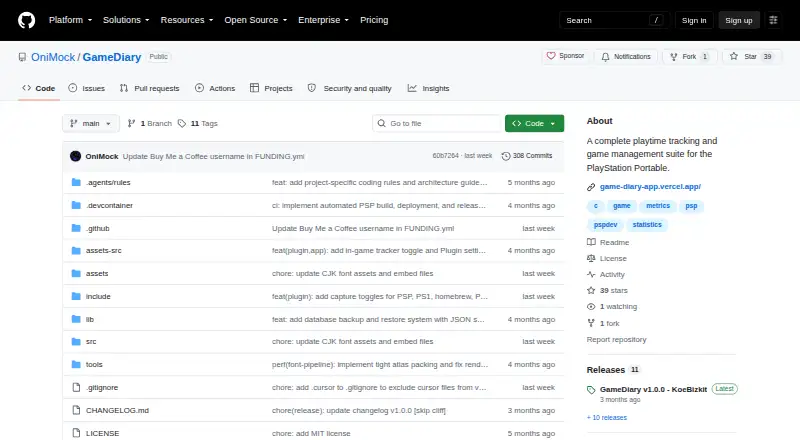
What GameDiary is
GameDiary records PlayStation Portable game sessions in the background and turns them into playtime statistics. Its PSP release has a kernel-mode tracking plugin and a user-mode application. It tracks native PSP games and PlayStation 1 classics running through POPS, then shows time played by game and across the library, session history, and activity graphs. The plugin also extracts game icons from EBOOT and ISO files. GameDiary includes web tools for visually editing sessions and combining backup files from multiple Memory Sticks or PSP consoles. To use those tools, export a backup.json file from the PSP app; the responsive web interface can be opened on a PC or smartphone. The interface supports English, Spanish, Portuguese, Russian, German, French, Italian, Japanese, and Chinese, with language detection based on PSP settings. Game data, logs, settings, and icons are kept in the Memory Stick’s GameDiary folder. Installation requires a PSP 1000, 2000, 3000, or Go with custom firmware, plus a Memory Stick or MicroSD-to-MS adapter. The project is free and licensed under MIT. Some homebrew may temporarily pause tracking intervals, and the tracker status overlay may briefly cause flicker or visual artifacts in some games.
Who it suits
GameDiary suits PSP owners who want automatic playtime records for PSP games and PS1 classics running through POPS. Its web tools also suit users who want to edit sessions or combine backups from multiple Memory Sticks or consoles.
What it does well
- Tracks PSP games and PS1 classics running through POPS.
- Shows per-game and library-wide playtime, session history, and activity graphs.
- Extracts game icons from EBOOT and ISO files.
- Web tools support session editing and backup merging.
- Interface supports nine languages.
- Free software licensed under MIT.
What to know first
- Requires a PSP running custom firmware.
- Requires a Memory Stick or MicroSD-to-MS adapter.
- Some homebrew can temporarily pause tracking intervals.
- The tracker overlay may cause brief flicker or visual artifacts in some games.
Limits
Some homebrew that overwrites RAM boundaries or uses custom interrupts may temporarily pause tracking intervals. The tracker status overlay may briefly cause flicker or visual artifacts in some games.
Getting started
- Get the standard GameDiary ZIP from the GitHub releases page.
- Use a PSP 1000, 2000, 3000, or Go with custom firmware and a Memory Stick or MicroSD-to-MS adapter.
- Install the PRX plugin and EBOOT from the release archive.
- Use the PSP app to collect game sessions and export backup.json for the web tools.
- Open the responsive web interface on a PC or smartphone to edit sessions or merge backups.
Verdict
Choose GameDiary if you have compatible PSP hardware and want background playtime tracking with session statistics and web-based backup tools. Look elsewhere if you do not have a PSP that can run custom firmware or the required storage.
Questions
Is GameDiary free?
Yes. It is free software licensed under the MIT License.
Which games does it track?
It tracks native PSP games and PlayStation 1 classics running through POPS.
What hardware is required?
Installation requires a PSP 1000, 2000, 3000, or Go with custom firmware, plus a Memory Stick or MicroSD-to-MS adapter.
Can I use its web tools from a phone?
Yes. The maker describes the responsive web interface as accessible from a PC or smartphone. It uses a backup.json file exported from the PSP app.
What can the web tools do?
They include a visual editor for game sessions and a tool to merge backup files from multiple Memory Sticks or PSP consoles.
What downloads are available?
The GitHub release page offers a standard ZIP containing the PRX and EBOOT, plus a debug ZIP that produces diagnostic text logs.
Facts from GameDiary's own pages
- Compatibility
- The maker links to a community-maintained compatibility list covering tested UMDs, PS1 games, and homebrew. · github.com, 7 Oct 2026
- Data handling
- The PSP app exports a backup.json file for use with the web tools, and game data is stored on the Memory Stick. · github.com, 7 Oct 2026
- Data storage
- GameDiary stores its database, session logs, settings, and icons in ms0:/PSP/COMMON/GameDiary/. · github.com, 7 Oct 2026
- Download
- The GitHub release page offers a standard GameDiary.zip with PRX and EBOOT and a separate debug ZIP that produces diagnostic text logs. · github.com, 7 Oct 2026
- Game coverage
- It tracks native PSP games and PlayStation 1 classics running through POPS. · github.com, 7 Oct 2026
- Game icons
- The plugin automatically extracts game icons from EBOOTs and ISOs. · github.com, 7 Oct 2026
- Hardware caveat
- The maker documents that the tracker status overlay may briefly cause screen flicker or visual artifacts in some games. · github.com, 7 Oct 2026
- Icon handling
- The plugin automatically extracts game icons from EBOOTs and ISOs. · github.com, 7 Oct 2026
- Known limitation
- Some homebrew that overwrites RAM boundaries or uses custom interrupts may temporarily pause tracking intervals. · github.com, 7 Oct 2026
- Languages
- The interface supports English, Spanish, Portuguese, Russian, German, French, Italian, Japanese, and Chinese, with language detection from PSP settings. · github.com, 7 Oct 2026
- License
- The project is licensed under the MIT License. · github.com, 7 Oct 2026
- Play statistics
- The app shows per game and total library playtime, session history, and activity graphs. · github.com, 7 Oct 2026
- PSP app components
- The PSP release includes a kernel mode tracking plugin (PRX) and a user mode application (EBOOT). · github.com, 7 Oct 2026
- Purpose
- GameDiary tracks PlayStation Portable game playtime in the background and displays gaming statistics. · github.com, 7 Oct 2026
- Release
- The GitHub releases page lists GameDiary v1.0.0, with standard and debug downloads. · github.com, 7 Oct 2026
- Requirements
- Installation requires a PSP 1000, 2000, 3000, or Go with custom firmware and a Memory Stick or MicroSD to MS adapter. · github.com, 7 Oct 2026
- Statistics
- The app shows per-game and library-wide playtime, session history, and activity graphs. · github.com, 7 Oct 2026
- Support
- The project README invites users to support development through a coffee purchase or crypto donation. · github.com, 7 Oct 2026
- Tracking
- A background kernel plugin tracks play sessions for PSP games and PS1 classics running through POPS. · github.com, 7 Oct 2026
- Web access
- The maker describes the web interface as responsive and accessible from a PC or smartphone, using an exported backup.json file from the PSP app. · github.com, 7 Oct 2026
- Web tools
- The web tools provide a visual editor for game sessions and a tool to merge backup files from multiple Memory Sticks or PSP consoles. · github.com, 7 Oct 2026
Where GameDiary stands on Freedom251
- Game Playtime Trackers#4 of 20