Freedom251 › Game Playtime Trackers
Arknights: Endfield Playtime Tracker
Visit Arknights: Endfield Playtime Tracker Alternatives Pricing
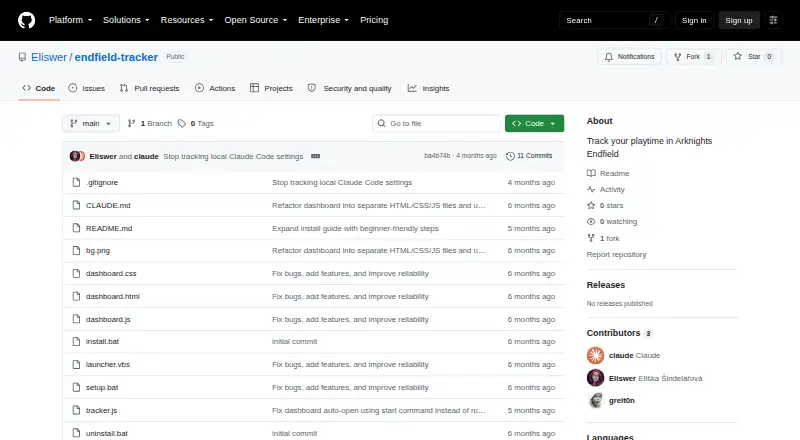
What Arknights: Endfield Playtime Tracker is
Arknights: Endfield Playtime Tracker is a free Windows tool that automatically records time spent playing Arknights: Endfield. It checks every five seconds whether Endfield.exe is running and times the session. A browser dashboard at 127.0.0.1:27182 shows a live timer, session history, and a NOW PLAYING banner. When the game closes, a Windows toast reports the session time and total playtime. The tracker also creates a readable playtime.txt log, with sessions grouped by date. Data is saved locally as JSON, with interim session saves every 60 seconds; after a crash or unexpected shutdown, an incomplete session can be finalized at the next startup. The dashboard is limited to the last 100 sessions, and detection depends on the game executable being named Endfield.exe. Installation requires Windows and Node.js, and setup uses batch files with an option to start automatically at Windows login. The tracker uses built-in Node.js modules and has no external dependencies. Users can set an initialOffset in seconds for playtime from before installation; it defaults to zero.
Who it suits
This tracker suits Windows players of Arknights: Endfield who want automatic playtime records stored locally. It requires Node.js and detection only works when the game executable is named Endfield.exe.
What it does well
- Automatically checks for the game every five seconds.
- Dashboard shows a live timer and session history.
- Playtime data is stored locally.
- Can recover incomplete sessions after a crash.
- No external dependencies.
What to know first
- Requires Windows and Node.js.
- Tracks only Arknights: Endfield.
- Game executable must be named Endfield.exe.
- Dashboard retains only the last 100 sessions.
Limits
The dashboard keeps the last 100 sessions. Detection requires the game executable to be named Endfield.exe.
Plans
| Plan | Billed and limits | Price |
|---|---|---|
| Free | Free to use and modify · Windows · tracks Arknights: Endfield playtime | Free |
As github.com lists them, read 30 Sept 2026. The maker's own page has the final word.
Getting started
- Install Node.js on Windows.
- Get the tracker from its GitHub website.
- Follow the setup instructions using the provided batch files.
- Use the optional VBScript launcher if desired.
- Open the local dashboard at 127.0.0.1:27182.
Overview
Arknights: Endfield Playtime Tracker is a free Windows utility for players who want automatic session records for this one game. Its local dashboard, readable log and crash recovery make it a practical choice for keeping a personal playtime record, provided the game runs as Endfield.exe and you are comfortable installing Node.js.
It checks every five seconds for the game process and times a session when it finds it. The browser dashboard at 127.0.0.1:27182 shows a live timer, session history and a NOW PLAYING banner; when the game closes, a Windows toast reports the session time and total playtime. This removes the need to start and stop a timer manually, but the executable-name requirement is a hard dependency: if the process has another name, detection will not work.
The tracker stores playtime locally as JSON under %LOCALAPPDATA%\endfield-tracker\data.json, and writes a human-readable playtime.txt file with sessions grouped by date. Its dashboard binds to 127.0.0.1 and is not accessible from other machines. That suits a private, single-PC record, not a shared or cross-device history.
Key features
Crash recovery is useful insurance for long sessions: interim data is saved every 60 seconds, and an incomplete session can be finalized the next time the tracker starts. This reduces the chance of losing a whole session after a crash or unexpected shutdown, though the save interval means it is not a second-by-second record. The dashboard keeps up to 100 timestamped sessions, so it is more useful for recent activity than as an unlimited archive.
Users can set an initialOffset in seconds to account for playtime from before installation; it defaults to zero. The README estimates about 35 MB of RAM, negligible CPU use and less than 1 MB of disk space. Built-in Node.js modules keep external dependencies out of the setup, but Node.js itself is still required. Batch-file setup and a VBScript launcher make this more of a small utility to configure than a conventional app-store install. There is an option to start it automatically at Windows login. Its uninstall script removes the startup task while leaving playtime data in local app data.
Pricing
The Free plan costs nothing and includes use and modification, Windows support and Arknights: Endfield playtime tracking. There is no paid tier or free trial; the trade-offs are the single-game scope, Windows requirement, 100-session dashboard limit and dependence on Endfield.exe. This is a good fit for a player who wants a no-cost personal tracker, but not for someone seeking broader game-library coverage or a hosted history.
Platforms
The tracker supports Windows and uses a browser dashboard served locally from the PC; it is not a mobile app. The setup instructions require Windows and Node.js, so it is not a choice for players on macOS or Linux.
Who it's for
Choose it if you play Arknights: Endfield on Windows, want automatic timing and prefer keeping the record on your own machine. Look elsewhere if you need a multi-game tracker, remote access, more than 100 recent sessions in the dashboard, or a setup that does not rely on Node.js and the game's executable name.
Pros and cons
- Pros: Automatic detection and Windows notifications avoid manual session tracking.
- Pros: Local JSON storage, a date-grouped text log and recovery after an interruption provide more than a live timer alone.
- Pros: The tracker is free to use and modify, with no external Node.js dependencies.
- Cons: Detection requires the process name Endfield.exe, so another executable name prevents reliable tracking.
- Cons: Node.js and Windows batch-file setup add installation work, and the utility does not support mobile.
- Cons: The dashboard's 100-session limit and local-only access constrain long-term and shared use.
Alternatives
For a tracker that covers Minecraft rather than Arknights: Endfield, Actually Played is a free, dependency-free, client-side Minecraft mod available on Linux, macOS and Windows.
PlayTracker is the broader fit for players who want game stats across Android, iOS, web and Windows: its free gamer plan is available free of charge, while its Indie plan costs €12 a month for game stats, estimates and fuller Insight graph detail.
Game Time Manager is another free, open-source Windows option; its plan is free and is described for Windows 10 and 11.
For iPhone users, GamePal is an iOS alternative with a free download, while some features require Platinum. Platinum Monthly is $2.99 a month.
Outplayed is a Windows alternative with a free Core plan that includes three months of Outplayed.tv hosting; Premium adds unlimited hosting, ad removal, layout customization and enhanced fullscreen mode, with custom pricing.
PlayCounter is a free Windows alternative whose desktop client is MIT-licensed, while its production API, database migrations and deployment code are maintained privately.
RoTracker is a web alternative for Roblox activity, with multi-account tracking, analytics, game history, real-time updates and streak tracking on its free plan at no cost.
Steins;Tracker is a Windows alternative with free tracking, customization and statistics; its Pro plan adds exclusive icons, themes and advanced features through Rune Projects Hub, with custom pricing.
For a wider set of game-playtime options, browse Game Playtime Trackers.
Verdict
Arknights: Endfield Playtime Tracker is the right pick for Windows players who want a free, local record of this game's sessions without manually managing a timer. Its recovery and readable log make it more useful than a basic counter, but the Node.js setup and Endfield.exe dependency are real barriers. Choose another tool if you need broader game coverage, another operating system or access beyond one PC.
Verdict
The tracker offers automatic playtime logging, a local dashboard, and recovery for incomplete sessions. Its Windows and Node.js requirements, executable-name dependency, and 100-session history limit are important constraints.
Questions
Is the tracker free?
Yes. The Free plan costs nothing, and the tracker is free to use and modify.
Which platforms does it support?
It requires Windows and tracks Arknights: Endfield. Installation also requires Node.js.
Where is playtime data stored?
It is stored locally as JSON under %LOCALAPPDATA%\endfield-tracker\data.json.
Can other devices access the dashboard?
No. The dashboard binds to 127.0.0.1 and is not accessible from other machines.
Does the tracker have external dependencies?
No. It uses built-in Node.js modules.
Can I account for playtime from before installation?
Yes. You can configure initialOffset in seconds; its default is zero.
Facts from Arknights: Endfield Playtime Tracker's own pages
- Configuration
- Users can configure an initialOffset in seconds to account for playtime from before installing the tracker; its default is zero. · github.com, 30 Sept 2026
- Crash recovery
- It saves interim session data every 60 seconds and finalizes incomplete sessions on the next startup. · github.com, 30 Sept 2026
- Dashboard
- A browser dashboard at 127.0.0.1:27182 shows a live timer, session history, and a NOW PLAYING banner. · github.com, 30 Sept 2026
- Data and privacy
- Playtime data is stored locally in JSON, and the dashboard server binds to 127.0.0.1 so it is not accessible from other machines. · github.com, 30 Sept 2026
- Dependencies
- The tracker uses built-in Node.js modules and has zero external dependencies. · github.com, 30 Sept 2026
- Game detection
- It checks every five seconds whether Endfield.exe is running and times the session. · github.com, 30 Sept 2026
- History limit
- The tracker keeps up to the last 100 sessions with timestamps. · github.com, 30 Sept 2026
- Installation
- Installation requires Node.js and the README's setup steps use Windows batch files, with an option to start automatically at Windows login. · github.com, 30 Sept 2026
- License
- The README says the tracker is free to use and modify. · github.com, 30 Sept 2026
- Limits
- The dashboard keeps the last 100 sessions, and the game executable must be named Endfield.exe for detection. · github.com, 30 Sept 2026
- Local storage
- Playtime data is stored locally in JSON under %LOCALAPPDATA%\endfield-tracker\data.json. · github.com, 30 Sept 2026
- Network scope
- The local HTTP dashboard binds to 127.0.0.1 and the README says it is not accessible from other machines. · github.com, 30 Sept 2026
- Notifications
- When the game closes, it shows a Windows toast with session time and total playtime. · github.com, 30 Sept 2026
- Playtime log
- It generates a human-readable playtime.txt log with sessions grouped by date. · github.com, 30 Sept 2026
- Purpose
- The tracker automatically records playtime for Arknights: Endfield. · github.com, 30 Sept 2026
- Recovery
- It saves interim session data every 60 seconds and can finalize incomplete sessions after a crash or unexpected shutdown. · github.com, 30 Sept 2026
- Requirements
- Installation instructions require Node.js and Windows; the README describes setup using batch files and a VBScript launcher. · github.com, 30 Sept 2026
- Resource use
- The README estimates about 35 MB of RAM, negligible CPU, and less than 1 MB of disk use. · github.com, 30 Sept 2026
- Uninstall and data retention
- The uninstall script removes the automatic startup task while preserving playtime data in the user's local app data folder. · github.com, 30 Sept 2026
Where Arknights: Endfield Playtime Tracker stands on Freedom251
- Game Playtime Trackers#3 of 20