Freedom251 › Screenshot Annotation Software
FyShot
What FyShot is
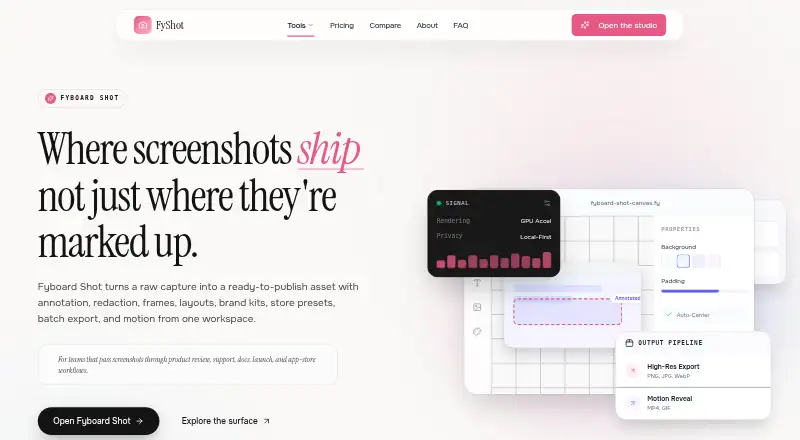
FyShot is a browser-based studio for editing screenshots you already have. It does not capture screenshots, so users bring an image from their system or a browser capture tool. Annotation tools include arrows, numbered steps, text, shapes, blur, highlights, undo, redo, and snapping guides. Manual redaction offers black bars, blur, mosaic or pixelation, and solid fills; optional AI scanning highlights detected personal information for confirmation. Users can place images in device or browser frames and add backgrounds, padding, rounded corners, and shadows. Store screenshot tools provide Apple, Google Play, and Microsoft Store sizes, while a code tool renders pasted code with a selected language, theme, and window style. PNG, JPG, and WebP exports are available; PDF and SVG exports are paid, and animation export is also offered. FyShot says many core edits run locally in the browser, while AI redaction, animation, destination bundles, PDF/SVG, and cloud sync use cloud services. The free plan costs nothing and has no signup, watermark, or daily cap.
Who it suits
It suits support, bug-reporting, product-launch, app-store, developer-writing, documentation, and tutorial work. It is useful for people who need to annotate, redact, style, resize, or export existing screenshots.
What it does well
- Provides annotation, redaction, framing, and sizing tools
- Offers optional AI scanning for personal information
- Supports Apple, Google Play, and Microsoft Store sizes
- Core edits can run locally in the browser
- Free plan has no signup, watermark, or daily cap
What to know first
- Does not capture screenshots
- PDF and SVG exports are paid
- Some features use cloud services
Plans
| Plan | Billed and limits | Price |
|---|---|---|
| Free | Core browser tools · no signup · no watermark · no daily cap | Free |
| Cloud Pro | Full store-size bundles · templates · motion export · AI redaction · PDF/SVG · cloud projects | On request |
As fyshot.com lists them, read 11 Oct 2026. The maker's own page has the final word.
Verdict
FyShot focuses on preparing screenshots for communication, publishing, and documentation rather than capturing them. Its free local editing tools cover common work, while cloud-dependent features and paid export formats are reserved for expanded needs.
Facts from FyShot's own pages
- Annotation
- The annotation tools include arrows, numbered steps, text, shapes, blurs, and highlights, with undo/redo and snapping guides. · fyshot.com, 11 Oct 2026
- Cloud processing
- The maker says AI redaction, animation export, full destination bundles, PDF/SVG export, and cloud project sync use cloud services. · fyshot.com, 11 Oct 2026
- Cloud project limits
- The homepage lists cloud projects with 20 versions in FyDrive and AI use of 500 runs a month for Cloud Pro. · fyshot.com, 11 Oct 2026
- Code screenshots
- Users can paste code and render it as an image using a selected language, theme, and plain, terminal, IDE, or browser window. · fyshot.com, 11 Oct 2026
- Export formats
- PNG, JPG, and WebP exports are free; PDF, SVG, GIF, MP4, and WebM are listed as Cloud Pro formats. · fyshot.com, 11 Oct 2026
- Free plan
- Yes · fyshot.com, 24 Sept 2026
- Intended users
- The maker presents use cases for support and success, bug reporting, product launches, app store listings, developer writing, and documentation or tutorials. · fyshot.com, 11 Oct 2026
- Limit
- FyShot edits screenshots but does not capture them; users bring a screenshot from their system or browser capture tool. · fyshot.com, 11 Oct 2026
- Local processing
- The maker says annotation, manual blur and redaction, device mockups, beautify, base App Store iPhone sizing, and raster export run on-device in the browser without uploading the screenshot. · fyshot.com, 11 Oct 2026
- Maker
- FyShot identifies Fyboard as its maker and says it is part of the FyTools suite. · fyshot.com, 11 Oct 2026
- Measurement tools
- Yes · fyshot.com, 24 Sept 2026
- Mockups and styling
- Users can place screenshots in device or browser frames and add backgrounds, padding, rounded corners, and shadows. · fyshot.com, 11 Oct 2026
- Purpose
- FyShot is a browser-based screenshot studio for annotating, redacting, framing, sizing, and exporting screenshots. · fyshot.com, 11 Oct 2026
- Redaction
- Manual redaction supports black bars, blur, mosaic or pixelation, and solid color fills; optional AI scanning highlights detected personal information for confirmation. · fyshot.com, 11 Oct 2026
- Store screenshots
- The App Store screenshot tool describes exports for Apple, Google Play, and Microsoft Store sizes, including a ZIP bundle of required sizes. · fyshot.com, 11 Oct 2026
- Support
- The FAQ invites users to email the maker with questions and says the team reads everything. · fyshot.com, 11 Oct 2026
Where FyShot stands on Freedom251
- Screenshot Annotation Software#36 of 76