Freedom251 › Screenshot Annotation Software
QuickSnip
What QuickSnip is
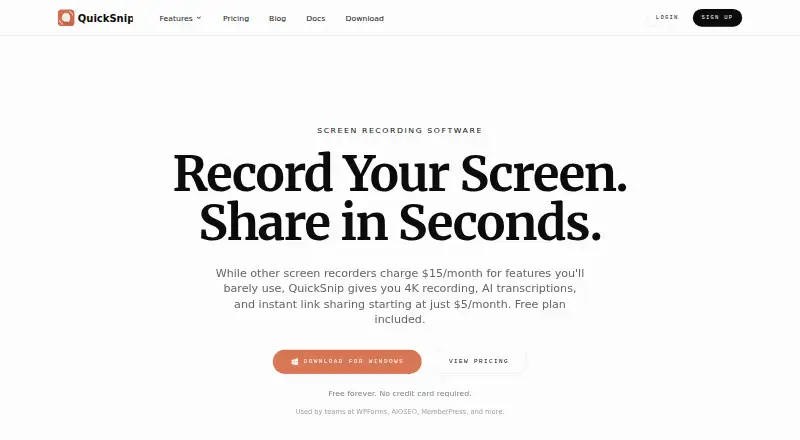
QuickSnip is screen-recording and screenshot software for macOS and Windows. It creates shareable recording links when you stop recording, and its screenshot tools let you add arrows, shapes, text, and blur. The Free plan includes unlimited videos, automatic captions, and 5GB of storage, but its recording limit is inconsistent across the listed details: one says up to two hours, while the plan listing specifies five minutes. The plan also includes 720p recording and one team. It adds a watermark and excludes AI summaries, transcripts, password protection, and team invites. Paid plans support recording up to 4K and include password-protected sharing; they also provide automatically generated titles, summaries, chapters, and transcriptions. Studio Mode can record offline and keep files on the device. Free signup requires no credit card. Pro is listed at $5 a month with annual billing or $6 a month with monthly billing. Team is $8 a month with annual billing or $10 a month with monthly billing. A 14-day money-back guarantee is offered.
Who it suits
QuickSnip suits people who need desktop recording and annotated screenshots on macOS or Windows. Teams may value collaboration options, while individuals can use the Free plan without entering a credit card.
What it does well
- Shareable recording links appear after recording stops.
- Screenshots support arrows, shapes, text, and blur.
- Studio Mode supports offline recording and local storage.
- Paid plans include password-protected sharing links.
What to know first
- Free plan adds a watermark.
- Free plan excludes AI summaries and transcripts.
- Free recording limit is listed as both five minutes and two hours.
Limits
The Free plan includes 5GB of storage, 720p recording, and one team. Its plan details specify a five-minute recording limit, while the feature details say recordings can be up to two hours; it also has a watermark and excludes AI summaries, transcripts, password protection, and team invites.
Plans
| Plan | Billed and limits | Price |
|---|---|---|
| Free | Free forever · 5GB storage · 5 minute recording limit · 1 team | Free |
| Pro | Prices shown with annual billing · 50GB storage · 1 team | $5 a month |
| Team | Prices shown with annual billing · 200GB storage · Up to 10 teams | $8 a month |
| Team Monthly | billed monthly at $10/month | $10 a month |
| Pro Monthly | billed monthly at $6/month | $6 a month |
| Pro Annual | billed annually at $60/year | $60 a year |
| Team Annual | billed annually at $96/year | $96 a year |
As quicksnip.com lists them, read 28 Sept 2026. The maker's own page has the final word.
Getting started
- Visit https://quicksnip.com/.
- Choose the macOS or Windows desktop app.
- Sign up for the Free plan without a credit card, or select a paid plan.
- Record a video and share its link after stopping, or create and annotate a screenshot.
- Use Studio Mode to record offline and keep recordings local, if desired.
Verdict
QuickSnip combines desktop recording, screenshot annotation, and sharing in one product. Check the conflicting Free recording limits before choosing a plan.
Questions
Does QuickSnip have a free plan?
Yes. Free costs nothing and is described as free forever; no credit card is required to sign up.
What does Free include?
It includes 5GB of storage, unlimited videos, automatic captions, 720p recording, and one team. The plan details say recordings are limited to five minutes, while feature details say up to two hours.
How much do the paid plans cost?
Pro is $5 a month with annual billing or $6 a month with monthly billing. Team is $8 a month with annual billing or $10 a month with monthly billing.
Which platforms does QuickSnip support?
Native desktop apps are available for macOS and Windows.
What do paid plans add?
Paid plans support recording up to 4K, generated titles, summaries, chapters, and transcriptions, plus password-protected sharing links.
Does QuickSnip offer a refund guarantee?
Yes. QuickSnip offers a 14-day money-back guarantee.
Facts from QuickSnip's own pages
- AI Transcriptions
- Paid plans provide automatically generated titles, summaries, chapters, and transcriptions. · quicksnip.com, 28 Sept 2026
- Annual Billing
- Prices shown with annual billing, with monthly and annual pricing options. · quicksnip.com, 28 Sept 2026
- Browser extension
- No · quicksnip.com, 24 Sept 2026
- Company Identity
- The site identifies the company as QuickSnip LLC. · quicksnip.com, 28 Sept 2026
- Free Signup
- No credit card is required for the free tier. · quicksnip.com, 28 Sept 2026
- Free plan
- Yes · quicksnip.com, 24 Sept 2026
- Free Recording Limit
- The Free plan allows recordings up to 2 hours. · quicksnip.com, 28 Sept 2026
- Free Features
- The Free plan includes unlimited videos and automatic captions. · quicksnip.com, 28 Sept 2026
- Free Restrictions
- The Free plan has a watermark and excludes AI summaries, transcripts, password protection, and team invites. · quicksnip.com, 28 Sept 2026
- Free Storage
- The Free plan includes 5GB of storage. · quicksnip.com, 28 Sept 2026
- Instant Sharing
- Recordings receive shareable links immediately after stopping. · quicksnip.com, 28 Sept 2026
- Refund Policy
- QuickSnip offers a 14-day money-back guarantee. · quicksnip.com, 28 Sept 2026
- Offline Recording
- Studio Mode records offline and can keep recordings local on the device. · quicksnip.com, 28 Sept 2026
- Password Sharing
- Paid plans include password-protected sharing links. · quicksnip.com, 28 Sept 2026
- Payment Provider
- Payments are secured through Stripe. · quicksnip.com, 28 Sept 2026
- Priority Support
- The Team plan includes priority support. · quicksnip.com, 28 Sept 2026
- 4K Recording
- Paid plans support recording at up to 4K resolution. · quicksnip.com, 28 Sept 2026
- Redaction tools
- Yes · quicksnip.com, 24 Sept 2026
- Screenshot Tools
- Screenshots can be annotated with arrows, shapes, text, and blur. · quicksnip.com, 28 Sept 2026
- Paid from
- 5 · quicksnip.com, 24 Sept 2026
- Desktop Platforms
- Native desktop apps are available for macOS and Windows. · quicksnip.com, 28 Sept 2026
- Team Capacity
- The Team plan supports up to 10 teams and includes five free viewer seats. · quicksnip.com, 28 Sept 2026
Where QuickSnip stands on Freedom251
- Screenshot Annotation Software#32 of 76
- AI Screen Recorders#20 of 39