Freedom251 › Screenshot Annotation Software
Shotko
by Shotko
What Shotko is
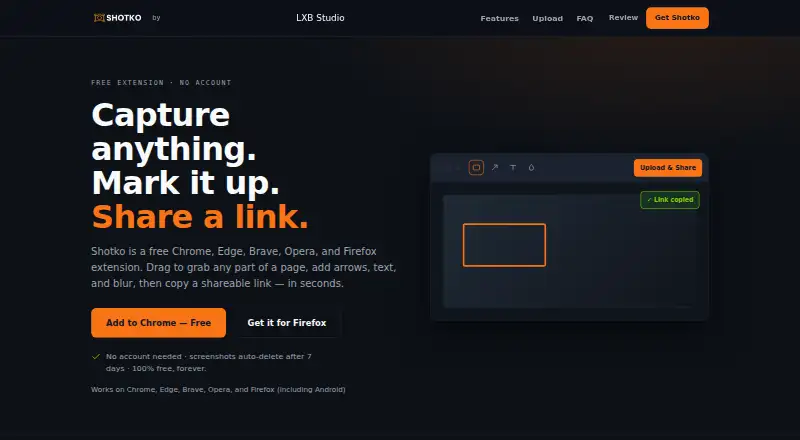
Shotko is a browser extension for capturing webpage screenshots, annotating them, and sharing them through public URLs. It can capture a selected region, the visible screen, or a full scrolling page. Annotation tools include arrows, text, shapes, highlights, and blur for sensitive information. Uploading a shot creates a shareable link and copies it to the clipboard. The maker lists Chrome, Firefox, Edge, Brave, and Opera support, including Firefox on Android. Shotko is described for developers, designers, support teams, content creators, project managers, and general website feedback. No account is required, and its privacy policy says it does not track individual behavior or use third-party analytics, advertising, or tracking services. Uploaded images are publicly accessible by direct URL and deleted after seven days. Quick upload accepts PNG, JPG, WebP, AVIF, GIF, and BMP files up to 8MB, with 10 uploads per day. The Free plan costs nothing forever.
Who it suits
It suits people who need quick webpage captures, annotations, redaction, and link sharing, including developers, designers, support teams, and content creators. It also fits users wanting browser-based sharing without creating an account.
What it does well
- Region, screen, and full-page captures
- Annotations include blur and highlights
- Share links copy to clipboard
- No account or behavior tracking
- Supports major desktop browsers
What to know first
- Uploads are publicly accessible by direct URL
- Images are deleted after seven days
- Quick uploads limited to 10 daily
- Maximum quick-upload size is 8MB
Plans
| Plan | Billed and limits | Price |
|---|---|---|
| Free | 100% free · extension includes unlimited capture and annotation · web uploads: 10 per IP per 24 hours · 2MB per upload after compression · images deleted after 7 days · permanent watermark | Free |
As shotko.com lists them, read 11 Oct 2026. The maker's own page has the final word.
Verdict
Shotko focuses on screenshot capture, annotation, redaction, and public-link sharing through a browser extension. Its free offering has clear daily and file-size limits, and uploaded images remain publicly reachable until automatic deletion.
Facts from Shotko's own pages
- Annotations
- Tools include arrows, text, shapes, highlights, and blur for sensitive information. · shotko.com, 11 Oct 2026
- Browser extension
- Yes · shotko.com, 20 Sept 2026
- Browser support
- The maker lists Chrome, Firefox, Edge, Brave, and Opera, including Firefox on Android. · shotko.com, 11 Oct 2026
- Capture modes
- It captures a selected region, the visible screen, or the full scrolling page. · shotko.com, 11 Oct 2026
- Data collected
- The privacy policy says it collects IP addresses for rate limiting, upload timestamps, file sizes, and an optional view count; IP addresses are cleared after 24 hours. · shotko.com, 11 Oct 2026
- Free plan
- Yes · shotko.com, 20 Sept 2026
- Headquarters
- Pennsylvania, United States · shotko.com, 28 Sept 2026
- Hosting and location
- The privacy policy names Hostinger as its hosting provider and says uploaded information is stored in the United States. · shotko.com, 11 Oct 2026
- Intended users
- The maker describes use cases for developers, designers, support teams, content creators, project managers, and general website feedback. · shotko.com, 11 Oct 2026
- Measurement tools
- No · shotko.com, 20 Sept 2026
- No account or tracking
- The privacy policy says Shotko does not require accounts and does not track individual user behavior or use third-party analytics, advertising, or tracking services. · shotko.com, 11 Oct 2026
- Operator
- Shotko is operated by LXB Studio LLC. · shotko.com, 11 Oct 2026
- Redaction tools
- Yes · shotko.com, 20 Sept 2026
- Retention and access
- Uploaded images are automatically deleted after 7 days, and the privacy policy says they are publicly accessible by direct URL. · shotko.com, 11 Oct 2026
- Security
- The privacy policy lists HTTPS, file type validation, upload-directory access controls, and rate limiting as security measures, and says absolute security cannot be guaranteed. · shotko.com, 11 Oct 2026
- Sharing
- Uploading a shot creates a shareable link and copies it to the clipboard. · shotko.com, 11 Oct 2026
- Support contact
- The maker lists [email protected] for questions and power-user upload options. · shotko.com, 11 Oct 2026
- Team collaboration
- No · shotko.com, 20 Sept 2026
- Web uploader limit
- The homepage's quick-upload widget accepts PNG, JPG, WebP, AVIF, GIF, and BMP files up to 8MB and shows a limit of 10 uploads per day. · shotko.com, 11 Oct 2026
- What it does
- Shotko is a browser extension for capturing webpage screenshots, annotating them, and sharing them through public URLs. · shotko.com, 11 Oct 2026
Where Shotko stands on Freedom251
- Screenshot Annotation Software#38 of 76