Freedom251 › Fuzz Testing Software
Fuzzinator
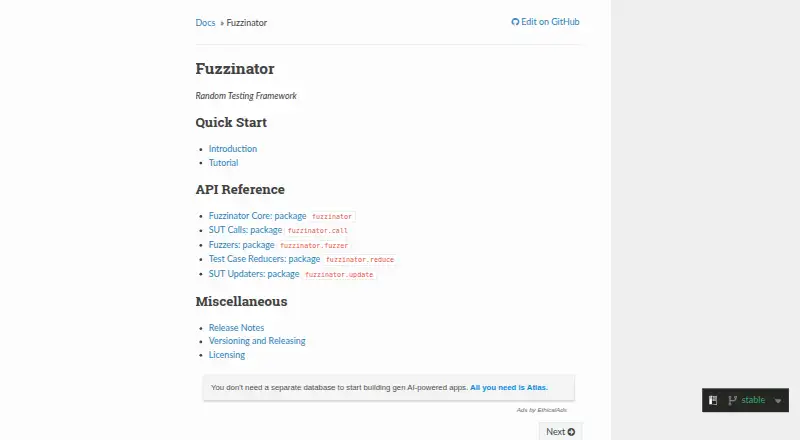
What Fuzzinator is
Fuzzinator is a free, open-source framework for automating fuzzing against software under test. It can run test generators, save unique issues, reduce failing test cases, update targets and schedule jobs across multiple targets and generators without overloading a workstation. Configuration files and Python snippets allow customization, while built-in components cover common scenarios. Users can choose an interactive Web UI, a Text UI supported on Linux and Mac OS X, or a line-based dump mode available on every platform. Found issues and execution statistics are stored in MongoDB. Reporting to trackers such as Bugzilla or GitHub is optional and requires configuration. The framework includes only an example random content generator, so users may need external generators or custom components. The documented requirements are Python 3.10 or later and MongoDB 3.6 or later. Java SE 7 JRE or JDK is optional and needed for the Picireny reducer. The documentation lists Linux, macOS and Windows among tested platforms. Fuzzinator has no paid plans or usage limits stated.
Who it suits
Fuzzinator suits developers who need to automate fuzzing jobs and can provide test generators for their targets. It offers web, text and line-based interfaces, with tracker reporting available when configured.
What it does well
- Schedules fuzz jobs across multiple targets and generators
- Can save issues and reduce failing test cases
- Offers Web UI and line-based dump mode
- Free, with no usage limits stated
What to know first
- Requires Python 3.10 or later and MongoDB 3.6 or later
- Framework includes only an example random generator
- Tracker reporting must be configured
Plans
| Plan | Billed and limits | Price |
|---|---|---|
| Fuzzinator | No paid plans or usage limits stated | Free |
As fuzzinator.readthedocs.io lists them, read 9 Oct 2026. The maker's own page has the final word.
Getting started
- Open the Fuzzinator documentation website.
- Install the latest release with pip install fuzzinator, or install a development checkout locally with pip install .
- Provide Python 3.10 or later and MongoDB 3.6 or later; the documented default database URI is mongodb://localhost/fuzzinator.
- Configure targets and test generators using configuration files or Python snippets.
- Optionally install Java SE 7 JRE or JDK if using the Picireny reducer.
Fuzzinator is a free, open-source framework for coordinating fuzzing work on a local machine. It is best suited to users who can supply test generators and are comfortable configuring Python-based tools. Its strength is workflow orchestration; it is not a ready-made source of fuzz tests.
Overview
Fuzzinator runs generators against software targets, schedules jobs, saves unique issues, reduces failing test cases, and can update targets. This makes it useful for coordinating a fuzzing process across several targets without letting jobs overwhelm a workstation. Execution is local, so users manage the environment and storage themselves rather than relying on a hosted service.
Findings and execution statistics go into MongoDB; the documented default URI is mongodb://localhost/fuzzinator. Fuzzinator can report issues to trackers such as Bugzilla or GitHub, but tracker reporting is optional and must be configured. The framework does not include substantive test generators beyond an example random-content generator, so users need to bring external generators or build their own.
Key features
- Job scheduling: Coordinate multiple targets and generators while managing workstation load. This is valuable for local workflows, but it is not a substitute for a hosted or distributed execution service.
- Issue handling: Save unique findings and reduce failing cases, helping turn crashes into more manageable reports. Bug-tracker reporting depends on configuring an integration.
- Configurable components: Configuration files and Python snippets allow users to adapt workflows, and built-in components cover common scenarios. Custom components can fill gaps, at the cost of implementation work.
- Multiple interfaces: An interactive Web UI and Text UI provide alternatives to the dump mode for line-based consoles. The Text UI is supported on Linux and Mac OS X; dump mode works on every platform.
- Flexible targets and inputs: It supports generation and mutation methods, with targets including stdin, command-line programs, files, and HTTP/browser applications. Crash triage is supported.
Pricing
Fuzzinator is free and open source. Its Fuzzinator plan costs nothing, with no paid plans or usage limits stated. There is no free trial because the software is already free to use.
The cost is not the main commitment: deployment requires Python 3.10 or later and MongoDB 3.6 or later. Java SE 7 JRE or JDK is optional, but required for the Picireny reducer. Users also need suitable generators and must configure any tracker reporting they want.
Platforms
Fuzzinator lists Linux, macOS, Windows, and web among its platforms; its documentation names Linux, macOS, and Windows as tested. The Web UI is an interface, while fuzzing runs locally. Installation is available through pip install fuzzinator; a development checkout can be installed locally with pip install ..
Who it's for
Fuzzinator fits developers and teams who want to assemble a configurable local fuzzing workflow, already have generators for their targets, and can operate Python and MongoDB. It is a particularly sensible choice when scheduling, issue deduplication, and failure reduction matter as much as running the tests.
It is a weaker fit for beginners seeking an all-in-one tool with bundled generators, or teams that want managed execution and preconfigured tracker reporting. Custom components make it adaptable, but also mean users may need to do integration work themselves.
Pros and cons
- Pro: Scheduling, unique-issue handling, and failure reduction bring several parts of a fuzzing workflow together.
- Pro: Configuration files, Python snippets, and custom components allow workflows to be tailored to different targets.
- Pro: Free, open-source use has no stated usage limits.
- Con: The framework supplies no substantive generators beyond an example, leaving test generation to the user.
- Con: Python and MongoDB are required, and tracker reporting needs configuration, adding setup and maintenance work.
- Con: Local execution is less suited to users looking for a hosted fuzzing service.
Alternatives
For a different fuzz-testing option, browse the Fuzz Testing Software directory.
- ClusterFuzz is another free, open-source option; choose it if Google Cloud services suit your production deployment.
- Accessibility Test Framework for Android is another free option for readers considering that tool.
- AFL++ is a free option distributed under AGPL-3.0-or-later terms; consider it if those licensing terms suit your use.
- cargo-fuzz is a free option under MIT and Apache License 2.0; choose it if those terms and its supported platforms fit your needs.
- Mayhem offers an API free plan capped at 50 scans per month and paid plans at $236 a month; consider it if API scanning and a defined monthly allowance are a better fit.
- boofuzz is a free Python library for building fuzzer scripts under GPL-2.0; choose it if you want a script-building library rather than Fuzzinator's broader workflow framework.
- EvoMaster is another free open-source option with no paid external services required.
- EvoMaster is also free and open source, with no paid external services required.
Verdict
Choose Fuzzinator if you need a free, configurable way to schedule local fuzzing jobs and manage the issues they produce, and can supply generators and maintain Python and MongoDB. Look elsewhere if you need bundled test generation or managed execution: Fuzzinator coordinates the workflow, but leaves those responsibilities with you.
Verdict
Fuzzinator automates fuzzing workflows, issue handling and scheduling, with configurable interfaces and optional tracker reporting. Users should account for its Python and MongoDB requirements and bring suitable generators for their targets.
Questions
How much does Fuzzinator cost?
Fuzzinator is free and open source. No paid plans or usage limits are stated.
Which platforms are supported?
The documentation lists Linux, macOS and Windows among the tested platforms. The Text UI is supported on Linux and Mac OS X, while dump mode works on every platform.
What does Fuzzinator require?
It requires Python 3.10 or later and MongoDB 3.6 or later. Java SE 7 JRE or JDK is optional and needed for the Picireny reducer.
Does it include test generators?
The framework includes an example random content generator. Users can use external generators or implement custom components.
Can Fuzzinator report issues to bug trackers?
It supports configurable issue trackers and issue exporters, including reporting to Bugzilla or GitHub. Tracker reporting is optional and absent unless configured.
Where does Fuzzinator store results?
Found issues and execution statistics are stored in MongoDB. The documented default database URI is mongodb://localhost/fuzzinator.
Facts from Fuzzinator's own pages
- Built-in generators
- The framework itself does not include test generators beyond an example random content generator, and points users to external generators. · fuzzinator.readthedocs.io, 9 Oct 2026
- Configuration
- It can be customized with configuration files or Python snippets, and includes built-in components for common scenarios. · fuzzinator.readthedocs.io, 9 Oct 2026
- Extensibility
- Users can implement custom components when built-in building blocks do not meet their needs. · fuzzinator.readthedocs.io, 9 Oct 2026
- Installation
- The documentation says to install the latest release with pip install fuzzinator, or install a development checkout locally with pip install . · fuzzinator.readthedocs.io, 9 Oct 2026
- Integrations
- The framework supports configurable issue trackers, issue exporters, and event listeners; tracker reporting is optional and absent unless configured. · fuzzinator.readthedocs.io, 9 Oct 2026
- Interfaces
- It provides an interactive Web UI, an interactive Text UI supported on Linux and Mac OS X, and a dump mode for line-based consoles on every platform. · fuzzinator.readthedocs.io, 9 Oct 2026
- Issue handling
- Fuzzinator can save unique issues, reduce failing test cases, and facilitate reporting issues to bug trackers such as Bugzilla or GitHub. · fuzzinator.readthedocs.io, 9 Oct 2026
- Platform compatibility
- The documentation lists Linux, macOS, and Windows among the platforms on which Fuzzinator was tested. · fuzzinator.readthedocs.io, 9 Oct 2026
- Purpose
- Fuzzinator automates fuzzing tasks including running test generators against software under test, saving unique issues, reducing failing test cases, updating targets, and scheduling fuzz jobs. · fuzzinator.readthedocs.io, 9 Oct 2026
- Requirements
- The documented requirements are Python 3.10 or later and MongoDB 3.6 or later; Java SE 7 JRE or JDK is optional and needed for the Picireny reducer. · fuzzinator.readthedocs.io, 9 Oct 2026
- Scheduling
- It can schedule multiple software targets and test generators without overloading the workstation. · fuzzinator.readthedocs.io, 9 Oct 2026
- Security and compliance
- The opened official documentation pages do not state security certifications or compliance claims. · fuzzinator.readthedocs.io, 9 Oct 2026
- Storage
- Found issues and execution statistics are stored in MongoDB; the documented default database URI is mongodb://localhost/fuzzinator. · fuzzinator.readthedocs.io, 9 Oct 2026
Where Fuzzinator stands on Freedom251
- Fuzz Testing Software#8 of 26