Freedom251 › Minecraft Backup Software
FastBack
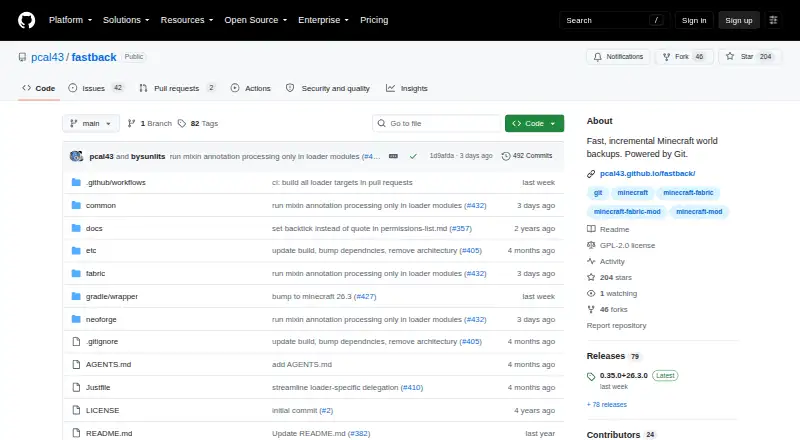
What FastBack is
FastBack is a free Minecraft mod that creates incremental snapshots of worlds, storing changed parts rather than making each snapshot a full copy. Backups can be saved locally, to a Git server, or to a network volume without a Git server. They can run automatically when a world shuts down or after Minecraft autosaves. Restoring a snapshot creates a separate copy of the selected world, leaving current world files untouched. Snapshot pruning and retention policies help manage stored backups, which can also include mod JARs and configuration files. FastBack is described as working with Minecraft clients and dedicated servers on Linux, Mac, and Windows. It requires native Git and Git LFS to be installed and available on the Minecraft process PATH. The project says it is designed for worlds up to about 5GB and recommends GitHub remotes only for worlds under 500MB because of GitHub size restrictions. Downloads are linked through CurseForge, and Discord is provided for questions and installation help.
Who it suits
FastBack suits Minecraft players and server operators who want incremental world backups and control over snapshot retention. It is especially relevant for users able to install and configure native Git and Git LFS.
What it does well
- Incremental snapshots store only changed world parts.
- Backups can run at shutdown or after autosaves.
- Restores create a copy without changing current world files.
- Snapshots can include mod JARs and configuration files.
- Works with clients and dedicated servers on three operating systems.
What to know first
- Native Git and Git LFS are required.
- Designed for worlds up to about 5GB.
- GitHub remotes are recommended only under 500MB.
Limits
FastBack is designed for worlds up to about 5GB. Its FAQ recommends GitHub remotes only for worlds under 500MB because of GitHub size restrictions.
Plans
| Plan | Billed and limits | Price |
|---|---|---|
| FastBack | Minecraft backup mod · distributed under GNU GPL version 2 | Free |
| FastBack mod | free download · Minecraft mod · Fabric, Forge, NeoForge · Java Edition | Free |
As github.com lists them, read 7 Oct 2026. The maker's own page has the final word.
Getting started
- Open the project documentation at https://github.com/pcal43/fastback.
- Get FastBack from the linked CurseForge download destination.
- Install native Git and Git LFS and make them available on the Minecraft process PATH.
- Use the mod with a Minecraft client or dedicated server on Linux, macOS, or Windows.
- Ask questions or get help installing native Git through the project's Discord.
FastBack is a free Minecraft mod for players and server operators who want incremental backups that can run automatically. It suits modest worlds and installations where native Git and Git LFS are practical to set up. Its strongest case is flexible storage and copy-based restores; its clearest limit is the project’s guidance against using it for very large worlds.
Overview
FastBack saves changed parts of a world between snapshots, which can make maintaining a backup history more practical than repeatedly storing full copies. Backups can run when a world shuts down or after Minecraft autosaves, so routine snapshots do not depend on someone remembering to start them.
A restore creates a separate copy of the chosen snapshot and leaves the current world files untouched. That is a useful safeguard when recovering an earlier state, though the restore is at world level rather than a finer-grained selection. Snapshot pruning and retention policies help manage history, but retained backups still need storage space.
Key features
Destinations and backup scope
Backups can go to local storage, a Git server, or a network volume without a Git server. That range gives operators a choice between a straightforward local copy and remote storage, while the network-volume option avoids requiring Git for that destination. Snapshots can include mod JARs and configuration files as well as worlds, which helps preserve parts of the surrounding setup.
Git requirements and scale
FastBack requires native Git and Git LFS to be installed and available on Minecraft’s process PATH. That is a meaningful setup dependency, particularly for a dedicated server whose runtime environment must also be configured. The project says the mod is designed for worlds up to about 5GB and recommends another backup tool for a 200GB server world. GitHub remotes are recommended only for smaller worlds under 500MB because of GitHub size restrictions; operators with larger worlds should choose another destination or another tool.
Permissions
FastBack supports LuckPerms through the Fabric Permissions API for fine-grained command permissions. This is useful where multiple players or staff members need different command access; it is a narrower benefit for a solo world without permission-management needs.
Pricing
FastBack is free and open source under GNU GPL version 2. Its plan costs nothing and includes scheduled backups, worlds and configs as backup scope, both local and remote storage destinations, world-level restores, and custom retention policies. There is no paid tier or free trial to weigh; the tradeoff for a no-cost tool is accepting its Git and Git LFS setup and the stated world-size guidance.
Platforms
FastBack supports Linux, macOS, and Windows, and the project says it works on both Minecraft clients and dedicated servers. The documentation points to CurseForge for downloads and to Discord for questions and help installing native Git.
Who it's for
FastBack is a good fit for players and server operators with modest worlds who want automated snapshots, a choice of storage destinations, and a restore that preserves the current world files. It is also suited to setups where backups should include mod JARs or configuration files, or where LuckPerms command permissions matter.
It is a poor fit for very large server worlds, especially around the 200GB scale the project advises handling with another tool. It may also be an awkward choice for anyone unable to install native Git and Git LFS into the Minecraft process environment, or for operators planning to use GitHub with worlds at or above the recommended under-500MB range.
Pros and cons
Pros
- Incremental snapshots and automatic runs after autosaves or shutdowns support a regular backup history with less manual work.
- Local, Git-server, and non-Git network-volume destinations offer useful flexibility across different storage setups.
- Restores create a copy and leave current world files untouched, reducing the risk of replacing the active world during recovery.
- Mod JARs, configuration files, pruning, and retention policies extend the backup scope and help manage saved history.
Cons
- Native Git and Git LFS must be installed and present on Minecraft’s process PATH, adding setup work.
- The project’s guidance targets worlds up to about 5GB and advises another tool for a 200GB server world.
- GitHub remotes are recommended only for worlds under 500MB, limiting that destination for larger saves.
- Restores operate at world level, so they do not provide finer-grained recovery.
Alternatives
Compare Minecraft backup software if you want to weigh FastBack against other approaches. InstantBackup is another free, open-source Minecraft server mod for Linux, macOS, Windows, and self-hosted environments. MineBackup is a free option for Linux, macOS, Windows, and self-hosted use, with no paid plans or usage limits stated. Just Enough Backups is a free Fabric mod for server-side world backups on Linux, macOS, and Windows. BtrBack is a free Linux and self-hosted plugin for users whose setup uses a Btrfs subvolume. CaCl2Backup is a free self-hosted Fabric server mod for Minecraft 26.0+ that requires Fabric Loader 0.15.0+, Fabric API, and Java 25+. FolderRewind is a free, open-source choice for Windows 10 and 11. Minecraft Backup is a free backup script for Minecraft servers on Linux. ServerBackup is a free Minecraft server backup plugin for Linux and self-hosted environments.
Verdict
Choose FastBack if you run a modest Minecraft world, can provide Git and Git LFS in the Minecraft process environment, and want scheduled incremental snapshots with flexible destinations and restores that leave the current world intact. Look elsewhere if your world is very large, your GitHub remote would exceed the project’s recommended size, or you need a recovery tool without those native Git dependencies.
Verdict
FastBack offers incremental snapshots, multiple storage destinations, and copy-based restores for Minecraft worlds. Its Git and Git LFS requirements and stated world-size guidance are important to account for before setup.
Questions
How much does FastBack cost?
The listed plan costs nothing. FastBack is open source under GNU GPL version 2.
Which systems does FastBack support?
It supports Minecraft clients and dedicated servers on Linux, macOS, and Windows.
Where can FastBack store backups?
It can back up locally, to a Git server, or to a network volume without a Git server.
What does FastBack require?
Native Git and Git LFS must be installed and available on the Minecraft process PATH.
Where can I download it or get help?
The project documentation links to CurseForge for downloads and directs questions and installation help to Discord.
Facts from FastBack's own pages
- API and SDK
- The public documentation describes Minecraft commands and configuration rather than a public HTTP API or SDK. · pcal43.github.io, 15 Oct 2026
- Automatic scheduling
- FastBack supports scheduled automatic backups and configurable intervals. · pcal43.github.io, 15 Oct 2026
- Backup destinations
- It can back up locally, to a Git server, or to a network volume without a Git server. · pcal43.github.io, 7 Oct 2026
- Backup storage
- Local backup data is kept in a hidden .git directory inside the world folder. · pcal43.github.io, 15 Oct 2026
- Command interface
- Operations are exposed through Minecraft commands such as /backup init, local, full, list, restore, push, prune, and gc. · pcal43.github.io, 15 Oct 2026
- CurseForge popularity
- CurseForge lists 33,104 downloads and identifies the project as client-and-server software. · curseforge.com, 15 Oct 2026
- Designed world size
- The FAQ recommends FastBack for worlds up to about 5 GB. · pcal43.github.io, 15 Oct 2026
- Documentation and support
- The project provides a multi-page command and usage guide and directs questions to a Discord server. · pcal43.github.io, 15 Oct 2026
- Download
- The project documentation links to CurseForge as its download destination. · pcal43.github.io, 7 Oct 2026
- Extra files
- Backup snapshots can include mod JARs and configuration files. · github.com, 7 Oct 2026
- GitHub remote limit
- The FAQ recommends GitHub remotes only for smaller worlds under 500MB because of GitHub size restrictions. · pcal43.github.io, 7 Oct 2026
- GitHub size limit
- The FAQ recommends GitHub remotes only for smaller worlds below 500 MB because of GitHub size restrictions. · pcal43.github.io, 15 Oct 2026
- Git implementation
- FastBack uses a regular Git repository, disables delta compression, stores snapshots on orphan branches, and aggressively prunes reflogs and tracking branches. · pcal43.github.io, 15 Oct 2026
- Git-server backups
- Backups can be sent to any Git server, including GitHub. · pcal43.github.io, 15 Oct 2026
- Incremental backups
- Each backup stores only files changed since the previous snapshot. · github.com, 15 Oct 2026
- Independent listing feedback
- Modgrid shows zero user comments for Fast Backups. · modgrid.org, 15 Oct 2026
- Initial-backup behavior
- The first backup is slower because it establishes a base snapshot; later backups are faster. · pcal43.github.io, 15 Oct 2026
- Integrations
- FastBack supports LuckPerms through the Fabric Permissions API for fine-grained command permissions. · pcal43.github.io, 7 Oct 2026
- Large-world limitation
- The documentation advises using rsync or another tool for a 200 GB server world. · pcal43.github.io, 15 Oct 2026
- Licence
- The source and distributed mod are licensed under GNU GPL version 2. · github.com, 15 Oct 2026
- Limit: garbage collection
- An open issue reports that backup gc failed to delete data, filled an SSD, and contributed to a corrupted latest backup; the report involved an 11 GB world with a 99 GB local backup. · github.com, 15 Oct 2026
- Limit: idle-server backups
- An open feature request asks for an option to avoid creating frequent backups when no players have been active. · github.com, 15 Oct 2026
- Limit: oversized binary data
- An open issue reports a 4 GB world producing a 54 GB FastBack repository when large Distant Horizons SQLite files were included. · github.com, 15 Oct 2026
- Limit: snapshot listing bug
- An open issue reports that /backup list stayed empty even though Git reflog showed many snapshots. · github.com, 15 Oct 2026
Where FastBack stands on Freedom251
- Minecraft Backup Software#1 of 30