Freedom251 › Minecraft Backup Software
ServerBackup
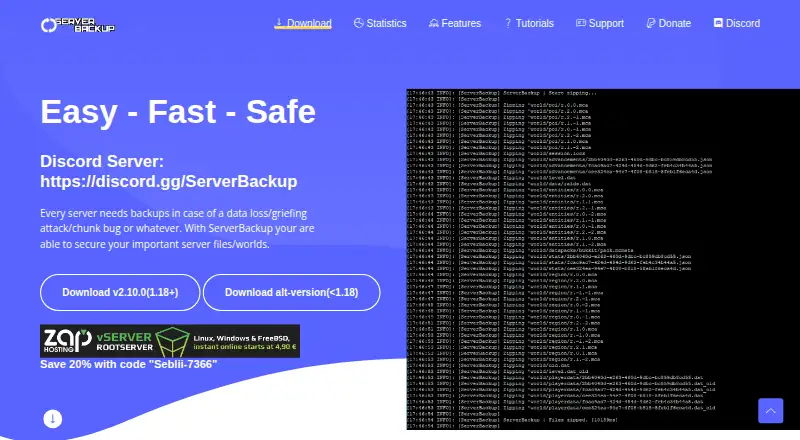
What ServerBackup is
ServerBackup is a free plugin for Minecraft server administrators who want to protect server files and worlds against data loss, griefing, or chunk failures. It manages backups automatically, with creation handled asynchronously rather than on the server’s main thread. In-game commands can target a world, folder, or file, and can list, search, and remove backups or zip and unzip folders. Dynamic Backups are designed to cover only world chunks or regions that may have changed. The plugin can upload and download backups to an external FTP server and list remote backups. Its maker says FTP transfers use SSL encryption; a configuration option can remove local copies after upload. Many settings can be changed in config.yml. The homepage offers version 2.10.0 for Minecraft 1.18 and later, plus an alternate version for earlier releases. It is listed for Linux and self-hosted use, with worlds and configs as its backup scope. The FTP backup feature does not currently work with SFTP on port 22. Support is directed through the official Discord server or private messages on SpigotMC.
Who it suits
ServerBackup suits Minecraft server administrators using Linux or self-hosted setups who need automatic backups for worlds and server files. It may fit those who want FTP storage and in-game backup management, provided they do not need SFTP on port 22.
What it does well
- Backup creation runs asynchronously from the server’s main thread.
- Commands can target specific worlds, folders, or files.
- Dynamic Backups target potentially changed regions.
- Backups can be uploaded to and retrieved from FTP.
- Settings can be customized in config.yml.
What to know first
- FTP backup does not support SFTP on port 22.
- Version 2.10.0 is for Minecraft 1.18 and later.
- Earlier Minecraft releases require an alternate version.
Plans
| Plan | Billed and limits | Price |
|---|---|---|
| ServerBackup | Minecraft server backup plugin | Free |
As server-backup.net lists them, read 7 Oct 2026. The maker's own page has the final word.
Getting started
- Open the ServerBackup website.
- Choose the version for Minecraft 1.18 and later or the alternate version for earlier releases.
- Set up the plugin in a Linux or self-hosted environment.
- Configure backup settings and retention in config.yml.
- Use the in-game commands to manage backups and, if desired, configure an external FTP server.
Verdict
ServerBackup offers automatic, configurable backups with in-game management and an FTP option. Check the Minecraft version offered for your server and note that the FTP feature does not work with SFTP on port 22.
Questions
How much does ServerBackup cost?
The ServerBackup plan is free.
Is there a free plan or trial?
There is a free plan. No free trial is offered.
Which platforms are listed?
ServerBackup is listed for Linux and self-hosted use.
Can it store backups on an FTP server?
Yes. It can upload, download, and list backups on an external FTP server, and the maker says transfers use SSL encryption. SFTP on port 22 does not currently work with the FTP backup feature.
Can local backups be deleted after upload?
Yes. A configuration option can delete local backups after upload, leaving them only on the FTP server.
Which Minecraft versions are covered by the offered versions?
The homepage offers version 2.10.0 for Minecraft 1.18 and later, and an alternate version for versions below 1.18.
Facts from ServerBackup's own pages
- Async processing
- Backup creation runs independently of the server's main thread using asynchronous tasks. · server-backup.net, 7 Oct 2026
- Automatic backups
- The plugin manages backups automatically and also provides in-game commands to manage them. · server-backup.net, 7 Oct 2026
- Backup management
- Commands list and search backups, remove backups, and zip or unzip folders. · server-backup.net, 7 Oct 2026
- Backup selection
- Commands can create backups of a specific world, folder, or file. · server-backup.net, 7 Oct 2026
- Configurable
- The maker says users can customize many settings through config.yml. · server-backup.net, 7 Oct 2026
- Dynamic backups
- Dynamic Backups are designed to back up only Minecraft world chunks or regions that may have changed. · server-backup.net, 7 Oct 2026
- FTP encryption
- The maker says SSL encryption is used when uploading or downloading files to and from an FTP server. · server-backup.net, 7 Oct 2026
- FTP integration
- The plugin can upload and download backups to an external FTP server and list backups stored there. · server-backup.net, 7 Oct 2026
- Intended users
- The maker describes the plugin as a tool for Minecraft server administrators protecting server files and worlds. · server-backup.net, 7 Oct 2026
- Purpose
- ServerBackup is a plugin for backing up Minecraft server files and worlds against data loss, griefing, and chunk failures. · server-backup.net, 7 Oct 2026
- SFTP limitation
- The maker states that SFTP on port 22 does not currently work with the FTP backup feature. · server-backup.net, 7 Oct 2026
- Storage option
- A config option can delete the local backup after upload to keep backups only on the FTP server. · server-backup.net, 7 Oct 2026
- Support
- The maker directs users to its official Discord support server or private messages on SpigotMC. · server-backup.net, 7 Oct 2026
- Versions
- The homepage offers version 2.10.0 for Minecraft 1.18 and later and an alternate version for versions below 1.18. · server-backup.net, 7 Oct 2026
Where ServerBackup stands on Freedom251
- Minecraft Backup Software#15 of 30
- Retrieval-Augmented Generation Tools#20 of 26