Freedom251 › Minecraft Backup Software
Minecraft Backup
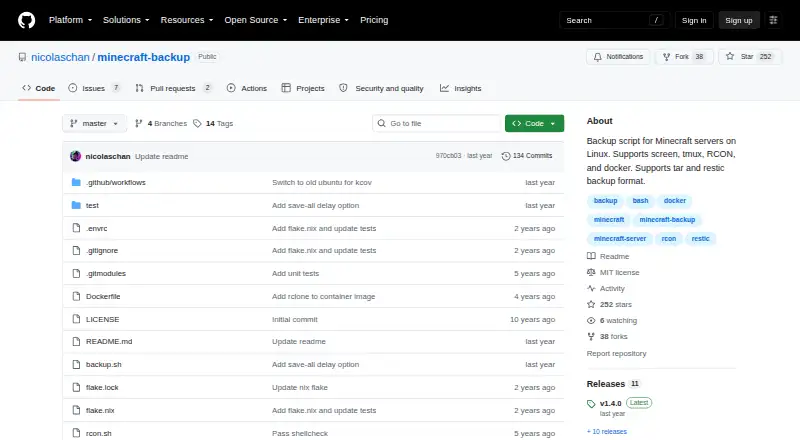
What Minecraft Backup is
Minecraft Backup is a free Linux script for backing up Minecraft server world folders to local storage. It can create tar files or use the restic backend, and it supports servers managed through screen or tmux, RCON, and Docker RCON. It works with vanilla servers without plugins and can post backup status messages in Minecraft chat. Cron scheduling is supported, with an hourly example provided. Retention options include keeping all backups, deleting the oldest sequentially, or thinning older sets: thin retention keeps the latest 24 hourly and 30 daily backups, then uses remaining space for weekly backups. The requirements include tar and a chosen compression program, with gzip as the default; RCON also needs xxd. The project recommends RCON because it waits for the server to confirm saving is complete. Backups can leave player data out of sync with world data, possibly duplicating or losing items. A Minecraft bug may also cause a backup to fail. The project identifies its license as MIT.
Who it suits
It suits people running Minecraft servers on Linux who want scheduled local backups of world data and control over old-backup retention. Server operators should consider the documented consistency risks and requirements, especially when using RCON.
What it does well
- Free plan for Linux server backups
- Supports tar and restic backups
- Works with vanilla servers without plugins
- Offers several retention choices
- Can schedule backups with cron
What to know first
- Player and world data can become inconsistent
- RCON requires xxd
- A Minecraft bug may cause backup failure
Plans
| Plan | Billed and limits | Price |
|---|---|---|
| Free | Backup script for Minecraft servers on Linux | Free |
As github.com lists them, read 3 Oct 2026. The maker's own page has the final word.
Getting started
- Download backup.sh from the latest GitHub release
- Ensure tar and the chosen compression program are available; gzip is the default
- For RCON use, also provide xxd and enable RCON for the server
- Choose a supported connection method: screen, tmux, RCON, or Docker RCON
- Set a retention option and use cron to schedule backups if needed
- Restore tar backups with tar, or restic backups with restic restore
Verdict
Minecraft Backup covers scheduled local world backups with several server connection methods and retention choices. Its data consistency caveat and listed dependencies are important to account for before relying on a backup.
Questions
How much does Minecraft Backup cost?
It is free. The listed Free plan costs nothing.
Which systems and server types does it support?
It backs up Minecraft servers running on Linux, including vanilla servers that do not use plugins. Supported connections include screen, tmux, RCON, and Docker RCON.
What backup formats can it use?
It supports tar files and the restic backup backend. Tar backups can be extracted with tar, and restic backups can be restored with restic restore.
How does it handle old backups?
You can choose no deletion, sequential deletion of the oldest backup, or thin retention. Thin retention keeps the last 24 hourly and 30 daily backups, then uses remaining space for weekly backups.
What is required to install and run it?
The system needs tar and the chosen compression program, with gzip as the default. RCON use also requires xxd.
Who maintains it, and what license does it use?
The repository names Nicolas Chan as maintainer and identifies the license as MIT.
Facts from Minecraft Backup's own pages
- Backup formats
- It supports tar files and the restic backup backend. · github.com, 3 Oct 2026
- Chat status
- It can print backup status messages to Minecraft chat. · github.com, 3 Oct 2026
- Consistency caveat
- Player data can become out of sync with world data during backups, which may duplicate or lose items. · github.com, 2 Oct 2026
- Consistency limitation
- Player data can become out of sync with world data during backups, potentially duplicating or losing items; the README recommends RCON as the safest connection method. · github.com, 3 Oct 2026
- Dependencies
- The system needs tar and the chosen compression tool; RCON usage also requires xxd. · github.com, 2 Oct 2026
- Docker
- The README documents running the backup script in Docker and using it with the itzg/docker-minecraft-server container and RCON CLI. · github.com, 3 Oct 2026
- Download
- The README instructs users to download backup.sh from the latest GitHub release. · github.com, 2 Oct 2026
- License
- The repository identifies its license as the MIT License. · github.com, 3 Oct 2026
- Maintainer
- The GitHub profile names the maintainer Nicolas Chan and lists San Francisco. · github.com, 3 Oct 2026
- Maker
- The GitHub profile identifies the repository owner as Nicolas Chan and lists San Francisco. · github.com, 2 Oct 2026
- Minecraft limitation
- The README warns that Minecraft bug MC-217729 can cause the server to save the world after save-off and potentially make a backup fail. · github.com, 3 Oct 2026
- Old backup deletion
- Its deletion options include thin retention, sequential deletion, or no deletion; thin keeps the last 24 hourly and 30 daily backups, then uses remaining space for weekly backups. · github.com, 2 Oct 2026
- Purpose
- Minecraft Backup is a script for backing up Minecraft server worlds on Linux. · github.com, 3 Oct 2026
- RCON recommendation
- The README recommends RCON for the safest backups because it waits for the server to confirm save completion. · github.com, 2 Oct 2026
- Requirements
- Installation requires tar and the chosen compression program, with gzip as the default; RCON use also requires xxd. · github.com, 3 Oct 2026
- Restore guidance
- Tar backups can be decompressed and extracted with tar, while restic backups can be restored with restic restore. · github.com, 2 Oct 2026
- Retention
- It can thin old backups by keeping the last 24 hourly and 30 daily backups, then using remaining space for weekly backups, or delete the oldest backup sequentially. · github.com, 3 Oct 2026
- Scheduling
- The README shows how to automate recurring backups with cron. · github.com, 3 Oct 2026
- Server access
- It supports Minecraft servers running in screen or tmux, or with RCON enabled. · github.com, 3 Oct 2026
- Server connections
- It supports servers managed with screen or tmux, as well as RCON and Docker RCON. · github.com, 2 Oct 2026
- Vanilla servers
- The script works with vanilla Minecraft servers and requires no server plugins. · github.com, 3 Oct 2026
- World backups
- The script creates backups of Minecraft world folders. · github.com, 2 Oct 2026
Where Minecraft Backup stands on Freedom251
- Minecraft Backup Software#14 of 30