Freedom251 › Minecraft Backup Software
Advanced Backups
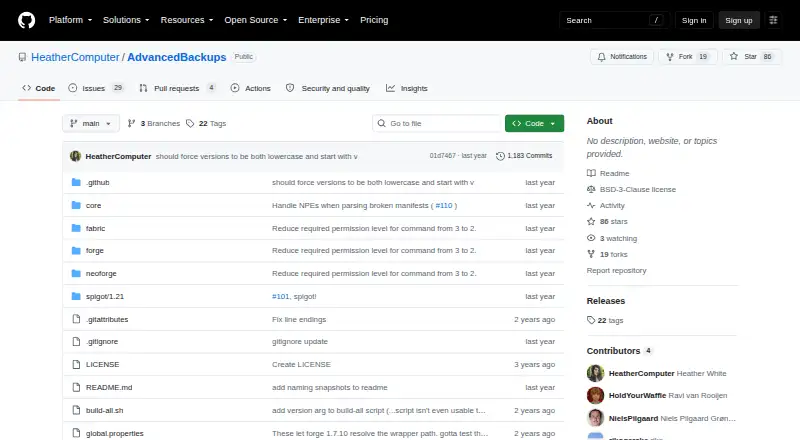
What Advanced Backups is
Advanced Backups is a free, open source backup mod for Minecraft Java edition. It supports NeoForge, Forge, Fabric, and Spigot, and can run entirely on a server. A client installation is needed only to display backup toasts; Spigot clients can receive those notifications when they install the Forge, NeoForge, or Fabric version of the mod. Backups are stored locally and cover worlds.
The mod supports ZIP, differential, and incremental backup formats. Configuration options include scheduled backups, backups at startup and shutdown, and minimum and maximum intervals. Automatic purging can be set by storage size, backup age, or backup count. Snapshots created by command are protected from automatic purging. A command-line tool can restore a whole backup or an individual file, and export a backup. It can detect backups made by other mods, but its export feature does not work with those backups. The tool requires Java on the system PATH. Client-side toasts report when backups happen and can be disabled or limited to operators. Many Minecraft versions are supported, and the README invites requests for additional versions. The project lists a BSD-3-Clause license.
Who it suits
Advanced Backups suits Minecraft Java server operators who want configurable local backups of worlds and retention rules. It can also suit players who need whole-backup or file-level restoration through its command-line tool and can meet that tool's Java requirement.
What it does well
- Supports NeoForge, Forge, Fabric, and Spigot.
- Can run entirely server-side.
- Offers ZIP, differential, and incremental backups.
- Retention can be set by size, age, or backup count.
- Can restore a whole backup or an individual file.
What to know first
- Incremental restores take the longest.
- Losing a partial incremental backup can damage its chain until the next full backup.
- The command-line restore tool requires Java on the system PATH.
- Export does not work with backups made by other mods.
Limits
Losing a partial incremental backup can damage backups in that chain until the next full backup, and incremental restores take the longest. The command-line restore tool requires Java on the system PATH; its export feature does not work with backups made by other mods.
Getting started
- Open the project's GitHub page.
- Choose the version for NeoForge, Forge, Fabric, or Spigot.
- Configure backup formats, schedules, and retention rules.
- Run the mod on the server; install a client version if you want backup toasts.
- Put Java on the system PATH to use the command-line restore tool.
Verdict
Choose Advanced Backups if you need free, configurable local world backups for Minecraft Java and want file-level restoration. Consider its incremental-chain risk and Java requirement before relying on those backup types or the command-line restore tool.
Questions
Is Advanced Backups free and open source?
Yes. It is listed as free and open source, with a BSD-3-Clause license.
Which Minecraft mod platforms does it support?
It supports NeoForge, Forge, Fabric, and Spigot.
Can it run without a client installation?
Yes. It can run entirely on the server. A client installation is needed only to see backup toasts.
What backup formats does it support?
It supports ZIP, differential, and incremental backups.
Can it restore individual files?
Yes. Its command-line tool can restore a whole backup or an individual file. The tool requires Java on the system PATH.
Can it restore backups from other mods?
The restoration tool can detect backups made by other mods, but its export feature does not work with those backups.
Facts from Advanced Backups's own pages
- Automatic cleanup
- Three automatic purging options let users set when backups are deleted. · github.com, 8 Oct 2026
- Backup formats
- It supports zip, differential, and incremental backups. · github.com, 8 Oct 2026
- Backup scheduling
- Configuration options control backup schedules, logging, player activity requirements, and other behavior. · github.com, 8 Oct 2026
- Backup types
- It supports ZIP, differential, and incremental backups. · github.com, 8 Oct 2026
- Command-line requirement
- Running the command-line tool requires Java on the system PATH. · github.com, 8 Oct 2026
- Compatibility
- The README says many Minecraft versions are supported and invites requests for additional versions. · github.com, 8 Oct 2026
- Incremental backup limit
- Losing a partial incremental backup can damage backups up to the next full backup, and incremental backups take the longest to restore. · github.com, 8 Oct 2026
- Incremental backup limitation
- Losing a partial incremental backup can damage backups in that chain until the next full backup, and incremental restores take the longest. · github.com, 8 Oct 2026
- Integrations
- The restoration tool can detect backups made by other mods, but its export feature does not work with those backups. · github.com, 8 Oct 2026
- Java requirement
- The command-line restore tool requires Java on the PATH. · github.com, 8 Oct 2026
- License
- The repository lists a BSD-3-Clause license. · github.com, 8 Oct 2026
- Notifications
- Client-side toasts report when backups happen, and can be disabled or limited to operators. · github.com, 8 Oct 2026
- Product
- Advanced Backups is a Minecraft backup mod supporting NeoForge, Forge, Fabric, and Spigot. · github.com, 8 Oct 2026
- Purpose
- Advanced Backups is a Minecraft backup mod supporting NeoForge, Forge, and Fabric. · github.com, 8 Oct 2026
- Restore tool
- The software includes a command-line tool for restoring a whole backup or an individual file, and for exporting a backup. · github.com, 8 Oct 2026
- Retention
- Automatic purging can be configured by storage size, age, or backup count. · github.com, 8 Oct 2026
- Scheduling
- Configuration options include backup schedules, startup and shutdown backups, and minimum and maximum intervals. · github.com, 8 Oct 2026
- Server-only use
- The mod can run entirely server-side; a client installation is needed only to see backup toasts. · github.com, 8 Oct 2026
- Server use
- The mod can run entirely on the server; a client installation is needed only to see backup toasts. · github.com, 8 Oct 2026
- Snapshots
- Command-created snapshots are protected from automatic purging. · github.com, 8 Oct 2026
- Spigot support
- Spigot clients can receive toasts if they install the Forge, NeoForge, or Fabric version of the mod. · github.com, 8 Oct 2026
Where Advanced Backups stands on Freedom251
- Minecraft Backup Software#5 of 30