Freedom251 › Workflow automation tools
EasyMorph
by EasyMorph
What EasyMorph is
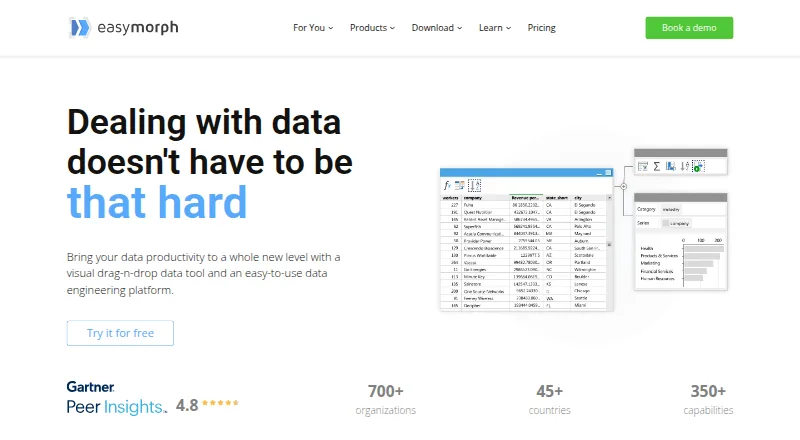
EasyMorph is a visual drag-and-drop data tool and data engineering platform for automating data work. It supports trigger-based, scheduled, and exploratory data transformations, along with data-oriented task management. EasyMorph Desktop is available only for 64-bit Windows. EasyMorph Hub is installed on-premises, including on a cloud-based virtual machine, to run workflows built in Desktop. The maker lists connections to more than 50 enterprise software tools, including Excel, Airtable, Google Drive, Power BI, Zapier, Tableau, databases, and Slack. The Desktop free edition does not expire, can be used in commercial organizations, and has no monthly workflow-run or data-volume limits, according to the maker. However, each project is limited to 20 actions and 20 loop iterations, and REST API access is HTTP GET-only. The free edition has no technical support beyond the community forum. Desktop Pro is listed at $75 a month billed annually, and a 30-day trial is available.
Who it suits
EasyMorph may suit finance analysts, marketing managers, and data engineers automating data transformations. Its Desktop edition is for 64-bit Windows, while Hub offers on-premises workflow deployment.
What it does well
- Visual drag-and-drop workflow design
- Free edition has no monthly run or data-volume limits
- Free edition includes all integrations
- Hub can be installed on-premises
- 30-day trial is available
What to know first
- Desktop is only available for 64-bit Windows
- Free projects are limited to 20 actions
- Free REST API access is HTTP GET-only
- Free edition has no technical support
Limits
The free Desktop edition allows up to 20 actions and 20 loop iterations per project, and REST API use is limited to HTTP GET. It has no technical support beyond the community forum.
Plans
| Plan | Billed and limits | Price |
|---|---|---|
| EasyMorph Desktop Free | forever · 20 actions/project · 20 loop iterations/project · HTTP GET only · community forum support | Free |
| EasyMorph Desktop Pro | billed annually; also shown as $75/mo · Unlimited actions and loop iterations · Workflow parameters · Visual database query builder · Data profiling and Analysis View · Desktop scheduler | $900 a year |
| EasyMorph Desktop Pro — 3 months | the pricing page lists this as an alternative to annual billing · Professional desktop workflow design and execution | $300 a month |
| Basic Hub | annually · 1 space · 32 GB server RAM · unlimited Hub users | $3,600 a year |
| Starter Hub | annually · 1 space · 32 GB server RAM · custom API GET/POST | $7,200 a year |
| Team Hub | annually · unlimited spaces · 64 GB server RAM · role-based security · built-in SFTP | $12,000 a year |
| Enterprise Hub | annually · unlimited spaces · 128 GB server RAM · enterprise authentication · external audit database option | $24,000 a year |
| Command-Line Worker | $1,800 / yr · Per machine · Windows utility for running workflows from the command line | $1,800 a year |
The first 8 of 16 plans, as easymorph.com lists them, read 14 Oct 2026. The maker's own page has the final word. Every plan
Getting started
- Visit the EasyMorph website.
- Download EasyMorph Desktop for a 64-bit Windows computer.
- Start with the free edition or request the 30-day Desktop trial.
- Build data workflows in Desktop, observing the free edition's project limits if applicable.
- Install Hub on-premises, including on a cloud-based VM, if you want it to run Desktop-designed workflows.
- Choose a paid plan if you need capabilities beyond the free edition.
Overview
EasyMorph is a visual platform for transforming data and automating data tasks. It is best suited to analysts and data engineers who want to build recurring workflows, but its Windows-only Desktop app and project caps on the free edition rule it out for some teams.
Its visual workflow approach can suit finance and marketing users as well as technical teams. Desktop is where workflows are designed; organizations can run them through an on-premises Hub, including on a cloud-based VM. That separation is useful for teams that want self-hosted execution, though the design environment remains tied to 64-bit Windows.
EasyMorph belongs on shortlists for Data Preparation Software, ETL Software, and Workflow automation tools when data transformations and recurring task automation need to work together.
Key features
Visual workflows and automation
EasyMorph supports exploratory transformations alongside scheduled and trigger-based runs. That combination gives analysts room to prepare data interactively and lets teams turn repeatable work into automated tasks. It is a strong fit when the goal is operational data preparation; it is less compelling for teams that need a desktop design tool across macOS or Linux.
Integrations and deployment
The platform connects to more than 50 enterprise tools, with examples including Excel, Airtable, Google Drive, Power BI, Zapier, Tableau, databases, and Slack. The maker says even the free edition includes all integrations and has no monthly workflow-run or data-volume limits. Those are meaningful advantages for piloting or sustained low-volume projects, but they do not remove the free edition’s per-project restrictions.
Hub runs Desktop-designed workflows in a self-hosted environment, and EasyMorph describes it as private. Gateway is promoted with end-to-end encryption and near real-time latency. These options give organizations deployment control, while making the Hub a separate paid consideration for teams that need centralized execution.
Pricing
EasyMorph uses a freemium model, with a 30-day trial for Desktop and a free 30-day Hub trial license. The free Desktop edition does not expire and may be used commercially, but it is limited to 20 actions and 20 loop iterations per project, and web API access is HTTP GET-only. It also has no technical support beyond the community forum. The lack of run-volume and data-volume caps is attractive, but the project limits can constrain more involved workflows.
Desktop Pro is $75 a month, billed annually at $900 a year, or $300.00 USD for 3 months. It removes the action and iteration limits and adds workflow parameters, a visual database query builder, data profiling and Analysis View, and a Desktop scheduler. Pro is the practical upgrade for users who outgrow free project limits or need these design and scheduling tools.
Hub plans are priced for organizations running workflows on their own infrastructure. Basic Hub is $3,600 a year for one space, 32 GB maximum RAM, and unlimited Hub users. Starter Hub is $7,200 a year with the same space and RAM allowance, plus a custom API server limited to GET and POST. Team Hub is $12,000 a year for unlimited spaces, 64 GB maximum RAM, and unlimited users; Enterprise Hub is $24,000 a year for unlimited spaces, 128 GB maximum RAM, and unlimited users. Basic fits a single-space deployment; the higher tiers raise space and memory capacity, while Starter adds a narrow API server option.
The Command-Line Worker costs $1,800 a year per machine and is a Windows utility for running workflows from the command line. Starter Gateway costs $600 a year, allows 1,000 requests per 30-day quota, and requires a valid Hub license. These add-ons suit specific execution or connectivity needs, but their separate costs matter when budgeting beyond Desktop.
Platforms
EasyMorph is available as a Windows Desktop application, with web and API capabilities and self-hosted deployment through Hub. Desktop requires 64-bit Windows, a significant limitation for teams standardizing on macOS or Linux. Hub can be installed on-premises or on a cloud-based VM, giving deployment flexibility without changing the Desktop requirement for workflow design.
Who it's for
Finance analysts, marketing managers, and data engineers are all within EasyMorph’s intended audience. It is particularly well suited to teams that want visual data preparation, broad integrations, and repeatable scheduled or triggered tasks, with control over where workflows run. It is a weaker fit for individuals who need an unrestricted free project environment, users who require non-Windows Desktop support, or organizations seeking a low-cost self-hosted Hub.
Pros and cons
- Pros: The free edition has no monthly workflow-run or data-volume limits and includes all integrations, making it possible to evaluate workflows without a usage quota.
- Pros: More than 50 integrations and visual workflows connect data preparation with recurring automation across common business tools.
- Pros: Self-hosted Hub can run workflows on-premises or on a cloud VM, which suits organizations prioritizing deployment control.
- Cons: Free projects stop at 20 actions and 20 iterations, and web API calls are GET-only, so complex workflows may require Pro.
- Cons: Desktop runs only on 64-bit Windows, excluding teams that need a native macOS or Linux design environment.
- Cons: Hub starts at $3,600 a year, and free Desktop users receive no technical support.
Alternatives
For smaller spreadsheet-oriented recipes, qsv has a free tier with spreadsheet imports up to 1 MB, free recipes, one CKAN instance, and qsv slice from Flow. Choose it when those narrower limits meet the need and a free option is the priority.
csvkit is free, MIT-licensed software with no paid tiers stated, while DataCleaner offers a free open-source LGPL community edition. OpenRefine is free and open source under a BSD 3-clause license, with desktop installation. These are worth considering when a free, open-source alternative better fits the work; their listed plan facts do not establish feature parity with EasyMorph.
CSV Engine has a free web plan capped at 5 credits per month and 3 active templates, with text and email fields, sanitization, and duplicate detection. It may suit a reader whose need matches those specific checks rather than broader workflow automation.
Frictionless Framework is free open-source MIT software installed with pip; Open Data Editor is a free, open-source desktop app. Consider either when those free software formats are the priority.
Amazon SageMaker Autopilot uses pay-as-you-go pricing with no minimum fees or upfront commitments. It is an alternative for readers seeking that pricing model.
Verdict
EasyMorph is a strong choice for analysts and data engineers who want visual data workflows, broad integrations, and self-hosted execution. Its generous free usage allowances make it accessible to explore, but project caps, Windows-only Desktop, and the cost of Hub are substantial constraints. Choose it when its workflow approach and deployment control fit the team; look elsewhere when cross-platform design, unlimited free projects, or inexpensive self-hosting is essential.
Verdict
EasyMorph offers visual data workflows, broad listed integrations, and both Desktop and self-hosted Hub deployment. The free edition has meaningful project limits, and Desktop is restricted to 64-bit Windows.
Questions
Is EasyMorph free?
Yes. EasyMorph Desktop Free is billed forever at no cost and can be used in a commercial organization.
What does EasyMorph Desktop Pro cost?
Desktop Pro is listed at $75/user/mo billed annually as $900 per year, or $300 for three months.
Is there a free trial?
The maker offers a 30-day trial license for Desktop and a free 30-day trial license key for Hub.
Which platforms does EasyMorph support?
EasyMorph Desktop is available only as a 64-bit Windows version. Hub is installed on-premises, including on a cloud-based VM.
What are the free edition's limits?
Each project can have up to 20 actions and 20 loop iterations, and REST APIs are HTTP GET-only. The free edition has no technical support beyond the community forum.
What integrations does EasyMorph list?
It says it connects to over 50 enterprise software tools and lists Excel, Airtable, Google Drive, Power BI, Zapier, Tableau, databases and Slack.
Facts from EasyMorph's own pages
- API and OData
- EasyMorph Hub can expose REST and OData endpoints, with API-key, HTTP Basic or NTLM authentication, versioning and zero-downtime updates. · easymorph.com, 14 Oct 2026
- Audience
- The maker identifies non-technical users such as finance analysts and marketing managers, as well as data engineers, as audiences for its data automation tools. · easymorph.com, 28 Sept 2026
- Automation
- Workflows can schedule or automate email, file manipulation, web requests, file transfers, external programs, batch commands and PowerShell commands. · easymorph.com, 14 Oct 2026
- Company
- EasyMorph Inc is privately owned, headquartered in Toronto, Canada, and was founded in 2014. · easymorph.com, 28 Sept 2026
- Company identity
- EasyMorph Inc is a privately owned software company headquartered in Toronto, Canada, founded by Dmitry Gudkov in 2014. · easymorph.com, 14 Oct 2026
- Company scale
- The maker reports more than 700 organizations, 200,000 downloads, customers in over 45 countries and more than 100,000 workflows run daily. · easymorph.com, 14 Oct 2026
- Data visibility
- Analysis View profiles, analyzes and validates columns or complete tables at every workflow step, including full outputs for very large results. · easymorph.com, 14 Oct 2026
- Desktop platform
- EasyMorph Desktop is available only as a 64-bit Windows version. · easymorph.com, 28 Sept 2026
- Desktop workflow design
- EasyMorph Desktop lets users build workflows by dragging actions onto tables and supports loops, branching and parameters. · easymorph.com, 14 Oct 2026
- Documentation depth
- The official help center covers actions, expressions, parameters, connectors, command-line execution, Hub, Gateway, Python use and auto-generated documentation. · help.easymorph.com, 14 Oct 2026
- Founded
- 2014 · easymorph.com, 23 Sept 2026
- Free edition
- The Desktop free edition does not expire and may be used in a commercial organization. · easymorph.com, 28 Sept 2026
- Free plan
- Yes · easymorph.com, 20 Sept 2026
- Gateway security
- Gateway uses end-to-end asymmetric encryption, serverless high availability and API-key authentication in URL parameters or headers. · easymorph.com, 14 Oct 2026
- GetApp feature feedback
- GetApp user ratings include 5.0/5 for data analysis, import/export, data quality, transformation and job scheduling, while metadata management and monitoring are rated 3.0/5. · getapp.com, 14 Oct 2026
- Headquarters
- Toronto, Canada · easymorph.com, 23 Sept 2026
- Hub deployment
- EasyMorph Hub is installed on-premises, including on a cloud-based VM, and runs workflows designed in Desktop. · easymorph.com, 28 Sept 2026
- Independent company profile
- Gartner lists EasyMorph as a private company founded in 2014 with headquarters in Toronto and 11–50 employees. · gartner.com, 14 Oct 2026
- Integrations
- EasyMorph advertises more than 50 integrations, including Excel, Airtable, Google Drive, Power BI, Tableau, SQL databases, Slack, SFTP, S3, Azure Blob, Salesforce, Snowflake, Jira and Zendesk. · easymorph.com, 14 Oct 2026
- Licence terms
- The EULA grants nonexclusive, copyrighted proprietary software rights for Desktop Free, Desktop Professional and Server; it does not present EasyMorph as open source. · easymorph.com, 14 Oct 2026
- Limit: community size
- A Gartner review lists EasyMorph's small user community and limited active marketing as a drawback. · gartner.com, 14 Oct 2026
- Limit: interface scaling
- A G2 reviewer reports no option to scale data rows or fonts. · g2.com, 14 Oct 2026
- Limit: language and Excel export
- Capterra reviews mention missing multilingual transformation support, no French translation and Excel export operating sheet by sheet. · capterra.com, 14 Oct 2026
- Limit: operating systems
- A G2 reviewer says the lack of Linux and macOS support requires Windows or a Windows virtual machine. · g2.com, 14 Oct 2026
Where EasyMorph stands on Freedom251
- Workflow automation tools#17 of 133
- Data Preparation for Analytics#3 of 22
- Data Preparation Software#4 of 28
- ETL Software#5 of 28