Freedom251 › Data Cleansing Software
DataCleaner
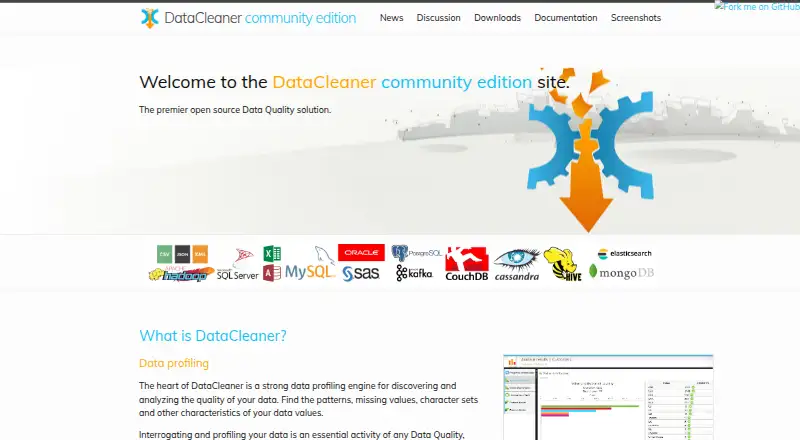
What DataCleaner is
DataCleaner is a free, open-source data quality solution with a profiling engine for examining data. It can identify patterns, missing values, character sets, and other properties of data values. Supported inputs include CSV files, Excel spreadsheets, relational databases, and NoSQL databases. Users can build cleansing rules through search and replace, regular expressions, pattern matching, or custom transformations, and verify values against internal or external reference data. DataCleaner supports batch processing, visual workflows, standardization, validation, enrichment, and scheduled runs, with desktop deployment for Linux, macOS, and Windows. Named integrations or connectivity options include Apache Hadoop, Apache Spark, Pentaho Data Integration, and Apache MetaModel. Developers can embed it in other applications or create plugins, and the project describes community-driven extensions and shared content. The code is licensed under LGPL. The downloads page lists community edition 5.9.0 as the latest release; release news lists version 5.8.1 dated February 9, 2022 and says it runs on Java versions 9 through 17.
Who it suits
DataCleaner suits people who need to profile, validate, and cleanse data from files or databases. Developers can embed it in applications or build plugins for specific uses.
What it does well
- Profiles patterns and missing values
- Works with CSV and Excel files
- Supports relational and NoSQL databases
- Cleansing rules include custom transformations
- Desktop versions for Linux, macOS, and Windows
What to know first
- The listed 5.8.1 release news is dated February 9, 2022
- Code is licensed under LGPL
Plans
| Plan | Billed and limits | Price |
|---|---|---|
| DataCleaner community edition | Open source · LGPL | Free |
| Community edition | Open-source desktop toolkit · profiling, cleansing and enrichment · Windows, macOS and Linux downloads | Free |
As datacleaner.github.io lists them, read 30 Sept 2026. The maker's own page has the final word.
Getting started
- Visit the DataCleaner website.
- Download the community edition for Linux, macOS, or Windows.
- Use the desktop application to work with CSV, Excel, relational database, or NoSQL data.
- Build cleansing rules or use reference data to check values.
- Use the visual workflows and scheduled runs for data processing.
DataCleaner is a desktop tool for profiling and improving data, aimed at teams and developers working across files and databases. Its combination of analysis, rule-based cleansing, and reference-data checks makes it a practical fit for batch quality work; it is less compelling if you need a recently active release cycle or a cloud-first service.
Overview
DataCleaner helps users discover data-quality issues and apply transformations in a single workflow. Its profiling engine identifies patterns, missing values, character sets, and other traits in values, giving teams a way to investigate data before deciding how to clean it.
The project is open source under the LGPL and describes an ecosystem of community extensions, integrations, and shared content. The latest listed download is community edition 5.9.0, while the news page dates release 5.8.1 to February 9, 2022. That gap makes release recency worth weighing for organizations that prioritize frequent updates.
Key features
DataCleaner accepts CSV files, Excel spreadsheets, relational databases, and NoSQL databases. That range is useful when quality work spans spreadsheets and structured data stores, rather than one narrow source type.
After profiling, users can build cleansing rules with search and replace, regular expressions, pattern matching, or custom transformations. Standardization, validation, enrichment, and visual workflows are supported, and processing is batch-oriented. This suits repeatable data-preparation jobs, but not a need for real-time processing.
Reference data can be internal or external, allowing values to be checked against real-world references. The project names Apache Hadoop, Apache Spark, Pentaho Data Integration, and Apache MetaModel as integrations or connectivity options. Developers can also embed the tool in other applications or build plugins for specific use cases, which makes it more adaptable than a fixed desktop-only workflow.
DataCleaner supports scheduled runs and desktop deployment. The release news says version 5.8.1 runs on Java 9 through 17. Community discussion uses GitHub issues labeled Discussion or Question.
Pricing
DataCleaner community edition costs nothing and is open source under the LGPL. It provides the product’s profiling and cleansing capabilities without a paid tier to weigh against a free cap. The license and desktop deployment suit organizations comfortable running and managing open-source software; no separate commercial plan is part of the offer described here.
Platforms
DataCleaner is available for Linux, macOS, and Windows. Its desktop deployment and batch processing make it a fit for local or managed data-quality workflows, rather than a browser-first service.
Who it's for
Choose DataCleaner if you need to profile and cleanse data across spreadsheets, CSV files, relational databases, or NoSQL stores, and value extensibility or reference-data checks. Developers who want to embed data-quality functions or create plugins have a particular reason to consider it. Look elsewhere if you need real-time processing, a cloud-first interface, or a more recently dated release cadence.
Pros and cons
Pros
- Broad input coverage: CSV, Excel, relational, and NoSQL support can bring varied data sources into one quality workflow.
- Flexible rule building: Search and replace, regex, pattern matching, and custom transformations support different levels of cleansing complexity.
- Extensible and free: LGPL licensing, plugins, embedding, and named ecosystem integrations give technical teams room to adapt it without a software fee.
Cons
- Batch and desktop focus: It is not the right fit for real-time processing or a cloud-first user experience.
- Release recency concern: The news page dates version 5.8.1 to 2022, which may give buyers seeking frequent releases pause.
Alternatives
qsv is another free option for Linux, macOS, web, and Windows. Its free plan limits spreadsheet imports to 1MB and includes free recipes, one CKAN instance, and qsv slice from Flow; consider it if those constraints and its web availability fit better.
EasyMorph offers a free desktop plan for Windows, web, API, and self-hosted environments, with limits of 20 actions and 20 loop iterations per project. It may suit a workflow that fits within those caps.
OpenRefine is free, open source under the BSD 3-clause license, and supports Linux, macOS, self-hosted, web, and Windows use. Choose it if that licensing and platform mix better match your needs.
Frictionless Framework is free, open-source MIT software installed with pip, for Linux, macOS, self-hosted, and Windows environments. It is an option if that installation model suits your workflow.
Amazon SageMaker Autopilot uses pay-as-you-go pricing with no minimum fees or upfront commitments, and is available through API and web. It is a different choice for readers seeking that usage-based model.
Zoho DataPrep has a free plan capped at 20,000 rows per month and one user, with manual imports and exports and one month of audit retention. Consider it if those limits work for your data-preparation needs.
Tableau offers Creator at $75 a month billed annually and Explorer at $42 a month billed annually. It is an alternative for readers considering those paid plans.
DeepTable is a paid option for API and Linux platforms.
Browse more options in Data Preparation Software and Data Cleansing Software.
Verdict
DataCleaner is a strong choice for technically capable users who need free, extensible, batch-oriented data profiling and rule-based cleansing across varied sources. Its main reasons to choose it are the breadth of input types, reference-data checks, and developer extension options. Look elsewhere if cloud-first or real-time operation is essential, or if release cadence is a priority.
Verdict
DataCleaner combines data profiling with cleansing rules, reference-data checks, and multiple input types. It is free and open source, with the latest listed download release identified as community edition 5.9.0.
Questions
Is DataCleaner free?
Yes. The community edition is listed as free and is open source under LGPL.
Which operating systems does it support?
DataCleaner is listed for Linux, macOS, and Windows.
What kinds of data sources can it handle?
It handles CSV files, Excel spreadsheets, relational databases, and NoSQL databases.
Which integrations are named?
The project lists Apache Hadoop, Apache Spark, Pentaho Data Integration, and Apache MetaModel as integrations or connectivity options.
Is DataCleaner open source?
Yes. Its code is licensed under the Lesser General Public License (LGPL).
What is the latest listed release?
The downloads page lists DataCleaner community edition 5.9.0 as the latest release.
Facts from DataCleaner's own pages
- Analyzers
- Reference documentation lists completeness, character-set, date/time, number, pattern, referential-integrity, uniqueness, value-distribution and machine-learning analyzers. · datacleaner.github.io, 15 Oct 2026
- Cleansing
- Users can build cleansing rules using search and replace, regular expressions, pattern matching, or custom transformations. · datacleaner.github.io, 30 Sept 2026
- Code execution
- Developer documentation explains how to configure, build, execute and retrieve results from DataCleaner jobs through code. · datacleaner.github.io, 15 Oct 2026
- Command line
- The reference manual documents command-line execution, parameterized jobs and runtime configuration overrides. · datacleaner.github.io, 15 Oct 2026
- Company ownership history
- The survey states that DataCleaner was developed by Human Inference, later moved through Neopost and Quadient, and from 2019 was associated with EDM Media Group. · frontiersin.org, 15 Oct 2026
- Data profiling
- Its profiling engine identifies patterns, missing values, character sets and other characteristics of data. · datacleaner.github.io, 15 Oct 2026
- Data sources
- It handles CSV files, Excel spreadsheets, relational databases, and NoSQL databases. · datacleaner.github.io, 30 Sept 2026
- Datastore connectors
- Documentation covers JDBC databases, CSV, fixed-width files, Excel, XML, Elasticsearch, MongoDB and CouchDB datastores. · datacleaner.github.io, 15 Oct 2026
- Data wrangling
- The application supports cleansing workflows using reference data, search-and-replace rules, regular expressions, pattern matching and custom transformations. · datacleaner.github.io, 15 Oct 2026
- Deployment model
- Downloads are supplied as desktop archives for Windows, macOS and Linux, with source tags also available. · datacleaner.github.io, 15 Oct 2026
- Discussion and support
- Community discussion posts are powered by GitHub issues and use the Discussion or Question label. · datacleaner.github.io, 30 Sept 2026
- Documentation depth
- The documentation archive includes reference versions 5.7.0, 5.4.0 and 5.2, covering end-user, configuration, CLI, integration and developer topics. · datacleaner.github.io, 15 Oct 2026
- Ecosystem
- The project describes community driven extensions, integrations, and shared content. · datacleaner.github.io, 30 Sept 2026
- Extensibility
- The developer guide covers extension tutorials, packaging, annotated components, single-JAR extensions and embedding DataCleaner. · datacleaner.github.io, 15 Oct 2026
- File and database inputs
- The official site says it handles CSV, Excel, relational databases and NoSQL databases. · datacleaner.github.io, 15 Oct 2026
- Integrations
- The project advertises Apache Hadoop, Apache Spark, Pentaho Data Integration and Apache MetaModel integrations. · datacleaner.github.io, 15 Oct 2026
- Java compatibility
- The 5.8.1 release announcement says the software runs on Java versions 9 through 17. · datacleaner.github.io, 15 Oct 2026
- Java support
- The release news states DataCleaner 5.8.1 runs on Java versions 9 through 17. · datacleaner.github.io, 30 Sept 2026
- Latest listed release
- The downloads page identifies DataCleaner community edition 5.9.0 as the latest release. · datacleaner.github.io, 15 Oct 2026
- Licence
- The community edition code is licensed under the GNU Lesser General Public License. · github.com, 15 Oct 2026
- License
- The site states that the code is licensed under the Lesser General Public License (LGPL). · datacleaner.github.io, 30 Sept 2026
- Limit: independent review coverage
- SoftwareReviews lists only 3 reviews and marks the product as having insufficient data for results. · infotech.com, 15 Oct 2026
- Limit: scope expectations
- The same survey notes that users might expect more pure cleansing functionality from a product named DataCleaner. · frontiersin.org, 15 Oct 2026
- Limit: SourceForge support
- SourceForge's category scores rate support at 3 out of 5, below ease, features and design. · sourceforge.net, 15 Oct 2026
Where DataCleaner stands on Freedom251
- Data Cleansing Software#1 of 31
- Data Preparation Software#1 of 28