Freedom251 › Desktop Widget Software
Duckboard
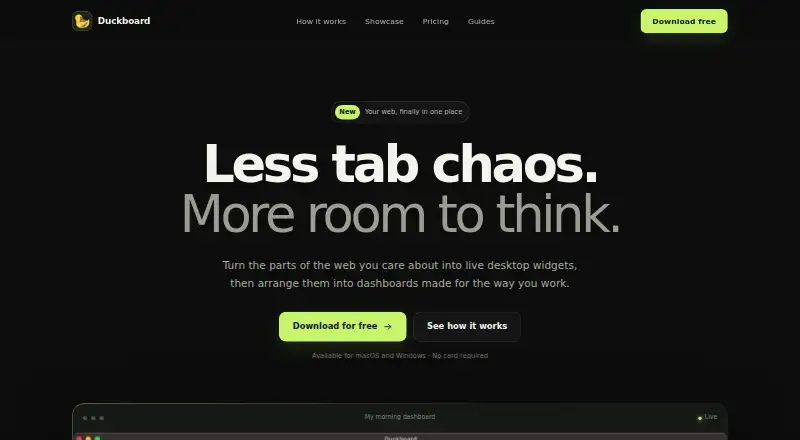
What Duckboard is
Duckboard is a desktop app for turning chosen parts of websites into live, interactive widgets arranged in dashboards. Users can select webpage sections to keep as widgets, or build tailored ones with HTML or embed code. Its library offers more than 1,900 presets, with examples for YouTube, X, weather, and productivity tools. The site also presents dashboard examples for morning, learning, building, and finance workflows, and describes the app as private by design.
Duckboard is available for macOS and Windows. Mac downloads cover Apple silicon Macs with M1, M2, M3, M4 or newer chips and Intel-based Macs; the Windows download supports 64-bit Windows 10 and 11. The download page says the app is free and requires no sign-up or credit card. The Free plan costs nothing and includes one dashboard, up to three widgets, and email support. Extended costs $29, paid once as a one-time upgrade, with one dashboard, unlimited widgets, and email support.
Who it suits
Duckboard suits desktop users who want live website sections in configurable dashboards. It may also suit people who want to build widgets from their own HTML or embed code.
What it does well
- More than 1,900 presets are available.
- Users can capture website sections as interactive widgets.
- Custom widgets can use HTML or embed code.
- Free download requires no sign-up or credit card.
- Extended includes unlimited widgets.
What to know first
- The Free plan allows up to three widgets.
- The Free plan includes one dashboard.
- Windows download supports 64-bit Windows 10 and 11.
- The Extended upgrade costs $29, paid once.
Limits
The Free plan costs nothing and is limited to one dashboard and up to three widgets. The Extended plan costs $29, paid once and allows unlimited widgets in one dashboard.
Plans
| Plan | Billed and limits | Price |
|---|---|---|
| Free | 1 dashboard · Up to 3 widgets · Email support | Free |
| Extended | A one-time upgrade · 1 dashboard · Unlimited widgets · Email support | $29, paid once |
As duckboard.pro lists them, read 3 Oct 2026. The maker's own page has the final word.
Getting started
- Visit https://duckboard.pro/.
- Download the app for your Mac or 64-bit Windows 10 or 11 PC.
- Choose the Free plan or the one-time Extended upgrade.
- Select website sections to capture as widgets, or use a preset.
- Arrange widgets in a dashboard; use HTML or embed code for custom widgets.
Overview
Duckboard is a desktop app that turns chosen website content into live widgets arranged on a dashboard. It is best for Mac and Windows users who want a personal desktop view built from web pages and presets; the main trade-off is that both plans include just one dashboard.
Its broad preset library and support for custom HTML make it adaptable without requiring every widget to be built from scratch. The free plan is a useful way to try that approach, but its three-widget cap may be restrictive if you want to keep several sources visible at once.
Key features
Widget capture lets users select parts of a website and keep them as interactive widgets. This is a good fit for people who want specific web content on the desktop rather than a fixed selection of panels. Its usefulness depends on whether the sites and content they want to follow suit this format.
More than 1,900 presets cover YouTube, X, weather, productivity tools, and other categories, offering ready-made starting points. Users can also supply HTML or embed code for more tailored widgets. That flexibility is valuable when presets do not cover a need, though it makes the product less compelling to someone who wants a small, fixed set of built-in desktop tools.
Example workspaces span morning, learning, building, and finance workflows. They suggest ways to organize a dashboard, but do not change the one-dashboard allowance. Duckboard describes itself as a native desktop app with live widgets and calls its approach “Private by design.” Both plans include email support.
Pricing
| Plan | Price | Includes |
|---|---|---|
| Free | free | 1 dashboard, up to 3 widgets, email support |
| Extended | $29, paid once | 1 dashboard, unlimited widgets, email support |
The free download requires no sign-up or credit card, making it a low-commitment way to see whether web-based widgets suit your desktop. Its three-widget limit is the main compromise: it may be enough for a focused view, but not for a broader dashboard. Extended costs $29, paid once and removes that cap, while retaining the one-dashboard limit. It is the clearer fit for users who want more widgets without a recurring charge; there is no additional dashboard allowance in the paid plan.
Platforms
Duckboard runs on macOS and Windows. Mac downloads support Apple silicon Macs with M1, M2, M3, M4 or newer chips, as well as Intel-based Macs. The Windows download supports 64-bit Windows 10 and 11 PCs. Users on other platforms should consider alternatives that support their devices.
Who it's for
Choose Duckboard if you use macOS or Windows and want to gather selected website content into a live desktop view, especially if its presets cover your regular sources or you can make use of custom HTML and embeds. It is less suited to anyone who needs multiple dashboards, wants a widget library without configuring web content, or needs an option on a different operating system.
Pros and cons
- Large preset selection: More than 1,900 options across categories including YouTube, X, weather, and productivity tools give users many starting points.
- Custom widget support: HTML and embed code allow setups beyond the preset library.
- Low-commitment free option: The download needs no sign-up or credit card, but the free plan stops at three widgets.
- One dashboard on either plan: Extended removes the widget limit but does not help users who need separate dashboards.
- Desktop reach is limited: macOS and Windows support covers two major desktop platforms, but not users who need another operating system.
Alternatives
Desktop Widget Software is a useful place to compare more desktop-widget options. Consider Mango Mirror if you want Android, iOS, Linux, web, or Windows support, or screen-oriented features such as clock, news, weather, backgrounds, quotes, custom layouts, and pages; its free plan includes two screen licenses.
Nexus is a free option with Android, iOS, Linux, macOS, web, and Windows support. For a free and open-source Windows 10/11 option, Delta Widgets is another choice. GadgetPack is a free Windows 10/11 download if you are comfortable with a 23MB installer that requires administrative rights.
Monitor Flows may suit Windows users who want 15 core widgets, three pages, and five themes on its free plan, with API support also offered. Rainmeter is a free Windows option for users who prefer software distributed under GNU GPL v2. Themia may be a better fit for Windows users who want up to 10 widgets and two screens on its free plan, with every widget type and full customization. For a free, open-source option on macOS, consider Übersicht.
Verdict
Duckboard is a strong choice for Mac and Windows users who want to assemble a desktop dashboard from website content, with presets and custom widgets to shape the result. The free plan makes it easy to start, and the one-time Extended upgrade removes the widget cap. Look elsewhere if one dashboard is not enough, if you need broader platform support, or if you prefer a desktop widget tool that does not center on selected website content.
Verdict
Duckboard brings selected website content into desktop dashboards, with presets and custom widget options. The Free plan limits users to three widgets; Extended is a one-time paid upgrade for unlimited widgets.
Questions
Is Duckboard free?
Yes. The download page says the app is free and requires no sign-up or credit card. Its Free plan costs nothing.
What does the Free plan include?
It includes one dashboard, up to three widgets, and email support.
How much does the Extended plan cost?
It costs $29, paid once as a one-time upgrade. It includes one dashboard, unlimited widgets, and email support.
Which platforms are supported?
Downloads are offered for macOS and Windows. Mac downloads support Apple silicon M1, M2, M3, M4 or newer chips and Intel-based Macs; the Windows download supports 64-bit Windows 10 and 11 PCs.
Can I make custom widgets?
Yes. Users can bring their own HTML or embed code to create a tailored widget.
What kinds of presets are available?
The library has more than 1,900 presets, with examples for YouTube, X, weather, and productivity tools. Listed categories also include feeds, custom HTML, and embeds.
Facts from Duckboard's own pages
- Custom widgets
- Users can bring their own HTML or embed code to create a tailored widget. · duckboard.pro, 3 Oct 2026
- Desktop app
- The homepage describes Duckboard as a native desktop app with live, interactive widgets. · duckboard.pro, 3 Oct 2026
- Download access
- The download page says the app is free and requires no sign-up or credit card. · duckboard.pro, 3 Oct 2026
- Integrations
- The site names YouTube, X, weather, and productivity tools as examples for its presets. · duckboard.pro, 3 Oct 2026
- macOS support
- Downloads are offered for Apple silicon Macs with M1, M2, M3, M4 or newer chips and for Intel-based Macs. · duckboard.pro, 3 Oct 2026
- Preset library
- Duckboard offers more than 1,900 presets for YouTube, X, weather, productivity tools, and more. · duckboard.pro, 3 Oct 2026
- Privacy claim
- The homepage describes Duckboard as “Private by design.” · duckboard.pro, 3 Oct 2026
- Purpose
- Duckboard turns selected parts of websites into live desktop widgets arranged in dashboards. · duckboard.pro, 3 Oct 2026
- Support
- Both listed plans include email support. · duckboard.pro, 3 Oct 2026
- Widget capture
- Users can select the parts of any website they want to keep as a live, interactive widget. · duckboard.pro, 3 Oct 2026
- Windows support
- A download is offered for 64-bit Windows 10 and 11 PCs. · duckboard.pro, 3 Oct 2026
- Workspaces
- The site presents example dashboards for morning, learning, building, and finance workflows. · duckboard.pro, 3 Oct 2026
Where Duckboard stands on Freedom251
- Desktop Widget Software#10 of 29