Freedom251 › Desktop Widget Software

Rainmeter
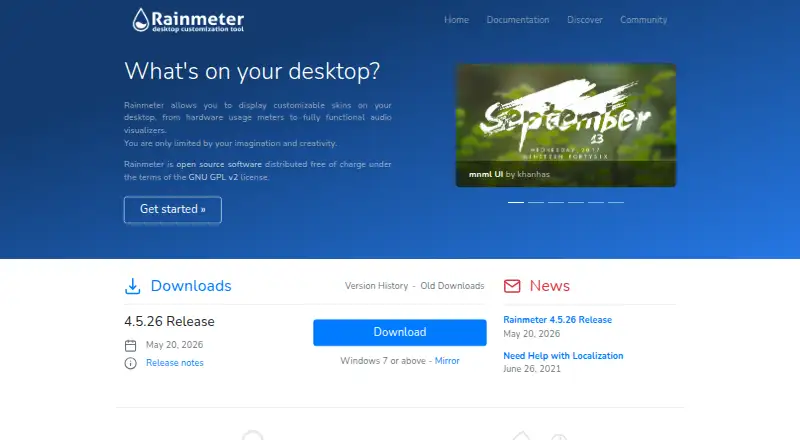
What Rainmeter is
Rainmeter is a free Windows program for building a customized desktop from skins. These can display system details such as hardware usage, along with RSS feeds and weather. A skin can also hold notes or to-do lists, launch applications, and provide media-player controls. The NowPlaying feature can retrieve track information and control supported players, including AIMP, iTunes, Winamp, and Windows Media Player, though some players need extra plugins or have partial support. Users can create and edit skins with Rainmeter’s skin language, meters, measures, plugins, and Lua scripting; measures and plugins can draw information from the computer or the internet. The Manage interface loads and unloads skins, changes settings, and saves layouts. The About window can display logs, measure values, and application or plugin status. A portable installation keeps the program, skins, and settings in a chosen folder without changing the Windows Registry or Start menu. Rainmeter supports Windows 7 Service Pack 1 with Platform Update and later.
Who it suits
Rainmeter suits Windows users who want desktop information, feeds, weather, notes, or media controls presented through customizable skins. It also serves users who want to create their own skins or keep the installation in a chosen folder.
What it does well
- Free and open source under GNU GPL v2.
- Skins can show system information, feeds, and weather.
- Custom skins support Lua scripting and plugins.
- Portable installation avoids Registry and Start menu changes.
What to know first
- Windows only.
- Some media players need extra plugins or have partial support.
- Requires Windows 7 Service Pack 1 with Platform Update or later.
Limits
The free Rainmeter plan is for Windows 7 or above. Some supported media players have partial support or require extra plugins.
Plans
| Plan | Billed and limits | Price |
|---|---|---|
| Rainmeter | Windows 7 or above · distributed under GNU GPL v2 | Free |
As rainmeter.net lists them, read 4 Oct 2026. The maker's own page has the final word.
Getting started
- Visit https://www.rainmeter.net/.
- Install Rainmeter on Windows 7 Service Pack 1 with Platform Update or later.
- Load and configure skins through the Manage interface.
- Save a layout in Manage when your desktop is arranged as wanted.
- For a portable setup, keep the program, skins, and settings together in a chosen folder.
Verdict
Rainmeter combines desktop displays and controls with tools for authoring and managing skins. Its Windows-only support and varying media-player support are important considerations.
Questions
How much does Rainmeter cost?
The Rainmeter plan costs nothing.
Is there a free trial?
No. Rainmeter is available on a free plan.
Which platforms does Rainmeter support?
Rainmeter runs on Windows 7 Service Pack 1 with Platform Update and later.
Is Rainmeter open source?
Yes. It is distributed under the GNU GPL v2 license.
What can Rainmeter skins display or do?
Skins can show system information, RSS feeds, and weather; hold notes and to-do lists; launch applications; and control media players.
Which media players does NowPlaying support?
Supported players include AIMP, iTunes, Winamp, and Windows Media Player. Some have partial support or require extra plugins.
Facts from Rainmeter's own pages
- Community support
- Rainmeter documentation directs users to its forum, an unofficial Discord channel, and a web-based IRC channel for help. · docs.rainmeter.net, 4 Oct 2026
- Custom skin authoring
- Users can create and edit skins using Rainmeter's skin language, meters, measures, plugins, and Lua scripting. · docs.rainmeter.net, 4 Oct 2026
- Desktop customization
- Rainmeter displays customizable desktop skins, from hardware usage meters to audio visualizers. · rainmeter.net, 4 Oct 2026
- License
- Rainmeter is open source software distributed under the GNU GPL v2 license. · rainmeter.net, 4 Oct 2026
- Low resource use
- The maker says Rainmeter uses very little hardware resources and runs well on PCs using Windows 7 through Windows 11. · rainmeter.net, 4 Oct 2026
- Management and diagnostics
- The Manage interface loads and unloads skins, controls settings, and saves layouts, while the About window can show logs, measure values, and application and plugin status. · docs.rainmeter.net, 4 Oct 2026
- Media players
- NowPlaying can retrieve track information and control supported players including AIMP, iTunes, Winamp, and Windows Media Player; some players require extra plugins or have partial support. · docs.rainmeter.net, 4 Oct 2026
- Portable installation
- Portable installation keeps program, skin, and settings files in a chosen folder and makes no changes to the Windows Registry or Start menu. · docs.rainmeter.net, 4 Oct 2026
- Recovery
- Safe Start unloads active skins and loads the default Illustro layout if a skin prevents Rainmeter from starting or causes it to crash on startup. · docs.rainmeter.net, 4 Oct 2026
- Skin features
- Skins can show system information, RSS feeds and weather, keep notes and to-do lists, launch applications, and control media players. · docs.rainmeter.net, 4 Oct 2026
- Web data
- Rainmeter measures and plugins can gather information from the system or the internet for display in skins. · docs.rainmeter.net, 4 Oct 2026
- Windows support
- Rainmeter runs on Windows 7 Service Pack 1 with Platform Update and above. · docs.rainmeter.net, 4 Oct 2026
Where Rainmeter stands on Freedom251
- Desktop Widget Software#18 of 29