Freedom251 › Desktop Widget Software
CryptoBar
What CryptoBar is
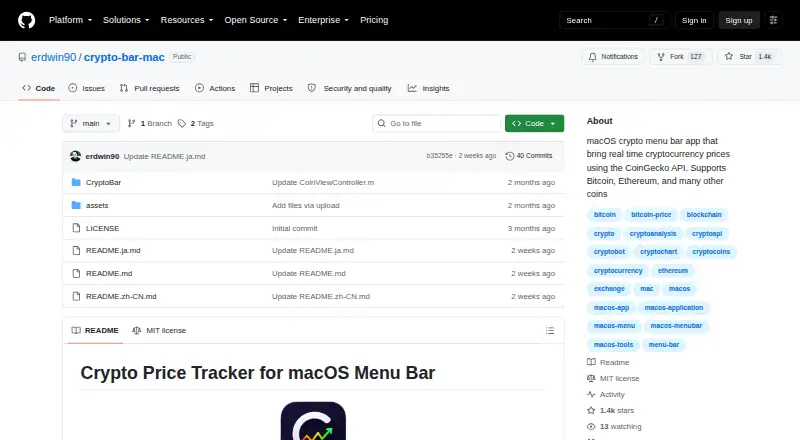
CryptoBar is a free macOS menu bar app for viewing cryptocurrency prices and short-term market movement. It displays real-time values for Bitcoin, Ethereum, and many other coins, with 24-hour charts for a quick trend view. Price data comes from the public CoinGecko API, so no API key is required. You can choose tracked coins, change the update interval, and adjust the interface layout. The project describes the app as lightweight and fast while running in the background, with a focus on clear data display. Installation is recommended through Homebrew, and a manual option uses the latest release. That release requires macOS 13 or later and Apple Silicon. CryptoBar is MIT licensed. For problems or feature requests, the maker directs users to open a GitHub issue. Its purpose is a compact market overview in the menu bar rather than a broader cryptocurrency management system.
Who it suits
CryptoBar suits Mac users who want cryptocurrency prices and 24-hour charts visible from the menu bar. It is useful for quick market-trend checks without configuring an API key.
What it does well
- Free macOS menu bar application
- Supports Bitcoin, Ethereum, and many coins
- 24-hour charts show recent trends
- No CoinGecko API key required
- Coin, interval, and layout customization
What to know first
- Requires macOS 13 or later
- Requires an Apple Silicon Mac
- Only macOS is listed
- No broader cryptocurrency management features are listed
Limits
CryptoBar is free, with no paid-plan limits listed. Its latest release requires macOS 13 or later and Apple Silicon.
Getting started
- Open the CryptoBar GitHub repository
- Use Homebrew to install the app
- Alternatively download and install the latest release manually
- Use it on a Mac with macOS 13 or later and Apple Silicon
- Choose tracked coins, update interval, and interface layout
Verdict
CryptoBar provides a focused, no-cost way to watch coin prices and recent movement from macOS. Its customizable tracking and simple installation suit quick checks, provided the Mac meets the stated requirements.
Questions
What does CryptoBar display?
It shows real-time cryptocurrency prices in the macOS menu bar and provides 24-hour price charts.
Which coins are supported?
The project says it supports Bitcoin, Ethereum, and many other coins.
Does CryptoBar require an API key?
No. It uses the public CoinGecko API without requiring an API key.
How can it be installed?
The repository recommends Homebrew and also provides manual installation from the latest release.
What Mac is required?
The latest release requires macOS 13 or later and Apple Silicon.
How is support handled?
The maker asks users to open a GitHub issue for problems or feature requests.
Facts from CryptoBar's own pages
- Background operation
- The README describes the app as lightweight and fast in background operation. · github.com, 10 Oct 2026
- Charts
- It shows 24-hour price charts for a quick market trend overview. · github.com, 11 Oct 2026
- Coin coverage
- The repository says it supports Bitcoin, Ethereum, and many other coins. · github.com, 10 Oct 2026
- Coins
- The project says it supports Bitcoin, Ethereum, and many other coins. · github.com, 11 Oct 2026
- Customization
- Users can customize tracked coins, the update interval, and the UI layout. · github.com, 11 Oct 2026
- Installation
- The README offers installation through Homebrew or a manual download from GitHub Releases. · github.com, 11 Oct 2026
- Integration
- CryptoBar uses the public CoinGecko API and does not require an API key. · github.com, 10 Oct 2026
- Intended use
- The README describes the menu bar charts as a quick market trend overview. · github.com, 10 Oct 2026
- License
- The repository identifies the project as MIT-licensed. · github.com, 11 Oct 2026
- Operation
- The README describes the app as lightweight, fast in background operation, and focused on data clarity. · github.com, 11 Oct 2026
- Price data
- CryptoBar uses the CoinGecko API and does not require an API key. · github.com, 11 Oct 2026
- Product
- CryptoBar is a lightweight macOS menu bar app that displays real-time cryptocurrency prices. · github.com, 10 Oct 2026
- Purpose
- CryptoBar displays real-time cryptocurrency prices in the macOS menu bar. · github.com, 11 Oct 2026
- Support
- The README directs users to open a GitHub issue for problems or feature requests. · github.com, 11 Oct 2026
- System requirements
- The latest release page states that CryptoBar requires macOS 13+ and Apple Silicon. · github.com, 11 Oct 2026
Where CryptoBar stands on Freedom251
- Desktop Widget Software#15 of 29