Freedom251 › Help Authoring Tools
Dr.Explain
by Dr.Explain
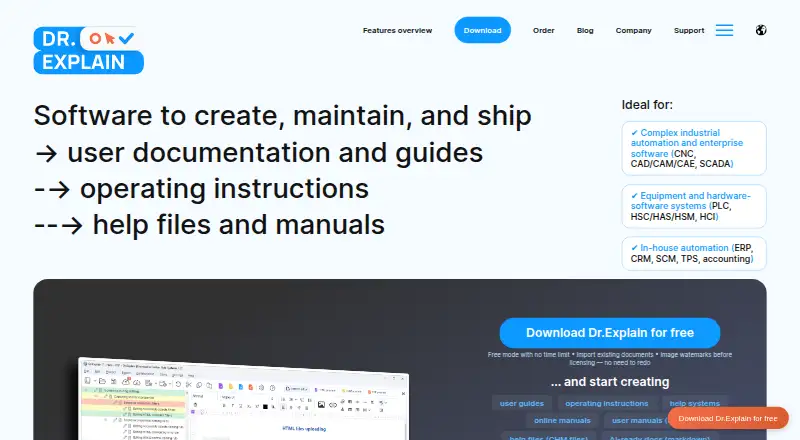
What Dr.Explain is
Dr.Explain is a Windows help authoring tool for making user guides, operating instructions, help files, and manuals. It captures application windows or web pages and adds numbered callouts to interface elements, giving authors a way to build illustrated documentation. Finished projects can be exported as HTML, CHM, PDF, or DOCX. The importer accepts CHM, HLP, HTML, XML, DOC/DOCX, and TXT files while retaining project structure and formatting.
For software documentation, Dr.Explain supports Help Context IDs and can generate map files in .h, .vb, and .inc formats. Multiple authors can work on a project through the free Tiwri.com service or a corporate server on an internal network. An in-program AI Assistant can generate, translate, and proofread content. The downloadable application requires 64-bit Windows 11, 10, 8, or 7.
The free license has no time limit, but restricts project size and places watermarks on exported images. Business plans offer unlimited topics and collaboration; the temporary license is listed at $290 a year, while the perpetual v.7 license is $690, paid once. Dr.Explain is made by a company that says it has developed the product since 2004, and offers multilingual technical and sales support by email and toll-free voicemail.
Who it suits
Dr.Explain suits technical writers, developers, business analysts, integrators, and technical support specialists who need to produce software help or manuals. Its screenshot callouts, context-sensitive help, import options, and collaboration support are useful for teams creating structured documentation.
What it does well
- Captures windows and web pages with numbered interface callouts.
- Exports documentation to HTML, CHM, PDF, and DOCX.
- Imports several document formats while preserving structure and formatting.
- Generates Help Context ID map files in three formats.
- Includes in-program AI generation, translation, and proofreading.
- Supports multi-author projects through Tiwri.com or an internal server.
What to know first
- The downloadable application requires 64-bit Windows.
- The free license limits project size and watermarks exported images.
- The Home perpetual license prohibits commercial use.
Limits
The free restricted license has no time limit, but limits project size and adds watermarks to exported images. Its plan listing specifies 20 topics. The Business temporary license is $290 a year for five users; the Business perpetual v.7 license is $690, paid once for five users, and both list unlimited topics and collaboration.
Plans
| Plan | Billed and limits | Price |
|---|---|---|
| Free | Free restricted license · 20 topics | Free |
| Business Temporary | Subscription for 5 users · 5 users · Unlimited topics | $290 a year |
| Business Perpetual v.7 | One-time payment for 5 users · 5 users · Unlimited topics | $690 a month |
| Home Perpetual v.7 | One-time payment for 1 user · 1 user · Unlimited topics | $9,000 a month |
| Free Restricted License | Free; no time limit · Limited project size · Watermarks on images | Free |
| Business License — Temporary | 290 USD / Year; 25 USD / user / month · No watermarks · Unlimited topics · Collaboration · Free updates | $290 a year |
| Business License — Perpetual for v.7 | 690 USD / forever; 31 USD / user / forever · No watermarks · Unlimited topics · Collaboration · Free 7.x updates | $690, paid once |
| Home License — Perpetual for v.7 | 9000 USD / forever · 1 user · Unlimited topics · No commercial use · Image labels and footer credits · Business projects read-only · Free 7.x updates | $9,000, paid once |
As drexplain.com lists them, read 20 Sept 2026. The maker's own page has the final word.
Getting started
- Visit the Dr.Explain website.
- Download the desktop application for a supported 64-bit Windows version.
- Start with the free license or choose a paid license.
- Create a documentation project and capture an application window or web page.
- Import existing content or author pages, then export in a supported format.
Dr.Explain is a Windows desktop tool for authoring software guides, manuals, and help files. It is a strong fit for writers and small software teams turning interfaces into illustrated instructions, especially when they need context-sensitive help or shared editing. Its export and import options are broad, while the free license is capped at 20 topics and paid licenses carry distinct seat and use terms.
Overview
Developed by Indigo Byte Systems LLC since 2004, Dr.Explain brings screen capture, document import, and publishing together in a focused help-authoring application. It targets technical writers, developers, business analysts and integrators, and technical support specialists. That makes it a practical choice for software documentation work; organizations seeking a browser-based or cross-platform authoring app should look elsewhere.
Authors can capture application windows or web pages and have interface elements marked with numbered callouts. This gives procedural guides a clear visual structure without requiring each control to be annotated from scratch. The tool can also import existing content while retaining project structure and formatting, which helps when replacing or consolidating older help material.
Key features
Capture, reuse, and publishing
Dr.Explain exports documentation to HTML, CHM, PDF, and DOCX. That range suits teams distributing help through websites, downloadable documents, or Windows help files. Import support covers CHM, HLP, HTML, XML, DOC/DOCX, and TXT, making the product useful when a documentation project already has material in several common formats.
Context-sensitive help and collaboration
Help Context IDs and generated map files in .h, .vb, and .inc formats let developers connect documentation topics to software features. This is a meaningful advantage for product teams embedding help in an application, though less relevant to authors producing standalone manuals.
Multiple authors can work on a project through the free Tiwri.com service or a corporate server on an internal network. The AI Assistant provides generation, translation, and proofreading within the program. Together, these tools support a shared authoring workflow, while the Windows-only desktop requirement limits participation to compatible Windows machines.
Pricing
Free Restricted License
The free license costs 0.00 USD, has no time limit, and permits 20 topics. It limits project size and puts watermarks on exported images. That is enough for a small guide or an evaluation project, but the topic cap and branded imagery make it a poor fit for a growing or polished commercial help library.
Business licenses
Business License — Temporary costs $290 a year for five users, or 25 USD / user / month. It includes unlimited topics, collaboration, no watermarks, and free updates. For a small team that wants a subscription and ongoing updates, it removes the free edition’s central restrictions; the recurring annual cost is the trade-off.
Business License — Perpetual for v.7 costs $690, paid once for five users. It includes unlimited topics, collaboration, no watermarks, and free 7.x updates. This suits a five-person team that prefers a one-time payment and can work within the version 7 update entitlement. Its listed price is substantially higher than one year of the temporary license, so the better fit depends on how long the team expects to use it.
Home license
Home License — Perpetual for v.7 costs $9,000, paid once for one user. It allows unlimited topics and includes free 7.x updates, but bars commercial use, labels images and adds footer credits, and makes business projects read-only. It is for personal, noncommercial authoring; professionals should choose a business license instead.
A free trial is available. The maker offers multilingual technical and sales support by email and toll-free voicemail.
Platforms
The downloadable application runs on Windows 11, 10, 8, or 7 with 64-bit architecture. That covers a range of Windows versions, but teams authoring on macOS or Linux will need another tool or a Windows machine.
Who it's for
Dr.Explain is best suited to software teams that need illustrated user instructions, manuals, or in-product help and want to reuse existing documentation. Context IDs and map-file generation make it particularly relevant when developers must connect help topics to application features. Solo authors can start with the free license, provided 20 topics and watermarked images are acceptable; teams collaborating on larger projects need a business plan.
Pros and cons
- Useful screenshot workflow: automatic numbered callouts can make interface instructions faster to assemble and easier to follow.
- Flexible content handling: broad import and export formats help teams move legacy material into a project and publish it for different channels.
- Application integration: Help Context IDs and map files support context-sensitive help for software products.
- Free use has practical limits: the 20-topic cap, restricted project size, and image watermarks constrain substantial or presentation-ready work.
- Windows-only authoring: the desktop application excludes teams that need native macOS, Linux, or web-based authoring.
- License terms vary: the home plan is noncommercial, while business buyers must weigh annual subscription costs against a version-specific perpetual license.
Alternatives
Help Authoring Tools and Technical Documentation Software are useful starting points for comparing products in Dr.Explain’s core categories. For broader knowledge management, see Knowledge base software.
- Dokiel is a free option with Linux, macOS, web, Windows, and self-hosted availability; choose it when open-source publishing and wider platform choice matter more than Dr.Explain’s specific capture and context-help workflow.
- XMLmind XML Editor has a free personal edition and supports Linux, macOS, web, and Windows. It may suit readers who want a cross-platform XML editor, though its professional conversion and DOCX import features run under restrictions.
- HelpNDoc is another Windows freemium help-authoring option. Its Personal Edition is for personal use, allows supported documentation formats, and adds a discreet banner to generated documentation; choose it when those terms fit your use.
- Paligo is a web and API-based paid option whose Business plan starts at $15,000 a year, with per-author licensing and two authors and two languages included. It is a different fit for buyers considering a higher-cost team subscription.
- Heretto is a paid option available across web, desktop, and API platforms, with CCMS and delivery capabilities.
- DITA Exchange is a paid alternative available through web, Windows, self-hosted, and API deployments.
- Author-it is a paid option with subscription pricing based on team size, deployment model, and requirements.
- Fluid Topics is a paid web and API alternative.
Verdict
Choose Dr.Explain if you produce software help that depends on annotated screenshots, multiple output formats, or context-sensitive integration, and your authors can work on Windows. Its free license offers a no-cost starting point, while the five-user business plans provide room for full projects and collaboration. Look elsewhere if you need native cross-platform authoring, or if a 20-topic free project is too restrictive and the business license terms do not fit your budget or update needs.
Verdict
Choose Dr.Explain if you need Windows software for illustrated help files and manuals, especially with context-sensitive help or multiple authors. The free license is time-unlimited but restricts project size and adds image watermarks; paid plans remove those restrictions, with different user counts and license terms.
Questions
Is there a free plan?
Yes. The Free Restricted License costs nothing and has no time limit. It limits project size and adds watermarks to exported images; the plan listing specifies 20 topics.
What do the paid plans cost?
The Business License — Temporary is $290 a year. The Business License — Perpetual for v.7 is $690, paid once, and the Home License — Perpetual for v.7 is $9,000, paid once.
Which operating systems does it support?
The downloadable desktop application runs on 64-bit Windows 11, 10, 8, or 7.
Can multiple authors collaborate?
Yes. Authors can use the free Tiwri.com service or a corporate server on the company’s internal network.
What formats can I import and export?
Imports include CHM, HLP, HTML, XML, DOC/DOCX, and TXT. Exports include HTML, CHM, PDF, and DOCX.
Who makes Dr.Explain?
Dr.Explain is the listed maker. Indigo Byte Systems LLC says it has developed the product since 2004.
Facts from Dr.Explain's own pages
- AI assistant
- The product’s AI Assistant offers generation, translation, and proofreading within the program. · drexplain.com, 7 Oct 2026
- Article limit
- 20 · drexplain.com, 20 Sept 2026
- Publishing audience
- both · drexplain.com, 20 Sept 2026
- Collaboration
- Multiple authors can work on a project using the free Tiwri.com service or a corporate server on the company’s internal network. · drexplain.com, 7 Oct 2026
- Content import
- The importer supports CHM, HLP, HTML, XML, DOC/DOCX, and TXT while preserving project structure and formatting. · drexplain.com, 7 Oct 2026
- Context-sensitive help
- It supports Help Context IDs and generates map files in .h, .vb, and .inc formats for software integration. · drexplain.com, 7 Oct 2026
- Founded
- 2004 · drexplain.com, 28 Sept 2026
- Free license limitation
- The free license can be used indefinitely, but limits project size and adds watermarks to exported images. · drexplain.com, 7 Oct 2026
- Free plan
- Yes · drexplain.com, 20 Sept 2026
- Headquarters
- New York, New York, USA · drexplain.com, 28 Sept 2026
- Intended users
- The maker identifies technical writers, programmers and developers, business analysts and integrators, and technical support specialists as intended users. · drexplain.com, 7 Oct 2026
- Maker history
- Indigo Byte Systems LLC says it has developed Dr.Explain since 2004. · drexplain.com, 7 Oct 2026
- Payment security
- The maker says financial transactions are handled by PayPro Global and transaction and credit card information is not passed to third parties. · drexplain.com, 7 Oct 2026
- Platform requirement
- The downloadable desktop application runs on Windows 11, 10, 8, or 7 with 64-bit architecture. · drexplain.com, 7 Oct 2026
- Product
- Dr.Explain is a help authoring tool for creating user guides, operating instructions, help files, and manuals. · drexplain.com, 7 Oct 2026
- Publishing formats
- Documentation can be exported as HTML, CHM, PDF, and DOCX. · drexplain.com, 7 Oct 2026
- Screenshot capture
- It captures application windows or web pages and automatically annotates interface elements with numbered callouts. · drexplain.com, 7 Oct 2026
- Support
- The maker offers multilingual technical and sales support by email and toll-free voicemail. · drexplain.com, 7 Oct 2026
- Version history
- Yes · drexplain.com, 20 Sept 2026
Where Dr.Explain stands on Freedom251
- Help Authoring Tools#3 of 29
- Technical Documentation Software#12 of 37
- Knowledge base software#68 of 138