Freedom251 › Help Authoring Tools
XMLmind XML Editor
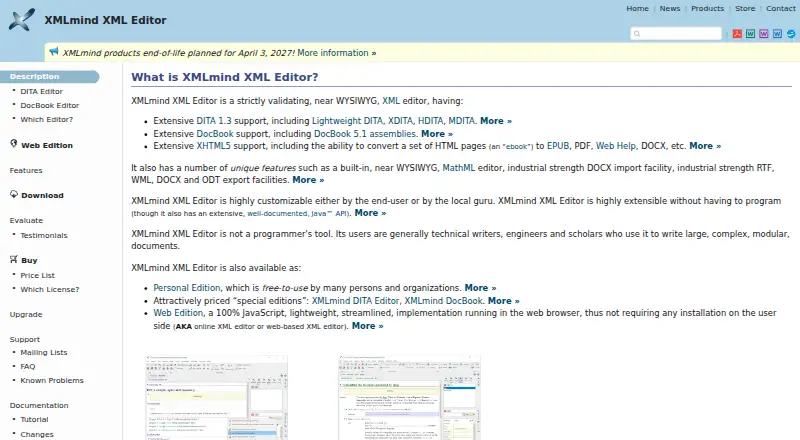
What XMLmind XML Editor is
XMLmind XML Editor is a validating, near-WYSIWYG editor for technical writers, engineers, and scholars handling large, modular documents. It supports DITA 1.3, DocBook, XHTML5, and MathML, with synchronized styled, tag, tree, and source views. A built-in editor handles inline MathML equations. The software can import DOCX and convert documents to HTML-based formats, PDF, PostScript, Microsoft Word, and OpenOffice or LibreOffice formats. Saxon 6 and Saxon 9 integrations support XSLT; FTP and WebDAV provide access to remote files. Users can customize the editor through XML configuration or its documented Java API. Personal Edition runs on Windows, macOS, Linux, and other Java 11+ platforms; Web Edition runs in a browser without installation on the user's side. Personal Edition is free, but Professional conversion and DOCX import features are evaluation-mode features that produce altered output. Paid licenses are perpetual, with new-release access limited to one year or April 3, 2027, whichever comes first. XMLmind says its products will be maintained until April 3, 2027, then discontinued, with the company closing a few months later.
Who it suits
The editor is aimed at technical writers, engineers, and scholars working with complex, modular XML documents. Its formats and views may suit users who need structured authoring and multiple publishing outputs.
What it does well
- Supports DITA 1.3, DocBook, XHTML5, and MathML.
- Offers synchronized styled, tag, tree, and source views.
- Web Edition runs in a browser without local installation.
- Customization is available through XML configuration or a Java API.
What to know first
- Evaluation-mode DOCX import and conversion produce altered output.
- NVDL, XML Schema 1.1, and MathML 3.0 are unsupported.
- Products are due to be discontinued after April 3, 2027.
Limits
The free Personal Edition runs Professional conversion and DOCX import in evaluation mode, producing altered output. New-release access for perpetual Professional Edition licenses is included for one year or until April 3, 2027, whichever comes first; products are scheduled to be discontinued after that date.
Plans
| Plan | Billed and limits | Price |
|---|---|---|
| XMLmind XML Editor Personal Edition | Free to use by many persons and organizations · Professional conversion and DOCX import features run in evaluation mode | Free |
| XML Editor Site License | One-year access to new releases or until April 3, 2027, whichever comes first · Site license · Perpetual license | $11,000, paid once |
| XML Editor Developer License | One-year access to new releases or until April 3, 2027, whichever comes first · Developer license · Perpetual license | $17,000, paid once |
| DocBook Editor User License (1–4 users) | Per user; one-year access to new releases or until April 3, 2027, whichever comes first · 1–4 users · Perpetual license | $195, paid once |
| DITA Editor User License (1–4 users) | Per user; one-year access to new releases or until April 3, 2027, whichever comes first · 1–4 users · Perpetual license | $195, paid once |
| XML Editor Web Edition License (1–2 xxeservers) | Per xxeserver · 1–2 xxeservers | $1,950, paid once |
| XML Editor Corporate License | One-year access to new releases or until April 3, 2027, whichever comes first · Corporate license · Perpetual license | $34,000, paid once |
| XML Editor User License (1–4 users) | Per user; one-year access to new releases or until April 3, 2027, whichever comes first · 1–4 users · Perpetual license | $390, paid once |
As xmlmind.com lists them, read 3 Oct 2026. The maker's own page has the final word.
Getting started
- Visit the XMLmind XML Editor website.
- Choose Personal Edition for Windows, macOS, Linux, or another Java 11+ platform, or choose Web Edition in a browser.
- Use the free Personal Edition or select a paid license for the required edition and user count.
- For paid Personal Edition evaluation, use the included Professional conversion and DOCX import features with altered output.
XMLmind XML Editor is a validating XML authoring tool for people producing complex, modular technical or scholarly documents. It is best suited to teams that need structured editing across multiple document views and publishing formats. Its breadth is balanced by evaluation-mode conversion limits and a firm end-of-life date.
Overview
XMLmind supports DITA 1.3, DocBook, XHTML5, and MathML, with a hybrid authoring model that includes single-sourcing and version control. Its range of publishing outputs—from web help and EPUB to PDF, DOCX, and ODT—can serve projects that need to reuse structured content across channels. The main strategic drawback is that XMLmind says its products will be maintained only until April 3, 2027, then discontinued, with the company closing a few months later.
Key features
Structured editing
Styled, tag, tree, and source views remain editable and synchronized, giving authors both a presentation-oriented workspace and access to the underlying structure. That flexibility is useful in large XML projects where a visual view alone may be insufficient. An inline MathML editor supports equation work, but MathML 3.0 is unsupported.
Conversion and integrations
XMLmind imports DOCX and converts documents to HTML-based formats, PDF, PostScript, Microsoft Word, and OpenOffice or LibreOffice formats. Saxon 6 and Saxon 9 integration covers XSLT, while FTP and WebDAV access help authors work with remote files. The Professional Edition conversion and DOCX import features are only available in evaluation mode in the free Personal Edition, and evaluation output is altered; the free tier is therefore not a dependable route for production conversion.
Customization and standards limits
XML configuration files and a documented Java API let organizations tailor or extend the editor. However, NVDL and XML Schema 1.1 are unsupported, as is MathML 3.0. Projects relying on those standards should look elsewhere.
Pricing
The Personal Edition is free to use for many people and organizations, but its Professional conversion and DOCX import functions run in evaluation mode and generate altered output. There is no stated trial duration; the practical constraint is the altered output rather than a time limit.
Paid desktop user licenses are one-time purchases per user for 1–4 users: DocBook Editor and DITA Editor each cost $195, paid once, while XML Editor costs $390, paid once. These are perpetual licenses, with access to new releases for one year or until April 3, 2027, whichever comes first. The lower-priced options are tied to DocBook or DITA, while the general XML Editor license costs more.
For broader deployments, XML Editor Web Edition costs $1,950, paid once per xxeserver for 1–2 xxeservers. The Site License is $11,000, paid once, the Developer License $17,000, paid once, and the Corporate License $34,000, paid once; each is perpetual and includes access to new releases for one year or until April 3, 2027, whichever comes first. Those high-cost licenses may suit organizations with the corresponding deployment needs, but the short remaining maintenance horizon materially reduces their appeal. A free trial is offered through the Personal Edition's evaluation-mode conversion and DOCX import.
Platforms
Personal Edition downloads are available for Windows, macOS, and Linux or other Java 11+ platforms. The Web Edition runs in a browser as a JavaScript implementation and requires no installation on the user's side. This gives individuals a desktop choice and organizations a browser-based deployment option, though Web Edition licensing is priced by server.
Who it's for
XMLmind is a reasonable fit for technical writers, engineers, and scholars already committed to structured XML authoring, especially where synchronized views, reusable content, or multiple publishing outputs matter. It is a poor choice for a new workflow that needs support beyond April 2027, or for work dependent on the unsupported standards.
Pros and cons
Pros
- Editable synchronized views let authors move between styled presentation and XML structure without separate documents.
- Support for DITA, DocBook, XHTML5, and MathML, plus numerous publishing outputs, accommodates varied structured-document workflows.
- Java API, XML configuration, XSLT integration, and remote-file access offer customization and connectivity options.
Cons
- Free conversion and DOCX import produce altered evaluation output, limiting the Personal Edition for production use.
- NVDL, XML Schema 1.1, and MathML 3.0 are unsupported.
- Maintenance ends April 3, 2027, and XMLmind plans to discontinue its products afterward.
- Some organizational licenses carry substantial one-time prices despite the limited maintenance horizon.
Alternatives
For a free, open-source publishing chain with desktop or SCENARIchain installation, consider Dokiel. Dr.Explain is a Windows freemium option whose free license is restricted to 20 topics; its Business Temporary plan covers five users. HelpNDoc may suit Windows users seeking a personal-use edition that supports its documentation formats, though its Personal Edition bars commercial use. DITA Exchange is another option for teams considering a web, Windows, API, or self-hosted product.
For broader help-authoring choices, browse Help Authoring Tools. Creo, QuarkXPress, and Fonto Editor are additional alternatives. Oxygen XML Editor is a paid alternative with a $34 a year Professional 12-month subscription.
Verdict
Choose XMLmind if your work depends on structured XML editing, synchronized views, and varied publishing outputs, and your project can end or transition before support stops. The strongest reason to look elsewhere is the announced 2027 discontinuation: it makes XMLmind difficult to recommend for workflows that need a supported editor over the long term.
Verdict
XMLmind XML Editor offers structured editing, format conversion, and desktop or browser options. Its evaluation-mode conversion limits, unsupported standards, and announced discontinuation date are important considerations.
Questions
Is XMLmind XML Editor free?
The Personal Edition is free to use by many persons and organizations. Paid licenses are also available.
What does the free edition limit?
Professional conversion and DOCX import run in evaluation mode and generate altered output.
Which platforms does it support?
Personal Edition downloads are available for Windows, macOS, Linux, and other Java 11+ platforms. Web Edition runs in a browser without installation on the user's side.
Which document formats can it edit?
It supports DITA 1.3, DocBook, XHTML5, and MathML editing.
How much do paid licenses cost?
DocBook Editor and DITA Editor user licenses each cost $195, paid once for 1–4 users. XML Editor user licenses cost $390, paid once for 1–4 users; other listed licenses include Web Edition at $1,950, paid once, Site at $11,000, paid once, Developer at $17,000, paid once, and Corporate at $34,000, paid once.
How long will XMLmind products be maintained?
XMLmind says its products will be maintained until April 3, 2027, then discontinued, with the company closing a few months later.
Facts from XMLmind XML Editor's own pages
- Company
- XMLmind Software describes itself as a small company created in 2017 that develops and markets document-oriented XML tools. · xmlmind.com, 3 Oct 2026
- Desktop platforms
- Personal Edition downloads are available for Windows, macOS, and Linux or other Java 11+ platforms. · xmlmind.com, 3 Oct 2026
- Document formats
- It supports DITA 1.3, DocBook, XHTML5, and MathML editing. · xmlmind.com, 3 Oct 2026
- Editing features
- The editor provides synchronized editable styled, tag, tree, and source views, plus a built-in inline MathML equation editor. · xmlmind.com, 3 Oct 2026
- End of life
- XMLmind says its products will be maintained until April 3, 2027, then discontinued, and that the company will close a few months later. · xmlmind.com, 3 Oct 2026
- Extensibility
- Users can customize and extend the editor with XML configuration files or program against its documented Java API. · xmlmind.com, 3 Oct 2026
- Headquarters
- Rambouillet, France · xmlmind.com, 28 Sept 2026
- Import and export
- It supports DOCX import and conversion to HTML-based formats, PDF, PostScript, Microsoft Word, and OpenOffice or LibreOffice formats. · xmlmind.com, 3 Oct 2026
- Integrations
- The editor integrates Saxon 6 and Saxon 9 for XSLT and provides FTP and WebDAV access to remote files. · xmlmind.com, 3 Oct 2026
- License and maintenance
- Professional Edition licenses are perpetual, while access to new releases is included for one year or until April 3, 2027, whichever comes first. · xmlmind.com, 3 Oct 2026
- Purpose
- XMLmind XML Editor is a strictly validating, near-WYSIWYG XML editor aimed at technical writers, engineers, and scholars working on large, complex, modular documents. · xmlmind.com, 3 Oct 2026
- Support limits
- The feature comparison page says NVDL is unsupported, and its footnotes say XML Schema 1.1 and MathML 3.0 are not supported. · xmlmind.com, 3 Oct 2026
- Trial
- Personal Edition includes Professional Edition conversion and DOCX import features in evaluation mode, which generate altered output. · xmlmind.com, 3 Oct 2026
- Web edition
- Web Edition is a JavaScript implementation that runs in a browser and does not require installation on the user's side. · xmlmind.com, 3 Oct 2026
Where XMLmind XML Editor stands on Freedom251
- Help Authoring Tools#4 of 29