Freedom251 › Help Authoring Tools

Adobe RoboHelp
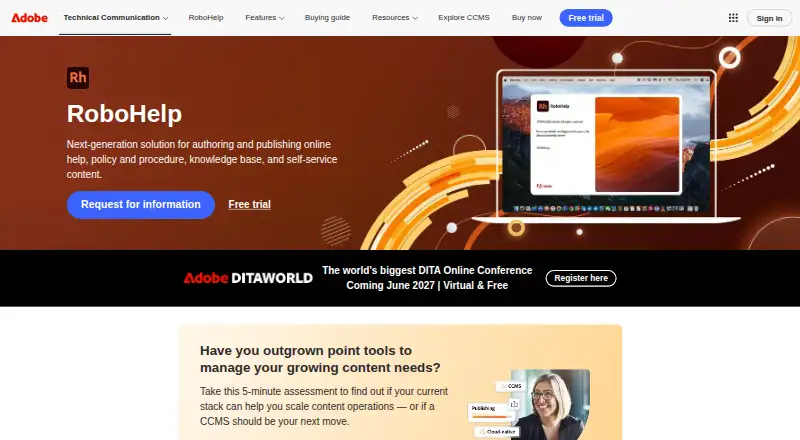
What Adobe RoboHelp is
Adobe RoboHelp is an authoring and publishing tool for online help, policies and procedures, knowledge bases, and self-service content. Authors can create material with HTML5 and CSS3, apply conditional content, and reuse content across documents and channels. Publishing options include Responsive HTML5, PDF, Adobe Experience Manager, Microsoft Help, and other formats. RoboHelp also supports microcontent for chatbots, search snippets, and voice response systems.
For teams, it provides web-based review and collaboration with Git and SharePoint Online. Knowledge base publishing destinations include SharePoint Online, Zendesk, Salesforce, ServiceNow, Zoho, Adobe Experience Manager, and Atlassian Confluence. Listed integrations also include Microsoft Office 365, Adobe Captivate, FrameMaker, and Azure DevOps. Authors can use manual or machine translation workflows, full-text search, and reader analytics. Adobe says RoboHelp can be used to create Section 508-compliant content.
RoboHelp runs on macOS and Windows. Requirements for the 2026 release include 64-bit Windows 10 or 11 and macOS versions 10.15 through 14. The paid software has no free plan, but Adobe offers a fully functional 30-day trial. The latest release is available by subscription rather than one-time purchase or perpetual license.
Who it suits
RoboHelp suits technical writers and organizations producing online help, policies, procedures, knowledge bases, and self-service content. It is also relevant to teams that need review workflows, reusable content, multiple publishing destinations, translation workflows, or reader analytics.
What it does well
- Publishes to Responsive HTML5, PDF, Microsoft Help, and other formats.
- Supports reusable and conditional content across documents and channels.
- Web-based review and collaboration with Git and SharePoint Online.
- Supports manual and machine translation workflows.
- Includes full-text search and reader analytics.
- Adobe says authors can create Section 508-compliant content.
What to know first
- There is no free plan.
- The latest release is not offered as a one-time purchase or perpetual license.
- Internet activation is required, with an online connection at least once within 30 days of first launch.
Limits
The trial lasts 30 days, and there is no free plan. The latest release requires a subscription rather than a one-time purchase or perpetual license.
Plans
| Plan | Billed and limits | Price |
|---|---|---|
| Individual Subscription — prepaid annual | Subscription access to the latest RoboHelp release · Annual commitment | On request |
| Individual Subscription — prepaid annual | Subscription access to the latest RoboHelp release · Annual commitment | On request |
| Team Subscription | Bulk license purchasing · Enterprise-grade support included · Volume savings for growing teams | On request |
| Team Subscription | Bulk license purchasing · Enterprise-grade support included · Volume savings for growing teams | On request |
| Enterprise Term License Agreement | Customized term licensing · Cloud and desktop offerings · Three-year term | On request |
| Enterprise Term License Agreement | Customized term licensing · Cloud and desktop offerings · Three-year term | On request |
| Individual Subscription | Annual commitment; paid monthly or annually · One license per Adobe.com store transaction · available in select countries | $29.99 a month |
As adobe.com lists them, read 20 Sept 2026. The maker's own page has the final word.
Getting started
- Open Adobe's RoboHelp product page.
- Choose an Individual Subscription, prepaid annual Individual Subscription, Team Subscription, or Enterprise Term License Agreement.
- Use the fully functional 30-day trial if you want to try RoboHelp before subscribing.
- Install on macOS or Windows that meets the listed 2026 release requirements.
- Connect the installed machine to the internet for activation and at least once within 30 days of first launch.
Verdict
Choose Adobe RoboHelp if you need a subscription-based authoring tool for help, policies, procedures, knowledge bases, or self-service content, with varied publishing and collaboration options. Look elsewhere if you require a free plan or a perpetual license for the latest release.
Questions
Is there a free plan or trial?
There is no free plan. Adobe offers a fully functional free 30-day trial.
What platforms does RoboHelp support?
RoboHelp runs on macOS and Windows. The 2026 release requirements list macOS versions 10.15 through 14 and 64-bit Windows 10 or 11.
How is RoboHelp licensed?
Plans include Individual Subscription, prepaid annual Individual Subscription, Team Subscription, and Enterprise Term License Agreement. Adobe says the latest release is not available as a one-time purchase or perpetual license.
What can RoboHelp publish?
It can publish to Responsive HTML5, PDF, Adobe Experience Manager, Microsoft Help, and other formats. Knowledge base destinations include SharePoint Online, Zendesk, Salesforce, ServiceNow, Zoho, and Atlassian Confluence.
What integrations are listed?
Listed connections include Microsoft Office 365, Adobe Captivate, Adobe Experience Manager, FrameMaker, Azure DevOps, and Git.
Who makes RoboHelp?
Adobe says it was founded in December 1982 and is headquartered in San Jose, California, USA.
Facts from Adobe RoboHelp's own pages
- Accessibility
- Adobe says users can create Section 508-compliant content. · adobe.com, 12 Oct 2026
- Activation requirement
- RoboHelp requires internet activation, and the installed machine must connect online at least once within 30 days of first launch. · helpx.adobe.com, 12 Oct 2026
- Authoring
- It supports HTML5 and CSS3 authoring, conditional content, and reusable content across documents and channels. · adobe.com, 12 Oct 2026
- Collaboration
- RoboHelp supports web-based review and collaboration with Git and SharePoint Online. · adobe.com, 12 Oct 2026
- Free plan
- No · adobe.com, 20 Sept 2026
- Knowledge base publishing
- The RoboHelp user guide lists publishing destinations including SharePoint Online, Zendesk, Salesforce, ServiceNow, Zoho, Adobe Experience Manager, and Atlassian Confluence. · helpx.adobe.com, 12 Oct 2026
- Licensing limit
- Adobe says the latest release is no longer available as a one-time purchase or perpetual license. · adobe.com, 12 Oct 2026
- Maker
- Adobe states it was founded in December 1982 and is headquartered in San Jose, California, USA. · adobe.com, 12 Oct 2026
- Microcontent
- Authors can create microcontent for chatbots, search snippets, voice response systems, and other uses. · adobe.com, 12 Oct 2026
- Operating systems
- The 2026 release system requirements list Windows 10 or 11 (64-bit) and macOS versions 10.15 through 14. · helpx.adobe.com, 12 Oct 2026
- Other integrations
- Adobe lists support for Microsoft Office 365, Adobe Captivate, Adobe Experience Manager, FrameMaker, Azure DevOps, and Git connections. · helpx.adobe.com, 12 Oct 2026
- Publishing
- It can publish to Responsive HTML5, PDF, Adobe Experience Manager, Microsoft Help, and other formats. · adobe.com, 12 Oct 2026
- Purpose
- RoboHelp is for authoring and publishing online help, policies and procedures, knowledge bases, and self-service content. · adobe.com, 12 Oct 2026
- Support
- Adobe directs customers to its Customer Support page for technical questions and provides a technical communication support contact. · helpx.adobe.com, 12 Oct 2026
- Translation
- It supports manual and machine translation workflows. · adobe.com, 12 Oct 2026
- Trial
- Adobe offers a fully functional free 30-day trial. · helpx.adobe.com, 12 Oct 2026
Where Adobe RoboHelp stands on Freedom251
- Help Authoring Tools#5 of 29
- Technical Documentation Software#24 of 37
- Knowledge base software#109 of 138