Freedom251 › 3D Rigging Software
dpAutoRigSystem
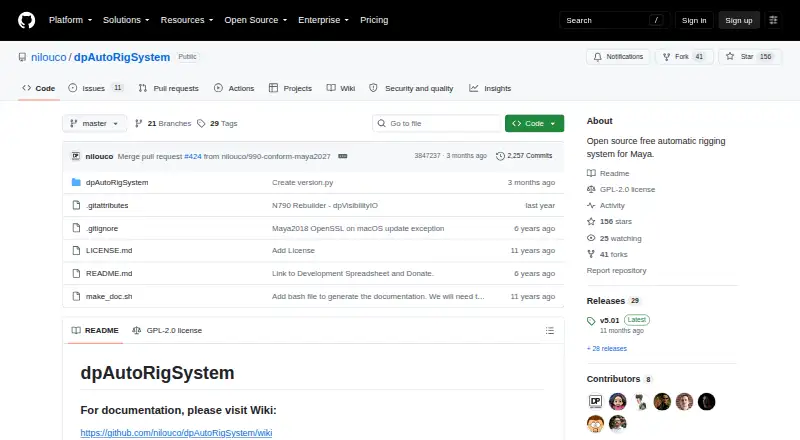
What dpAutoRigSystem is
dpAutoRigSystem is a free, open-source automatic rigging system for Maya, implemented as a Python script. Its modular, multilingual, object-oriented design lets users combine components to build rigs. The documented workflow starts with guides that serve as blueprints, then parents them, configures rig attributes, adjusts controller shapes, skins the model, and prepares it for animation. A rebuilding feature can update a rig when needed. Skinning tools create skinCluster nodes and let users add or remove joint influences on selected geometry. Skin weights can be transferred using closest-point or UV-space methods, or exported and imported as JSON files. Installation involves placing the dpAutoRigSystem folder in Maya's scripts directory or another MAYA_PATH, then launching it with Python in Maya's Script Editor. The project is identified as GPL-2.0 licensed and was created to help users make rigs themselves. Its maintainers invite questions, suggestions, and comments, and link to a wiki for documentation.
Who it suits
It suits Maya users who want to build rigs themselves using an automatic rigging script. The modular components and skinning tools may also suit users who need to update rigs or transfer weights.
What it does well
- Free and open source under GPL-2.0.
- Modular design lets users combine rig components.
- Includes a rig rebuilding feature.
- Supports closest-point and UV-space weight transfer.
- Skin weights can be exchanged as JSON files.
What to know first
- Requires Maya to run.
- Installation requires placing files in a Maya scripts path.
- Launch requires Python in Maya's Script Editor.
Plans
| Plan | Billed and limits | Price |
|---|---|---|
| Free | Open source automatic rigging system for Maya | Free |
As github.com lists them, read 3 Oct 2026. The maker's own page has the final word.
Getting started
- Download the project from its GitHub website.
- Place the dpAutoRigSystem folder in Maya's scripts directory or another MAYA_PATH.
- Open Maya's Script Editor.
- Launch dpAutoRigSystem with Python in Maya.
dpAutoRigSystem is a free, open-source automatic rigging system implemented as a Python script for Maya. It suits artists and technical users who want to assemble, adjust, and maintain their own rigs, rather than hand the whole process to a black-box tool. The trade-off is a Maya-bound, script-led workflow that rewards users willing to manage setup and configuration.
Overview
dpAutoRigSystem runs inside Maya and uses a modular, multilingual, object-oriented architecture. Components can be combined to form rigs around the needs of a project, while a rebuilding function lets users revise an existing rig instead of starting over when requirements change. That combination is useful for iterative character work, but it also makes the user responsible for deciding how the parts should be assembled and configured.
The documented process starts with guides that serve as rig blueprints. Users parent those guides, set rig attributes, adjust controller shapes, skin the model, clean the scene, and publish the result for animation. This is a coherent path for people who want to build rigs themselves. It is not a standalone application or a one-click Maya replacement, so users seeking a purely automatic experience should look elsewhere.
Key features
- Modular rig construction: Parts can be combined into a rig built around guide blueprints. This supports tailored setups and makes the system adaptable, but requires active design decisions during assembly.
- Rebuilding: Rigs can be rebuilt when a project changes. That is a practical advantage for production work where proportions, controls, or requirements evolve after the first pass.
- Skinning: The tools create Maya skinCluster nodes and add or remove joint influences on selected geometry. They cover core binding and influence-editing tasks without leaving the rigging workflow.
- Weight transfer: Skin weights can move between geometry using closest-point or UV-space methods. Weights can also be exported and imported as JSON, giving teams a way to preserve or reuse weighting data.
- Script-based operation: Launching from Maya's Script Editor keeps the tool close to Maya's native environment and suits users comfortable with Python. It adds installation and execution steps that less technical artists may find less convenient.
Pricing
The Free plan costs nothing and is open source. It includes the automatic rigging system for Maya, with no paid tier or subscription term described. That makes it a straightforward choice for personal work, learning, and studios that can adopt a GPL-2.0 project and manage it within their Maya pipeline.
There is no cheaper feature-limited edition to weigh against the free plan. The principal consideration is operational rather than monetary: users must install the project and run its Python entry point in Maya themselves.
Platforms
dpAutoRigSystem supports Linux, macOS, and Windows, provided Maya is available on the system. Maya is its supported host application; the project is not presented as a standalone desktop or mobile rigging program.
Who it's for
This is a strong fit for Maya artists, riggers, and technical directors who want to construct rigs from modular parts and retain control over guides, attributes, controller shapes, skinning, and weight data. It also suits users maintaining rigs over time, since rebuilding is part of the workflow.
It is a weaker fit for people who do not use Maya, want a graphical standalone product, or prefer a fully hands-off auto-rig. The Python installation and Script Editor launch steps also favor users comfortable with Maya's scripting environment.
Pros and cons
Pros
- Free and open source: The 0.00 USD plan removes licensing cost and permits adoption under the project's GPL-2.0 license.
- Supports iteration: Rebuilding helps accommodate rig changes instead of limiting the system to a single initial build.
- Useful weight tooling: SkinCluster creation, influence editing, closest-point and UV-space transfer, plus JSON import and export cover several practical skinning tasks.
- Cross-platform Maya support: Linux, macOS, and Windows installations can use the same Maya-centered approach.
Cons
- Maya dependency: The tool has no stated standalone mode and cannot serve users working outside Maya.
- Script installation: Copying the folder into Maya's scripts directory or a MAYA_PATH and launching Python in the Script Editor adds technical overhead.
- GPL-2.0 obligations: Studios should review the license before incorporating the project into a distribution or workflow with its own licensing requirements.
Alternatives
For a broader comparison, see 3D Rigging Software.
- Mixos Mold is a freemium sculpting tool on mobile, desktop, and web; choose it when modeling and sculpting matter more than Maya rigging.
- Houdini is a freemium procedural application for Windows, macOS, and Linux, with paid Core workstation and annual plans; choose it when you need a broader procedural 3D environment.
- Contour Rig Tools offers a free Animator Mode and a paid Rigger Mode; choose it when Contour's rig workflow and optional subscription fit your pipeline.
- Mesh2Motion is free for personal or commercial use with no subscription; choose it when that product's motion-focused workflow is the priority.
- Mesh2Rig is a free Blender add-on for Blender 4.2 LTS and newer; choose it for Blender-based work instead of Maya.
- BlenRig is free and aimed at biped characters; choose it when a Blender biped rig is all you need.
- InstantRig is free for one user per license on Windows and is designed for keyframe animation; choose it when those constraints match your setup.
- Live Link Face is a free iOS and Android app; choose it for mobile facial capture rather than Maya rig construction.
Verdict
Choose dpAutoRigSystem if you use Maya and want a no-cost, modular way to build, rebuild, skin, and transfer weights while keeping control of the rig. Look elsewhere if you need a standalone tool, a non-Maya workflow, or an auto-rigger that hides the scripting and configuration work.
Verdict
dpAutoRigSystem provides a documented rig-building workflow and supporting skinning and weight-transfer tools for Maya. Users should be comfortable with its file placement and Python launch steps.
Questions
How much does dpAutoRigSystem cost?
It is free, with a listed price of $0 plan.
Which host app does it support?
Maya is the supported host app.
Which platforms are listed?
Linux, macOS and Windows are listed.
Is dpAutoRigSystem open source?
Yes. The project identifies itself as open source and lists a GPL-2.0 license.
How do I install it?
Place its folder in Maya's scripts directory or another MAYA_PATH, then launch it with Python in Maya's Script Editor.
Can it transfer skin weights?
Yes. It can copy weights using closest-point or UV-space methods and export or import them as JSON files.
Facts from dpAutoRigSystem's own pages
- Architecture
- Its architecture is modular, multilingual, and object-oriented, allowing users to combine parts to build rigs. · github.com, 3 Oct 2026
- Implementation
- The project describes itself as a Python script that automates the rigging process in Maya. · github.com, 3 Oct 2026
- Installation
- The instructions install the dpAutoRigSystem folder in Maya's scripts directory or another MAYA_PATH, then launch it with Python in Maya's Script Editor. · github.com, 3 Oct 2026
- Intended users
- The project says it was created to help users make rigs themselves. · github.com, 3 Oct 2026
- License
- The repository identifies the project as GPL-2.0 licensed. · github.com, 3 Oct 2026
- Platforms
- The installation page gives example Maya scripts paths for Windows, Mac, and Linux. · github.com, 3 Oct 2026
- Purpose
- dpAutoRigSystem is an open source, free automatic rigging system for Maya. · github.com, 3 Oct 2026
- Rebuilding
- The system includes a rebuilding feature for updating a rig when needed. · github.com, 3 Oct 2026
- Skinning
- The skinning tools can create skinCluster nodes and add or remove joint influences on selected geometries. · github.com, 3 Oct 2026
- Support
- The project asks users to contact the maintainers with suggestions, questions, or comments and links to its wiki for documentation. · github.com, 3 Oct 2026
- Weight transfer
- Skin weights can be copied using closest-point or UV-space methods, and exported or imported as JSON files. · github.com, 3 Oct 2026
- Workflow
- The documented workflow creates guides as blueprints, parents them, configures rig attributes, adjusts controller shapes, skins the model, then cleans up and publishes it for animation. · github.com, 3 Oct 2026
Where dpAutoRigSystem stands on Freedom251
- 3D Rigging Software#6 of 27