Freedom251 › Terminal File Managers
Clifm
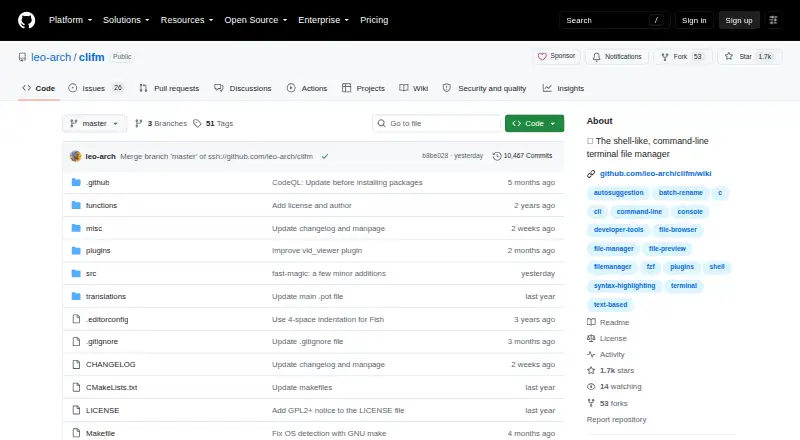
What Clifm is
Clifm is a free, open-source file manager for people who prefer working with files through shell commands. It runs on the command line and has neither a graphical interface nor a text-based interface. File tools include bookmarks, search, selection, tags, filters, previews, bulk renaming, archiving, trash, and file opening. Shell features include tab completion with fzf integration, command expansions, autosuggestions, syntax highlighting, aliases, and command history. Users can customize profiles, keyboard shortcuts, themes, prompts, commands, and plugins. The project documents a plugin that can display Git status before each prompt. Clifm supports remote file access and archives, but does not provide a dual-pane view. It is listed for Android, Linux, and macOS, but not Windows. Linux binary packages are available for most major distributions through the OpenSUSE Build System, and source installation instructions cover Linux and BSD. The project says Clifm collects no data and makes no connection to the outside world. It is licensed under GPL version 2 or later; help and feedback channels include its FAQ, wiki, issue tracker, and repository discussions.
Who it suits
Clifm suits people who want to manage files by entering shell commands rather than using a traditional terminal file manager interface. It is a fit for users on its listed platforms who are comfortable with command-line workflows.
What it does well
- Free and open source under GPL version 2 or later.
- Includes previews, remote file access, and archive support.
- Offers command completion, autosuggestions, and syntax highlighting.
- Customizable profiles, shortcuts, themes, prompts, and plugins.
- Project says it collects zero data and makes no outside connections.
What to know first
- No graphical or text-based user interface.
- No dual-pane view.
- Windows is not supported.
Plans
| Plan | Billed and limits | Price |
|---|---|---|
| Clifm | GPL version 2 or later · no paid plans stated | Free |
As github.com lists them, read 5 Oct 2026. The maker's own page has the final word.
Getting started
- Open the Clifm repository.
- On Linux, install a binary package through the OpenSUSE Build System, or follow the source installation instructions for Linux or BSD.
- Use Clifm from the command line.
- Consult the FAQ, wiki documentation, issue tracker or repository discussions for help.
Clifm is a shell-like file manager that handles files through typed commands rather than a graphical or text-based interface. It is best for Linux, macOS, and Android users who are already comfortable in a shell and want extensive file operations in one workflow. Its command tooling and customization are unusually broad for a free utility, but users who need visual navigation or Windows support should choose another manager.
Overview
Clifm brings everyday file management into the command line. You can search, select, tag, filter, preview, open, archive, move items to trash, and rename files in bulk. That range makes it suitable for both quick shell tasks and larger batches of files, while its text-only approach means you must understand commands instead of relying on menus or point-and-click browsing.
The project is open source under GPL version 2 or later. Clifm states that it collects zero data and makes no connection to the outside world. Its documented secure commands and stealth mode will appeal to users who want a tightly controlled local workflow. Those qualities complement the command-driven design rather than replacing the need for shell familiarity.
Key features
Shell assistance is a major strength. Tab completion can integrate with fzf, and command-line expansions, autosuggestions, syntax highlighting, aliases, and command history make repeated operations faster and easier to recall. Users who already work in a terminal can keep navigation and file commands in the same environment instead of switching to a separate browser.
Bookmarks, search, tags, filters, file selection, and previews help impose structure on command-line browsing. Archive handling, trash support, file opening, and bulk renaming cover practical maintenance work. Remote file access extends the manager beyond purely local folders, while archive support is useful when unpacking or organizing batches of files. There is no dual-pane layout, so workflows built around side-by-side source and destination panes will not translate directly.
Customization is extensive: profiles, keyboard shortcuts, themes, prompts, custom commands, and plugins let experienced users shape the environment around their habits. Documented integrations include fzf completion and a plugin that displays Git status before each prompt. This flexibility rewards investment, but it also gives newcomers more configuration choices to learn.
Pricing
| Plan | Price | Terms |
|---|---|---|
| Clifm | free | GPL version 2 or later; no paid plans stated |
Clifm is free and open source, with no trial period or paid tier to outgrow. The free plan is therefore appropriate for personal use, teams evaluating a command-line workflow, and anyone who needs a modifiable tool without subscription costs. The trade-off is not a quota or seat restriction but the absence of a visual interface and the time required to become effective with commands and customization.
Platforms
Clifm supports Android, Linux, and macOS. Linux binary packages are available for most major distributions through the OpenSUSE Build System, and the project provides source-installation instructions for Linux and BSD. Windows is not supported, which rules it out for Windows-only setups and mixed environments that require one manager across all desktops.
Who it's for
Choose Clifm if you prefer shell commands to a traditional terminal file-manager interface and want file operations, shell conveniences, and customization in one place. It is particularly suited to command-line-heavy Linux and macOS users, administrators, developers, and others who value aliases, plugins, searchable history, and predictable text workflows.
Look elsewhere if you expect a GUI, a TUI, dual-pane browsing, or Windows compatibility. Clifm's preview and remote-access features add capability, but they do not change its fundamentally command-first interaction model.
Pros and cons
Pros
- Broad file toolkit: search, tags, filters, previews, archives, trash, file opening, selection, and bulk renaming cover more than basic directory changes.
- Strong shell workflow: fzf completion, autosuggestions, expansions, highlighting, aliases, and history reduce repetitive typing for experienced users.
- Deep customization: profiles, shortcuts, themes, prompts, commands, and plugins support tailored setups, including Git-status integration.
- Privacy-oriented design: the project says it collects no data and makes no outside connections, and it documents secure commands and stealth mode.
- No cost: GPL-licensed open-source software is available without paid plans or usage charges.
Cons
- No GUI or TUI: users who depend on visual browsing, menus, or panes face a steeper command-learning curve.
- No dual-pane view: side-by-side transfer workflows are not part of the interface.
- No Windows support: it cannot serve Windows-only users or provide a single cross-platform choice for Windows deployments.
Alternatives
For a wider comparison, see Terminal File Managers and File Manager Software. FileManagerTUI is a free, open-source option for Linux, macOS, and Windows. Newt is another free, open-source choice across those three desktop platforms.
Alfa is free, MIT-licensed, open source, and spans API, Linux, macOS, self-hosted, web, and Windows deployments. nnn is a free open-source terminal file manager supporting Android, Linux, macOS, and Windows. Rat Commander is a free self-contained terminal file manager for Linux, macOS, and Windows.
Broot offers free MIT-licensed software with source and precompiled binaries for Linux, macOS, and Windows. elio is free across Linux, macOS, self-hosted, and Windows environments. pointer is free public-domain software delivered as a single binary for Linux and macOS.
Verdict
Clifm is a strong recommendation for shell-comfortable users who want a capable, private, and highly configurable file manager without licensing cost. Its main reason to choose it is the combination of substantial file operations and shell-native conveniences; its main reason to look elsewhere is the complete absence of GUI or TUI navigation, compounded by no Windows support and no dual-pane layout.
Verdict
Clifm provides a command-driven alternative with a broad set of file operations and shell conveniences. Its lack of a GUI or TUI makes it less suitable for users seeking visual navigation.
Questions
Is Clifm free?
Yes. It is listed as free and open source, with no paid plans stated.
What license does Clifm use?
Clifm is licensed under GPL version 2 or later.
Which platforms are listed?
Android, Linux and macOS are listed. Windows is not supported.
Does Clifm have a graphical interface?
No. It has no graphical or text user interface and is designed for command-line file management.
How can I install Clifm on Linux?
Binary packages for most major Linux distributions are available through the OpenSUSE Build System. The project also provides source installation instructions for Linux and BSD.
Does Clifm collect data or connect externally?
The project says Clifm collects zero data and makes no connection to the outside world.
Facts from Clifm's own pages
- Archive support
- Yes · github.com, 21 Sept 2026
- Customization
- Users can configure profiles, keyboard shortcuts, themes, prompts, custom commands, and plugins. · github.com, 5 Oct 2026
- Dual-pane layout
- No · github.com, 21 Sept 2026
- File operations
- Features include bookmarks, search, file selection, tags, filters, previews, bulk renaming, archiving, trash, and file opening. · github.com, 5 Oct 2026
- Installation
- The README says Linux binary packages are available for most major distributions through the OpenSUSE Build System and gives source installation instructions for Linux and BSD. · github.com, 5 Oct 2026
- Integrations
- The project documents fzf tab completion and a plugin that can display Git status before each prompt. · github.com, 5 Oct 2026
- Intended users
- The README presents Clifm as a command line file manager for people who prefer shell commands to a traditional terminal file manager interface. · github.com, 5 Oct 2026
- Interface
- Clifm has no GUI or TUI and is designed for file management through commands. · github.com, 5 Oct 2026
- License
- The project is licensed under GPL version 2 or later. · github.com, 5 Oct 2026
- Linux support
- Yes · github.com, 21 Sept 2026
- macOS support
- Yes · github.com, 21 Sept 2026
- Platforms
- The project lists Linux, Termux on Android, BSD variants, macOS, Solaris/Illumos, Haiku, and Cygwin/MinGW as supported environments. · github.com, 5 Oct 2026
- Preview pane
- Yes · github.com, 21 Sept 2026
- Privacy
- The project says Clifm collects zero data and makes no connection to the outside world. · github.com, 5 Oct 2026
- Product
- Clifm is a shell-like, text-based terminal file manager that runs on the command line. · github.com, 5 Oct 2026
- Remote file access
- Yes · github.com, 21 Sept 2026
- Security
- The feature list describes a secure environment, secure commands, and a stealth mode. · github.com, 5 Oct 2026
- Shell features
- Clifm provides tab completion with fzf integration, command line expansions, autosuggestions, syntax highlighting, aliases, and command history. · github.com, 5 Oct 2026
- Support
- The project directs users to its FAQ, wiki documentation, issue tracker, and repository discussions for help and feedback. · github.com, 5 Oct 2026
- Windows support
- No · github.com, 21 Sept 2026
Where Clifm stands on Freedom251
- Terminal File Managers#6 of 29
- File Manager Software#39 of 100
- File managers#16 of 29