pointer
What pointer is
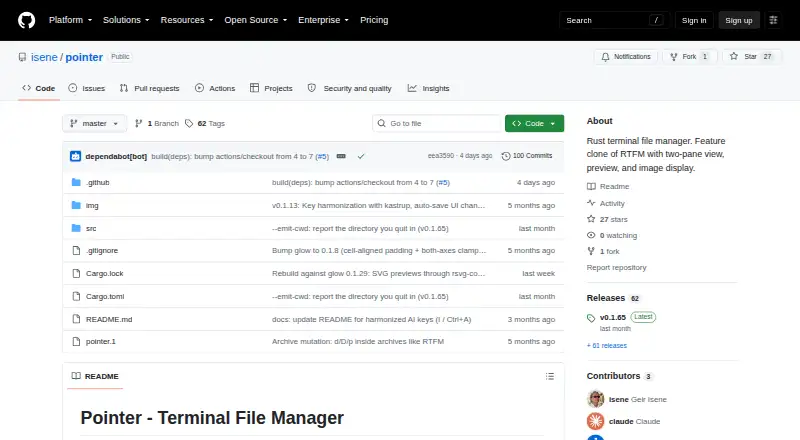
pointer is a free terminal file manager for Linux and macOS, built around a configurable two-pane view. It provides previews with syntax highlighting for 20+ languages and can show images using kitty, sixel, or w3m protocols. Archives including zip, tar, gz, bz2, xz, rar, and 7z can be browsed and edited as virtual directories. File operations include asynchronous copying and moving, with undo for several actions, including delete, rename, permissions, and bulk rename.
Pointer supports SSH/SFTP browsing, filename search, content grep, extension and regex filters, bookmarks, tabs, and file picking. Its plugin system uses JSON manifests to connect external commands to keys, and scripts can receive Pointer context through environment variables. The project also describes OpenAI integration and Claude-powered file descriptions and sessions. Deletion uses a flag-then-purge process, with confirmation enabled by default. The Unlicense is listed, and the project describes the software as public domain. Binaries are listed for Linux and macOS on x86_64 and aarch64; building from source requires Rust and Cargo.
Who it suits
Pointer suits Linux and macOS users who prefer terminal-based file management and want two-pane browsing, previews, archive access, or remote SSH/SFTP browsing. Users building from source need Rust and Cargo.
What it does well
- Two-pane layout with configurable widths
- Previews include syntax highlighting and images
- Browses and edits several archive formats
- SSH/SFTP remote browsing
- Undo available for several file operations
What to know first
- No Windows support
- Source builds require Rust and Cargo
- Optional runtime tools may be needed for integrations
Limits
Pointer costs nothing. Windows is not supported; building from source requires Rust and Cargo, and some integrations or functions use optional runtime tools.
Plans
| Plan | Billed and limits | Price |
|---|---|---|
| Pointer | Unlicense public-domain software · single binary | Free |
As github.com lists them, read 3 Oct 2026. The maker's own page has the final word.
Getting started
- Open the Pointer project page on GitHub.
- Download the binary for Linux or macOS matching x86_64 or aarch64.
- Build from source with Rust and Cargo if using that route.
- Place configuration, state, trash, and plugins under ~/.pointer/.
- Add optional runtime tools needed for the integrations you plan to use.
Verdict
Pointer brings two-pane browsing, previews, archives, and remote access into a terminal file manager. It is limited to Linux and macOS, and source builds require Rust and Cargo.
Questions
Is Pointer free and open source?
Yes. Its plan costs nothing, and the repository lists the Unlicense and describes the software as public domain.
Which operating systems does Pointer support?
Pointer supports Linux and macOS. Windows is not supported.
Are downloadable binaries available?
The latest release lists binaries for Linux and macOS on x86_64 and aarch64.
What does Pointer support for remote files and archives?
It supports SSH/SFTP remote browsing and browsing and editing zip, tar, gz, bz2, xz, rar, and 7z archives as virtual directories.
Who created Pointer?
The repository credits Geir Isene as its creator.
Facts from pointer's own pages
- AI features
- It lists OpenAI and Claude integrations, including Claude file descriptions and interactive sessions. · github.com, 3 Oct 2026
- Archives
- It browses and edits zip, tar, gz, bz2, xz, rar, and 7z archives as virtual directories. · github.com, 3 Oct 2026
- Archive support
- Yes · github.com, 21 Sept 2026
- Configuration and state
- The README places configuration, state, trash, and plugins under ~/.pointer/. · github.com, 2 Oct 2026
- Deletion behavior
- Deletion uses a flag-then-purge flow, and the README says confirmation is enabled by default. · github.com, 2 Oct 2026
- Dependencies
- Rust and Cargo are required to build from source; optional runtime tools include bat, fzf, ImageMagick, pdftotext, git, xclip, locate, navi, and curl. · github.com, 3 Oct 2026
- Downloads
- The latest release lists binaries for Linux x86_64 and aarch64 and macOS x86_64 and aarch64. · github.com, 2 Oct 2026
- Dual-pane layout
- Yes · github.com, 21 Sept 2026
- Extensibility
- Its plugin system uses JSON manifests to bind external commands to keys, and scripts receive Pointer context through environment variables. · github.com, 3 Oct 2026
- File handling
- It supports archive browsing, asynchronous copy and move operations, and undo for several file operations. · github.com, 2 Oct 2026
- File operations
- It supports asynchronous copy and move operations and undo for delete, move, rename, copy, symlink, permissions, and bulk rename. · github.com, 3 Oct 2026
- File picker
- It can run in file-picker mode using the --pick=/path option for external tool integration. · github.com, 3 Oct 2026
- File previews
- It includes syntax highlighting for 20+ languages and inline image previews through kitty, sixel, or w3m protocols. · github.com, 3 Oct 2026
- Integrations
- The README lists fzf, navi, locate, git, bat, ImageMagick, pdftotext, xclip, and curl as integrations or optional runtime dependencies. · github.com, 2 Oct 2026
- License
- The project is released under the Unlicense, described on the page as public domain. · github.com, 3 Oct 2026
- Linux support
- Yes · github.com, 21 Sept 2026
- macOS support
- Yes · github.com, 21 Sept 2026
- Maker
- The repository credits Geir Isene as creator. · github.com, 3 Oct 2026
- Plugins
- Its plugin system uses JSON manifests to bind external commands to keys. · github.com, 2 Oct 2026
- Preview pane
- Yes · github.com, 21 Sept 2026
- Product
- Pointer is a Rust terminal file manager and feature clone of RTFM. · github.com, 3 Oct 2026
- Remote access
- It supports SSH/SFTP remote browsing. · github.com, 3 Oct 2026
- Remote file access
- Yes · github.com, 21 Sept 2026
- Search and integrations
- It includes filename search, content grep, extension or regex filtering, and integrations with fzf, navi, and locate. · github.com, 3 Oct 2026
Where pointer stands on Freedom251
- File managers#13 of 29
- Terminal File Managers#21 of 29