Freedom251 › Presentation Recording Software
Capme
What Capme is
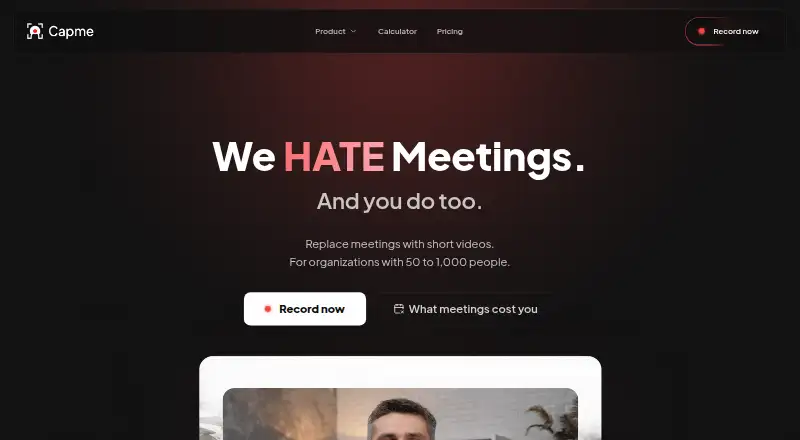
Capme helps teams replace recurring status meetings with recorded video updates arranged around an agenda. Teams assign an owner and deadline to each topic, contributors record their parts, and viewers watch the agenda asynchronously. Its browser recorder captures webcam video, a screen, or both, and includes branding tools, a trimmer, and a teleprompter. Videos can reach 1080p and export as MP4 or WebM. Capme says recordings are processed locally in the browser and do not touch its servers. The free recorder saves videos locally; organization workspaces offer EU hosting, and the homepage says Business and Enterprise can write directly to customer S3 storage. Organization analytics track recording volume, recording modes, and uptake of features such as branding and the teleprompter. The organization platform also supports company-domain access whitelisting and multiple administrators. Capme is available on Linux, macOS, Windows, and the web. Free is limited to one user and three downloads per month. Pilot costs €199 per month; Flat costs €749 per month with a 12-month commitment.
Who it suits
Capme suits teams with recurring status meetings that want asynchronous video updates. It may also fit companies that need to specify where recordings are stored.
What it does well
- Agenda topics can have owners and deadlines
- Recorder supports webcam, screen, or combined capture
- Includes a trimmer, branding tools, and teleprompter
- Exports MP4 and WebM
- Available on Linux, macOS, Windows, and web
What to know first
- Free plan is limited to one user
- Free plan allows three downloads per month
- Pilot is limited to three months
- Flat requires a 12-month commitment
Limits
The free plan supports one user, three downloads per month, limited features, and no admin features. Pilot costs €199 per month, supports up to 10 members, and can run for no more than three months. Flat costs €749 per month and requires a 12-month commitment.
Plans
| Plan | Billed and limits | Price |
|---|---|---|
| Free | 1 user · 3 downloads/month · no admin features · limited features | Free |
| Pilot | €199/month; cancellable monthly, max. 3 months · Up to 10 members · unlimited downloads · 10 videos · branding controls · studio analytics · 10 teleprompter templates · video trimming | €199 a month |
| Flat | €749/month; annual contract, 12-month commitment · Up to 1,000 employees · domain whitelist · public access token · multiple admins · standard support (≤1 business day) | €749 a month |
| Enterprise | Custom contract · 1,000+ employees · scalability and compliance review · custom onboarding · dedicated account manager · individual SLA | On request |
As capme.app lists them, read 4 Oct 2026. The maker's own page has the final word.
Getting started
- Open https://capme.app/ and choose the Free plan or a paid plan.
- Use the browser recorder to capture a webcam, screen, or both.
- Create an agenda with an owner and deadline for each topic.
- Have contributors record their updates for asynchronous viewing.
- For organization deployment, use the Progressive Web App through Google Workspace or Microsoft Intune.
Capme turns recurring team updates into short videos tied to agenda topics, with an owner and deadline for each contribution. It suits teams that need asynchronous status updates and control over video storage. The workflow is focused, but the free tier is too limited for most teams and paid plans carry notable membership and contract limits.
Overview
Instead of gathering everyone for a recurring status meeting, a team can assign agenda topics and let contributors record their parts for others to watch later. That makes Capme a good fit for routine updates that can wait for asynchronous viewing, not a general-purpose video meeting tool.
Contributors can record webcam, screen, or both in the browser, with exports in MP4 or WebM and a maximum quality of 1080p. Those options cover ordinary internal updates, but the lack of viewer analytics means teams cannot use Capme to track who watched.
Key features
The studio combines branding controls, a video trimmer, and a teleprompter. These are practical tools for keeping recurring updates consistent and concise. Organization analytics track recording volume, recording modes, and use of features such as branding and the teleprompter, though they do not report viewer activity.
Storage varies by setup: the free recorder saves videos locally, organization workspaces offer EU hosting, and Business and Enterprise can write recordings directly to customer S3 storage. Capme says recordings are processed in the browser and do not touch its servers. It describes the service as GDPR compliant and HIPAA-suitable; organizations weighing those claims should assess them against their own requirements.
Administrators can use company-domain whitelisting for automatic workspace access and add multiple administrators. The Progressive Web App can be deployed through Google Workspace or Microsoft Intune, while local recordings may sync through OneDrive or SharePoint.
Pricing
The Free plan costs nothing and allows one user, three downloads per month, limited features, and no admin features. It is useful for an individual trying the recorder, but the user and download caps make it a poor fit for an ongoing team workflow. Free users have access to documentation.
Pilot costs €199 a month, billed €199/month, and is cancellable monthly, with a maximum term of three months. It supports up to 10 members, unlimited downloads, and 10 videos, plus branding controls, studio analytics, 10 teleprompter templates, trimming, and email support. It is the more suitable paid option for a small, time-limited pilot; the three-month ceiling and video quota make it unsuitable as a long-term team plan.
Flat costs €749 a month, billed €749/month, with a 12-month commitment. It covers up to 1,000 employees and adds domain whitelisting, a public access token, multiple administrators, and standard support with a response time of no more than one business day. This is aimed at organizations rolling out Capme broadly, but the annual commitment is a substantial constraint if adoption is uncertain.
Enterprise has custom pricing on a custom contract for organizations with 1,000+ employees. It includes a scalability and compliance review, custom onboarding, a dedicated account manager, and an individual SLA. That makes it the plan for larger organizations needing an individually defined arrangement, rather than a predictable published price.
Platforms
Capme supports Linux, macOS, web, and Windows. Its browser-based recorder is central to the workflow, while the Progressive Web App deployment options may suit organizations distributing software through Google Workspace or Microsoft Intune.
Who it's for
Capme is strongest for teams with recurring status meetings that can be replaced by agenda-led video contributions, especially companies that need choices about where recordings are stored. It is less compelling for teams that need viewer engagement reporting, higher than 1080p video, or a durable small-team plan without a steep price step from the free tier.
Pros and cons
- Agenda-based contributions: Owners and deadlines give recurring updates a clear structure without requiring everyone to join at once.
- Flexible storage choices: Local saving, EU-hosted organization workspaces, and customer S3 writing for Business and Enterprise address different storage needs.
- Useful recording controls: Branding, trimming, and a teleprompter support consistent, prepared updates.
- Restrictive free plan: One user and three downloads a month leave little room for team adoption.
- Paid-plan constraints: Pilot is capped at 10 members and three months, while Flat requires a 12-month commitment.
- No viewer analytics: Teams can monitor recording activity but not who watched.
Alternatives
For broader presentation-recording choices, browse Presentation Recording Software. Pick Google Drive instead if the priority is general cloud storage with up to 15 GB included free with a Google Account. Slideator is a better fit for presentation-focused work across platforms, with a free Basic plan that includes PowerPoint and Google Slides support, though its file, slide, and daily output caps are tight. Choose HeyGen if you want generated videos and can work within its free allowance of three videos a month, each up to one minute. Knovio is another presentation option, with student plans priced at $5 a month billed annually or $7 a month billed every six months. Explain Everything may suit collaborative slide projects; its free plan allows three projects, one slide per project, three-minute videos, and one collaborator. Flonnect Presentation Recorder offers a free plan with 20 lifetime videos and 1 GB storage, a better match when occasional capture matters more than an agenda workflow. VIDAREO has a free plan limited to five recordings per month, two minutes per video, and 720p. Visme is an alternative for slide and page projects, with 500 MB storage and 50 slides or pages per project on its free Basic plan.
Verdict
Choose Capme if your team wants to replace recurring status meetings with organized asynchronous video updates and needs control over recording storage. Its agenda workflow and recording tools are the case for it; the tiny free tier, lack of viewer analytics, and substantial limits or commitments on paid plans are good reasons to look elsewhere.
Verdict
Capme brings agenda-based video updates together with recording and organization controls. Check the free plan's download and user limits, or note the stated time and contract limits on Pilot and Flat.
Questions
Is Capme free?
Yes. Free supports one user and three downloads per month, with limited features and no admin features.
What are the paid plan prices?
Pilot costs €199 per month and can be used for up to three months. Flat costs €749 per month with a 12-month commitment. Enterprise pricing is custom.
Which platforms does Capme support?
Capme is available on Linux, macOS, Windows, and the web.
Where are videos stored?
The free recorder saves videos locally. Organization workspaces offer EU hosting, and the homepage says Business and Enterprise can write directly to customer S3 storage.
Does Capme provide viewer analytics?
No. Viewer analytics are not provided; the organization dashboard instead tracks recording volume, modes, and feature adoption.
Who makes Capme?
Capme Digital GmbH is named in the company imprint, with an address in Düsseldorf, Germany.
Facts from Capme's own pages
- Access controls
- The organization platform supports company-domain whitelisting for automatic workspace access and multiple administrators. · capme.app, 4 Oct 2026
- Analytics
- The organization analytics dashboard tracks recording volume, recording modes, and adoption of features such as teleprompter and branding. · capme.app, 4 Oct 2026
- Company
- The imprint names Capme Digital GmbH and gives its address as Kasernenstraße 67, Düsseldorf, Germany. · capme.app, 4 Oct 2026
- Headquarters
- Düsseldorf, Germany · capme.app, 28 Sept 2026
- Integrations
- The download page says the Progressive Web App can be deployed through Google Workspace or Microsoft Intune; the security page describes saving recordings to local storage that may sync through OneDrive or SharePoint. · capme.app, 4 Oct 2026
- Intended users
- The homepage describes Capme as intended for teams with recurring status meetings and companies that need to specify where video is stored. · capme.app, 4 Oct 2026
- Meeting workflow
- Teams create an agenda with an owner and deadline for each topic, contributors record their parts, and viewers watch the agenda asynchronously. · capme.app, 4 Oct 2026
- Notable limits
- Pilot is limited to 10 members and a maximum of three months, while the Flat plan is described for up to 1,000 employees and has a 12-month commitment. · capme.app, 4 Oct 2026
- Purpose
- Capme lets teams replace recurring status meetings with short, recorded video updates organized as an agenda. · capme.app, 4 Oct 2026
- Recording modes
- The browser recorder supports webcam, screen, or combined webcam and screen recording. · capme.app, 4 Oct 2026
- Security and compliance
- Capme states that its videos stay on the device and describes the service as GDPR compliant and HIPAA-suitable; its trust center lists a CAIQ-Lite self-assessment updated August 2026. · capme.app, 4 Oct 2026
- Storage
- The free recorder saves videos locally; organization workspaces offer EU hosting, and the homepage says Business and Enterprise can write directly to the customer’s S3 storage. · capme.app, 4 Oct 2026
- Studio tools
- The recorder includes branding tools, a built-in video trimmer, and a teleprompter. · capme.app, 4 Oct 2026
- Support
- Free users have documentation access, Pilot includes email support, Flat includes support with a response time of no more than one business day, and Enterprise support is individually defined. · capme.app, 4 Oct 2026
- Video privacy
- The security page says recordings are processed locally in the browser and never touch Capme’s servers. · capme.app, 4 Oct 2026
Where Capme stands on Freedom251
- Presentation Recording Software#1 of 26