Freedom251 › Translation Software

CafeTran Espresso
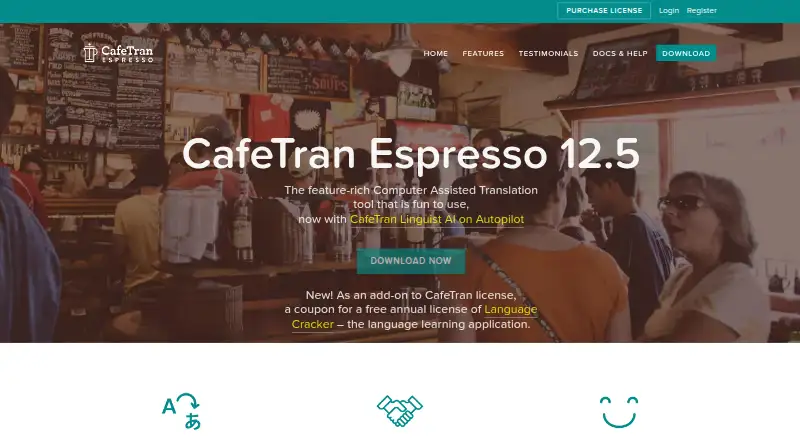
What CafeTran Espresso is
CafeTran Espresso is a computer-assisted translation application for translating documents and managing translation resources. It includes document translation, translation memory, and glossary tools, and runs on Windows, macOS, and Linux. The free plan is listed as free and allows 1,000 translation units and 500 glossary terms. The Annual Subscription costs €80 a year, with payment processed automatically; it removes translation-memory and glossary size limits for the subscription year and includes latest-version updates and full support. The One-time Purchase is listed at €200 a month and includes four years of upgrades and support. The free plan gives users a way to work within its stated unit and glossary caps, while the paid options have different terms for resource limits, updates, upgrades, and support. The maker is CafeTran Espresso, headquartered in Lewes, Delaware, USA.
Who it suits
CafeTran Espresso suits translators who need document translation alongside translation memory and glossary tools. Its free plan may suit users whose work fits within the stated unit and glossary limits.
What it does well
- Runs on Windows, macOS, and Linux
- Includes document translation tools
- Free plan allows 1,000 translation units
- Free plan allows 500 glossary terms
What to know first
- Free plan limits translation units and glossary terms
- Annual subscription payment is processed automatically
- One-time Purchase is listed at €200 a month
Limits
The free copy is limited to 1,000 translation units across translation memories and 500 glossary terms in total. The Annual Subscription removes those size limits for the subscription year while payments remain current.
Plans
| Plan | Billed and limits | Price |
|---|---|---|
| Free | 1,000 translation units · 500 glossary terms | Free |
| Annual Subscription | Payment is processed automatically; the subscription provides annual license files and lasts while payments remain current. · Removes TM and glossary size limits for the subscription year · latest version updates and full support while current | €80 a year |
| One-time Purchase | One-time payment. · Removes TM and glossary size limits indefinitely on the licensed machine · free upgrades and full support for four years | €200, paid once |
As cafetran.com lists them, read 20 Sept 2026. The maker's own page has the final word.
Getting started
- Visit the CafeTran Espresso website.
- Choose Linux, macOS, or Windows.
- Start with the free copy, or review the Annual Subscription and One-time Purchase options.
- For use on a second computer, request a second license file.
CafeTran Espresso is computer-assisted translation software for translators working on Linux, macOS or Windows. It is most compelling for freelancers who need broad bilingual-format support and may want to grow into larger translation memories or team collaboration. The trade-off is a tightly capped free tier and paid terms that deserve a close look.
Overview
CafeTran brings document translation, translation memory and glossary tools together in a desktop application. Its freelancer focus does not rule out more demanding work: the maker positions it for large translation memories and complex formats, and the standard version can serve as a translation-memory server for team collaboration. That combination suits a solo translator whose work may involve shared resources, though it is not simply a lightweight personal glossary tool.
Key features
Office and publishing formats sit alongside bilingual formats such as XLIFF, SDLXLIFF, SDLPPX, MQXLIFF and TXML. CafeTran says translators can accept jobs from clients using SDL Trados, MemoQ, Wordfast and other major CAT tools, making format compatibility a practical strength for freelancers working with varied client setups.
AI and machine-translation integration, smart autocompletion and one-click placement of suggested text aim to reduce repetitive work; the customizable interface lets translators adapt the workspace. These aids may streamline a workflow, but do not remove the need for translation judgment. For PDFs and other difficult formats, CafeTran uses the system clipboard, a workaround rather than a dedicated file-conversion path.
The free version permits 1,000 translation units across translation memories and 500 glossary terms in total, and runs indefinitely. That is a usable entry point, but the caps can become a constraint as resources accumulate. Paid licensing is tied to a specific computer; buyers may request a license file for a second computer.
Pricing
| Plan | Price | Terms and fit |
|---|---|---|
| Free | free | Runs indefinitely, with 1,000 translation units and 500 glossary terms. Best for modest workloads or evaluating the workflow. |
| Annual Subscription | €80 a year | Removes translation-memory and glossary size limits for the subscription year, with latest-version updates and full support while current. Payment is processed automatically; annual license files continue while payments remain current. A fit for translators whose resources exceed the free caps and who want ongoing updates and support. |
| One-time Purchase | €200 a month | Includes four years of upgrades and support. The stated monthly price and four-year support period make this a distinct commitment from the annual subscription. |
All sales are final because issued license files cannot be invalidated. That policy makes choosing the right license and computer especially important before buying.
Platforms
CafeTran runs on Linux, macOS and Windows, a useful breadth for translators or teams not standardized on one desktop operating system. The license is computer-specific, however, so platform coverage does not mean a single license file automatically travels between machines.
Who it's for
Freelancers handling varied client formats are the clearest fit, particularly when translation memories and glossaries are central to their work. A team that wants a shared translation-memory server may also find a path in the standard version. Translators with small, stable resources can start free; those maintaining extensive memories should weigh the annual plan’s uncapped resources against automatic billing. It is a weaker fit for anyone who requires a reversible purchase or expects PDF support to mean direct native PDF handling.
Pros and cons
- Pros: Broad bilingual-format support helps freelancers take work from clients using different CAT tools.
- Pros: Linux, macOS and Windows support avoids limiting the product to one desktop platform.
- Pros: A translation-memory server option extends the tool beyond solo use.
- Cons: The free tier’s combined resource caps may be restrictive for translators building long-lived memories and glossaries.
- Cons: Automatic subscription processing and final-sale terms leave less flexibility after purchase.
- Cons: Computer-specific license files require attention when working across devices.
Support includes a knowledge base, official forum and support tickets, and is often provided personally by developer Igor Kmitowski. The privacy policy says customer information is collected to process orders, kept confidential and not shared. The license agreement does not warrant secure, error-free or uninterrupted operation and leaves assessment of security requirements to the user.
Alternatives
For a free CAT tool across Linux, macOS and Windows, compare BasicCAT, an open-source option. Supervertaler Workbench is another free desktop alternative for those comparing no-cost tools across the same three platforms. Windows users considering a free edition for standalone and satellite projects prepared with its Workgroup edition can look at Déjà Vu X3. OpenTM2 is a free, open-source translation-memory tool for Windows.
For web-oriented or API-based options, locAGI has a free-forever platform plan with no annual commitment and unlimited seats; TextUnited offers a free self-service plan with monthly word and PDF-page allowances for one user. Teams comparing a paid web or self-hosted option can consider translate5, while XTM Cloud is a paid option with a Team plan. Browse more in Computer-Assisted Translation Software and Translation Software.
Verdict
CafeTran Espresso is a strong candidate for freelancers who need broad format compatibility on desktop and want room to expand beyond modest translation-memory and glossary sizes. Its cross-platform reach and collaboration option are real advantages; the free caps, final-sale policy and automatically processed subscription are meaningful constraints. Choose it if those workflow strengths match your client work, and look elsewhere if you need looser licensing or a free tier without these resource ceilings.
Verdict
CafeTran Espresso combines document translation with translation memory and glossary tools across three desktop platforms. Compare the free-plan caps with the distinct terms listed for its paid options.
Questions
What platforms does CafeTran Espresso support?
It is available for Linux, macOS, and Windows.
Is there a free plan?
Yes. The free copy runs indefinitely, with limits of 1,000 translation units across translation memories and 500 glossary terms in total.
How much does the Annual Subscription cost?
It costs €80 a year. Payment is processed automatically; it provides annual license files and lasts while payments remain current.
What does the Annual Subscription include?
It removes translation-memory and glossary size limits for the subscription year and includes latest-version updates and full support while current.
What does the One-time Purchase cost?
It is listed at 200.00 EUR and includes four years of upgrades and support.
Who makes CafeTran Espresso?
The maker is CafeTran Espresso, headquartered in Lewes, Delaware, USA.
Facts from CafeTran Espresso's own pages
- AI and productivity
- The product page lists AI and machine-translation integration, smart autocompletion, one-click placement of suggested text, and a customizable interface. · cafetran.com, 7 Oct 2026
- Audience
- The maker describes CafeTran as freelancer-oriented while also offering commercial-grade capabilities for large translation memories and complex formats. · cafetran.com, 7 Oct 2026
- Cross-tool work
- CafeTran says translators can accept jobs from clients using SDL Trados, MemoQ, Wordfast, and other major CAT tools. · cafetran.com, 7 Oct 2026
- Document translation
- Yes · cafetran.com, 20 Sept 2026
- File support
- It supports office and publishing formats and bilingual formats including XLIFF, SDLXLIFF, SDLPPX, MQXLIFF, and TXML. · cafetran.com, 7 Oct 2026
- Free plan
- Yes · cafetran.com, 20 Sept 2026
- Free version limits
- The free copy runs indefinitely but is limited to 1,000 translation units across translation memories and 500 glossary terms in total. · cafetran.com, 7 Oct 2026
- Glossary tools
- Yes · cafetran.com, 20 Sept 2026
- Headquarters
- Lewes, Delaware, USA · cafetran.com, 28 Sept 2026
- License scope
- License files are generated for a specific computer, and buyers may request a license file for a second computer. · cafetran.com, 7 Oct 2026
- PDF workflow
- The product uses the system clipboard to support translating PDFs and other difficult file formats. · cafetran.com, 7 Oct 2026
- Privacy
- The privacy policy says customer information is collected to process orders, kept confidential, and not shared. · cafetran.com, 7 Oct 2026
- Product
- CafeTran Espresso is a computer-assisted translation tool built for translators. · cafetran.com, 7 Oct 2026
- Refunds
- The licensing page states that all sales are final because issued license files cannot be invalidated. · cafetran.com, 7 Oct 2026
- Security terms
- The license agreement says the maker does not warrant that the software will be secure, error-free, or uninterrupted, and puts responsibility for assessing security requirements on the user. · cafetran.com, 7 Oct 2026
- Support
- The maker offers a knowledge base, official forum, support tickets, and support that is often provided personally by developer Igor Kmitowski. · cafetran.com, 7 Oct 2026
- Team collaboration
- The standard version can act as a translation-memory server for team-based collaboration. · cafetran.com, 7 Oct 2026
- Translation memory
- Yes · cafetran.com, 20 Sept 2026
Where CafeTran Espresso stands on Freedom251
- Translation Software#8 of 156
- Computer-Assisted Translation Software#3 of 29
- Language Translation Software#5 of 30
- Translation apps#52 of 158