Freedom251 › Issue Tracking Software

Bugzilla
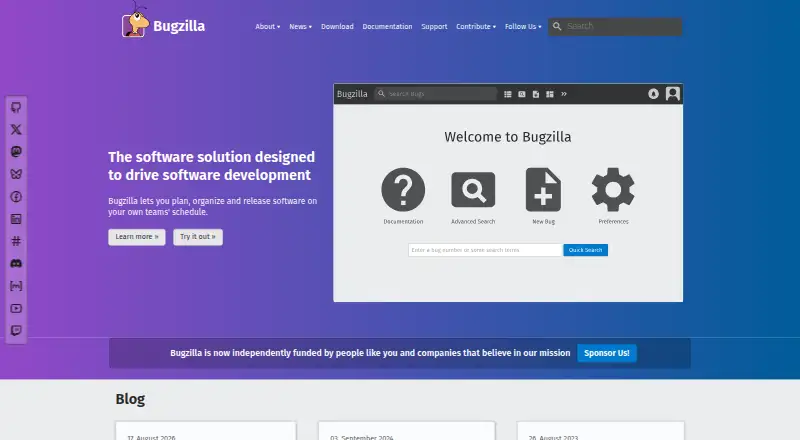
What Bugzilla is
Bugzilla is a free, web-based system for tracking defects, issues, enhancements, and other product change requests. It must be installed on your own server. Search options include full-text queries and advanced searches such as time-based criteria; users can select bug-change email notifications, and scheduled search reports can arrive as often as every fifteen minutes. It generates tables, graphs, and reports from bug data and can export reports as CSV. Administrators can customize workflows, statuses, resolutions, and fields, then extend installations with templates and extensions. Groups control who can view or edit bugs, and an insider group can make comments and attachments private. Bugzilla provides XML-RPC and JSON-RPC services, supports several authentication methods and MySQL, PostgreSQL, or Oracle databases, and has a Patch Viewer that integrates with LXR, CVS, and Bonsai. The project describes security measures including protections against SQL injection and cross-site scripting. Community help is available through mailing lists and chat rooms; the project does not directly provide commercial support.
Who it suits
Bugzilla suits software teams and organizations that need defect tracking with configurable workflows, visibility controls, or custom fields. It is for users able to install and maintain software on their own server.
What it does well
- Customizable workflows, statuses, resolutions, and fields
- Reports can be exported as CSV
- Groups control bug viewing and editing access
- Supports XML-RPC and JSON-RPC web services
What to know first
- Must be installed on your own server
- Project does not directly offer commercial support
- Scheduled reports can be emailed as often as every fifteen minutes
Plans
| Plan | Billed and limits | Price |
|---|---|---|
| Bugzilla | Free and open source · self-hosted server software | Free |
As bugzilla.org lists them, read 3 Oct 2026. The maker's own page has the final word.
Getting started
- Visit the Bugzilla website.
- Install Bugzilla on your own server.
- Choose a supported authentication method and database.
- Configure workflows, statuses, fields, and group access for your team.
- Use the web interface or API to manage bugs and reports.
Overview
Bugzilla is a defect tracker for bugs, issues, enhancements, and other product changes. It suits software teams that need control over workflows and bug visibility and can run their own server. Free access is appealing, but self-hosting and community-only support make it a poor fit for teams that want a managed service or direct commercial help.
Key features
Search combines full-text lookup with advanced queries, including searches by time. Users can choose which bug-change emails they receive, and scheduled search reports can arrive as often as every fifteen minutes. This gives teams options for following active work, though it depends on setting up useful queries and notification preferences.
Administrators can change workflows, statuses, resolutions, and fields, then extend installations with templates and extensions. That flexibility is valuable when a team’s defect process needs more than fixed fields and steps. The trade-off is that the team must manage those choices on its own installation.
Bug data can produce tables, graphs, and reports, and reports can be exported as CSV. XML-RPC and JSON-RPC web services support programmatic access; Patch Viewer integrates with LXR, CVS, and Bonsai. These capabilities are most relevant to teams that want bug tracking connected to existing development processes.
Groups can restrict who views or edits bugs, and members of an insider group can mark attachments and comments private. Bugzilla also describes protections against SQL injection and cross-site scripting, restricted-information hiding, and account locking after a few failed password guesses. These safeguards address important risks, but they do not remove the team’s responsibility for its self-hosted deployment.
Authentication can use Bugzilla’s built-in user database, LDAP, or web-server methods. Supported databases include MySQL, PostgreSQL, and Oracle, giving organizations options to align it with existing systems.
Pricing
Bugzilla: free. The plan is free and open source, delivered as self-hosted server software. There is no per-seat or usage cap stated for the plan, but the team must install and operate the server. The software has no paid tier described; help comes through community mailing lists and chat rooms, and the project says it does not directly provide commercial support.
Platforms
Bugzilla is web-based and must be installed on your own server. Its supported platform categories include API, Linux, macOS, Windows, web, and self-hosted deployment. It supports custom workflows, roadmaps, and time tracking.
Who it's for
Bugzilla is a strong candidate for organizations that need configurable defect workflows, custom fields, and controls over bug visibility, especially when they already have the capacity to administer server software. It is less suitable for teams that want someone else to host and maintain their tracker or expect direct commercial support.
Pros and cons
- Pros: Workflow, status, resolution, and field customization can accommodate processes that a fixed tracker may not support.
- Pros: Search, scheduled email reports, visual reporting, and CSV export give teams several ways to monitor and work with bug data.
- Pros: Group permissions and private attachments or comments support restricted collaboration.
- Cons: Self-hosting means the organization must install and operate the software rather than rely on a hosted service.
- Cons: Community mailing lists and chat rooms are the support options; Bugzilla does not directly offer commercial support.
Alternatives
Game Bug Tracking Software and Issue Tracking Software are useful starting points for comparing tools by category.
Choose Linear instead if a hosted, freemium option with a free plan for unlimited members, two teams, and 250 issues better fits your team’s limits and deployment preferences.
YouTrack may suit teams wanting a free cloud plan capped at 10 users with 30 GB storage, or a paid cloud plan priced at $5.40 a month.
Consider Backlog if its free plan’s 10-user, one-project, 100 MB storage limits and Git and Subversion support match your needs.
MantisBT is another free, open-source, self-hosted bug tracker.
Trac is a free, self-hosted project software option.
Launchpad offers a free plan for open-source software projects.
Roundup is free software under the MIT license, except for noted bundled components.
Zoho BugTracker may be a better fit for a small team seeking a free plan capped at three users, two projects, and 5 GB storage.
Verdict
Choose Bugzilla if your organization needs adaptable defect workflows and visibility controls, can run its own server, and is comfortable relying on community support. Its strongest reason to choose it is the combination of customizable tracking and zero software price; the main reason to look elsewhere is the responsibility for hosting and support.
Verdict
Bugzilla combines configurable defect workflows with search, reporting, and access controls. Its self-hosted deployment and community-based support are key considerations.
Questions
How much does Bugzilla cost?
The Bugzilla plan is free. It is free and open-source self-hosted server software.
Where does Bugzilla run?
Bugzilla is web-based software that must be installed on your own server. Its listed platforms are API, Linux, macOS, self-hosted, web, and Windows.
Can Bugzilla send email notifications?
Users can choose which bug-change notifications they receive by email. Scheduled search reports can be emailed as often as every fifteen minutes.
Which databases and authentication methods does Bugzilla support?
It supports its built-in user database, LDAP, and web-server authentication methods. Supported databases are MySQL, PostgreSQL, and Oracle.
What support is available?
Bugzilla is community supported through a mailing list and chat rooms. The project says it does not directly offer commercial support.
Facts from Bugzilla's own pages
- Access controls
- Groups can control who can view or edit bugs, and members of an insider group can mark attachments and comments private. · bugzilla.org, 3 Oct 2026
- Authentication and databases
- It supports its built-in user database, LDAP, web-server authentication methods, and MySQL, PostgreSQL, or Oracle databases. · bugzilla.org, 3 Oct 2026
- Deployment
- Bugzilla is web-based software that must be installed on your own server. · bugzilla.org, 3 Oct 2026
- Founded
- 1998 · bugzilla.org, 28 Sept 2026
- Headquarters
- United States · bugzilla.org, 28 Sept 2026
- Integrations and API
- Bugzilla provides XML-RPC and JSON-RPC web services, and its Patch Viewer integrates with LXR, CVS, and Bonsai. · bugzilla.org, 3 Oct 2026
- Intended users
- The project describes Bugzilla as a system for software defect tracking and says organizations may turn to it when they need workflow management, bug visibility controls, or custom fields. · bugzilla.org, 3 Oct 2026
- Maker
- The Bugzilla Project is managed by Zarro Boogs Corporation, a US non-profit incorporated in Michigan in 2023. · bugzilla.org, 3 Oct 2026
- Notifications
- Users can choose which bug-change email notifications they receive, and scheduled search reports can be emailed as often as every fifteen minutes. · bugzilla.org, 3 Oct 2026
- Platforms
- The project says Bugzilla can be installed on operating systems including Windows, Mac, and Linux, and can run with Apache or other web servers such as IIS. · bugzilla.org, 3 Oct 2026
- Purpose
- Bugzilla is a defect-tracking system for tracking bugs, issues, enhancements, and other change requests in products. · bugzilla.org, 3 Oct 2026
- Reporting
- Bugzilla can generate tables, graphs, and reports from bug data and export reports as CSV. · bugzilla.org, 3 Oct 2026
- Search
- It offers basic full-text search and advanced queries, including time-based searches. · bugzilla.org, 3 Oct 2026
- Security
- The project says Bugzilla uses Perl taint mode to help prevent SQL injection, has protections against cross-site scripting, hides group-restricted information, and locks accounts after a few failed password guesses. · bugzilla.org, 3 Oct 2026
- Support
- Bugzilla is community supported; help is available through a mailing list and chat rooms, while the project says it does not directly offer commercial support. · bugzilla.org, 3 Oct 2026
- Workflow
- Administrators can customize workflows, statuses, resolutions, and fields, and extend installations with templates and extensions. · bugzilla.org, 3 Oct 2026
Where Bugzilla stands on Freedom251
- Issue Tracking Software#4 of 40
- Game Bug Tracking Software#4 of 26
- Bug Tracking Software#5 of 26