Freedom251 › Board Management Software

BoardiGO
by BoardiGO
What BoardiGO is
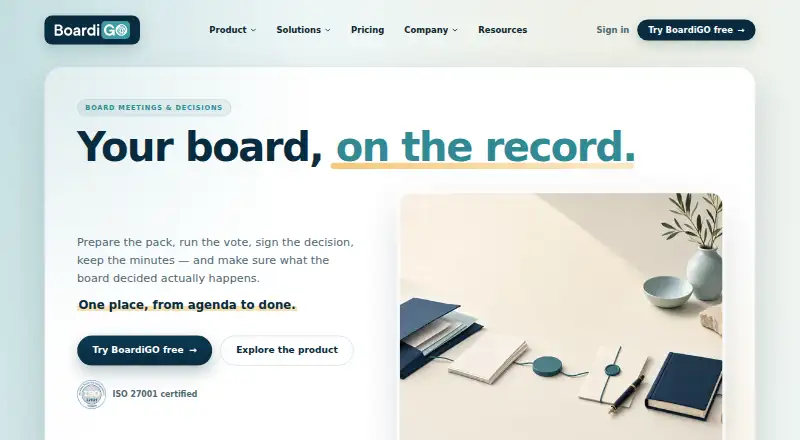
BoardiGO is board-governance software that keeps board materials, agendas, decisions, signatures, minutes, evidence and follow-up together in one record. Secretaries can assign owners to board-pack sections, arrange them and publish the pack in a controlled step. Votes are linked to agenda questions, with quorum, majority and approval rules applied automatically. Signatures can be routed from decisions, and signed documents stay attached to them; minutes are drafted from the live meeting record for review and signature. Actions can have owners and deadlines, with close-out tracked alongside the decision that created them. AI can help prepare agendas, review documents and draft minutes, with people retaining review responsibility. BoardiGO lists connections to Google Workspace, Microsoft 365, Zoom, Teams, Google Meet and Webex; provider support is confirmed during evaluation or onboarding. It says it is hosted in Europe and its information security management system is ISO/IEC 27001 certified. The Free plan covers one organisation, up to 10 users and 2 GB. Pro is €55/mo (annual) and includes unlimited users and 100 GB.
Who it suits
BoardiGO is aimed at board administrators, corporate secretaries, funded startups and scale-ups, fund governance and ManCos, nonprofits and foundations. It suits organisations that need to manage board decisions and the related records and follow-up in one workflow.
What it does well
- Votes apply quorum and approval rules automatically.
- Signed documents remain attached to their decisions.
- Actions track owners, deadlines and close-out.
- Free plan includes one organisation and up to 10 users.
- API covers meetings, voting, documents and admin workflows.
What to know first
- Free plan is limited to 2 GB storage.
- Enterprise SSO is only on the Enterprise plan.
- No SOC, HIPAA, FedRAMP or HDS attestations.
- No private cloud, on-premises deployment or single-country residency lock.
Limits
The Free plan is limited to one organisation, up to 10 users and 2 GB of storage. Pro costs €55 a month billed yearly and includes unlimited users and 100 GB; Enterprise lists 500 GB of storage, with no price provided.
Plans
| Plan | Billed and limits | Price |
|---|---|---|
| Free | 1 organisation · up to 10 users · 2 GB storage · core board-governance workflow and task management | Free |
| Pro | monthly · per organisation · unlimited users · 100 GB storage · full board-pack workflow and proxies · AI agenda and minutes · KPI dashboard · Google Workspace and Microsoft 365 connections · labels and bulk uploads | €65 a month |
| Enterprise | everything in Pro · enterprise SSO · API access · 500 GB storage · enterprise support | On request |
As boardigo.com lists them, read 15 Oct 2026. The maker's own page has the final word.
Getting started
- Open https://www.boardigo.com/en/
- Start with the Free plan for one organisation, up to 10 users and 2 GB of storage
- Choose Pro for €55 a month billed yearly if you need its expanded workflow and storage
- Use the web or iOS platform, or connect through the API
- Confirm support for your preferred integration provider during evaluation or onboarding
Overview
BoardiGO is governance software for organisations that need a formal record of board decisions and the work that follows. It is strongest for teams that want preparation, approvals and follow-up tied together; its plan limits and security boundaries make it a less obvious fit for organisations with strict residency or regulatory requirements.
Based in Luxembourg, BoardiGO is aimed at funded startups and scale-ups, fund governance teams and ManCos, corporate secretaries, nonprofits and foundations. Its API also covers board meetings, voting, document management and administrative workflows, which may matter to teams connecting governance processes to other systems.
Key features
Board-pack sections can have owners, while the secretary arranges and publishes the pack in one controlled step. That gives secretaries a defined publishing point and makes ownership of contributions explicit, rather than leaving pack assembly as an informal exchange.
Votes are recorded against agenda questions, with quorum, majority and approval rules applied automatically. This is useful where decisions need a consistent record against formal rules. Signatures can be routed from a decision, and signed documents stay attached to it; minutes are drafted from the live meeting record for review and signature. Actions also retain their owners, deadlines and close-out status alongside the decision that created them, helping preserve context after the meeting.
AI can assist with agenda preparation, document review and first-draft minutes, but its output remains under human review. That makes it an aid to preparation and drafting, not a substitute for approval. Integrations listed include Google Workspace (Drive and Calendar), Microsoft 365 (SharePoint and OneDrive), Zoom, Teams, Google Meet and Webex; provider support is confirmed during evaluation or onboarding.
BoardiGO says its information security management system is ISO/IEC 27001 certified and that it is hosted in Europe. Enterprise includes SSO, but the company does not hold SOC, HIPAA, FedRAMP or HDS attestations and does not offer a single-country contractual residency lock, private cloud or on-premises deployment. Those limits matter for buyers with specific compliance or hosting requirements. Enterprise support and escalation terms are set in each customer's commercial agreement.
Pricing
The Free plan costs nothing and covers one organisation, up to 10 users and 2 GB of storage, with the core board-governance workflow and task management. It is a practical starting point for a small board or organisation with modest document needs, but the user and storage caps may constrain growing groups.
Pro costs €55 a month (billed yearly). It removes the user cap and raises storage to 100 GB, adding the full board-pack workflow, proxies, AI agenda and minutes, KPI dashboard and status reports, Google Workspace and Microsoft 365 connections, labels and bulk uploads. This is the more suitable tier for organisations that need those workflows or expect to exceed Free's limits; the annual billing term is a meaningful commitment.
Enterprise has custom pricing and 500 GB of storage. It is the tier to consider when that storage capacity or Enterprise SSO is needed, with support and escalation governed by the customer's commercial agreement. The published plan details do not establish further Enterprise inclusions, so buyers should confirm fit and terms directly.
Platforms
BoardiGO is available on web and iOS, and exposes an API. The web option suits office-based administration, while iOS offers a mobile app for board work away from a desktop. The API's documented areas include meetings, voting, documents and administrative workflows.
Who it's for
BoardiGO is a considered choice for board administrators and corporate secretaries who need controlled pack publication, rule-based voting, signed records and traceable follow-up in one workflow. It also fits the maker's stated audiences of funded startups and scale-ups, fund governance and ManCos, nonprofits and foundations. Teams requiring a specific country's contractual data residency, private cloud, on-premises hosting or one of the attestations BoardiGO does not hold should look elsewhere.
Pros and cons
- Pro: Decisions, signatures, minutes and action close-out stay connected, giving secretaries and administrators a continuous governance record.
- Pro: Free includes core governance and task management for up to 10 users, so a small organisation can begin without a paid plan.
- Pro: Pro has unlimited users and 100 GB storage, alongside the full board-pack workflow and named productivity tools.
- Con: Free's 2 GB storage and 10-user ceiling can make it short-lived for larger boards or document-heavy organisations.
- Con: Pro is billed yearly, which is less flexible than a monthly commitment despite its monthly price presentation.
- Con: The absence of specific compliance attestations and stricter deployment options rules it out for some regulated or residency-sensitive buyers.
Alternatives
For a broader comparison, browse Board Management Software or Meeting Notes Software. Choose Almajles if self-hosted deployment is a priority, or My Board View if its free web plan's scheduling, invitations, minutes and document storage meet your needs. Board Manager is another freemium web option.
Computershare BoardWorks may suit organisations seeking a paid subscription with all modules and unlimited committees, while accounting for additional user charges. Diligent Audit is a paid alternative with web, API and mobile platforms; pricing is by request. GlobalBoards is a paid option for iOS and web, and more! rubin is a paid option across Android, iOS, web and Windows. Simbli uses personalized pricing and offers an implementation proposal after consultation.
Verdict
BoardiGO is best for organisations that want a board secretary's workflow to run from pack preparation through decisions to accountable follow-up, with votes and records kept in context. Its Free plan makes a small-scale start possible, while Pro offers a clear step up for growing teams. Choose another product if annual Pro billing, the stated security limits or the lack of private and on-premises deployment conflicts with your requirements.
Verdict
BoardiGO connects board packs, voting, signatures, minutes and action tracking to decisions in a shared governance record. The Free plan has a 10-user and 2 GB limit; Pro is €55/mo (annual).
Questions
What does the Free plan include?
It includes one organisation, up to 10 users, 2 GB of storage, the core board-governance workflow and task management.
How much does Pro cost?
Pro costs €55 a month, billed yearly.
What platforms are available?
BoardiGO lists API, iOS and web platforms.
Which integrations are listed?
The integrations page lists Google Workspace (Drive and Calendar), Microsoft 365 (SharePoint and OneDrive), Zoom, Teams, Google Meet and Webex. Provider support is confirmed during evaluation or onboarding.
What security and hosting details does BoardiGO provide?
BoardiGO says it is hosted in Europe and its information security management system is ISO/IEC 27001 certified. Enterprise SSO is available on the Enterprise plan.
Does BoardiGO offer private cloud or on-premises deployment?
No. BoardiGO says it does not offer private cloud or on-premises deployment, and does not hold SOC, HIPAA, FedRAMP or HDS attestations.
Facts from BoardiGO's own pages
- Access control
- Role-based access separates board members, secretaries, administrators and observers, with enterprise SSO available. · boardigo.com, 15 Oct 2026
- AI
- AI can assist with agenda preparation, document review and first-draft minutes, and AI features remain under human review. · boardigo.com, 28 Sept 2026
- AI assistance
- AI can help prepare agendas, review documents and draft minutes, while human approval remains required. · boardigo.com, 15 Oct 2026
- API
- BoardiGO publishes API documentation with API-key setup, an interactive explorer and endpoints for meetings, voting, documents and administration. · doc.boardigo.com, 15 Oct 2026
- API plan
- API access and enterprise SSO are listed as Enterprise-plan capabilities. · boardigo.com, 15 Oct 2026
- App capabilities
- The iOS listing describes virtual boardrooms, electronic document signing, electronic voting, integrated video conferencing and automated minutes generation. · apps.apple.com, 15 Oct 2026
- App system requirement
- The iOS app requires iOS 13.0 or later and is also listed for iPadOS. · apps.apple.com, 15 Oct 2026
- Board packs
- Board-pack sections can have owners, be ordered by the secretary and published through one controlled release. · boardigo.com, 15 Oct 2026
- Company headquarters
- LinkedIn lists headquarters at 23 Bd FW Raiffeisen, Luxembourg 2411. · gg.linkedin.com, 15 Oct 2026
- Company launch
- Dealroom records Boardigo SA with a May 2021 launch date and Luxembourg headquarters. · app.dealroom.co, 15 Oct 2026
- Company legal name
- The App Store identifies the seller as Boardigo S.A. · apps.apple.com, 15 Oct 2026
- Company size
- LinkedIn lists BoardiGO as a privately held information-technology company with 2–10 employees. · gg.linkedin.com, 15 Oct 2026
- Evidence exports
- The service generates PDF and DOCX minutes and packs plus downloadable proof bundles containing meeting context, votes and signed artefacts. · boardigo.com, 15 Oct 2026
- Follow-up
- Actions carry an owner, deadline and close-out state and remain beside the decision that created them. · boardigo.com, 15 Oct 2026
- Free plan
- Yes · boardigo.com, 20 Sept 2026
- Funding record
- StartupSeeker reports $296,600 in funding and names Lux Videre as a major investor, while Dealroom reports no known external funding. · startup-seeker.com, 15 Oct 2026
- Google integration
- Google Workspace integration covers Drive through OAuth and Google Calendar processing. · boardigo.com, 15 Oct 2026
- Headquarters
- Luxembourg · boardigo.com, 28 Sept 2026
- Hosting
- The platform is hosted in Europe and operated from Luxembourg. · boardigo.com, 15 Oct 2026
- Hosting and support
- BoardiGO says it is hosted in Europe, while Enterprise support and escalation terms are set in each customer's commercial agreement. · boardigo.com, 28 Sept 2026
- Integrations
- The integrations page lists Google Workspace (Drive and Calendar), Microsoft 365 (SharePoint and OneDrive), Zoom, Teams, Google Meet and Webex; provider support is confirmed during evaluation or onboarding. · boardigo.com, 28 Sept 2026
- Intended users
- The company describes the product for funded startups and scale-ups, fund governance and ManCos, board administrators and corporate secretaries, as well as nonprofits and foundations. · boardigo.com, 28 Sept 2026
- KPI dashboard
- The KPI dashboard covers attendance, voting, quorum, timeliness, open tasks and pack cadence on Pro and Enterprise. · gg.linkedin.com, 15 Oct 2026
- Licence
- BoardiGO is presented as a hosted commercial service and no open-source licence is stated. · boardigo.com, 15 Oct 2026
Where BoardiGO stands on Freedom251
- Board Management Software#1 of 30
- Meeting Notes Software#38 of 112