Freedom251 › Authenticator apps

Bitwarden
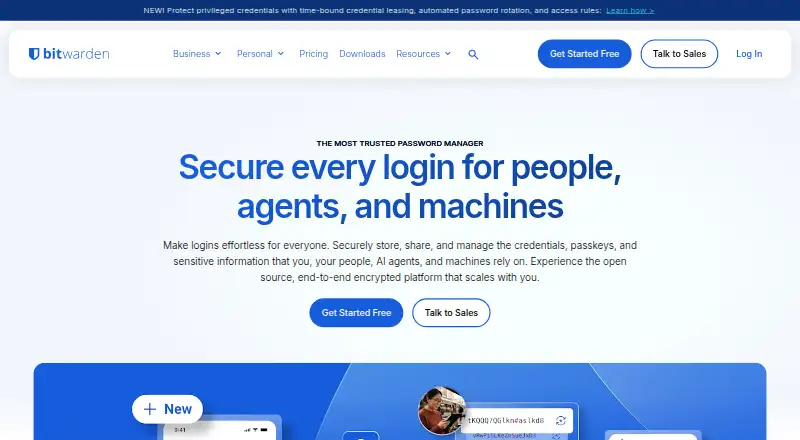
What Bitwarden is
Bitwarden is a password manager for individuals and organizations, with plans for personal use, families, teams, and larger businesses. Each account can hold passwords, notes, credit cards, and identities, as well as passkeys; a username and password generator is included. Bitwarden Send lets users share text and files with anyone, including people without a Bitwarden account. The company says vault information is end-to-end encrypted and can be decrypted only with the account holder’s master password.
Bitwarden provides a web app, browser extensions, desktop apps for Windows, macOS, and Linux, and mobile apps for Apple and Android. The Free plan includes basic password management, unlimited devices and passwords, and sharing with one other user. Premium is $1.65 a month billed annually. Families costs $3.99 a month billed annually for up to six users; Teams is $4 per user per month billed annually, and Enterprise is $6 per user per month billed annually. Business options include single sign-on, directory synchronization, and SIEM integrations. Bitwarden says it conducts annual source code audits and penetration tests, and lists ISO 27001, SOC 2, and SOC 3 certifications and HIPAA compliance.
Who it suits
Bitwarden suits individuals and organizations that want to keep passwords and other online information in a shared vault. Families, teams, and larger organizations have separate plans, while developers and DevOps teams are the stated audience for Secrets Manager.
What it does well
- Free plan includes unlimited devices and passwords.
- Stores passwords, notes, credit cards, identities, and passkeys.
- Bitwarden Send shares text and files with non-users too.
- Apps cover web, desktop, mobile, and browser extensions.
- Business plans include SSO, directory sync, and SIEM options.
What to know first
- F-Droid build requires manual syncing because live-sync push notifications are unavailable.
- Priority support is reserved for paid users.
Limits
The Free plan is basic password management, with unlimited devices and passwords and sharing with one other user. The F-Droid build requires manual vault syncing because live-sync push notifications do not work.
Plans
| Plan | Billed and limits | Price |
|---|---|---|
| Free | Unlimited passwords · unlimited devices · browser, mobile and desktop apps · free sharing with one user · Bitwarden Send | Free |
| Premium | $19.80 billed annually · 1 account · integrated authenticator · 5 GB personal attachments · emergency access · vault health reports · priority support | $1.65 a month |
| Families | $47.88 billed annually · Up to 6 users · 6 premium accounts · unlimited sharing and collections · 5 GB personal plus 5 GB family storage | $3.99 a month |
| Teams | per user, billed annually · Centralized ownership · secure credential sharing · event logs · directory synchronization · SCIM provisioning | $4 a month |
| Enterprise | per user, billed annually · Granular access control · passwordless SSO · enterprise policies · self-hosting · Access Intelligence · free Families plan for users | $6 a month |
| Talk to Sales | Tailored plan for large organizations | On request |
| Custom business plan | Tailored plan for large organizations | On request |
As bitwarden.com lists them, read 14 Oct 2026. The maker's own page has the final word.
Getting started
- Visit https://bitwarden.com/.
- Choose the Free plan or a paid plan.
- Use the web app, a browser extension, a desktop app, or a mobile app.
- Create a vault for passwords, notes, cards, identities, or passkeys.
- Use Bitwarden Send to transmit text or files, including to non-users.
Bitwarden is a password manager for individuals, families, and organizations. It suits people who want a vault across devices, with paid options for family sharing and business administration. Its broad platform coverage and free plan make it a strong everyday choice, but people using its F-Droid build must sync their vault manually.
Overview
Bitwarden combines passwords, notes, credit cards, identities, and passkeys in one account, alongside a username and password generator. Bitwarden Send extends it to encrypted text and file sharing with anyone, including non-users. That breadth is useful for routine credential storage and occasional secure sharing; it is less suited to someone looking primarily for a dedicated authenticator app.
Bitwarden says vault data is end-to-end encrypted and only the user’s master password can decrypt it. The company also says it completes annual source-code audits and penetration tests, and holds ISO 27001, SOC 2, and SOC 3 certifications, along with HIPAA compliance. These are meaningful assurances for a service handling sensitive personal and organizational information, though users remain responsible for protecting their master password.
Key features
- Vault and generator: Store credentials and other personal information together, and generate usernames and passwords. Unlimited passwords and devices on the Free plan make the core vault practical without a paid subscription.
- Send: Share encrypted text or files with people who do not use Bitwarden. This is a useful extension to the vault, rather than a reason on its own to pay for a plan.
- Business integrations: Listed single sign-on integrations include AWS, Microsoft Entra ID, Duo, Google, Okta, and JumpCloud. Directory sync includes Microsoft Entra ID and Google Workspace; SIEM options include Splunk and Microsoft Sentinel. These integrations make Bitwarden more relevant to organizations that need it to fit existing identity and monitoring systems.
- F-Droid sync limitation: The F-Droid build lacks Firebase Messaging, so live-sync push notifications do not work. Users must manually sync their vault, an important trade-off for anyone who expects changes to appear automatically across devices.
Pricing
Bitwarden uses a freemium model, with a free trial also offered. The free tier has no password or device cap and includes basic password management and free sharing with another user. That is enough for many individual users, but it is a narrower offer than the paid plans’ family or organizational focus.
- Free — free: Basic password management, unlimited devices and passwords, and free sharing with another user. Best for individuals who need a personal vault without paying, but not a substitute for a multi-user family plan.
- Premium — $1.65 a month, billed annually at $19.80: A low-cost individual paid option. It suits people ready to pay for a personal account, though the published plan details do not establish additional feature allowances beyond the free plan.
- Families — $3.99 a month, billed annually at $47.88: Covers up to six users. This is the clearest fit for a household that wants multiple accounts under one plan; the Free plan’s sharing is limited to another user.
- Teams — $4 per user, billed annually: A per-seat option for organizations. It is a fit for smaller teams budgeting by user; unlike the personal and family options, the price scales with seats.
- Enterprise — $6 per user, billed annually: A higher per-seat plan for organizations that need a more business-oriented tier. It costs more per user than Teams, so the choice should depend on organizational needs rather than vault storage alone.
- Talk to Sales and Custom business plan: Custom pricing for large organizations.
Paid users have priority support; 24/7 email support is available to everyone. The plan details give no trial duration or renewal terms, so neither should be assumed when comparing the annual prices.
Platforms
Bitwarden supports web, Windows, macOS, Linux, iOS, Android, and browser extensions, as well as self-hosting. This range suits people who move between desktop and mobile systems, though F-Droid users face the manual-sync limitation. Its stated app offering includes native desktop applications, a web app, browser extensions, and mobile applications for Apple and Android.
Who it's for
Bitwarden is a good fit for individuals who want an uncapped free vault across devices, households that need a plan for up to six users, and organizations seeking paid administration and integrations. Developers and DevOps teams are also among the audiences Bitwarden identifies for Secrets Manager. It is a weaker fit for F-Droid users who depend on live sync, or anyone whose main need is authentication codes rather than password management.
Pros and cons
- Pro: The free plan allows unlimited passwords and devices, removing two common barriers to using one vault across a personal device collection.
- Pro: Storage covers passwords, notes, cards, identities, and passkeys, while Send adds encrypted file and text sharing with non-users.
- Pro: Windows, macOS, Linux, mobile, browser, web, and self-hosted options give users several ways to access or deploy the service.
- Pro: Business integrations span SSO, directory sync, and SIEM, which can help organizations align Bitwarden with existing systems.
- Con: The F-Droid build requires manual vault syncing because push notifications for live sync do not work.
- Con: Family and business use requires a paid plan, and business pricing is charged per user unless an organization obtains custom pricing.
Alternatives
For a different authentication or identity-management focus, consider these options:
id3 Face SDK is a paid option with a free plan and trial; its Evaluation plan is free for 30 days, but limits API calls and use to one platform.
StrongKey FIDO Server offers a free Community Edition described as an open-source download with unlimited users, applications, and transactions.
Ory has a free Developer tier and a Production plan at $770 a year, for readers evaluating an alternative with a paid production tier.
Clerk has a free Hobby plan with limits including 50,000 MRU per app and up to three dashboard seats; its Pro plan costs $20 a month.
Descope offers a free tier and states that all its SDKs are open source.
Hanko has a free Starter plan for up to 10,000 monthly active users and a Pro plan at $29 a month.
HUAWEI Analytics Kit is a free option for readers seeking data analysis rather than a password vault.
Passwordless.dev has a free plan for up to 10,000 users and one app per organization.
Verdict
Choose Bitwarden for a password manager with a genuinely useful free tier, broad platform coverage, and a path to family or organizational use. Its combination of vault storage, encrypted sharing, and business integrations serves more than basic password saving. Look elsewhere if F-Droid live sync is essential, or if your main requirement is a dedicated authentication or passwordless identity product.
Verdict
Choose Bitwarden if you want a password manager with a free plan, broad platform coverage, and options for sharing or organizational integrations. The main caveat is that the F-Droid build does not receive live-sync push notifications, so it requires manual vault syncing.
Questions
Is Bitwarden free?
Yes. The Free plan costs nothing and includes basic password management, unlimited devices and passwords, and free sharing with another user.
How much does Premium cost?
Premium costs $1.65 a month, billed annually at $19.80.
Which platforms does Bitwarden support?
It offers a web app, browser extensions, Windows, macOS, and Linux desktop apps, and mobile apps for Apple and Android. A self-hosted platform is also listed.
Can Bitwarden share with people who do not have an account?
Yes. Bitwarden Send can transmit text and files to anyone, including non-users.
What integrations are available for businesses?
Listed SSO integrations include AWS, Microsoft Entra ID, Duo, Google, Okta, and JumpCloud. Directory sync options include Microsoft Entra ID and Google Workspace; SIEM options include Splunk and Microsoft Sentinel.
Who makes Bitwarden?
Bitwarden Inc. makes Bitwarden. The company was founded in 2016 and is headquartered in Santa Barbara, California, US.
Facts from Bitwarden Inc.'s own pages
- Apps
- Bitwarden offers browser extensions, native Windows, macOS, and Linux desktop applications, a web app, and mobile applications for Apple and Android. · bitwarden.com, 4 Oct 2026
- Audits
- Bitwarden says it completes annual source code audits and penetration tests for its clients, core application, and library. · bitwarden.com, 4 Oct 2026
- Business integrations
- Listed SSO integrations include AWS, Microsoft Entra ID, Duo, Google, Okta, and JumpCloud. · bitwarden.com, 4 Oct 2026
- Certifications
- Bitwarden states it has ISO 27001, SOC 2, and SOC 3 certifications and HIPAA compliance. · bitwarden.com, 4 Oct 2026
- Company founded
- Bitwarden states that it was founded in 2016. · bitwarden.com, 14 Oct 2026
- Company headquarters
- Bitwarden lists its headquarters at 1 North Calle Cesar Chavez, Suite 102, Santa Barbara, California. · bitwarden.com, 14 Oct 2026
- Company legal structure
- Bitwarden, Inc. is the parent company of wholly owned 8bit Solutions LLC. · bitwarden.com, 14 Oct 2026
- Company scale
- Bitwarden says it serves more than 80,000 businesses and 15 million users in over 180 countries and 50-plus languages. · bitwarden.com, 14 Oct 2026
- Compliance
- Bitwarden states that it is SOC 2 Type II, SOC 3, ISO 27001 and HIPAA compliant and supports GDPR, CCPA/CPRA and the Data Privacy Framework. · bitwarden.com, 14 Oct 2026
- Developer tooling
- Bitwarden publishes organization and vault APIs, a Password Manager CLI, a Secrets Manager CLI and SDKs for secrets applications. · bitwarden.com, 14 Oct 2026
- Directory and SIEM
- The integrations page lists directory sync options including Microsoft Entra ID and Google Workspace, and SIEM options including Splunk and Microsoft Sentinel. · bitwarden.com, 4 Oct 2026
- Directory integration
- Directory connectors support Entra ID, Apple Open Directory, Google Workspace, ApacheDS, OpenLDAP, Fedora Directory Server, Novell eDirectory and OpenDS. · bitwarden.com, 14 Oct 2026
- Documentation and support
- Bitwarden provides a Help Center, developer documentation, community forum, email support and priority support for paid users. · bitwarden.com, 14 Oct 2026
- File attachments
- Premium provides 5 GB of personal encrypted attachment storage, while Families adds 5 GB for family items. · bitwarden.com, 14 Oct 2026
- Founded
- 2016 · bitwarden.com, 4 Oct 2026
- Free plan
- Yes · bitwarden.com, 23 Sept 2026
- Headquarters
- Santa Barbara, California, USA · bitwarden.com, 4 Oct 2026
- Integrations
- Official integrations include AWS, Microsoft Entra ID, Duo, Auth0, Google, Okta, Rippling, PingFederate, JumpCloud, ADFS, Keycloak and OneLogin SSO. · bitwarden.com, 14 Oct 2026
- Licensing
- Core client code is GPL-3.0, the main server is AGPL-3.0, and selected enterprise modules use the source-available Bitwarden License requiring a paid production subscription. · github.com, 14 Oct 2026
- Limit: administration
- Enterprise reviewers cite sluggish web vaults, limited reporting and employee-vault recovery gaps; one reviewer reported passkeys unavailable in their tenant. · gartner.com, 14 Oct 2026
- Limit: autofill reliability
- Reviewers repeatedly report intermittent autofill or autosave failures, especially on mobile and some browsers. · getapp.com, 14 Oct 2026
- Limit: interface polish
- Reviewers commonly describe the desktop or mobile interface as dated, clunky or less seamless than competitors. · g2.com, 14 Oct 2026
- Limit: self-hosting effort
- TechRadar says self-hosting requires substantial technical expertise and resources despite detailed guides. · techradar.com, 14 Oct 2026
- Notable limitation
- The Bitwarden F-Droid build does not include Firebase Messaging, so live sync push notifications do not work and manual vault syncing is required. · bitwarden.com, 4 Oct 2026
Where Bitwarden stands on Freedom251
- Authenticator apps#1 of 111
- Biometric Authentication Software#1 of 45
- Password Management Software#1 of 38
- Passwordless Authentication Software#1 of 27