Freedom251 › Authenticator apps

Zoho OneAuth
What Zoho OneAuth is
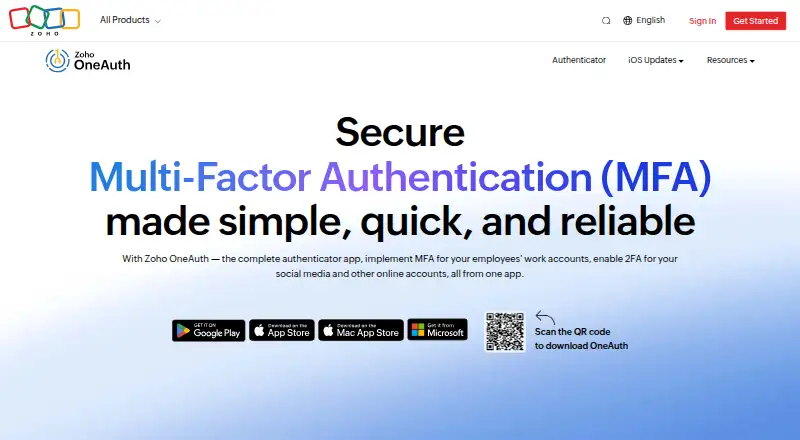
Zoho OneAuth is a free authenticator for Zoho work accounts and personal online accounts. It supports time-based one-time passwords, push approvals, and QR-code login, and offers passwordless sign-in for Zoho accounts. For organizations, Zoho Directory lets IT administrators set up multifactor authentication across employees' Zoho accounts. OneAuth also supports third-party accounts including Google, Adobe, Github, Zoom, X, Instagram, and LinkedIn. A passphrase can help restore access after device loss, formatting, or app removal, and can help synchronize OTP codes across devices. Encrypted backup and multi-device sync are supported. Biometrics can unlock the app, while remote logout removes unwanted sessions. A sign-in restriction can block future logins to a Zoho account until disabled. OneAuth is available for Android, iOS, Windows, and macOS, and works on phones, tablets, laptops, smart watches, and desktops. The maker lists more than 6.5 million downloads and more than 1.76 million organizations. Authenticator-based 2FA is described as protection against SIM swap attacks and SMS phishing.
Who it suits
OneAuth suits people securing Zoho work accounts and personal online accounts with OTPs or push approvals. Organizations can use Zoho Directory to configure multifactor authentication for employees' Zoho accounts.
What it does well
- Free across listed platforms.
- Supports time-based OTP and push approvals.
- Encrypted backup and multi-device sync are supported.
- Passphrase can help restore access after device loss.
- Supports third-party accounts including Google and GitHub.
What to know first
- Biometric unlocking is available on the app, not stated for every platform.
- The listed account sign-in restriction applies to Zoho accounts.
Limits
The Free plan is available across platforms and includes time-based OTP authentication, backup and recovery, multi-device support, and passwordless sign-in for Zoho accounts. No usage quotas are listed.
Plans
| Plan | Billed and limits | Price |
|---|---|---|
| Free | Time-based OTP authentication · Backup and recovery · Multi-device support · Passwordless sign-in for Zoho accounts | Free |
As zoho.com lists them, read 28 Sept 2026. The maker's own page has the final word.
Getting started
- Visit the Zoho OneAuth website.
- Install OneAuth on Android, iOS, Windows or macOS.
- Add a Zoho work account or a supported personal online account.
- For organization-wide Zoho account MFA, have an IT administrator set it up through Zoho Directory.
- Set a passphrase to help with recovery and OTP synchronization across devices.
Zoho OneAuth is a free authenticator for Zoho work accounts and personal online accounts, aimed especially at organizations that manage Zoho access through Zoho Directory. Its broad device support and recovery options make it a capable no-cost choice, though its strongest administrative controls center on Zoho accounts.
Overview
OneAuth combines time-based one-time passwords (TOTP), push approvals and passwordless sign-in for Zoho accounts. It also supports third-party accounts such as Google, Adobe, GitHub, Zoom, X, Instagram and LinkedIn. For people who want one app for work and personal authentication, that breadth is useful; organizations that need MFA managed across their Zoho workforce get a more specific advantage.
Zoho says TOTP authentication can reduce credential-based attacks by up to 99%. That is a stated potential reduction, not a guarantee for every account or setup. Authenticator-based 2FA also avoids reliance on SMS codes, helping address SIM-swap attacks and SMS phishing.
Key features
- Recovery and sync: Encrypted backup, multi-device support and a passphrase for recovery help users regain access after losing or replacing a device, formatting it, or uninstalling the app. The passphrase also helps sync OTP codes across devices. Those safeguards make device changes less disruptive, though keeping the recovery passphrase available is important.
- Work account administration: IT admins can use Zoho Directory to configure MFA organization-wide for employees' Zoho work accounts. This is a meaningful fit for organizations already using Zoho, but the stated organization-wide setup is for Zoho accounts.
- Zoho access controls: Mobile single sign-on gives one-click access to Zoho apps. QR-code login, remote session logout and a setting that blocks future login attempts to a Zoho account add convenience and control. The sign-in restriction is specific to Zoho accounts.
- App protection: Biometrics can unlock OneAuth and help protect account information from breaches. The app supports phones, tablets, laptops, smart watches and desktops.
Pricing
OneAuth has one stated plan: Free — free. It is available across platforms for Zoho work accounts and personal online accounts, with TOTP, backup and recovery, multi-device support and passwordless sign-in for Zoho accounts. There is no paid tier or seat cap stated for OneAuth, so it suits individuals and Zoho organizations that want these authentication features without a subscription.
The trade-off is focus rather than a cheaper-versus-dearer feature ladder: Zoho Directory organization-wide setup and several account controls apply to Zoho accounts. Readers seeking organization-wide administration for a broader mix of services should compare other options before standardizing on OneAuth.
Platforms
OneAuth supports Android, iOS, Windows and macOS. The stated device range includes mobile phones, tablets, laptops, smart watches and desktops. The platform list makes it suitable for users who move between mobile and desktop, although no Linux or web platform is stated.
Who it's for
OneAuth is best suited to Zoho customers who want employee MFA administered through Zoho Directory, plus personal 2FA for other online accounts in the same app. It also fits individuals who value encrypted backup, passphrase recovery and multi-device sync at no cost. Those who prioritize open-source software, a Linux or web app, or administration beyond Zoho accounts may be better served elsewhere.
Pros and cons
Pros
- Free across supported platforms: TOTP, backup and recovery, multi-device support and Zoho passwordless sign-in come with no stated subscription cost.
- Practical recovery tools: Encrypted backup and passphrase-based recovery and sync address common problems when a device is lost, replaced or reset.
- Zoho-focused administration: Zoho Directory gives IT admins a route to set up employee MFA organization-wide.
- Broad account use: Alongside Zoho work accounts, it supports personal 2FA for services including Google, Adobe and Zoom.
Cons
- Administration is Zoho-centered: The organization-wide setup and several listed controls apply to Zoho accounts, limiting its appeal as a general workforce MFA console.
- No Linux or web platform is stated: That may rule it out for users who need an authenticator on those platforms.
Alternatives
Authenticator apps is a useful starting point for comparing the category. Consider these alternatives when their stated platform or design differences better fit your needs:
- Proton Authenticator is free and open source, with Android, iOS, Linux, macOS and Windows support; choose it if inspecting the code or Linux support matters.
- Yubico Authenticator is free and open source, but requires a YubiKey to store credentials and generate codes; choose it if that hardware-based requirement suits your setup.
- Ente Auth is free forever, open source, and supports Android, iOS, Linux, macOS, web and Windows, with data export and import; choose it if those platform or portability options are important.
- Bitwarden has a free plan for basic password management, unlimited devices and passwords, and free sharing; choose it if password management is also a priority.
- Google Authenticator is free for iOS and Android; choose it if those mobile platforms meet your needs.
- Duo Mobile offers a free plan billed monthly for up to 10 users, plus Duo Essentials at $3 a month; choose it if that user limit or paid plan is a better fit.
- SAASPASS Authenticator offers a free personal-use mobile app; choose it if that stated personal-use plan fits your needs.
- Authy is free and includes two-factor authentication, encrypted cloud backup and multi-device support; choose it if those features are your main requirements.
Verdict
Choose Zoho OneAuth if you want a free authenticator with recovery and multi-device support, especially when your organization already uses Zoho and can manage employee MFA through Zoho Directory. Its main reason to look elsewhere is the Zoho-centered scope of its administration and controls, or the need for Linux or web support.
Verdict
OneAuth offers free authentication and recovery features for Zoho and supported third-party accounts across mobile and desktop platforms. Its organization-wide setup is handled through Zoho Directory, while some listed controls apply specifically to Zoho accounts.
Questions
Is Zoho OneAuth free?
Yes. It is available for free across platforms.
Which platforms does OneAuth support?
Android, iOS, Windows and macOS.
Can it secure accounts outside Zoho?
Yes. It supports personal accounts including Google, Adobe, Github, Zoom, X, Instagram and LinkedIn.
Does OneAuth support multi-device use?
Yes. It supports multi-device sync, and passphrases can help synchronize OTP codes across devices.
Can an organization manage MFA with OneAuth?
Zoho Directory lets IT administrators set up MFA organization-wide for employees’ Zoho work accounts.
Who makes Zoho OneAuth?
The maker is not named in the listed facts.
Facts from Zoho OneAuth's own pages
- App lock
- Biometrics can unlock the app and help prevent account information breaches. · zoho.com, 28 Sept 2026
- Code type
- totp · zoho.com, 21 Sept 2026
- Download count
- More than 6.5 million downloads. · zoho.com, 28 Sept 2026
- Encrypted backup
- Yes · zoho.com, 21 Sept 2026
- Free availability
- Available for free across platforms. · zoho.com, 28 Sept 2026
- Free plan
- Yes · zoho.com, 21 Sept 2026
- Mobile SSO
- Provides single-click access to Zoho apps from a mobile device. · zoho.com, 28 Sept 2026
- Multi-device sync
- Yes · zoho.com, 21 Sept 2026
- Organisation count
- More than 1.76 million organisations. · zoho.com, 28 Sept 2026
- Organisation setup
- Zoho Directory lets IT admins set up MFA organization-wide. · zoho.com, 28 Sept 2026
- Attack reduction
- Time-based OTP authentication can reduce credential-based attacks by up to 99%. · zoho.com, 28 Sept 2026
- OTP synchronization
- Passphrases help sync OTP codes across devices. · zoho.com, 28 Sept 2026
- Passphrase recovery
- A passphrase helps regain access after device loss, formatting, or app uninstallation. · zoho.com, 28 Sept 2026
- Personal account 2FA
- Enables 2FA for social media and other online accounts. · zoho.com, 28 Sept 2026
- Push approvals
- Yes · zoho.com, 21 Sept 2026
- QR code login
- Supports logging in with just a QR code. · zoho.com, 28 Sept 2026
- Remote logout
- Removes unwanted sessions directly from the OneAuth app. · zoho.com, 28 Sept 2026
- Sign-in restriction
- Blocks future login attempts to a Zoho account until the option is disabled. · zoho.com, 28 Sept 2026
- SMS security
- Authenticator-based 2FA helps protect against SIM swap attacks and SMS phishing. · zoho.com, 28 Sept 2026
- Supported devices
- Works on mobile phones, tablets, laptops, smart watches, and desktops. · zoho.com, 28 Sept 2026
- Supported platforms
- Compatible with Apple, Android, and Windows platforms. · zoho.com, 28 Sept 2026
- Third-party accounts
- Supports accounts including Google, Adobe, Github, Zoom, X, Instagram, and LinkedIn. · zoho.com, 28 Sept 2026
- Work account MFA
- Enables MFA for employees' Zoho work accounts. · zoho.com, 28 Sept 2026
Where Zoho OneAuth stands on Freedom251
- Authenticator apps#4 of 111
- Business Management#5 of 27