Freedom251 › Authenticator apps
Google Authenticator
What Google Authenticator is
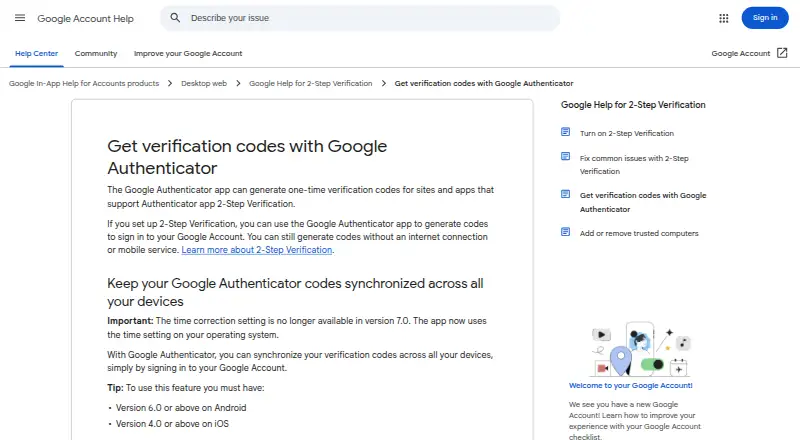
Google Authenticator generates one-time verification codes for websites and apps that support Authenticator app 2-Step Verification. It supports time-based and counter-based codes, and can produce them without internet access or mobile service. Users can add accounts by scanning a QR code and manage multiple accounts on one device, including codes for multiple Google Accounts. Signing in to a Google Account can sync codes across devices; this requires app version 6.0 or later on Android, or 4.0 or later on iOS. Google says codes are encrypted in transit and at rest across its products. Privacy Screen can require a PIN, pattern, or biometric check before opening the app. Codes can also be moved between devices by exporting and importing QR codes. The app is available for Android and iOS, and the Android app requires Android 6.0 or later. It can be used without a Google Account, but codes stored only on the device are not available on other devices. To use Google Authenticator with Google, users need 2-Step Verification enabled on their Google Account.
Who it suits
It suits people who need verification codes for supported sites and apps, including when offline. It can also suit users managing multiple accounts or syncing codes across devices.
What it does well
- Generates codes without internet or mobile service.
- Supports time-based and counter-based codes.
- Adds accounts by QR code.
- Can synchronize codes across devices.
- Privacy Screen can require device verification.
What to know first
- Cross-device sync requires specified minimum app versions.
- Device-only codes are unavailable on other devices.
- Google account use requires 2-Step Verification enabled.
Limits
Without a Google Account, codes stored only on the device are not available on other devices. Synchronization requires app version 6.0 or later on Android or 4.0 or later on iOS.
Plans
| Plan | Billed and limits | Price |
|---|---|---|
| Google Authenticator | iPhone and iPad app · Android app · iOS 16.0 or later · Android 6.0 or above | Free |
As support.google.com lists them, read 11 Oct 2026. The maker's own page has the final word.
Getting started
- Install Google Authenticator on Android or iOS
- Add an account by scanning its QR code
- Enable 2-Step Verification on a Google Account to use the app with Google
- Sign in to a Google Account to synchronize codes across devices
Google Authenticator is a free mobile authenticator for generating one-time verification codes on Android and iOS. It is best for people who need dependable codes without a network connection and want QR-based account setup. The main decision is whether Google Account synchronization or device-to-device QR transfer fits how you manage your phones.
Overview
The app generates both time-based and counter-based one-time passwords for services that support authenticator-app two-step verification. Codes are available without internet access or mobile service, so a network outage or travel connection does not prevent code retrieval. QR scanning adds accounts automatically instead of requiring manual entry, and one installation can hold multiple accounts, including multiple Google Accounts.
You can use the app without signing in to Google. In that mode, codes remain on the device where they are stored; moving them requires exporting and importing them with QR codes. Signing in to a Google Account enables synchronization across devices. Google says codes are encrypted in transit and at rest across its products. Sync requires version 6.0 or later on Android and 4.0 or later on iOS, so older installations cannot use that route.
Key features
- Offline generation: Time-based and counter-based codes continue working without connectivity, making Authenticator suitable for accounts you must access in low-signal or offline situations.
- QR setup: Scanning a service's QR code creates an account quickly and reduces transcription errors during setup.
- Multiple-account management: Several accounts can be kept in one app, and codes for multiple Google Accounts can sync on a single mobile device.
- Optional cross-device sync: Google sign-in synchronizes codes across devices on supported app versions. This is convenient for a multi-device setup but ties that convenience to a Google Account.
- QR transfer: Exporting and importing accounts by QR code provides a manual migration path when you do not want to use sync. It is useful for a phone replacement, but it adds a deliberate transfer step.
- Privacy Screen: The app can require a device PIN, pattern, or biometric verification before opening, adding a barrier if someone gains access to the phone.
- Encryption: Google says Authenticator codes are encrypted in transit and at rest across its products, supporting the synced-code workflow.
Pricing
Google Authenticator is free. The Google Authenticator plan costs nothing and includes the iPhone and iPad app and Android app. The iOS app requires iOS 16.0 or later, while the Android app requires Android 6.0 or above.
There is no paid tier, seat allowance, trial period, or renewal charge to weigh. The practical trade-off is between using free local storage and enabling free Google Account sync: without a Google Account, codes do not appear on another device unless you perform a QR export and import.
Platforms
Google Authenticator supports Android and iOS. Android installation requires Android 6.0 or above; the listed iOS plan requires iOS 16.0 or later. Google provides support through [email protected] and a Google support website.
Who it's for
Choose it if you need a no-cost authenticator that works offline, supports both major one-time-password formats, and can handle several accounts on a phone. It also suits users who prefer QR setup and either accept Google Account synchronization or are comfortable transferring accounts manually.
Look elsewhere if you need desktop, web, or Linux access, because Google Authenticator is limited to Android and iOS. It is also less suitable for people who want cross-device access without a Google Account and do not want to manage QR exports during device changes.
Pros and cons
Pros
- Works offline: Codes do not depend on internet access or mobile service.
- Broad code support: TOTP and HOTP cover time-based and counter-based services.
- Flexible migration: Google sync and QR export/import offer two ways to move codes.
- Useful phone security: Privacy Screen can put PIN, pattern, or biometric verification in front of the app.
- No cost: The sole plan is free on supported Android and iOS versions.
Cons
- Mobile-only coverage: There is no listed desktop or browser platform.
- Local-only limitation without sign-in: Codes do not follow you to another device unless you transfer them manually.
- Version requirements: Sync depends on Android 6.0-plus or iOS 16.0-plus platform support, with specified minimum app versions for synchronization.
Alternatives
Browse Authenticator apps for a wider comparison. Choose Proton Authenticator if you want a free, open-source option spanning Android, iOS, Linux, macOS, and Windows. Pick Yubico Authenticator if you want free, open-source software that stores credentials and generates codes with a YubiKey.
Ente Auth is the better fit for a free-forever, fully open-source authenticator with data export and import across Android, iOS, Linux, macOS, web, and Windows. Choose Bitwarden if you want authenticator codes alongside password management, unlimited devices and passwords on its free plan, and a freemium upgrade path.
Zoho OneAuth suits users who want free time-based OTP, backup, and recovery across Android, iOS, macOS, and Windows, including Zoho work accounts. Choose Duo Mobile when a small team's MFA needs fit Duo Free's 10-user plan or when paid phishing-resistant and passwordless options are required.
SAASPASS Authenticator is an alternative with a free personal mobile plan and broader mobile, extension, desktop, and web platform coverage. Choose Authy for a free Android and iOS option that includes encrypted cloud backup and multi-device support.
Verdict
Google Authenticator is a strong choice for individuals who want free, offline-capable TOTP and HOTP codes with quick QR setup on Android or iOS. Its main reason to choose it is the combination of offline reliability and optional sync or manual transfer. Look elsewhere if you need desktop or web apps, broader platform coverage, or device portability without using a Google Account.
Verdict
Google Authenticator provides offline code generation and account syncing, with QR-based setup and transfer options. Without Google account sync, codes remain limited to the device where they are stored.
Questions
Is Google Authenticator free?
Yes. The plan is free.
Which platforms does it support?
It is available for Android and iOS. The Android app requires Android 6.0 or later.
Can it generate codes offline?
Yes. It can generate codes without an internet connection or mobile service.
Can I use it without a Google Account?
Yes. Codes stored only on the device will not be available on other devices.
How does code synchronization work?
Sign in to a Google Account to synchronize codes across devices. This requires app version 6.0 or later on Android, or 4.0 or later on iOS.
What code types does it support?
It supports time-based and counter-based code generation.
Facts from Google Authenticator's own pages
- Code sync
- Signing in to a Google Account lets you synchronize verification codes across devices; this requires app version 6.0 or above on Android or 4.0 or above on iOS. · support.google.com, 11 Oct 2026
- Code type
- totp and hotp · support.google.com, 21 Sept 2026
- Code types
- It supports time-based and counter-based code generation. · play.google.com, 11 Oct 2026
- Company history
- Google says Google Inc. was officially born in August 1998. · about.google, 11 Oct 2026
- Encrypted backup
- Yes · support.google.com, 21 Sept 2026
- Encryption
- Google says Authenticator codes are encrypted in transit and at rest across its products. · support.google.com, 11 Oct 2026
- Free plan
- Yes · support.google.com, 21 Sept 2026
- Google sign-in requirement
- To use Google Authenticator with Google, users need to enable 2-Step Verification on their Google Account. · play.google.com, 11 Oct 2026
- Manual transfer
- Codes can be transferred between devices by exporting and importing them with QR codes. · support.google.com, 11 Oct 2026
- Multi-device sync
- Yes · support.google.com, 21 Sept 2026
- Multiple accounts
- The app can manage multiple accounts, and it can sync codes for multiple Google Accounts on one mobile device. · support.google.com, 11 Oct 2026
- Platform requirement
- The Google Play listing says the Android app requires Android 6.0 or above. · support.google.com, 11 Oct 2026
- Privacy Screen
- Privacy Screen can require device verification, such as a PIN, pattern, or biometric prompt, before the app can be used. · support.google.com, 11 Oct 2026
- Purpose
- The app generates one-time verification codes for sites and apps that support Authenticator app 2-Step Verification. · support.google.com, 11 Oct 2026
- QR setup
- Authenticator accounts can be set up automatically by scanning a QR code. · play.google.com, 11 Oct 2026
- Support
- Google Play lists [email protected] as the app support email and links to a Google support website. · play.google.com, 11 Oct 2026
- Supported platforms
- Android,iOS · support.google.com, 21 Sept 2026
- Without Google Account
- The app can be used without a Google Account, but codes stored only on the device will not be available on other devices. · support.google.com, 11 Oct 2026
- Works offline
- It can generate codes without an internet connection or mobile service. · support.google.com, 11 Oct 2026
Where Google Authenticator stands on Freedom251
- Authenticator apps#11 of 111