Freedom251 › Authenticator apps
HYPR Authenticate
What HYPR Authenticate is
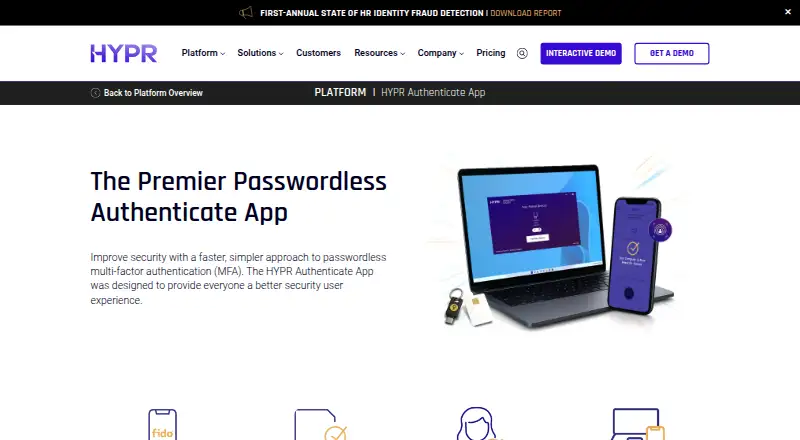
HYPR Authenticate provides passwordless, phishing-resistant multi-factor authentication built on passkeys. It turns a smartphone into a FIDO2 passkey using public-key cryptography rather than passwords and shared secrets. Users pair a phone by scanning a QR code, then authenticate with biometrics or a decentralized PIN. The app supports access to desktops, virtual desktop infrastructure, web apps, single sign-on, VPN, and RDP, with an offline mode for workstation access without internet. Advanced multi-profiles can pair multiple phones and computers for enterprise login scenarios; Remote Lock lets users lock a workstation from a smartphone. Organizations can apply their own branding and connect identity providers such as Entra ID, Okta, and Ping, as well as RADIUS infrastructure and SIEM platforms. HYPR lists support for iOS, Android, Windows, macOS, Linux, and web. Plans are 3.00 USD, 6.00 USD, and $9 a month, billed monthly. A free pilot is available for up to 50 users.
Who it suits
It suits organizations that need passwordless workforce authentication across devices, VDI, web apps, VPN, or remote access. Its multi-profile and offline features may also fit shared-access or mixed-device environments.
What it does well
- Uses a smartphone as a FIDO2 passkey.
- Supports workstation access without internet connectivity.
- Can pair multiple phones and computers for enterprise login.
- Free pilot is available for up to 50 users.
What to know first
- Identity Assurance Access is $3 a month, billed monthly.
- Identity Assurance Plus is $6 a month, billed monthly.
- Identity Assurance Advanced is $9 a month, billed monthly.
Limits
The free pilot supports up to 50 users. The $3.00 per month Identity Assurance Access plan includes web access; endpoint access, desktop MFA, VPN and VDI support are listed with the $6.00 per month Identity Assurance Plus plan.
Plans
| Plan | Billed and limits | Price |
|---|---|---|
| Identity Assurance Access | per user · web access · phishing-resistant onboarding & recovery · policy controls | $3 a month |
| Identity Assurance Plus | per user · web and endpoint access · desktop MFA · VPN · VDI · remote access · identity risk orchestration | $6 a month |
| Identity Assurance Advanced | per user · web and endpoint access · desktop MFA · VPN · VDI · remote access · identity verification · customizable identity risk orchestration | $9 a month |
As hypr.com lists them, read 28 Sept 2026. The maker's own page has the final word.
Getting started
- Open the HYPR Authenticate website.
- Choose the free plan, free trial, free pilot or a paid plan.
- Download the app from the iOS App Store or Google Play.
- Scan the QR code to pair a smartphone.
- Authenticate with biometrics or a decentralized PIN.
Overview
HYPR Authenticate is a workforce authentication platform for organizations replacing password-based sign-in with passkeys. It suits teams that need passwordless access across workstations, remote desktops and business apps, particularly where employees share devices or sometimes work offline. Its strongest case is combining phone-based authentication with broad enterprise access coverage; organizations seeking a simple standalone authenticator may not need its wider controls and integrations.
Key features
HYPR turns a smartphone into a FIDO2 passkey using public-key cryptography rather than passwords or shared secrets. Employees pair a phone by scanning a QR code, then approve sign-ins with biometrics or a decentralized PIN. Multiple phones and computers can be paired, which gives administrators more flexibility for enterprise login scenarios but also makes this a managed workforce product rather than just a personal login app.
Authentication covers desktop sign-in, virtual desktop infrastructure (VDI), web apps, single sign-on, VPN and Remote Desktop Protocol (RDP). Offline mode supports workstation access without an internet connection, a useful fallback for disconnected work environments. Remote Lock lets a user lock a workstation from a smartphone, while company branding can be applied to the interface.
Integrations connect identity providers including Entra ID, Okta and Ping, alongside RADIUS infrastructure and SIEM platforms. HYPR is also an external authentication method partner for Microsoft Entra ID, providing FIDO2 passwordless MFA for Entra policies and downstream apps. This breadth is most relevant to organizations with existing identity and security infrastructure to connect.
HYPR reports SOC 2 Type 2, ISO 27001, ISO 27017 and ISO 27018 compliance, as well as FIDO2, FIDO UAF, FIDO U2F and FIDO Server certifications. Supported Passwordless clients cover Windows 10/11 and macOS 11 through 26; web authentication works with FIDO2-certified devices.
Pricing
HYPR offers a free pilot for up to 50 users, useful for evaluating a deployment before committing. Paid plans are billed monthly:
- Identity Assurance Access — $3 a month: Web access, phishing-resistant onboarding and recovery, and policy controls. This is the entry point for organizations focused on browser-based access; it does not include endpoint access or desktop MFA.
- Identity Assurance Plus — $6 a month: Adds endpoint access, desktop MFA, VPN and VDI support, and identity risk orchestration. It is the more suitable tier for mixed workstation and remote-access environments.
- Identity Assurance Advanced — $9 a month: Includes endpoint access, desktop MFA, identity verification and customizable identity risk orchestration. It is aimed at organizations needing verification and more tailored risk controls.
The entry tier gives up desktop and VPN/VDI coverage, while Plus lacks the identity verification and customizable orchestration in Advanced. The pilot is capped at 50 users; the paid plan terms give monthly billing, with no other seat or usage caps stated.
Platforms
HYPR supports iOS and Android phones alongside Windows, macOS, Linux and web environments, with an API also supported. The documented Passwordless clients specify Windows 10/11 and macOS 11 through 26, so organizations should check client compatibility against their deployed systems.
Who it's for
HYPR is a strong fit for enterprises managing shared workstations, mixed operating-system fleets, VDI or remote access, and browser-based SaaS. Offline workstation access and multi-device pairing address operational edge cases that a web-only login tool may miss. Smaller teams looking only for a basic second factor may find the enterprise integrations and tiered access scope unnecessary.
Pros and cons
- Pro: Passkey-based sign-in avoids passwords and shared secrets, with phishing-resistant MFA for workforce access.
- Pro: Coverage spans endpoints, web apps, SSO, VPN, VDI and RDP, with offline workstation access as a fallback.
- Pro: Entra ID, Okta, Ping, RADIUS and SIEM integrations suit organizations connecting authentication to existing infrastructure.
- Con: The $3 a month Access plan is web-only; endpoint, VPN and VDI support requires the $6 a month Plus tier.
- Con: The free option is a pilot limited to 50 users, not an ongoing free plan for a larger deployment.
Alternatives
For a broader shortlist, compare Multi-Factor Authentication Software, Passwordless Authentication Software, Passkey Authentication Software, Identity Verification Software, Biometric Authentication Software and Authenticator apps.
- LoginTC is a freemium option with a free Cloud Starter plan for up to three users, including VPN and firewall protection; consider it for a very small team seeking a no-cost starting tier.
- miniOrange Multi-Factor Authentication has a free plan starting at no cost and supports Linux, macOS, self-hosted, web and Windows environments; consider it when those platforms and a free entry point are priorities.
- Duo Mobile offers a free plan for 10 users and a Duo Essentials tier at $3 a month with phishing-resistant MFA and passwordless authentication; consider it for a smaller team weighing a defined free tier against paid passwordless features.
- Spriv Adaptive MFA is a freemium alternative for web, desktop and mobile platforms.
- WiKID is a freemium alternative supporting web, desktop and mobile platforms.
- Entrust Identity App is a free alternative for Android, iOS, macOS and Windows.
- LinOTP offers free open-source software under AGPLv3 and GPLv2 and supports self-hosted deployments; consider it if an open-source option is important.
- Rublon Authenticator offers a free tier for one user and a Business plan at $2 a month with a 15-license minimum; consider it when that minimum fits the organization.
Verdict
Choose HYPR Authenticate if your organization needs passkey-based workforce login across endpoints, web services and remote access, with offline workstation access and integrations into an existing identity stack. Its main advantage is the combination of broad access coverage and enterprise controls; the main reason to look elsewhere is that smaller teams needing only basic MFA may not need those capabilities, while the free pilot is limited to 50 users.
Verdict
HYPR Authenticate combines passkey-based login with mobile pairing, offline access, and integrations for enterprise environments. Compare the monthly plans by their listed access and identity features.
Questions
Is HYPR Authenticate free?
A free plan and free trial are available. HYPR also offers a free pilot for up to 50 users.
What does it cost?
Identity Assurance Access is $3.00 per month, billed monthly. Identity Assurance Plus is $6.00 per month, and Identity Assurance Advanced is $9.00 per month; both are billed monthly.
Which platforms does it support?
Supported platforms include iOS, Android, Windows, macOS, Linux and web. HYPR documents passwordless clients for Windows 10/11 and macOS 11 through 26.
Can it work offline?
Yes. Its secure offline mode lets users access workstations without an internet connection.
Which identity integrations are available?
Integrations include Entra ID, Okta and Ping, as well as RADIUS infrastructure and SIEM platforms.
What authentication method does it use?
HYPR turns a smartphone into a FIDO2 passkey using public-key cryptography. Users authenticate with biometrics or a decentralized PIN.
Facts from HYPR Authenticate's own pages
- Access coverage
- The app supports passwordless authentication for desktops, virtual desktop infrastructure, web apps, single sign-on, VPN, and RDP. · hypr.com, 28 Sept 2026
- Branding
- The customizable user interface can include a company's own logo and brand identity. · hypr.com, 28 Sept 2026
- Compliance
- HYPR reports SOC 2 Type 2, ISO 27001, ISO 27017, ISO 27018, and FIDO2, FIDO UAF, FIDO U2F, and FIDO Server certifications. · hypr.com, 28 Sept 2026
- Entra integration
- HYPR is an external authentication method partner for Microsoft Entra ID and provides FIDO2 passwordless MFA for Entra policies and downstream apps. · hypr.com, 28 Sept 2026
- Founded
- 2014 · hypr.com, 28 Sept 2026
- Free pilot
- HYPR offers a free pilot that can deploy to up to 50 users at no cost. · get.hypr.com, 28 Sept 2026
- Free plan
- No · hypr.com, 21 Sept 2026
- Headquarters
- Holmdel, New Jersey, USA · hypr.com, 23 Sept 2026
- Integrations
- HYPR Authenticate integrations connect external identity providers such as Entra ID, Okta, and Ping, plus RADIUS infrastructure and SIEM platforms. · docs.hypr.com, 28 Sept 2026
- Mobile onboarding
- Users download the app from the iOS App Store or Google Play, scan a QR code to pair a smartphone, and tap to authenticate with biometrics or a decentralized PIN. · hypr.com, 28 Sept 2026
- Multi-device sync
- Yes · hypr.com, 21 Sept 2026
- Multi-profile support
- Advanced multi-profiles let users pair multiple smartphones and computers for enterprise login use cases. · hypr.com, 28 Sept 2026
- Offline mode
- HYPR Authenticate provides a secure offline mode so users can access workstations without internet connectivity. · hypr.com, 28 Sept 2026
- Purpose
- HYPR Authenticate provides passwordless, phishing-resistant multi-factor authentication built on passkeys. · hypr.com, 28 Sept 2026
- Push approvals
- Yes · hypr.com, 21 Sept 2026
- Remote lock
- Remote Lock lets users lock their workstation from anywhere using a smartphone. · hypr.com, 28 Sept 2026
- Security model
- HYPR transforms a smartphone into a FIDO2 passkey using public-key cryptography and eliminates passwords and shared secrets. · hypr.com, 28 Sept 2026
- Paid from
- 3 · hypr.com, 21 Sept 2026
- Supported clients
- HYPR documents Passwordless clients for Windows 10/11 and macOS 11 through 26, with HYPR web authentication compatible with FIDO2-certified devices. · docs.hypr.com, 28 Sept 2026
- Supported platforms
- iOS,Android,Windows,macOS,Linux,web · hypr.com, 21 Sept 2026
- Target environments
- HYPR Authenticate is positioned for shared access environments, mixed Windows/macOS/Linux/mobile fleets, VDI and remote access, browser-based SaaS, and offline recovery paths. · hypr.com, 28 Sept 2026
- Team administration
- Yes · hypr.com, 21 Sept 2026
Where HYPR Authenticate stands on Freedom251
- Authenticator apps#7 of 111
- Multi-Factor Authentication Software#4 of 52
- Biometric Authentication Software#8 of 45
- Passwordless Authentication Software#10 of 27