Freedom251 › Design System Software
Bit
What Bit is
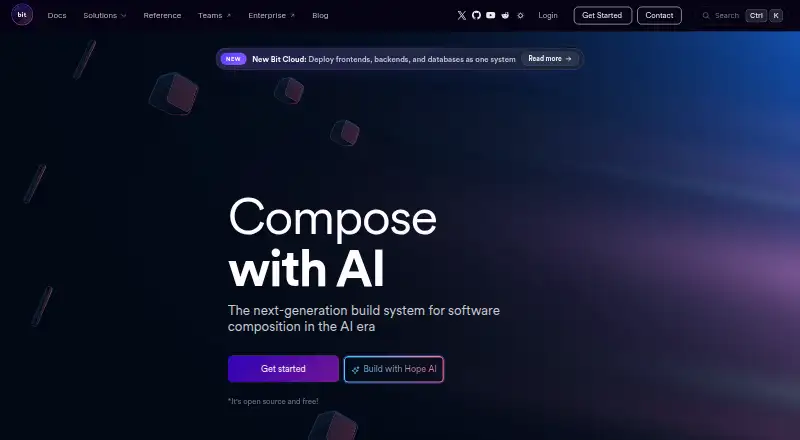
Bit is a software development platform for organizing source code as components that can be reused across applications. Developers can assemble components, pages, and features into app shells, while Hope AI can generate component boilerplate, tests, and documentation. Its built-in MCP server supports working with Cursor or GitHub Copilot to create and reuse components. Bit says it fits standard JavaScript ecosystem tools, with official starters for Node.js, React, Vue, Angular, Next.js, Stencil, Lit, React Native, and plain HTML. Remote component scopes can be hosted on bit.cloud for free or self-hosted. For code review, Bit’s visual review process works alongside GitHub, GitLab, or Bitbucket review. Bit Cloud describes deployment for connected frontends and services with a database, domain, and SSL. Each app gets managed MongoDB on first deployment, with distinct databases for production and preview environments. Bit Cloud also includes approvals, permissions, policies, and audit trails. The product is available on web, Android, and iOS, as well as through API and self-hosted options. Hope: Anything App is available natively for iPhone, iPad, and Android. The company behind Bit is Cocycles Ltd. The Bit / Open Source plan costs nothing, and Bit Cloud offers free personal use.
Who it suits
Bit suits developers who want to build applications from reusable components and compose them into larger features or app shells. It may also suit teams using JavaScript ecosystem tools that want component review alongside GitHub, GitLab, or Bitbucket workflows.
What it does well
- Hope AI generates component boilerplate, tests, and documentation.
- MCP server supports Cursor and GitHub Copilot workflows.
- Official starters cover several JavaScript frameworks and plain HTML.
- Remote component scopes can be hosted free or self-hosted.
- Visual review works alongside GitHub, GitLab, or Bitbucket review.
- Bit / Open Source costs nothing.
What to know first
- Its stated tool compatibility is with the JavaScript ecosystem.
- Managed MongoDB and connected deployment are Bit Cloud features.
Plans
| Plan | Billed and limits | Price |
|---|---|---|
| Bit / Open Source | Open source and free; Bit Cloud offers free personal use | Free |
As bit.dev lists them, read 8 Oct 2026. The maker's own page has the final word.
Getting started
- Visit https://bit.dev/.
- Choose the Bit / Open Source plan, listed as free.
- Use an official starter for a supported framework or plain HTML.
- Host remote component scopes on bit.cloud or self-host them.
- Use the visual review process alongside GitHub, GitLab, or Bitbucket review.
Bit is a development platform that organizes source code into reusable components and lets teams compose them into applications. It best suits teams building JavaScript ecosystem applications that want component-level reuse, review, and deployment in one workflow. Its breadth is useful, but the free open-source plan and Bit Cloud services are distinct parts of the offer.
Overview
Bit makes components the building blocks for application work: developers can reuse them across pages and features, then compose those pieces into app shells. That is a strong fit for teams trying to make shared code a first-class part of how they build applications. For teams whose primary need is a narrower build or monorepo tool, Bit may bring more workflow than they need.
Key features
Hope AI can generate component boilerplate, tests, and documentation. Bit’s built-in MCP server supports using Cursor or GitHub Copilot to create and reuse components. These capabilities keep AI assistance focused on component work, rather than serving as a general-purpose coding assistant.
Official starters cover Node.js, React, Vue, Angular, Next.js, Stencil, Lit, React Native, and plain HTML. Bit says it works with standard JavaScript ecosystem tools, and supports pnpm, Yarn, and NPM. Task graphs and affected builds address build workflows; together, these make Bit relevant to teams managing component dependencies and builds across an application.
Remote component scopes can be hosted on bit.cloud for free or self-hosted. Bit’s visual review process works alongside GitHub, GitLab, or Bitbucket code review, adding a component-focused review workflow to services development teams may already use.
Bit Cloud extends the workflow into deployment: it says connected frontends and services can be deployed together with a database, domain, and SSL. On first deploy, each app gets a managed MongoDB, with separate databases for production and preview environments. Approvals, permissions, policies, and audit trails are also described as Bit Cloud features. This makes the cloud offering broader than component sharing alone, but teams evaluating the free open-source plan should distinguish it from those cloud services.
Pricing
The Bit / Open Source plan costs nothing. It is open source and free, and Bit Cloud offers free personal use. The plan suits developers and teams wanting to work with Bit’s open-source component approach; Bit Cloud’s free personal use may suit an individual exploring hosted scopes. There is no stated seat count, quota, or trial term to weigh, so teams should not assume personal use covers their organization’s needs.
Platforms
Bit’s listed platforms are Android, API, iOS, self-hosted, and web. Its framework starters include React Native alongside web frameworks and plain HTML. Hope: Anything App is available natively for iPhone, iPad, and Android, although that mobile app is separate from Bit’s component development workflow.
Who it's for
Bit is a good choice for teams building applications from reusable components, especially those using JavaScript ecosystem tools and wanting component review alongside GitHub, GitLab, or Bitbucket. Self-hosting remote scopes gives teams another hosting route. It is a weaker fit for teams that only need a focused build tool or package workflow, or that want cloud deployment and managed services to be part of the open-source plan.
Pros and cons
- Pro: Components can be reused across pages, features, and app shells, which supports a consistent building-block approach to application work.
- Pro: Framework starters span several JavaScript frameworks and plain HTML, while the stated package manager support covers pnpm, Yarn, and NPM.
- Pro: Visual review can complement existing GitHub, GitLab, or Bitbucket review processes.
- Con: Deployment, managed MongoDB, and governance capabilities are Bit Cloud services, so the free open-source plan should not be treated as including the whole cloud workflow.
- Con: Bit’s strongest fit is component-oriented application development; teams seeking only monorepo or package management may find its scope broader than their need.
Alternatives
For a focused open-source build and test tool, Bazel is a free option from Google that runs on Linux, macOS, and Windows. Choose it when build and test work is the central requirement, rather than composing reusable components into application shells.
bento offers a free plan with 10 GB of storage and 14-day retention; its Starter plan is planned, with 100 GB and 90-day retention, but has no active price. Consider it when those storage and retention terms match the need.
Blaze is described as absolutely free to use and supports Linux, macOS, and Windows. It is an option for readers comparing free software that runs across those desktop platforms.
Bun is an open-source, MIT-licensed JavaScript runtime and toolkit. Choose it when a JavaScript runtime and toolkit is the priority.
EvoMaster is a free open-source option with no paid external services required, for API, Linux, macOS, self-hosted, and Windows environments. It may suit readers looking for that kind of no-cost software across those platforms.
FerrFlow is free and open source under the MIT license, distributed as a single Rust binary, and supports Linux, macOS, self-hosted, web, and Windows. It is worth considering when those terms and platforms fit the deployment need.
manypkg is a free MIT-licensed CLI package. It is a narrower alternative for readers looking for a command-line package tool.
mise is free, open source, MIT licensed, and supports macOS, Linux, and Windows. It is an option for readers prioritizing those terms and platforms.
Browse Monorepo Management Tools to compare more options in that category.
Verdict
Choose Bit if your team wants to build applications around reusable components and bring composition, review, and build workflows together. Its range of starters, package manager support, and code review integrations make it a practical fit for JavaScript-oriented development. Look elsewhere if your need is only a focused build or package tool, or if Bit Cloud’s deployment and managed services are essential to your plan.
Verdict
Choose Bit if your work centers on reusable components and you want to compose them into application shells. Its free plan and integrations with common code review services may fit development teams. The stated compatibility centers on JavaScript ecosystem tools, and the deployment and managed database features are described as Bit Cloud services.
Questions
Is Bit free?
The Bit / Open Source plan is listed as free. Bit Cloud offers free personal use, and remote component scopes can be hosted on bit.cloud for free.
Which frameworks does Bit support?
Official starters cover Node.js, React, Vue, Angular, Next.js, Stencil, Lit, React Native, and plain HTML.
Can Bit be self-hosted?
Yes. Remote component scopes can be hosted on bit.cloud or self-hosted.
Which code review tools work with Bit?
Bit’s visual review process works alongside GitHub, GitLab, or Bitbucket code review.
Who makes Bit?
The site identifies Cocycles Ltd. as the company behind Bit.
What does Bit Cloud include?
It describes connected frontend and service deployment with a database, domain, and SSL. Each app gets managed MongoDB on first deployment, with separate production and preview databases.
Facts from Bit's own pages
- AI agent integrations
- Bit’s built-in MCP server supports using Cursor or GitHub Copilot to create and reuse components. · bit.dev, 8 Oct 2026
- AI assistance
- Hope AI can generate component boilerplate, tests, and documentation. · bit.dev, 8 Oct 2026
- App composition
- Bit lets developers compose reusable components, pages, and features into app shells. · bit.dev, 8 Oct 2026
- Cloud or self-hosting
- Remote component scopes can be hosted on bit.cloud for free or self-hosted. · bit.dev, 8 Oct 2026
- Code review integrations
- Bit’s visual review process works alongside GitHub, GitLab, or Bitbucket code review. · bit.dev, 8 Oct 2026
- Company
- The site identifies Cocycles Ltd. as the company behind Bit. · bit.dev, 8 Oct 2026
- Database
- Bit Cloud says each app gets a managed MongoDB on first deploy, with separate databases for production and preview environments. · bit.cloud, 8 Oct 2026
- Deployment
- Bit Cloud says it can deploy connected frontends and services together, with a database, domain, and SSL. · bit.cloud, 8 Oct 2026
- Frameworks
- Official starters include Node.js, React, Vue, Angular, Next.js, Stencil, Lit, React Native, and plain HTML. · bit.dev, 8 Oct 2026
- Governance
- Bit Cloud describes approvals, permissions, policies, and audit trails as platform features. · bit.cloud, 8 Oct 2026
- Mobile apps
- Hope: Anything App is available natively for iPhone, iPad, and Android. · bit.cloud, 8 Oct 2026
- Tool compatibility
- Bit says it is compatible with standard tools in the JavaScript ecosystem. · bit.dev, 8 Oct 2026
- What it does
- Bit organizes source code into composable components for building reliable, scalable applications. · bit.dev, 8 Oct 2026
Where Bit stands on Freedom251
- Design System Software#1 of 22
- Monorepo Management Tools#4 of 33
- Component Libraries Software#2 of 15