Freedom251 › File Migration Software

Azure Storage Mover
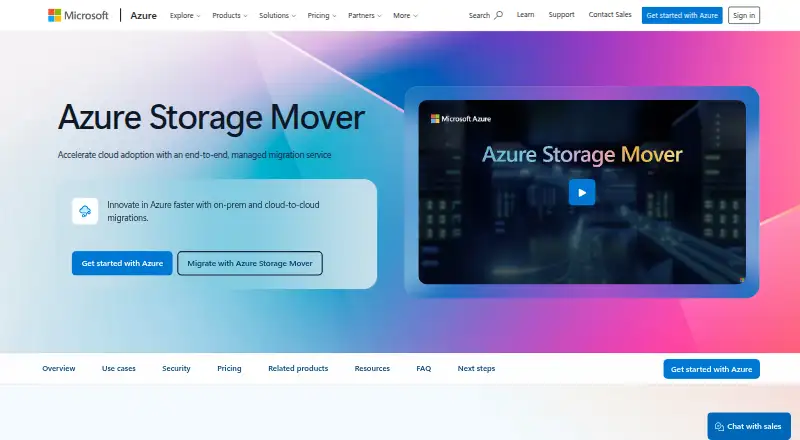
What Azure Storage Mover is
Azure Storage Mover is a managed service for migrating files and folders from on-premises systems, AWS S3, and other cloud platforms to Azure Storage. It transfers to Azure Blob Storage or Azure Files from sources using SMB 2.x/3.x, NFS 3/4, or S3. Jobs can run once, recur, or transfer metadata only, copying folder structures and permissions without moving file data. File transfers can preserve structure, permissions, attributes, and metadata. An Azure-hosted resource coordinates jobs, authentication, and progress, while agents scan and transfer files from on-premises or cloud virtual machines. For AWS S3 migrations, Azure Arc connectors provide source access for server-to-server copying without an agent. Microsoft says there is no limit on files or directories per job and reports testing up to 500 million objects in on-premises scenarios. Transfers use HTTPS, and Private Link to storage accounts is optional. Storage Mover is free for on-premises-to-Azure and AWS-to-Azure scenarios, but standard storage, transaction, and networking charges apply. Resources can be created in listed Azure regions, while data can be ingested into all Azure public regions.
Who it suits
It suits hybrid and multicloud migrations of files and folders into Azure Storage, including enterprise-scale workloads. Teams should account for standard storage, transaction, and networking charges.
What it does well
- Supports SMB, NFS, and S3 sources.
- Offers recurring, one-time, and metadata-only runs.
- Can preserve file structure, permissions, attributes, and metadata.
- AWS S3 transfers can use server-to-server copying.
What to know first
- Standard storage, transaction, and networking charges apply.
- Storage Mover resources are limited to listed regions.
Limits
Storage Mover capabilities are free for on-premises-to-Azure and AWS-to-Azure scenarios, but standard storage, transaction, and networking charges apply. Microsoft reports testing up to 500 million objects in on-premises scenarios; this is a reported test scale, while the service states there is no file or directory count limit per job.
Plans
| Plan | Billed and limits | Price |
|---|---|---|
| Azure Storage Mover | No charge for Storage Mover capabilities; standard storage, transaction, and networking charges apply. · On-premises to Azure and AWS to Azure scenarios are stated as free | Free |
As azure.microsoft.com lists them, read 30 Sept 2026. The maker's own page has the final word.
Getting started
- Open the Azure Storage Mover product page.
- Create a Storage Mover resource in one of its available regions.
- Download the Azure Storage Mover agent for on-premises or cloud VM sources.
- Configure a migration from a supported source to Azure Blob Storage or Azure Files.
- Choose a one-time, recurring, or metadata-only run.
Overview
Azure Storage Mover is a managed service for moving files and folders from on-premises systems and other clouds into Azure Blob Storage or Azure Files. It suits organisations consolidating hybrid or multicloud file estates in Azure, including enterprise-scale migrations. Its appeal is focused migration tooling at no Storage Mover charge in the stated scenarios; it is a poor fit when Azure is not the destination or when associated storage and network costs are unacceptable.
Key features
An Azure-hosted resource coordinates jobs, authentication and progress, while agents scan and transfer data from on-premises systems or cloud virtual machines. That division gives administrators a central view of migration work, but on-premises transfers still require an agent. AWS S3-to-Azure moves are different: Azure Arc connectors can provide source access without an agent, and the data is copied server to server.
Sources can use SMB 2.x/3.x, NFS 3/4 or S3, with Azure Blob Storage and Azure Files as destinations. The supported platforms also include AWS FSx SMB, GCS S3, NAS, servers and workstations. Transfers can retain folder structure, permissions, attributes and metadata, an important advantage when the destination needs to preserve how files are organised and accessed.
One-time jobs suit a defined migration; recurring transfers serve ongoing movement; metadata-only runs reproduce folder structures and permissions without copying file contents. Cutover orchestration and migration reporting support staged work. Microsoft says there is no file or directory limit per job and reports testing on-premises migrations with up to 500 million objects. That is a substantial stated scale, though the reported testing does not itself establish performance for every workload.
Transfers use HTTPS, with Private Link to storage accounts available as an option. For on-premises migrations, only metadata passes through the Storage Mover resource region. Resources can be created in East US, East US 2, West Central US, West US 3, North Europe and Sweden Central; data can be ingested into any Azure public region. The regional resource choices are worth checking for deployment fit, even when the destination region is elsewhere.
Pricing
Azure Storage Mover: free. The plan charges nothing for Storage Mover capabilities in on-premises-to-Azure and AWS-to-Azure scenarios. Standard storage, transaction and networking charges still apply, so free describes the migration service rather than the overall cost of moving and retaining data. This is the natural fit for those two migration paths; it does not make the surrounding Azure usage free.
Platforms
The service has self-hosted and web platforms, combining an Azure-hosted management resource with downloadable agents for applicable migrations. Its file workload scope and batch migration mode are aimed at moving file estates, not serving as a general-purpose migration service for every kind of data.
Who it's for
Choose Storage Mover when the destination is Azure Blob Storage or Azure Files and the job involves on-premises, AWS S3 or another supported cloud source. It is particularly suitable for hybrid and multicloud projects that need repeatable transfers, permission and metadata preservation, or a staged cutover. Look elsewhere if you need a non-Azure destination or a migration approach that avoids the applicable storage and networking charges.
Pros and cons
- Pro: One-time, recurring and metadata-only runs cover both a discrete move and staged or ongoing migration work.
- Pro: Preserving structure, permissions, attributes and metadata helps keep file estates usable after transfer.
- Pro: AWS S3 transfers can avoid deploying an agent and copy data server to server.
- Pro: The stated service fee is zero for on-premises-to-Azure and AWS-to-Azure migrations, with no per-job file or directory cap.
- Con: The service is built around Azure destinations, so it is not the right choice for migrations ending elsewhere.
- Con: Storage, transaction and networking charges remain, and on-premises migrations require an agent.
- Con: Storage Mover resources can be created in six named regions, a constraint to weigh when choosing where to manage migration work.
Alternatives
Storage Migration Software is the broader category to browse if Azure Storage Mover's Azure-focused destination does not match the project.
Synology Photos is a free alternative for users who need a photo product across mobile, desktop and web platforms and have a Synology NAS; it is not a like-for-like file migration service.
Google Cloud Storage is worth considering when Google Cloud storage is the destination rather than Azure; its pricing is freemium, with usage-based rates that vary by storage class and bucket location.
Cloudsfer may suit a smaller transfer where a 1GB free tier is enough, or a buyer who wants a paid web plan with a stated monthly allowance and parallel-job count.
NetApp XCP is an option for teams seeking a Linux, Windows or self-hosted tool with a free license described as renewable after one year.
Synology Active Backup for SaaS is a free self-hosted add-on for Synology NAS users protecting Microsoft 365 or Google Workspace rather than migrating file shares to Azure.
Atempo Lina is a paid alternative for teams considering a Linux, macOS, self-hosted or Windows product with custom pricing.
Data Dynamics StorageX is another paid option, with pricing based on terabyte consumption.
Hitachi Universal Volume Manager is a paid alternative for teams whose migration work is centered on local storage systems and who can license the software there.
Verdict
Azure Storage Mover is a strong choice for organisations moving supported file workloads into Azure, especially where preserved permissions, repeatable jobs or large-scale transfers matter. Its main advantage is capable orchestration without a service fee for the stated on-premises and AWS S3 paths; its main drawback is that Azure charges for storage, transactions and networking still apply, and the destination must be Azure.
Verdict
Azure Storage Mover supports several migration modes and can retain important file metadata and permissions. It is free for the stated on-premises-to-Azure and AWS-to-Azure scenarios, while related storage, transaction, and networking charges remain applicable.
Questions
How much does Azure Storage Mover cost?
The Storage Mover plan is free, with no charge for Storage Mover capabilities. Standard storage, transaction, and networking charges apply; on-premises-to-Azure and AWS-to-Azure scenarios are stated as free.
What destinations and sources does it support?
It migrates to Azure Blob Storage or Azure Files. Supported source protocols include SMB 2.x/3.x, NFS 3/4, and S3.
Which migration modes are available?
Jobs can run once, recur, or transfer only folder structures and permissions without moving file data.
Does it preserve file metadata and permissions?
Yes. Transfers can preserve structure, permissions, attributes, and metadata.
Does an AWS S3 migration require an agent?
For AWS S3 to Azure migrations, Azure Arc connectors provide source access without an agent, and data is copied server to server.
Where can a Storage Mover resource be created?
Resources can be created in East US, East US 2, West Central US, West US 3, North Europe, and Sweden Central. Data can be ingested into all Azure public regions.
Facts from Azure Storage Mover's own pages
- Agent download
- Microsoft provides a downloadable Azure Storage Mover agent for migrating files and folders into Azure Storage. · azure.microsoft.com, 30 Sept 2026
- Cloud-to-cloud
- For AWS S3 to Azure migrations, Azure Arc connectors provide source access without requiring an agent and data is copied server to server. · azure.microsoft.com, 30 Sept 2026
- Cost limits
- Storage Mover is free for on-premises-to-Azure and AWS-to-Azure scenarios, while standard storage and networking charges apply. · azure.microsoft.com, 30 Sept 2026
- Destinations and protocols
- It migrates to Azure Blob Storage or Azure Files from sources supporting SMB 2.x/3.x, NFS 3/4, and S3. · azure.microsoft.com, 30 Sept 2026
- Intended users
- The product page describes the service for hybrid and multicloud migrations, including enterprise-scale workloads. · azure.microsoft.com, 30 Sept 2026
- Migration modes
- It supports one-time migrations, recurring transfers, and metadata-only runs that transfer folder structures and permissions without moving data. · azure.microsoft.com, 30 Sept 2026
- Orchestration
- An Azure-hosted Storage Mover resource orchestrates migration jobs, manages authentication, and tracks progress, while agents scan and transfer data from on-premises or cloud VMs. · azure.microsoft.com, 30 Sept 2026
- Preservation
- File transfers can preserve structure, permissions, attributes, and metadata. · azure.microsoft.com, 30 Sept 2026
- Purpose
- Azure Storage Mover is a fully managed service for migrating files and folders from on-premises, AWS S3, and other cloud platforms to Azure Storage. · azure.microsoft.com, 30 Sept 2026
- Regional availability
- Storage Mover resources can be created in East US, East US 2, West Central US, West US 3, North Europe, and Sweden Central, while data can be ingested into all Azure public regions. · azure.microsoft.com, 30 Sept 2026
- Scale
- Microsoft says there is no limit on files or directories per job and reports testing up to 500 million objects in on-premises scenarios. · azure.microsoft.com, 30 Sept 2026
- Security
- Transfers use HTTPS, and Storage Mover optionally supports Private Link to storage accounts; the FAQ says only metadata passes through the Storage Mover resource region for on-premises migrations. · azure.microsoft.com, 30 Sept 2026
Where Azure Storage Mover stands on Freedom251
- File Migration Software#2 of 22
- Data Migration Tools#4 of 25
- Storage Migration Software#4 of 25