Freedom251 › Continuous Data Protection Software

Atempo Lina
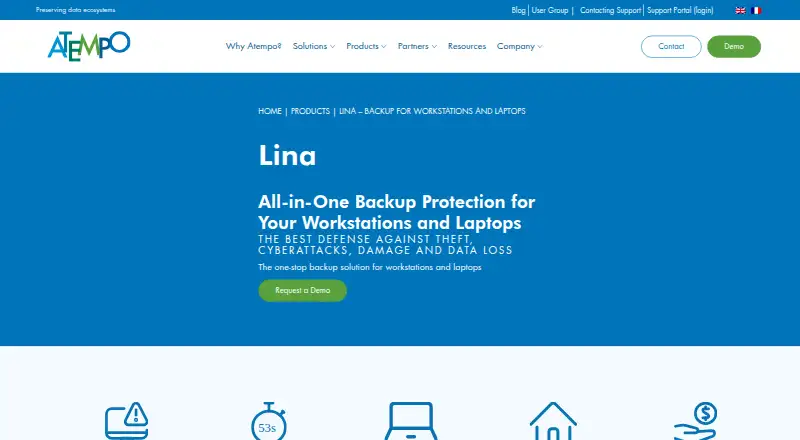
What Atempo Lina is
Atempo Lina protects company workstations, laptops, and file servers, including devices used by remote workers and remote sites. It continuously backs up new and changed files in blocks. Users can restore files or earlier versions through a browser, and full machine rebuilds are supported. Lina deduplicates data at the source and server to reduce network and storage use. Its listed security measures include strong authentication with 2FA, encryption, backup immutability, and alerts when backup behavior is anomalous. Agent support includes Linux, Windows 10 and 11, Windows Server, and macOS 11 through 14. Listed S3 repository options include MinIO, Scality Artesca, Quantum ActiveScale, AWS, Wasabi, and OVH. Lina does not support hybrid on-premises/cloud arrangements, agent-connected USB sticks, or cloud-synced files accessible on disk. Atempo describes it for small and medium-sized business IT managers. Pricing is on request; the product page invites visitors to request a demo.
Who it suits
Lina is aimed at small and medium-sized business IT managers responsible for backing up workstations and laptops, including those used remotely. It may also suit organizations needing file-server backups and point-in-time recovery.
What it does well
- Continuously backs up new and modified files
- Browser-based file and earlier-version restoration
- Supports full machine rebuilds
- Deduplicates data at source and server
- Includes 2FA, encryption, and backup immutability
What to know first
- Pricing is available on request
- Hybrid on-premises/cloud arrangements are unsupported
- Does not support agent-connected USB sticks
- Does not support cloud-synced files accessible on disk
Limits
Pricing is available on request, and the product page offers a demo request. Lina does not support hybrid on-premises and cloud arrangements, agent-connected USB sticks, or cloud-synced files accessible on disk.
Plans
| Plan | Billed and limits | Price |
|---|---|---|
| Lina | Pricing not published; request a demo or contact Atempo | On request |
As atempo.com lists them, read 3 Oct 2026. The maker's own page has the final word.
Getting started
- Visit the Atempo Lina product page.
- Request a demo or contact Atempo for pricing.
- Check the compatibility guide for supported agent operating systems and S3 repositories.
- Sign in to Atempo’s support portal to access software downloads and upgrades.
Overview
Atempo Lina is a paid backup platform for business workstations, laptops and file servers, including remote users and sites. It is aimed at small and midsize IT teams that need continuous protection and a path from file restores to complete machine recovery. The product is a strong fit for managed Windows, macOS and Linux estates, but organizations built around cloud-synced folders or USB media should look elsewhere.
Key features
Lina continuously captures new and changed files in blocks, keeping protection current instead of waiting for a scheduled full copy. Browser-based self-service lets users restore files and earlier versions, while point-in-time recovery helps return data to a chosen state. Bare Metal Recovery and Continuous Data Protection extend that coverage to full machine rebuilds when a workstation is lost or badly damaged.
Source-side and server-side deduplication reduce both network traffic and repository consumption, an advantage for remote offices and constrained links. Security controls include two-factor authentication, encryption and immutable backups. Lina also examines backup behavior and can raise an alert for an anomaly; that adds useful warning capability, although it does not replace an organization’s wider threat response.
The product preserves metadata and access permissions. Its migration tooling supports file workloads in both directions, with cutover orchestration and migration reporting. That makes Lina relevant not only for protection but also for controlled storage moves. Agent compatibility covers Linux, Windows 10 and 11, Windows Server, and macOS 11 through 14. Certified encryption-related applications include Microsoft EFS, Defender, BitLocker and PRIM’X ZoneCentral.
Repository choices include MinIO, Scality Artesca, Quantum ActiveScale, AWS, Wasabi and OVH for S3 backup block storage. Hybrid on-premises/cloud arrangements are unsupported. USB sticks attached to an agent and cloud-synced data exposed on disk, such as OneDrive or Dropbox files, are also outside the supported workload, important exclusions for mixed-device environments.
Pricing
Lina uses custom pricing: Atempo directs prospects to request a demo or contact the company. There is no published free plan, free trial, seat allowance, storage quota or renewal term, so it is best suited to organizations prepared for a sales-led purchase rather than teams comparing transparent self-serve plans.
Platforms
Lina is offered for Linux, macOS and Windows, with self-hosted deployment and a hybrid deployment model. The broader supported-platform list includes GPFS, Lustre, Isilon, StorNext, Panasas, DDN, Qumulo, Huawei, cloud storage and object storage. Atempo says technical support is staffed around the clock; downloading software and upgrades requires signing in to its support portal.
Who it's for
Lina suits IT managers at small and medium-sized businesses protecting employee computers, file servers, remote workers and remote sites. Choose it when continuous file capture, browser restoration, immutable backups and full-machine recovery need to coexist in one system. It is less suitable when users depend heavily on OneDrive or Dropbox files, removable USB storage, or an unsupported hybrid repository design.
Pros and cons
Pros
- Continuous block-based backup protects new and changed files without relying only on schedules.
- Browser self-service and point-in-time recovery can shorten routine restore work.
- Bare Metal Recovery and Continuous Data Protection cover complete machine rebuilds.
- Two-stage deduplication reduces transfer and storage overhead.
- Two-factor authentication, encryption, immutability and anomaly alerts strengthen the protection stack.
- Migration reporting and cutover orchestration support planned file-workload moves.
Cons
- Custom pricing gives buyers no upfront cost or quota comparison.
- OneDrive, Dropbox and other cloud-synced files accessible on disk are unsupported.
- USB sticks connected to an agent are excluded.
- Hybrid on-premises/cloud repository arrangements are unsupported.
- Software downloads and upgrades require a support-portal login.
Alternatives
IDrive is the better starting point for individuals or small teams wanting a freemium service, a free plan and broad Android, iOS, web, Linux, macOS and Windows coverage; its IDrive Mini plan costs $0.25 a month for 100 GB and one user.
Storware Backup & Recovery fits buyers seeking a free license or a 60-day trial across API, Linux, self-hosted and web deployments, though its free license excludes technical support.
VM Backup is preferable for narrowly virtualized environments: its free edition covers two VMs per host, with a 30-day fully featured trial.
Veeam Agent for Mac is a macOS-only alternative with a free edition, but that edition permits one backup job and no direct object-storage backup.
Vinchin Backup & Recovery offers a permanent free edition protecting up to three virtual machines on Linux and Windows.
UrBackup is a self-hosted, AGPLv3+ open-source option with file and image backups.
JetStream DR is a paid, on-demand monthly disaster-recovery service with VM-level recovery SLAs; storage and cloud infrastructure costs may be separate.
Acronis Cyber Disaster Recovery Cloud is a paid, pay-as-you-go disaster-recovery alternative with a free trial and broad desktop, mobile, web and self-hosted platform support.
For category browsing, see Continuous Data Protection Software and Storage Migration Software.
Verdict
Choose Atempo Lina if your business needs continuous workstation and laptop backup, self-service version restores and dependable full-machine recovery with strong repository and security controls. Look elsewhere if transparent pricing, cloud-synced desktop files, USB media or hybrid on-premises/cloud storage are central requirements.
Verdict
Lina combines ongoing file backup with browser-based restoration and full machine recovery options. Pricing is not published, and some storage arrangements and file types are unsupported.
Questions
What does Atempo Lina back up?
It provides backup for company workstations, laptops, and file servers, including those used by remote workers and remote sites.
Which operating systems are listed for agents?
The compatibility guide lists Linux, Windows 10 and 11, Windows Server, and macOS 11 through 14.
Can users restore files themselves?
Yes. Users can restore files or earlier versions through a browser. Lina also supports complete machine rebuilds.
Which S3 repositories are listed?
The guide lists MinIO, Scality Artesca, Quantum ActiveScale, AWS, Wasabi, and OVH for S3 backup block repositories.
How much does Lina cost, and is there a free plan?
Pricing is available on request. The product page invites visitors to request a demo.
Who makes Lina?
Atempo is headquartered in Massy, France, and was founded in 1992.
Facts from Atempo Lina's own pages
- Continuous backup
- Lina continuously backs up new and modified files in blocks. · atempo.com, 3 Oct 2026
- Deduplication
- Lina deduplicates data at the source and again on the server to reduce network and storage use. · atempo.com, 3 Oct 2026
- Encryption compatibility
- The compatibility guide lists Microsoft EFS, Defender, BitLocker, and PRIM’X ZoneCentral as certified applications compatible with the Lina agent. · atempo.com, 3 Oct 2026
- Founded
- 1992 · atempo.com, 28 Sept 2026
- Headquarters
- Massy, France · atempo.com, 28 Sept 2026
- Pricing and trial
- The product page invites visitors to request a demo and does not state a price, free plan, or free trial. · atempo.com, 3 Oct 2026
- Purpose
- Lina provides backup protection for company workstations, laptops, and file servers, including remote workers and remote sites. · atempo.com, 3 Oct 2026
- Recovery
- Users can restore files or earlier versions themselves through a browser, and Lina supports complete machine rebuilds using Bare Metal Recovery and Continuous Data Protection. · atempo.com, 3 Oct 2026
- Security
- Atempo’s Lina overview lists strong authentication including 2FA, encryption, and backup immutability as security features. · atempo.com, 3 Oct 2026
- Storage compatibility
- The guide lists MinIO, Scality Artesca, Quantum ActiveScale, AWS, Wasabi, and OVH for S3 backup block repositories; hybrid on-premises/cloud arrangements are unsupported. · atempo.com, 3 Oct 2026
- Support
- Atempo says its technical support organization is staffed 24×7; software downloads and upgrades require signing in to the support portal. · atempo.com, 3 Oct 2026
- Supported systems
- The Lina 7.0.2 compatibility guide lists Linux, Windows 10 and 11, Windows Server, and macOS 11 through 14 for agents. · atempo.com, 3 Oct 2026
- Target users
- Atempo describes Lina as addressing small and medium-sized business IT managers’ workstation and laptop backup needs. · atempo.com, 3 Oct 2026
- Threat detection
- Lina analyzes backup behavior and can trigger alerts when it detects an anomaly. · atempo.com, 3 Oct 2026
- Unsupported data
- Lina does not support USB sticks connected to an agent or cloud-synced data such as OneDrive or Dropbox files accessible on disk. · atempo.com, 3 Oct 2026
Where Atempo Lina stands on Freedom251
- Continuous Data Protection Software#14 of 28