Freedom251 › Storage Migration Software
NetApp XCP
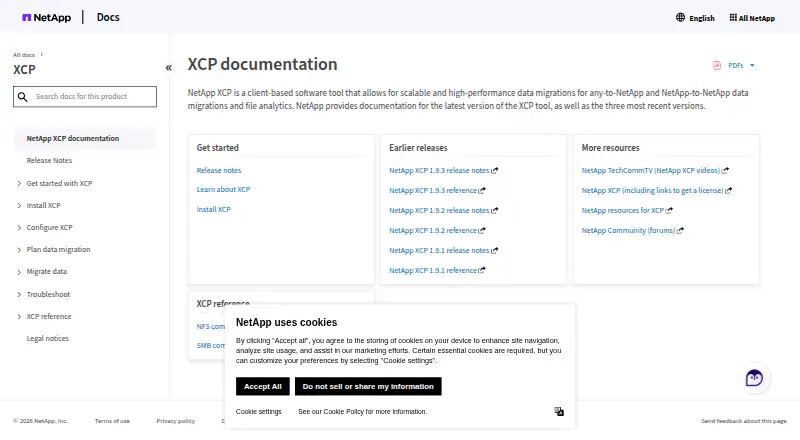
What NetApp XCP is
NetApp XCP is client-based software for high-performance file migration to NetApp systems and file analytics. It supports NFS and SMB migration and analytics workflows. File Analytics scans file shares and provides a dashboard for NFS and SMB file systems, including third-party systems. Migration operations include scan, copy, sync, verify, and resume; by default, verification compares target files and directories, including attributes, access-control lists, and data bytes. XCP uses parallel I/O, and supported copy operations can be distributed across multiple Linux hosts. NFS add-ons include POSIX and HDFS connectors; HDFS connectors are qualified for MapR and Cloudera and support baseline copy only. XCP does not support IPv6 or NFS-to-S3 migration, and baseline copy requires a clean destination. The binary is code signed, and its Linux security feature allows migration as a non-root user. Licenses are available online or offline, with internet required for online licensing. The free license costs nothing and is described as lasting one year, renewable for another year. XCP is available for Linux and Windows as self-hosted software.
Who it suits
XCP suits teams handling file migration and analytics for large datasets or high file counts. It is relevant when NFS or SMB workflows and the listed connectors fit the migration, and a clean destination is available for baseline copy.
What it does well
- Supports scan, copy, sync, verify, and resume.
- Verification checks metadata, access controls, and data bytes.
- Parallel copy can span multiple Linux hosts.
- Online and offline licensing are available.
What to know first
- Does not support IPv6.
- Does not support NFS-to-S3 migration.
- Baseline copy requires a clean destination.
- HDFS connectors support baseline copy only.
Limits
The free license covers one year and can be renewed for another year. Baseline copy requires a clean destination, and HDFS connectors support baseline copy only.
Plans
| Plan | Billed and limits | Price |
|---|---|---|
| NetApp XCP | Free; the documentation describes a free one-year license, renewable for another year. · Free license · License required · Online or offline licensing | Free |
As docs.netapp.com lists them, read 7 Oct 2026. The maker's own page has the final word.
Getting started
- Open the NetApp XCP documentation website.
- Choose a Linux or Windows environment for the self-hosted software.
- Obtain the free one-year license, renewable for another year.
- Choose online licensing with internet access or use offline licensing.
- Use XCP's scan, copy, sync, verify, or resume operations for file migration.
NetApp XCP is client-based software for file migration and file-share analytics. It is best suited to teams moving large datasets or working with high file counts. Its broad migration workflow and detailed verification make it compelling for supported file paths, but protocol gaps and destination requirements can be decisive.
Overview
XCP brings file-share analysis and migration into one tool. Teams can scan NFS and SMB shares, move files through several migration stages, then verify the result. Parallel I/O and distribution of supported copy operations across multiple Linux hosts suit larger jobs; this is a more specialized choice than a general-purpose cloud storage service.
Default verification compares target files and directories, including attributes, access control lists, and all data bytes. That depth helps when preserving both content and access matters. The constraint is that baseline copy requires a clean destination, so existing destination data may complicate a migration plan. XCP also does not support IPv6 or NFS-to-S3 migration.
Key features
- Migration workflow: Scan, copy, sync, verify, and resume address distinct stages of file migration. Resume supports continuing work, while verification checks data and metadata rather than only file presence.
- File Analytics: A dashboard scans NFS and SMB file systems, including third-party shares. That makes XCP useful for examining source environments as well as moving data to NetApp systems.
- Scale: Parallel I/O and multi-host distribution for supported copy operations are practical strengths for large datasets and high file counts, though host distribution is limited to supported operations and Linux hosts.
- Connectors and security: NFS add-ons include POSIX and HDFS connectors. HDFS support is qualified for MapR and Cloudera and limited to baseline copy, so it is not a broad HDFS workflow. The signed binary and Linux option to migrate as a non-root user support more controlled deployment.
- Licensing and support: Licenses can be online or offline; online licensing needs internet access, while offline licensing does not. NetApp directs technical issues to Global Support and provides a separate licensing contact.
Pricing
NetApp XCP: free, billed Free. The free license lasts one year and can be renewed for another year. A license is required, with online and offline licensing options. This is a strong entry point for qualifying migration projects without an upfront software charge, but the published plan is a renewable annual license rather than an unrestricted perpetual license.
The plan covers file workloads, both migration modes, metadata and access preservation, and migration reporting. Its supported-platform scope includes NFS, SMB, POSIX, HDFS, S3, NetApp NAS, and third-party NAS; however, that broad platform list does not remove the stated IPv6 and NFS-to-S3 limitations or the HDFS baseline-copy restriction.
Platforms
XCP is listed for Linux, Windows, and self-hosted use. Linux is specifically relevant to distributing supported copy operations across hosts and to the non-root migration security feature. Check the protocol and destination path against XCP's limitations before committing to a deployment.
Who it's for
XCP fits teams responsible for large-scale file migration, especially when NFS or SMB analytics, metadata and access preservation, and post-copy verification matter. It is less suitable when a project requires IPv6, NFS-to-S3 movement, a non-baseline HDFS workflow, or baseline copy into a destination that is not clean.
Pros and cons
Pros
- End-to-end file workflow: Scan, copy, sync, verify, and resume reduce the need to treat migration as a one-step transfer.
- Deep verification: Default checks include attributes, ACLs, and all data bytes, which is valuable where access settings must remain intact.
- Large-job capabilities: Parallel I/O and supported multi-host copy distribution address high-volume file work.
- Free renewable license: The one-year license, renewable for another year, keeps software cost low for eligible file migration and analytics use.
Cons
- Path exclusions: No IPv6 or NFS-to-S3 support rules out common requirements in some environments.
- Destination constraint: Baseline copy needs a clean destination, which can limit migration flexibility.
- Narrow HDFS scope: MapR and Cloudera qualification is paired with baseline-copy-only support.
- License administration: A license is required, and online licensing depends on internet access; offline licensing avoids that dependency but remains a separate licensing route.
Alternatives
Storage Migration Software is the broader category for comparing migration tools. Choose Synology Photos instead when the goal is photo management with a Synology NAS rather than file migration. Google Cloud Storage is a cloud storage alternative when the need is usage-based object storage rather than XCP's file migration workflow. Azure Storage Mover is an alternative for moving on-premises data or AWS data to Azure, with standard storage, transaction, and networking charges applying.
Cloudsfer may suit smaller transfers that fit its 1GB free tier or a paid plan; its Essential plan costs $100 a month for 100GB, with overage charges and one parallel job. StoneFly Migrate is another free migration option, with no data transfer limit and support and professional services sold separately. Synology Active Backup for SaaS is for Microsoft 365 and Google Workspace backup on a Synology NAS, not general file migration. For paid options, Atempo Lina and Data Dynamics StorageX are alternatives; Lina uses custom pricing, while StorageX bases pricing on terabyte consumption.
Verdict
Choose NetApp XCP if your team needs to migrate large file datasets, analyze NFS or SMB shares, and verify both bytes and access metadata. Its free renewable license and multi-stage workflow are strong reasons to consider it. Look elsewhere if your route requires IPv6, NFS-to-S3, broader HDFS support, or a baseline copy to a populated destination.
Verdict
XCP combines file migration operations with file-share analytics and verification. Check protocol support and destination requirements first, especially if IPv6, NFS-to-S3, or non-baseline HDFS migration is needed.
Questions
What does NetApp XCP do?
It supports file migration to NetApp systems and file analytics. Its workflows cover NFS and SMB migration and analytics.
Does XCP have a free plan?
A free one-year license is described, renewable for another year. The listed plan is free, while the pricing model is listed as paid.
Which platforms does it support?
XCP is listed for Linux, Windows, and self-hosted use. Its supported environments include NFS, SMB, POSIX, HDFS, S3, NetApp NAS, and third-party NAS.
Can XCP verify migrated files?
Yes. By default, verification compares target files and directories, including attributes, ACLs, and all data bytes.
Can XCP be licensed offline?
Yes. Licenses are available online or offline; online licensing requires internet access.
Who provides technical support?
NetApp directs technical questions and issues to NetApp Global Support and provides a separate contact for XCP licensing.
Facts from NetApp XCP's own pages
- Audience
- XCP is intended for file migration and analytics involving large datasets and high file counts. · xcp.netapp.com, 7 Oct 2026
- Connectors
- NFS add-ons include POSIX and HDFS connectors; HDFS connectors are qualified for MapR and Cloudera and support baseline copy only. · docs.netapp.com, 7 Oct 2026
- File Analytics
- File Analytics scans file shares and provides a dashboard for NFS and SMB file systems, including third-party systems. · docs.netapp.com, 7 Oct 2026
- Founded
- 1992 · docs.netapp.com, 28 Sept 2026
- Headquarters
- San Jose, California, United States · docs.netapp.com, 28 Sept 2026
- Licensing
- Licenses are available online or offline; online licensing requires internet access, while offline licensing does not. · docs.netapp.com, 7 Oct 2026
- Limitations
- XCP does not support IPv6 or NFS-to-S3 migration, and baseline copy requires a clean destination. · docs.netapp.com, 7 Oct 2026
- Migration operations
- XCP provides scan, copy, sync, verify, and resume capabilities for file migration. · xcp.netapp.com, 7 Oct 2026
- Purpose
- XCP is client-based software for high-performance data migration to NetApp systems and file analytics. · docs.netapp.com, 7 Oct 2026
- Scale
- XCP uses parallel I/O and can distribute supported copy operations across multiple Linux hosts. · docs.netapp.com, 7 Oct 2026
- Security
- The XCP binary is code signed, and its Linux security feature allows migrations as a non-root user. · docs.netapp.com, 7 Oct 2026
- Support
- NetApp directs technical questions and issues to NetApp Global Support and provides a separate XCP licensing contact. · xcp.netapp.com, 7 Oct 2026
- Verification
- By default, verify compares target files and directories, including attributes, ACLs, and all data bytes. · xcp.netapp.com, 7 Oct 2026
- Workloads
- XCP supports NFS and SMB migration and file analytics workflows. · docs.netapp.com, 7 Oct 2026
Where NetApp XCP stands on Freedom251
- Storage Migration Software#5 of 25