Freedom251 › Data Migration Tools

AWS Schema Conversion Tool
What AWS Schema Conversion Tool is
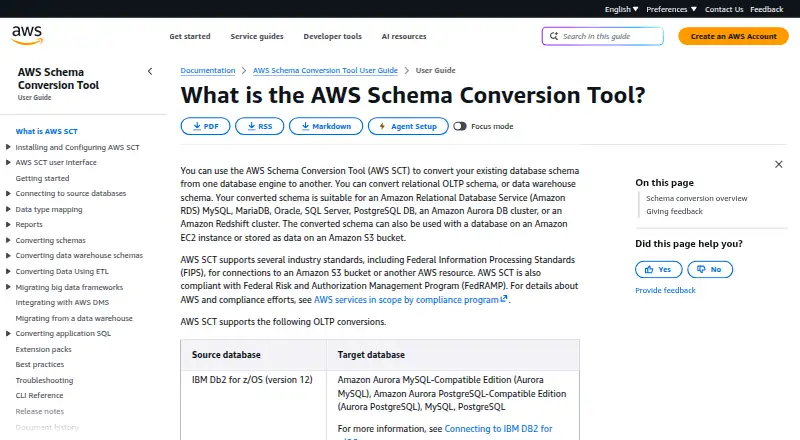
AWS Schema Conversion Tool converts schemas between database engines, covering relational OLTP, data warehouse and NoSQL systems. If it cannot automate a conversion, it gives guidance for creating an equivalent schema in the target database. A project wizard estimates migration complexity for supported destinations and generates a report to compare target options. For warehouse migrations to Amazon Redshift, the tool can manage extraction agents; it can also create, run and monitor AWS DMS endpoints and tasks. It converts SQL embedded in application code such as C++, C# and Java for review and editing. Other supported conversions include SSIS packages, Teradata workloads and Apache Oozie workflows to specified AWS services. AWS SCT is a standalone, project-based application and also has a command-line tool. Planned converted schemas stay local until applied to the target. It runs on 64-bit Windows, Fedora Linux and Ubuntu Linux and is free. It integrates with AWS services including RDS, Aurora, Redshift, S3, DynamoDB, DMS, Glue, Lambda and Step Functions for supported workflows.
Who it suits
It suits teams planning database schema conversions or supported workload migrations to AWS destinations. It is available for 64-bit Windows, Fedora Linux and Ubuntu Linux, as a graphical application or command-line tool.
What it does well
- Free to use.
- Assesses migration complexity for supported destinations.
- Can convert embedded application SQL.
- Includes a command-line version.
What to know first
- Supports only 64-bit operating systems.
- Listed operating systems are Windows, Fedora Linux and Ubuntu Linux.
- Continuous replication is not supported.
Limits
AWS SCT is free. It supports only 64-bit Windows, Fedora Linux, and Ubuntu Linux, and does not support continuous replication.
Plans
| Plan | Billed and limits | Price |
|---|---|---|
| AWS Schema Conversion Tool | Free tool · 64-bit Windows, Fedora Linux, or Ubuntu Linux | Free |
As docs.aws.amazon.com lists them, read 30 Sept 2026. The maker's own page has the final word.
Getting started
- Open the AWS SCT user guide.
- Choose the standalone application or command-line tool.
- Use a 64-bit Windows, Fedora Linux, or Ubuntu Linux system.
- Create a project and use the wizard to assess supported destinations.
- Review converted schemas locally before applying them to the target.
AWS Schema Conversion Tool (SCT) converts database schemas across engines and helps plan supported migrations. It suits teams moving relational, data-warehouse, or NoSQL workloads into AWS destinations, especially when engineers want local project control. Its strongest case is a broad set of conversion and assessment utilities at no software charge; it is not a continuous-replication platform or an all-purpose workload mover.
Overview
SCT converts schemas for relational OLTP systems, data warehouses, and NoSQL databases. When an automatic conversion is not possible, it provides guidance for building an equivalent schema on the target. That makes it useful for mixed-compatibility projects, although the manual work still belongs to the migration team.
A project wizard estimates migration complexity for supported destinations and creates a report for comparing target options. The standalone, project-based application stores planned converted schemas locally until they are applied, providing a practical staging step. A command-line tool is also available, and AWS supplies checksum and signature procedures for verifying the compressed download.
Key features
For warehouse migrations to Amazon Redshift, SCT manages data-extraction agents. It can also create, run, and monitor AWS Database Migration Service endpoints and tasks. These capabilities consolidate important steps in supported AWS workflows, but the product does not offer continuous replication.
SCT converts SQL embedded in C++, C#, Java, and other application code. Teams can review, edit, and save the resulting SQL, which is valuable when a database change must be reflected in application logic rather than schemas alone.
Workload conversions cover SSIS packages to AWS Glue or AWS Glue Studio, Teradata workloads to Redshift RSQL or AWS Glue, and Apache Oozie to AWS Step Functions. These targeted paths can shorten modernization projects built around those technologies; they do not imply coverage for every ETL or big-data stack.
Supported integrations include Amazon RDS, Aurora, Redshift, S3, DynamoDB, AWS DMS, AWS Glue, AWS Lambda, and AWS Step Functions. Connections to Amazon S3 or another AWS resource can use FIPS standards, and SCT is FedRAMP compliant, making its security posture more suitable for regulated AWS environments.
Pricing
AWS Schema Conversion Tool — free (billed Free tool; 64-bit Windows, Fedora Linux, or Ubuntu Linux).
There is no paid tier, renewal, seat charge, or trial period to weigh. The free tool includes discovery and assessment and supports database migration workflows. Its practical cost is the engineering time required when conversions need manual guidance, plus any separate AWS infrastructure or services used by the resulting workflow.
Platforms
SCT is self-hosted and runs on 64-bit Microsoft Windows, Fedora Linux, and Ubuntu Linux. It is available as both a standalone application and a command-line tool. Organizations needing macOS, browser-only operation, or another Linux distribution should look elsewhere.
Who it's for
SCT is a strong fit for database teams planning a move among supported engines, AWS architects comparing destination complexity, and engineers modernizing SSIS, Teradata, or Oozie workloads into AWS services. It is also useful when application SQL must be adapted alongside a schema.
It is a poor fit for teams seeking a managed, always-on replication service, broad operating-system coverage, or a migration product focused on whole servers and applications rather than database conversion.
Pros and cons
Pros
- Broad database scope: Relational OLTP, warehouse, and NoSQL schema conversion covers more than a single database family.
- Assessment before migration: Complexity estimates and comparison reports help teams judge supported destinations before committing.
- Workflow depth: Extraction agents, AWS DMS task management, application-SQL conversion, and selected ETL conversions reduce tool switching.
- No software charge: The sole plan costs 0.00 USD, with discovery, assessment, and database migration capabilities included.
- Regulated-workload support: FIPS-capable AWS connections and FedRAMP compliance suit controlled environments.
Cons
- No continuous replication: SCT cannot replace a service designed for ongoing change-data movement.
- Conversion boundaries: Unsupported or non-automated work requires engineers to create and validate equivalent schemas.
- Restricted platform choice: Only 64-bit Windows, Fedora Linux, and Ubuntu Linux are supported.
- AWS-centered workflows: Its integrations and named conversion paths favor AWS destinations and supported technologies.
Alternatives
For server-level moves with a 90-day free period per source server, choose AWS Transform MGN (formerly AWS Application Migration Service) instead.
Choose Google Cloud Migration Center for free migration assessments and cost estimates when Google Cloud is the intended environment.
Google Compute Engine is a freemium compute platform with a free tier and trial, rather than a schema-conversion specialist.
Choose Tencent Cloud Cloud Migration Service for Tencent-oriented migration tooling, with migration resources and ongoing services charged separately.
Amazon Database Migration Service is the more direct choice for managed database movement, with AWS credits available under its free tier.
Choose Google Migrate to Containers when the goal is moving workloads into Google Cloud containers.
Ora2Pg is free GPL v3 software focused on Oracle-to-PostgreSQL migration.
pgloader is a free community option for supported database-loading work on Linux or self-hosted systems.
See the Cloud Migration Tools list for more options.
Verdict
AWS SCT is the right choice for teams converting supported database schemas into AWS workflows while also needing migration assessment, application-SQL conversion, or selected ETL modernization. Its zero software price and local, scriptable operation are compelling. Look elsewhere when continuous replication, whole-application migration, or an unsupported operating system is the central requirement.
Verdict
AWS SCT offers schema conversion, migration assessment and selected workload conversion workflows in a free tool. Its operating-system support is limited to the listed 64-bit Windows and Linux distributions.
Questions
How much does AWS Schema Conversion Tool cost?
The listed plan is free. The pricing model is free.
Does AWS SCT offer a free trial?
No. It has a free plan, and the listed free trial status is no.
Which operating systems does AWS SCT support?
It runs on 64-bit Microsoft Windows, Fedora Linux, and Ubuntu Linux.
Can I use AWS SCT from the command line?
Yes. AWS SCT is available as both a standalone application and a command-line tool.
What can AWS SCT convert?
It converts relational OLTP, data warehouse, and NoSQL schemas between database engines. Listed workload conversions include SSIS, Teradata, and Apache Oozie workloads to specified AWS targets.
Which services does AWS SCT integrate with?
For supported conversion and migration workflows, integrations include Amazon RDS, Aurora, Redshift, S3, DynamoDB, AWS DMS, AWS Glue, AWS Lambda, and AWS Step Functions.
Facts from AWS Schema Conversion Tool's own pages
- Application SQL
- AWS SCT can convert SQL embedded in C++, C#, Java, and other application code, which users can review, edit, and save. · docs.aws.amazon.com, 30 Sept 2026
- Assessment
- The project wizard estimates migration complexity for supported destinations and produces a report to compare target options. · docs.aws.amazon.com, 30 Sept 2026
- Command line
- AWS SCT is available both as a standalone application and as a command-line tool. · docs.aws.amazon.com, 30 Sept 2026
- Conversion guidance
- When schema conversion cannot be automated, AWS SCT provides guidance for creating equivalent schema in the target database. · docs.aws.amazon.com, 30 Sept 2026
- Data migration
- AWS SCT can manage data extraction agents for warehouse migrations to Amazon Redshift and create, run, and monitor AWS DMS endpoints and tasks. · docs.aws.amazon.com, 30 Sept 2026
- ETL and big data
- Supported conversions include SSIS packages to AWS Glue or AWS Glue Studio, Teradata workloads to Redshift RSQL or AWS Glue, and Apache Oozie to AWS Step Functions. · docs.aws.amazon.com, 30 Sept 2026
- Integrations
- AWS SCT integrates with Amazon RDS, Aurora, Redshift, S3, DynamoDB, AWS DMS, AWS Glue, AWS Lambda, and AWS Step Functions for supported conversion and migration workflows. · docs.aws.amazon.com, 30 Sept 2026
- Local operation
- AWS SCT is a standalone application with a project-based interface, and planned converted schema is stored locally until it is applied to the target. · docs.aws.amazon.com, 30 Sept 2026
- Purpose
- AWS SCT converts database schemas from one database engine to another, including relational OLTP, data warehouse, and NoSQL schemas. · docs.aws.amazon.com, 30 Sept 2026
- Security and compliance
- AWS SCT supports FIPS standards for connections to Amazon S3 or another AWS resource and is compliant with FedRAMP. · docs.aws.amazon.com, 30 Sept 2026
- Support
- AWS SCT users can submit feedback as a bug report, feature request, or general information from the tool’s Help menu. · docs.aws.amazon.com, 30 Sept 2026
- Supported operating systems
- AWS SCT is available for Microsoft Windows, Fedora Linux, and Ubuntu Linux and supports only 64-bit operating systems. · docs.aws.amazon.com, 30 Sept 2026
- Verification
- AWS provides steps to verify the downloaded compressed distribution file, including checksum and signature validation procedures. · docs.aws.amazon.com, 30 Sept 2026
Where AWS Schema Conversion Tool stands on Freedom251
- Data Migration Tools#1 of 25
- Cloud Migration Tools#2 of 32