Freedom251 › Cloud Migration Tools

Google Migrate to Containers
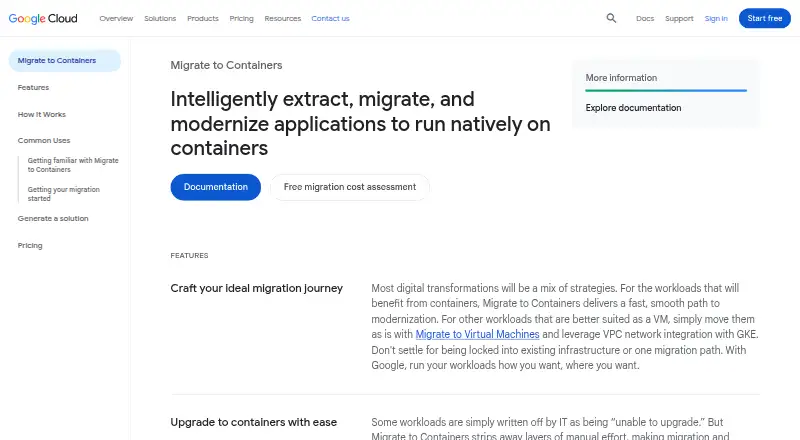
What Google Migrate to Containers is
Google Migrate to Containers helps move applications from virtual machines into containers without rewriting or re-architecting them. It supports workloads from VMware or Compute Engine VMs, with destinations including Google Kubernetes Engine, GKE Autopilot clusters, and Cloud Run. Supported workloads include Linux applications, IBM WebSphere, JBoss, Apache, Tomcat, WordPress, and Windows IIS applications. Its local CLI copies a VM file system, analyzes it into a migration plan, and creates deployment artifacts; it can also move data files to persistent volumes. Linux workloads can be migrated offline, and the CLI can run on a local network without fetching internet resources at runtime. Google recommends assessing workload fit first. Windows workloads require IIS 7 or later, while some Linux systems with large in-memory databases, hardware dependencies, special drivers, or hardware-bound licenses are poor fits. The console UI, migctl, and processing-cluster CRDs were discontinued in May 2024, so Google directs users to the local CLI. Migration has no charge, though other Google Cloud services are billed separately.
Who it suits
It suits teams moving supported VM workloads into containers, especially those targeting GKE, GKE Autopilot, or Cloud Run. Users need a local machine with Docker and sufficient storage.
What it does well
- Migrates workloads without rewriting or re-architecting apps.
- Supports VMware and Compute Engine VM sources.
- Linux workloads can migrate in offline mode.
- Migration itself is free of charge.
What to know first
- Other Google Cloud services are charged separately.
- Local use requires Docker and several GB of storage.
- Some hardware-dependent Linux workloads are poor fits.
- Console UI and migctl were discontinued in May 2024.
Limits
The migration tool is free, but compute, storage, networking, and other Google Cloud services used are charged separately. The local machine needs Docker and storage measured in several gigabytes, with the amount depending on the source file system and filters.
Plans
| Plan | Billed and limits | Price |
|---|---|---|
| Migrate to Containers | No charge for migrating workloads to Google Cloud · Other Google Cloud services used (compute, storage, networking, etc.) are charged separately · Any customer can use the tool | Free |
As cloud.google.com lists them, read 3 Oct 2026. The maker's own page has the final word.
Getting started
- Open the Google Migrate to Containers website.
- Assess whether the VM workload fits migration, using the Migration Center discovery client CLI described by Google.
- Prepare a local machine with Docker and sufficient free storage.
- Use the local CLI to copy the VMware or Compute Engine VM file system and analyze it into a migration plan.
- Generate deployment artifacts and, if needed, migrate data files to persistent volumes.
- Deploy the migrated application to GKE, GKE Autopilot, or Cloud Run.
Google Migrate to Containers is a command-line migration utility for turning suitable VMware and Compute Engine VM workloads into container deployment artifacts. It is best for teams moving compatible Linux or Windows applications to Google’s container platforms while avoiding a rewrite. The free migration tool is compelling, but fit assessment, local machine requirements, and separate cloud-service charges determine whether it belongs in your plan.
Overview
The CLI copies a source VM file system, analyzes its contents into a migration plan, and creates deployment artifacts. It can optionally move data files to persistent volumes. Those artifacts target Google Kubernetes Engine, GKE Autopilot clusters, or Cloud Run, giving an existing application a route to Google’s managed container environments without re-architecting it.
This is application migration, not database migration: database migration is not included. Google recommends checking workload fit first, and its Migration Center discovery client CLI is intended to assess whether a VM workload is appropriate for container conversion.
Key features
CLI-based conversion
The staged workflow—copy, analyze, generate, and optionally migrate data—makes the tool useful when a team needs repeatable preparation rather than a one-off manual rebuild. Google now directs users to this local CLI: the console interface, migctl, and processing-cluster CRDs were discontinued in May 2024. Teams expecting a current browser console or the former cluster-based workflow should choose another approach.
Offline and local-network operation
Linux workloads can be migrated locally in offline mode, and the CLI can run on a local network without pulling runtime resources from the internet. That suits controlled environments and sites with restricted connectivity. The trade-off is operational responsibility on the local machine: Docker is required, along with several gigabytes of free storage. Storage needs vary with the source file system and the filters applied.
Workload coverage
Supported examples include Linux applications, IBM WebSphere, JBoss, Apache, Tomcat, WordPress, and Windows IIS applications. Windows workloads require IIS 7 or later. Linux systems with high-performance or large in-memory databases, special kernel drivers, hardware dependencies, or hardware-ID-bound licences are poor fits; those constraints can rule out a migration even when the application is otherwise on the supported list.
Visual Studio integration
Cloud Code can migrate applications from VMs directly to GKE containers in Visual Studio, using a Linux machine. This is useful for developers who prefer an IDE-assisted path, but it does not change the underlying workload compatibility requirements.
Pricing
| Plan | Price | What it includes |
|---|---|---|
| Migrate to Containers | free | No charge for migrating workloads to Google Cloud; any Google Cloud compute, storage, networking, or other services used are charged separately. |
Any customer can use the tool, and there is no free-trial period because the migration software itself is free. The meaningful cost decision comes after conversion: running the resulting containers and their supporting infrastructure on Google Cloud is billed separately. There are no published seat or migration quotas in this plan.
Platforms
Migrate to Containers supports Linux, Windows, and self-hosted operation. Sources are VMs running on VMware or Compute Engine, while deployment targets are Google Kubernetes Engine, GKE Autopilot clusters, and Cloud Run. The local workflow means the operator supplies the machine, Docker installation, and temporary storage needed for processing.
Who it's for
This is a strong fit for teams with supported IIS or Linux server applications that need a practical path from VM images to Google container services, especially where offline or local-network processing matters. It also suits organizations that want to avoid rewriting an application before moving it.
Look elsewhere when the workload is database-centric, depends on specialized kernel or hardware integration, uses a large in-memory database, or carries a hardware-bound licence. It is also a poor match for teams seeking a maintained graphical console instead of a CLI-led process.
Pros and cons
Pros
- No migration-software charge: the plan costs 0.00 USD, so evaluation and conversion do not add a tool licence fee.
- Useful Google targets: generated artifacts can run on GKE, GKE Autopilot, or Cloud Run.
- Controlled local operation: offline Linux migration and local-network execution reduce dependence on runtime internet access.
- Broad named workload support: coverage includes common web stacks, enterprise Java servers, WordPress, and IIS.
- Optional persistent-volume data handling: data files can be migrated alongside the application when required.
Cons
- Compatibility is selective: specialized Linux workloads and IIS versions below 7 are excluded or poor fits.
- Local capacity is required: Docker and several gigabytes of storage are mandatory, with usage tied to source size and filters.
- No database migration: database-focused projects need a separate tool or process.
- Former interfaces are gone: the console UI, migctl, and processing-cluster CRDs were discontinued in May 2024.
- Cloud costs remain: compute, storage, networking, and other Google Cloud services are billed outside the free migration plan.
Alternatives
Cloud Migration Tools is the broader starting point when you want to compare migration utilities across providers.
AWS Transform MGN (formerly AWS Application Migration Service) is the better option for AWS-oriented replication, with a paid model and a 90-day, 2,160-hour free period per source server.
Google Cloud Migration Center suits discovery and assessment across Linux, Windows, API, web, and self-hosted environments; its estimates and assessments carry no extra charge.
Google Compute Engine is the alternative when you need VM hosting itself, with a freemium model, trial access, and a limited monthly free tier.
Tencent Cloud Cloud Migration Service is another free migration option for Linux, Windows, and web workloads, with migration resources and ongoing services charged separately.
Amazon Database Migration Service is the more relevant choice for database projects, offering a paid model with a credits-based AWS free tier.
AWS Schema Conversion Tool is a free alternative for converting database schemas on supported Windows and Linux systems.
Ora2Pg is free GPL v3 software for Oracle-to-PostgreSQL migration work.
pgloader is a Linux self-hosted option with a free community plan for evaluating or non-critical use.
Verdict
Choose Google Migrate to Containers if you have a compatible VMware or Compute Engine application and want a no-charge, local route to GKE, GKE Autopilot, or Cloud Run without rewriting it. Its main advantage is the combination of automated artifact generation and offline-capable processing. Look elsewhere if your workload is database-led, hardware-dependent, or you require a graphical migration console, and budget separately for the Google Cloud services that run the result.
Verdict
Google Migrate to Containers offers a free route for converting suitable VM workloads into containers. Check workload compatibility and local requirements, and plan to use the CLI rather than discontinued interfaces.
Questions
How much does Migrate to Containers cost?
The listed plan is free for migrating workloads to Google Cloud. Other Google Cloud services used are charged separately.
Is there a free plan or free trial?
A free plan is available, and there is no free trial.
Which source workloads and targets are supported?
Sources include VMs running on VMware or Compute Engine. Targets include GKE, GKE Autopilot clusters, and Cloud Run.
Which workloads can it migrate?
Supported types include Linux applications, IBM WebSphere, JBoss, Apache, Tomcat, WordPress, and Windows IIS applications. Windows workloads need IIS 7 or later.
How do I use the migration tool?
Google directs users to the local CLI. It copies a VM file system, analyzes it into a migration plan, and generates deployment artifacts.
Who makes Migrate to Containers?
Google makes the product. Google was officially born in August 1998 and is headquartered in Mountain View, California, United States.
Facts from Google Migrate to Containers's own pages
- CLI workflow
- The CLI copies a source VM file system, analyzes it into a migration plan, generates deployment artifacts, and can optionally migrate data files to persistent volumes. · docs.cloud.google.com, 3 Oct 2026
- Cloud Code integration
- The Cloud Code integration supports migrating applications from VMs to GKE containers directly in Visual Studio using a Linux machine. · docs.cloud.google.com, 3 Oct 2026
- Company
- Google Inc. was officially born in August 1998, and Google's current headquarters is the Googleplex in Mountain View, California. · about.google, 3 Oct 2026
- Fit assessment
- Google recommends fit assessment before migration, and its documentation describes the Migration Center discovery client CLI as a tool to assess whether a VM workload fits migration to a container. · docs.cloud.google.com, 3 Oct 2026
- Founded
- 1998 · cloud.google.com, 28 Sept 2026
- Headquarters
- Mountain View, California, United States · cloud.google.com, 28 Sept 2026
- Local requirements
- The local machine needs Docker and several GB of free storage, with required storage depending on the source file system size and applied filters. · docs.cloud.google.com, 3 Oct 2026
- Offline mode
- The CLI can migrate Linux-based workloads locally in offline mode and can work on a local network without pulling resources from the internet during runtime. · docs.cloud.google.com, 3 Oct 2026
- Purpose
- Migrate to Containers automates extracting applications from servers and VMs so they can run in containers without rewriting or re-architecting the apps. · cloud.google.com, 3 Oct 2026
- Security compliance
- Google Cloud's ISO/IEC 27001 page lists Migrate to Containers among offerings in scope for the Google Cloud Services ISMS certification. · cloud.google.com, 3 Oct 2026
- Sources
- Workloads can be migrated from VMs running on VMware or Compute Engine. · docs.cloud.google.com, 3 Oct 2026
- Support
- All Google Cloud customers, including free-trial customers, receive Basic Support with documentation, community forums, billing assistance, and Active Assist. · cloud.google.com, 3 Oct 2026
- Supported workloads
- Supported workload types include Linux-based applications, IBM WebSphere, JBoss, Apache, Tomcat, WordPress, and Windows IIS applications. · docs.cloud.google.com, 3 Oct 2026
- Targets
- Migrated applications can run on Google Kubernetes Engine, GKE Autopilot clusters, or Cloud Run. · docs.cloud.google.com, 3 Oct 2026
- Tool availability
- The product's console UI, migctl, and processing-cluster CRDs were discontinued in May 2024; Google directs users to use the CLI on a local machine. · cloud.google.com, 3 Oct 2026
- Workload limits
- Windows workloads need IIS 7 or later; Linux workloads with high-performance or large in-memory databases, special kernel drivers, hardware dependencies, or hardware-ID-bound licenses are listed as poor fits. · docs.cloud.google.com, 3 Oct 2026
Where Google Migrate to Containers stands on Freedom251
- Cloud Migration Tools#6 of 32