Freedom251 › AI Note-Taking Apps
Audionotes
by Audionotes
What Audionotes is
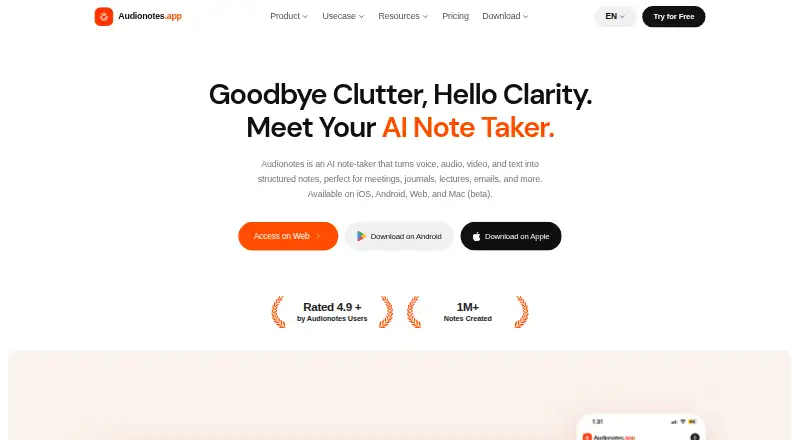
Audionotes turns voice, audio, video, and text into structured notes with AI. Users can record or upload audio and video, add text or images, or provide a YouTube link. Transcription supports 99+ languages and speaker recognition. The service creates summaries and custom outputs, supports chat with notes, and offers more than 100 output prompts. Integrations include Notion, Zapier, webhooks, and a WhatsApp bot; Notion sync, Zapier triggers, and webhooks are Pro features. Webhooks can send note data to a custom endpoint, while a public REST API is listed as planned. The company says notes are encrypted in transit and at rest and are not used to train AI models; its privacy policy names OpenAI, Google Gemini, Deepgram, and Assembly AI among providers that may process data for AI features. The free plan includes unlimited voice notes, but each recording is limited to one minute. Pro costs $29.99 a month and allows recordings up to six hours. Recording uses the device microphone and cannot capture audio from other sources such as speakers.
Who it suits
Audionotes may suit people turning meetings, lectures, journaling, sales, medical or legal notes, and content work into structured notes. The free plan is for users comfortable with voice recordings limited to one minute each.
What it does well
- Transcription supports 99+ languages and speaker recognition.
- Accepts audio, video, text, images, and YouTube links.
- Offers summaries, note chat, and over 100 output prompts.
- Company says notes are encrypted and not used for AI training.
What to know first
- Free voice recordings are limited to one minute each.
- Recording does not capture audio from sources such as speakers.
- Paid subscriptions are non-refundable.
- Public REST API is listed as planned.
Limits
Free voice recordings are limited to one minute each. Pro allows recordings up to six hours, files up to 500 MB, YouTube videos up to six hours, and images up to 20 MB.
Plans
| Plan | Billed and limits | Price |
|---|---|---|
| Free | Unlimited voice notes (1 min/note) · unlimited text notes · transcripts and summaries · 99+ languages | Free |
| Pro | Annual · Unlimited voice notes, file uploads, transcripts, summaries and AI generations · image and YouTube notes · Notion, Zapier and webhooks | $129.99 a year |
| Enterprise | For teams of 5+ · centralized billing · priority support · custom integrations and volume pricing | On request |
As audionotes.app lists them, read 2 Oct 2026. The maker's own page has the final word.
Getting started
- Visit https://www.audionotes.app/.
- Choose a supported platform: web, iOS, Android, browser extension, or macOS beta.
- Record with the device microphone, upload audio or video, add text or images, or submit a YouTube link.
- Use the free plan or choose Pro for longer recording and upload limits and Pro integrations.
Audionotes turns recordings and other input into notes you can summarize, search, and reshape. It suits people who work across voice, video, and text; the free plan is useful for short captures, but its one-minute recording cap makes Pro the practical option for longer sessions.
Overview
Audionotes brings audio, video, text, images, and YouTube links into one note-making workflow. Instead of stopping at a transcript, it can produce summaries and custom outputs, and lets users chat with and search their notes. That breadth is valuable for people revisiting material in different forms, though the recording restriction and steep jump from free to Pro narrow its appeal for casual or budget-conscious use.
The service identifies meetings, lectures, journaling, sales, medical and legal notes, email drafting, and content creation as use cases. For sensitive work, Audionotes says notes are encrypted in transit and at rest and are not used to train AI models. Its privacy policy names OpenAI, Google Gemini, Deepgram, and Assembly AI among providers that may process data for AI features, so users handling confidential material should weigh that alongside the stated protections.
Key features
Multiple ways to capture information
Users can record through the device microphone, upload audio or video, add text or images, or submit a YouTube link. Transcription supports 99+ languages and speaker recognition, making the service useful for multilingual material and recordings with multiple speakers. The microphone-only recording limitation is significant: Audionotes does not capture audio directly from another source such as speakers. If a session is playing through speakers, users need another way to record or upload it.
From transcript to usable notes
Audionotes generates summaries and custom outputs, provides more than 100 output prompts, and supports chat with notes and AI note search. This makes it better suited to extracting and reshaping information than to simple audio storage. Someone reviewing a lecture or preparing a follow-up from a meeting can use those tools to revisit material without relying only on a raw transcript.
Connections and support
Integrations include Notion, Zapier, webhooks, and a WhatsApp bot. Notion sync, Zapier triggers, and webhooks are Pro features; webhooks send note data to a custom endpoint. A public REST API is on the roadmap, rather than a current API offering. Support is by email at [email protected], with a stated weekday response target within 24 hours.
Pricing
Audionotes is freemium, with no free trial. Free costs nothing and includes unlimited voice notes capped at 1 minute per note, unlimited text notes, transcripts and summaries, and 99+ languages. That is a reasonable way to try short voice captures and text notes, but the per-recording cap is too restrictive for a full meeting or lecture.
Pro costs $29.99 a month, billed monthly. It allows recordings up to 6 hours, file uploads up to 500 MB, YouTube videos up to 6 hours, and images up to 20 MB. It is the plan for people who need to process substantial recordings or use the Pro integrations, but the monthly price is a considerable step up from free. Paid subscriptions are non-refundable.
Enterprise requires a minimum of 5 users and has custom pricing. It is the relevant option for teams that need a multi-user plan; the price must be agreed with the maker.
Platforms
Audionotes supports web, iOS, Android, and a Mac beta, as well as an extension. Offline access is supported. The platform range gives users several ways to work across devices, though Mac is still identified as beta.
Who it's for
Audionotes is a strong fit for people who want to turn varied source material into searchable, structured notes, particularly when summaries or custom outputs are more useful than a transcript alone. Its free plan can suit brief thoughts and text notes. People recording longer sessions, uploading large files, or relying on the Pro integrations should expect to pay for Pro. It is a weaker choice for anyone who needs direct recording from speakers or wants longer recordings without a substantial monthly subscription.
Pros and cons
- Pros: Audio, video, text, images, and YouTube links can all feed into notes, reducing the need to keep separate workflows for different source types.
- Pros: Transcription in 99+ languages, speaker recognition, summaries, custom outputs, chat, and AI search support both capture and later retrieval.
- Pros: The free plan includes unlimited text notes and transcripts and summaries, alongside short voice notes.
- Cons: Free voice recordings stop at 1 minute per note, limiting the free plan for meetings and lectures.
- Cons: Recording is microphone-only, so the app cannot directly capture audio from another source such as speakers.
- Cons: Pro costs $29.99 a month, and paid subscriptions are non-refundable.
- Cons: Notion sync, Zapier triggers, and webhooks require Pro; a public REST API is not yet available.
Alternatives
For other options, browse AI Voice Note Apps, AI Note-Taking Apps, and Meeting Notes Software.
- AudioPen is worth considering if a three-minute recording limit on its free plan better matches short voice captures; its listed platforms also include Windows.
- Voicenotes may suit users looking for a lower-priced Pro plan: its listed Pro price is $9 a month, and its Basic plan includes 100 weekly transcription minutes and 30-day history.
- VoiceJournal offers a free trial and lists Android, iOS, and web support; its free plan is limited to 10 notes total and 2 minutes per recording.
- Cleft is an iOS and macOS option whose free Basic plan includes on-device transcription and five-minute recordings.
- Memex is a free app for Android and iOS; its AI features require a configured model service, which may incur provider charges.
- Memoth is another option for extension, iOS, and macOS users.
- Murble is an alternative for Android, iOS, and macOS users.
- Dayheld is an iOS alternative.
Verdict
Choose Audionotes if you want one service to turn different kinds of material into transcribed, searchable notes with summaries and custom outputs. Its free tier is sufficient for brief recordings and text notes, but longer sessions require Pro at $29.99 a month. Look elsewhere if that price or the microphone-only recording restriction does not fit your workflow.
Verdict
Audionotes combines multiple input types with transcription, summaries, and custom note outputs. The one-minute free recording limit and microphone-only recording are important constraints; longer recordings require Pro at $29.99 a month.
Questions
Is Audionotes free?
Yes. The free plan costs 0.00 USD and includes unlimited voice notes, each limited to one minute, plus unlimited text notes, transcripts, and summaries.
How much does Pro cost?
Pro costs $29.99 a month, billed monthly.
Which platforms are supported?
The listed platforms are web, iOS, Android, a browser extension, and Mac beta.
What can I use to create notes?
You can record or upload audio and video, add text or images, or submit a YouTube link.
Which integrations are available?
Integrations include Notion, Zapier, webhooks, and a WhatsApp bot. Notion sync, Zapier triggers, and webhooks are Pro features.
Does Audionotes offer an API?
A public REST API is listed on the roadmap. Webhooks can currently send note data to a custom endpoint.
Facts from Audionotes's own pages
- AI features
- It creates summaries and custom outputs, offers chat with notes, and provides more than 100 output prompts. · audionotes.app, 2 Oct 2026
- AI summaries
- Yes · audionotes.app, 20 Sept 2026
- API
- A public REST API is listed as on the roadmap; webhooks currently send note data to a custom endpoint. · audionotes.app, 2 Oct 2026
- Audience
- The site describes use cases including meetings, lectures, journaling, sales, medical notes, legal notes, email drafting, and content creation. · audionotes.app, 2 Oct 2026
- Data processing
- The privacy policy names OpenAI, Google Gemini, Deepgram, and Assembly AI among providers that may process data for AI features. · audionotes.app, 2 Oct 2026
- Founded
- 2023 · audionotes.app, 28 Sept 2026
- Free plan
- Yes · audionotes.app, 20 Sept 2026
- Inputs
- Users can record or upload audio and video, add text or images, and submit YouTube links to create notes. · audionotes.app, 2 Oct 2026
- Integrations
- Integrations include Notion, Zapier, webhooks, and a WhatsApp bot; Notion sync, Zapier triggers, and webhooks are Pro features. · audionotes.app, 2 Oct 2026
- Limits
- Free voice recordings are limited to 1 minute each; Pro limits include 6-hour recordings, 500 MB file uploads, 6-hour YouTube videos, and 20 MB images. · audionotes.app, 2 Oct 2026
- Platforms
- The product is available on web, iOS, Android, and Mac beta, with notes syncing across devices. · audionotes.app, 2 Oct 2026
- Product
- Audionotes turns voice, audio, video, and text into structured notes using AI. · audionotes.app, 2 Oct 2026
- Recording limitation
- The app records from the device microphone and does not support recording audio from other sources such as speakers. · audionotes.app, 2 Oct 2026
- Refunds
- The company says paid subscriptions are non-refundable. · audionotes.app, 2 Oct 2026
- Security
- The company says notes are encrypted in transit and at rest and are not used to train AI models. · audionotes.app, 2 Oct 2026
- Support
- Support is available by email at [email protected], with a stated weekday response target of within 24 hours. · audionotes.app, 2 Oct 2026
- Transcription
- The service supports transcription in 99+ languages and speaker recognition. · audionotes.app, 2 Oct 2026
Where Audionotes stands on Freedom251
- AI Note-Taking Apps#1 of 42
- AI Voice Note Apps#1 of 27
- Meeting Notes Software#27 of 112