Freedom251 › AI Voice Note Apps
Memex
What Memex is
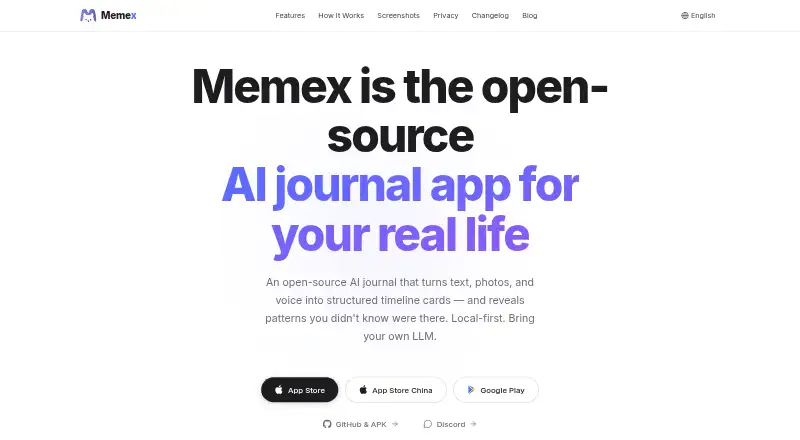
Memex is a free, open-source journal app for Android and iOS that turns text, photos, and voice into organized timeline cards and insights. It is designed for people who capture everyday details in fragments, including observations, tasks, and voice memos. On-device OCR, image labeling, and photo EXIF extraction help process material. AI agents sort records into categories such as tasks, events, metrics, people, places, and transactions, then surface patterns through charts, timelines, quotes, and summaries. Records are stored as Markdown files and in a local SQLite database, with export, backup, and restore options. Users can back up to iCloud Drive, a custom folder, or app storage. Memex supports user-configured model providers such as OpenAI, Claude, Gemini, Ollama, and others. AI features require a configured model service, which may incur provider charges. If a third-party model is connected, text, photo metadata, OCR text, and card content may be sent to that provider for processing. The project is published under GPL-3.0.
Who it suits
Memex suits people who collect everyday notes, images, and voice memos and want them organized into a timeline. It also fits users who want local records, export and backup options, and a choice of AI provider.
What it does well
- Captures text, photos, and voice
- Stores records locally as Markdown and SQLite
- Includes export, backup, and restore options
- Open-source under GPL-3.0
What to know first
- AI features require a configured model service
- Model providers may charge separately
- Some record content may be sent to a selected provider
Limits
The app is free to download, but AI features require a configured model service and may incur charges from that provider. When configured, text, photo metadata, OCR text, and card content may be sent directly to the provider for AI processing.
Plans
| Plan | Billed and limits | Price |
|---|---|---|
| Free | App is free to download · AI features require a configured model service, which may incur provider charges | Free |
As memexlab.ai lists them, read 30 Sept 2026. The maker's own page has the final word.
Getting started
- Visit the Memex website or find the app through the App Store or Google Play.
- Install the app on an iOS or Android device; an Android APK is also available.
- Capture a text note, photo, or voice recording.
- Configure a model provider to use AI organization and insights.
- Choose a backup location: iCloud Drive, a custom folder, or app storage.
Memex is an open-source mobile journal that turns fragments of text, photos, and voice into connected records and AI-generated context. It suits people who want a searchable life log rather than a simple chronological diary. The main attraction is local ownership and flexible automation; the main compromise is managing a model provider for AI.
Overview
Memex converts everyday captures into typed timeline cards for tasks, events, metrics, people, places, galleries, articles, transactions, and other categories. It then looks across records for patterns, presenting charts, timelines, quotations, and narrative summaries. That makes it a strong fit for users who want scattered observations, errands, and media to become reusable personal knowledge. Someone seeking only quick note storage may find this structure unnecessary.
Records remain on the device as interconnected Markdown files and in a local SQLite database, according to the maker, with no journal database uploaded to a Memex server. One-click export plus backup and restore through iCloud Drive, a custom folder, or app storage support portability. The privacy boundary changes when AI is used: text, photo metadata, OCR text, and card content may be sent directly to the selected provider. Memex says it does not see users' data, API keys, or prompts, but provider policies still matter.
Key features
Capture and automatic organization
Text, photo, and voice capture cover the ways people actually record a moment. OCR, image labeling, and photo EXIF extraction run on-device, adding useful structure to images before agents classify records. Offline recording, audio import, transcript search, and transcription in five languages make it practical for spoken notes as well as typed entries. AI summaries are useful when a journal has accumulated enough material to reveal recurring themes, not merely for isolated notes.
Custom agents
Users can create agents with event-driven triggers, custom prompts, JavaScript execution, and inter-agent workflows on their phone. This is unusually powerful for a mobile journal: advanced users can automate their own filing and follow-up rules. It also introduces setup and maintenance that a straightforward notes app avoids.
Model choice and privacy controls
Bring-your-own-model connections include OpenAI, Claude, Gemini, AWS Bedrock, OpenRouter, Ollama, and other providers. The choice can suit users who already have an account or prefer a local model such as Ollama, while newcomers must arrange that service before AI organization works. Biometric app lock delegates biometric handling to the operating system, adding a sensible local safeguard.
Pricing
| Plan | Price | Includes |
|---|---|---|
| Free | free | Free download and the Memex app |
Memex has no subscription charge, seats, renewal, trial period, or stated usage quota in its free plan. The important qualification is that AI features require a configured model service, which may charge separately. It is therefore most suitable for cost-conscious users who can supply their own provider, especially those comfortable with local or existing accounts; users wanting bundled, predictable AI costs should look elsewhere.
Platforms
Memex is available on Android and iOS. Downloads are offered through Google Play and the App Store, with an Android APK option. GitHub provides the open-source project, while bug reports and feature requests go through GitHub issues and community discussion through Discord. The project is released under the GPL-3.0 license.
Who it's for
Choose Memex if you capture life in fragments—short notes, photos, voice memos, observations, tasks, or loose thoughts—and want AI to connect them into a timeline and broader patterns. It is particularly well suited to people who value local files, exportability, configurable automation, and control over the model provider. It is a weaker fit for anyone who wants a turnkey AI journal with no provider setup or separate usage charges.
Pros and cons
Pros
- Local-first storage: Markdown and SQLite records stay on-device, with export and multiple backup destinations.
- Broad capture: Text, images, voice, offline recording, audio import, OCR, EXIF extraction, and image labeling cover varied journaling habits.
- Deep organization: Typed cards and cross-record charts, timelines, quotes, and summaries turn a mixed archive into structured context.
- Extensible automation: Custom agents support triggers, JavaScript, and workflows directly on the phone.
- Open source: GPL-3.0 licensing and GitHub development suit users who value inspectable software and community participation.
Cons
- AI is not bundled: You must configure a provider, and that provider may bill for processing.
- Third-party processing remains possible: Journal text, image-derived data, and card content may leave the device when AI runs.
- Advanced automation adds complexity: Custom agents are powerful but demand more configuration than a basic journal.
- Mobile-only availability: There is no listed desktop application, limiting workflows centered on a computer.
Alternatives
AI Voice Note Apps is a broader starting point when voice capture is the priority. For a wider journal-focused comparison, see AI Journal Apps.
- AudioPen is a better choice for multi-platform voice transcription with a free tier capped at three-minute recordings.
- Voicenotes suits users wanting desktop and browser access alongside mobile recording and a free weekly transcription allowance.
- Audionotes is preferable for unlimited one-minute voice notes, text notes, summaries, and 99-plus languages on its free plan.
- VoiceJournal fits users who want a conventional voice journal with a free 10-note cap and a two-minute recording limit.
- Cleft is for Apple users prioritizing on-device transcription, tags, search, and export.
- Memoth is a simpler option for short recordings, with a guest mode requiring no account.
- Murble is worth considering for unlimited recording and on-device transcription with summaries and action items.
- PlancyAI suits users who prefer a daily voice-memo allowance and a defined monthly voice-minute quota.
Verdict
Memex is a strong recommendation for privacy-conscious mobile journalers who want their records kept as portable local files and are willing to configure an AI provider. Its capture range, typed-card organization, insights, and custom agents go well beyond a basic diary. Look elsewhere if you need bundled AI pricing, a desktop-first workflow, or a zero-setup experience.
Verdict
Memex combines a local-first journal with AI organization and pattern summaries. The app is free, but AI features require a configured provider and may involve sending record content to that provider.
Questions
Is Memex free?
Memex is free to download. AI features require a configured model service, which may incur provider charges.
Which devices support Memex?
Memex is available for Android and iOS. The maker also provides an Android APK option.
Which AI providers can I connect?
Listed connections include OpenAI, Anthropic Claude, Gemini, AWS Bedrock, OpenRouter, and Ollama. Users bring their own model provider.
Where does Memex store journal records?
The maker says records are stored on-device as Markdown files and in a local SQLite database, with no journal data uploaded to a server. If a third-party model is configured, some content may be sent directly to that provider for processing.
Can I back up or export my records?
Memex supports one-click export and backup and restore. Backup locations include iCloud Drive, a custom folder, or app storage.
Is Memex open source?
Yes. The project is published under the GPL-3.0 license.
Facts from Memex's own pages
- AI providers
- Memex supports bring-your-own-model connections including OpenAI, Claude, Gemini, Ollama, and other providers. · memexlab.ai, 30 Sept 2026
- Audience
- Memex is designed for people who capture life in fragments such as short notes, photos, voice memos, observations, tasks, and loose thoughts. · memexlab.ai, 30 Sept 2026
- Automatic organization
- AI agents create typed cards for records, including tasks, events, metrics, people, places, galleries, articles, and transactions. · memexlab.ai, 30 Sept 2026
- Availability
- The maker links to App Store and Google Play downloads and provides GitHub and an Android APK option. · memexlab.ai, 30 Sept 2026
- Backup
- Users can back up and restore through iCloud Drive, a custom folder, or app storage. · memexlab.ai, 30 Sept 2026
- Backup locations
- The app supports backup to iCloud Drive, a custom folder, or app storage. · memexlab.ai, 30 Sept 2026
- Capture
- The app supports text, photo, and voice capture, with on-device OCR, image labeling, and photo EXIF extraction. · memexlab.ai, 30 Sept 2026
- Custom agents
- Users can create agents with event-driven triggers, custom prompts, JavaScript execution, and inter-agent workflows on their phone. · memexlab.ai, 30 Sept 2026
- Headquarters
- Hong Kong · memexlab.ai, 28 Sept 2026
- Insights
- The app surfaces patterns across records as charts, timelines, quotes, and narrative summaries. · memexlab.ai, 30 Sept 2026
- Integrations
- Listed model connections include Gemini, OpenAI, Anthropic Claude, AWS Bedrock, OpenRouter, and Ollama. · github.com, 30 Sept 2026
- License
- The project is published under the GPL-3.0 license. · memexlab.ai, 30 Sept 2026
- Local database
- The maker says records are stored on-device as Markdown files and in a local SQLite database, with no journal data uploaded to a server. · memexlab.ai, 30 Sept 2026
- Maker and team
- Memex says it is developed by a small team and open-source contributors, with Haibo Wu as product initiator and core contributor. · memexlab.ai, 30 Sept 2026
- Model providers
- Users bring their own model provider; the site lists OpenAI, Claude, Gemini, Ollama, and other providers. · memexlab.ai, 30 Sept 2026
- On-device processing
- The privacy policy says OCR, image labeling, photo EXIF extraction, and local SQLite storage run on-device. · github.com, 30 Sept 2026
- Organization
- AI agents organize records into typed cards for tasks, events, metrics, people, places, and other categories. · memexlab.ai, 30 Sept 2026
- Privacy
- The maker says records stay on the device and prompts go directly to the selected model provider; the app does not operate a server storing journals. · github.com, 30 Sept 2026
- Product
- Memex is an open-source, local-first AI journal that turns text, photos, and voice into structured timeline cards and insights. · memexlab.ai, 30 Sept 2026
- Provider data sharing
- When a user configures a third-party LLM, text, photo metadata, OCR text, and card content may be sent directly to that provider for AI processing. · github.com, 30 Sept 2026
- Security controls
- The app supports biometric authentication for app lock, with biometric data handled by the operating system. · github.com, 30 Sept 2026
- Storage and export
- Records are stored as interconnected Markdown files, with one-click export and backup and restore options. · memexlab.ai, 30 Sept 2026
- Support
- The project directs users to GitHub issues for bug reports and feature requests and Discord for community discussion and feedback. · memexlab.ai, 30 Sept 2026
- What it does
- Memex captures text, photos, and voice and uses AI to organize them into timeline cards and surface patterns and insights. · memexlab.ai, 30 Sept 2026
Where Memex stands on Freedom251
- AI Voice Note Apps#10 of 27
- AI Journal Apps#14 of 27